
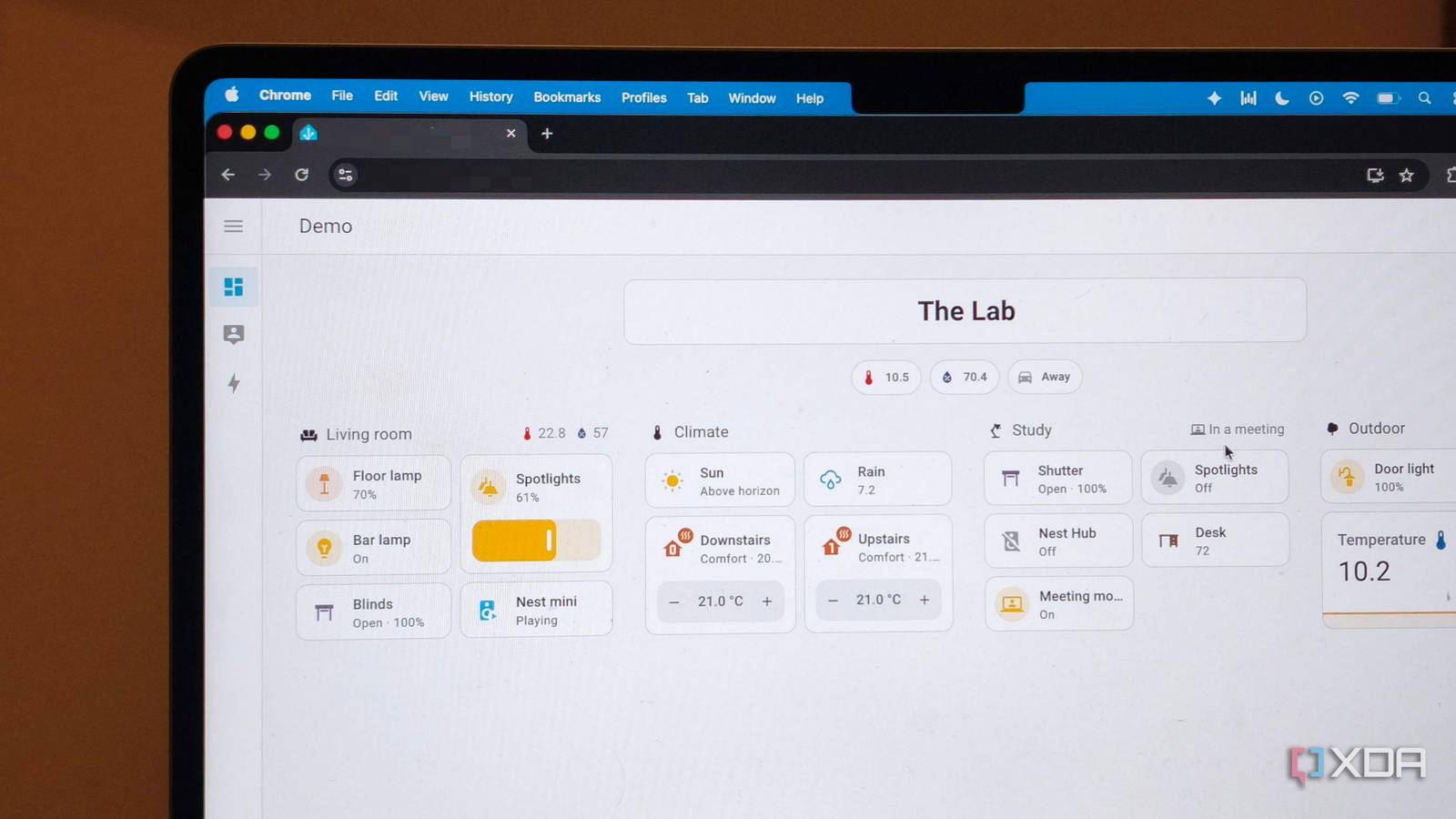
Published Aug 24, 2026, 2:30 PM EDT Anurag is an experienced journalist and author who’s been covering tech for the past 5 years, with a focus on Windows, Android, and Apple. He’s written for sites like Android Police, Neowin, Dexerto, and MakeTechEasier. Anurag’s always pumped about tech and loves getting his hands on the latest gadgets. When he's not procrastinating, you’ll probably find him catching the newest movies in theaters or scrolling through Twitter from his bed. Earlier this year, Belkin shut down the cloud servers behind Wemo. Many Wemo switches and plugs were still perfectly functional pieces of hardware, but products that were not already configured with Apple HomeKit lost their smart functionality. The Wemo app stopped working and affected devices could no longer be set up again. In 2024, Google did something similar with Nest Secure. Owners lost app control, alarm notifications, cloud connectivity, and security updates. If you are building a smart home, you seriously have to consider whether the products you buy are actually yours. The hardware might last another decade, but that means little if its basic functionality lives in the cloud. My switches, sensors, and automations must continue working when the internet connection disappears. Nothing gets added to my smart home unless it passes that test. Your smart home doesn’t need to leave the house Except for maybe when you need remote access My smart home runs through Home Assistant on my local network. When an automation turns on a light or controls a plug, Home Assistant sends that command directly to the device. Disconnecting the internet also doesn’t shut down my Wi-Fi. The router continues to connect everything inside the house, and my phone can still reach Home Assistant while it is on the same network. Devices with local integrations remain available in the dashboard, and Home Assistant keeps running the automations stored on it. It's worth making clear that Wi-Fi and Internet access are not the same thing. A Wi-Fi device can communicate entirely within your home, and that’s totally fine. However, some manufacturers choose to send every command through their cloud instead. That creates several unnecessary points of failure. For example, a problem with your internet connection, an outage at the vendor side or even an account problem can lock the hardware down. I still use the internet for remote access when I’m away from home. You also need it for firmware updates. However, losing these features during an outage doesn’t disrupt anything in your smart home setup, since everything still works inside your house. Check the control path before buying anything Everything should work when disconnected to the internet A good rule of thumb is – don't judge a smart home device only by the protocol printed on its box. Zigbee and Z-Wave devices usually work locally when they are paired directly with Home Assistant. Wi-Fi devices can also work without the cloud if they offer a local API. What's worth evaluating is where the command goes after you press a button. I usually add Matter compatible devices to my smart home because local control is part of the standard. You can use Home Assistant to control Matter devices over Wi-Fi or Thread without contacting the manufacturer’s cloud. However, its own documentation warns that some manufacturers require an account before they let you enable Matter. I have seen one friend using Home Assistant run into exactly this problem with a WiZ bulb. They couldn’t add it directly to Home Assistant. The bulb first had to connect to the vendor’s cloud, install a firmware update, and have Matter enabled through the native app. Try to check the exact product rather than assuming every Matter device will behave the same way. Matter can also sometimes expose fewer features than a device’s native integration. For example, when you connect Philips Hue through Matter, you get basic lighting controls, but when you use local Hue integration, you get extras like dynamic scenes as well. The internet test decides I add to my smart home I don't tolerate cloud dependency Once a device is connected to Home Assistant, I disconnect the internet from my router. I leave the router and Home Assistant running, so everything inside the local network can still communicate. Then I open the Home Assistant dashboard and try controlling the device. You also need to verify whether Home Assistant is receiving the correct state of the smart device. For example, a smart plug is not particularly useful if it turns on while the dashboard shows it as off. I also trigger the automations connected to the device. If a sensor normally turns on a light, that should continue happening without the internet. It’s also worth checking how a device behaves during a quick power cycle. The device should reconnect to the local network and become available again while the internet remains disconnected. I don’t want something that works offline only because it authenticated with the manufacturer’s cloud five minutes earlier. I always check the physical controls as well. A smart wall switch should still behave like a wall switch when Home Assistant is unavailable. Adding automation should never make an ordinary household function less usable than it was before. The cloud isn't worth the convenience When you add a device that depends on the cloud, you are also adding dependence on the manufacturer. Any issues with the server or on the manufacturer’s end will also affect the core functionality of the device that you are using. When you add a new device to your smart home, don’t think about how it will work next month. Think long term – five years or 10 years down the line, because maintaining a cloud service requires resources from the manufacturer as well. If their business priorities change after five years, your perfectly capable device is going to suffer. Belkin Wemo is an example worth remembering here. Home Assistant OS Windows, macOS, Linux iOS compatible Yes Android compatible Yes
Nothing gets added to my smart home unless it still works with the internet unplugged
Full Article
Original Source
Read the full article at Xda-developers →KhanList aggregates and links to publicly available news content. We do not host full articles from third-party sources. Always verify important information with original sources.