
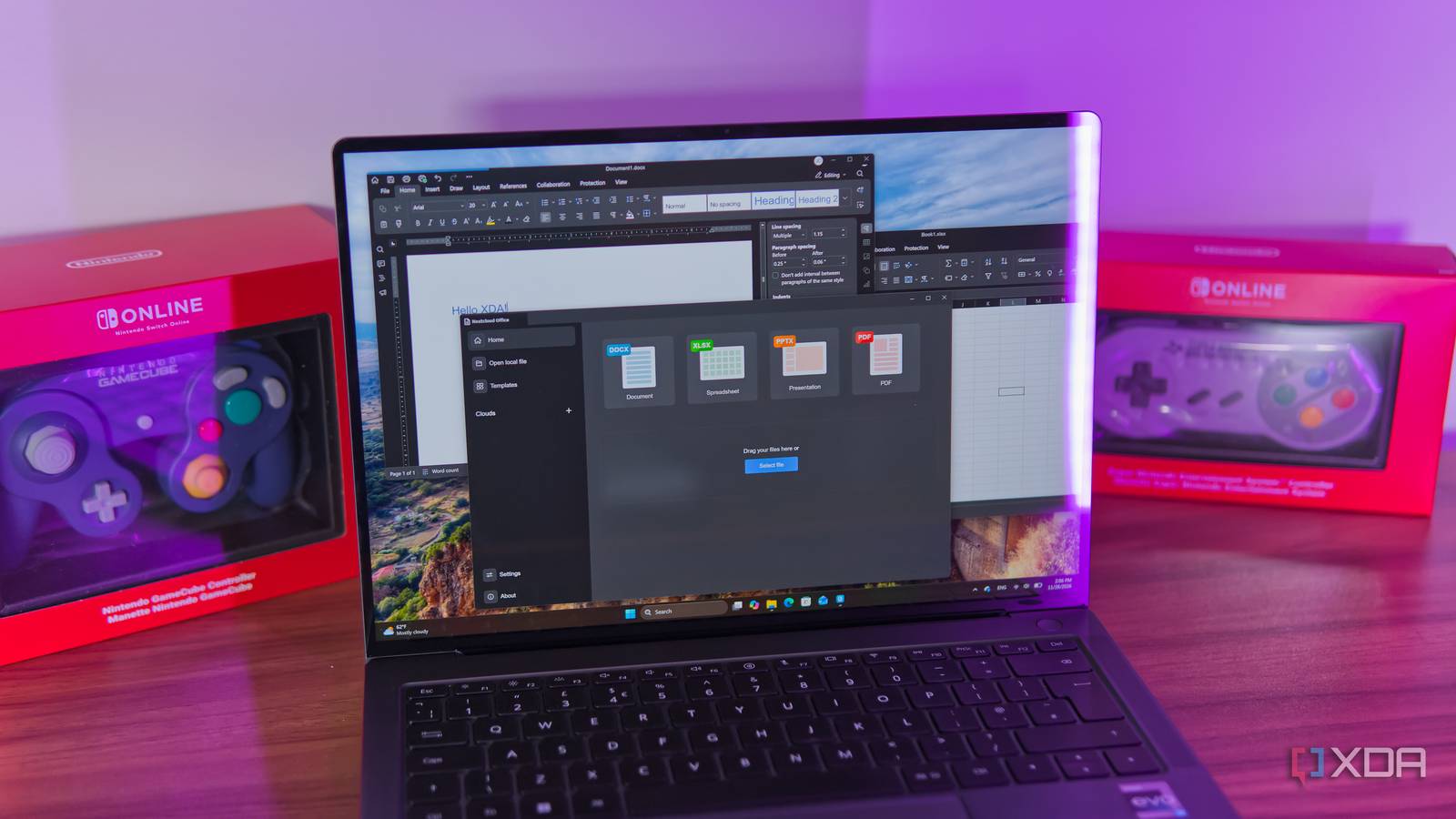
Published Nov 28, 2026, 2:00 PM EST João has been covering the tech world for over 7 years, with a heavy focus on laptops and the Windows ecosystem. I also love all things tech and videogames, especially Nintendo, which he's always happy to talk about. Prior to joining XDA in 2021, he worked at Neowin: https://www.neowin.net/news/poster/jo%C3%A3o-carrasqueira/ Ever since I decided to stop renewing my Microsoft 365 subscription, I've been hoping to find the "perfect" replacement. For a while, I thought that would be OnlyOffice, but recently, a new contender entered the fray in the form of Nextcloud Office. I've spent some time with Nextcloud Office now, and I think I may have finally found the Office suite I'll stick with for the foreseeable future. That's not to say it's perfect, but it does everything I need it to do while having a great UI and relying on an open development base. Replacing Microsoft 365 isn't easy Every alternative has some caveats Let's start by acknowledging that replacing Microsoft 365 is no easy feat. I won't even get into the minefield of apps that simply don't have equivalents in most office suites. Outlook, Access, Publisher are all apps that require separate alternatives independent of an office suite (though LibreOffice does have an Access equivalent). And that's not even getting into more specific tools in the business-oriented plans. But for a lot of people — myself included — replacements for Word, Excel, and PowerPoint are all you really need, and for that, there are plenty of options. LibreOffice is usually the most popular one, but I have never gotten along with it. The default UI is unappealing and confusing coming from Microsoft 365, and I never know where to look for features I'm used to. And some features are just not there. I've never been able to create a table within an Excel spreadsheet, which is infuriating. As such, I turned to OnlyOffice for a while. It had all the features I needed, a nice tab-based interface, and it was technically open-source software that was completely free to use. But then, a few a months ago, Euro-Office was announced, and the people behind the project highlighted how OnlyOffice has tied to Russia and how the development process is actually very opaque, making the open-source aspect very limited. The software is even banned from European public institutions because of it. Euro-Office aims to liberate the OnlyOffice codebase, but the only problem is it's still only meant for self-hosting. You need to install it in a service like Nextcloud and deploy a self-hosted document server to connect to. That's where Nextcloud Office comes in. It's essentially a redistribution of Euro-Office that's built into Nextcloud, but more recently, the team finally released desktop versions of the apps you can run on any PC. So I had to check it out. Nextcloud Office is basically OnlyOffice And that's not a bad thing I've talked about OnlyOffice a good bit before, and ignoring all the background aspects of it, I genuinely do love a lot of what it does, so it's great to see all of it replicated here. Euro-Office basically copied the entire OnlyOffice codebase and made it more easily accessible so more people can contribute to it and the development process is more transparent. But when it comes to features, at least in this early stage, it's essentially the same. One of the aspects I love about Nextcloud Office is the tab-based interface. Juggling multiple windows is often not that fun, and having a tab-based UI lets me keep all the things I'm working on in a single window without feeling like I have to switch contexts all the time. Text documents, spreadsheets, slideshow presentations, and even PDF files can all be open in the same window. But that's optional, too, you can always drag tabs out of the main window and separate them if you want to, so there's flexibility there. Also like OnlyOffice, Nextcloud Office has a UI that feels very familiar if you've used Microsoft 365 for a long time. There's a ribbon-style interface along the top that houses all the core features, grouped into tabs so you know where to look for them. It's all organized very well, and while the finer details aren't quite as nice-looking as Microsoft's offering, it does the job perfectly fine. Its feature set is solid, too The features themselves are also pretty robust for my needs. I can't claim to be the world's most avid user of these apps, but I can format my text in a wide range of ways, add images, SmartArt, charts, and equations, among many others. In spreadsheets, I can actually create, sort, and filter tables so I can more easily find the data I'm looking for. And presentations have the usual array of formatting options, animations, and transitions that make it just fine for a typical presentation in school or at work. One aspect of Nextcloud Office that deserves special credit is its ability to create PDF forms. You can create PDFs using most of the same tools a normal text document would give you, but there's also a Forms tab here, where you can create dedicated field for things like addresses, names, dates, along with tools like checkboxes, radio buttons, and combo boxes. It's a great way to create forms to share with others. Some features seem to be aimed at more enterprise users, such as customizing fields for specific roles, but it's all very interesting. It's still early days Some features need work Nextcloud Office already looks great and it's doing enough to replace OnlyOffice for me. After all, it has all the core features without any of the baggage of OnlyOffice. But this work towards breaking free of OnlyOffice does come with some hurdles, and most notable for me is the lack of cloud syncing support, or at least a version that works for me. In its official announcement, the Nextcloud team does mention support for signing into a Nextcloud server, but for whatever reason, this doesn't seem to work on any of my machines. I tried adding my account and signing in, but all that happens is I'm taken to the Nextcloud server webpage, and I can't open any documents or create new ones directly inside the Nextcloud Office app. This could be because I'm also unable to properly set up the Nextcloud Office app within my Nextcloud server itself. The Euro-Office document server that's supposed to power the experience doesn't seem to work reliably with my revere proxy, and I'm not yet sure how to fix it. It's not a huge deal, especially considering you can install the Nextcloud sync client and access your cloud files that way, but this might be a problem for real-time collaboration, since you're not editing the file in the cloud, you're editing it locally and then having it sync to the cloud. Thankfully, that's not a feature I need often, but it would be nice to see it fixed. The future looks bright for Nextcloud Office Despite a couple of problems here and there, Nextcloud Office is now my go-to for editing documents, and I'm very excited to see where it goes. It's built off of the same codebase as OnlyOffice for now, but as the projects can now evolve separately, it will be interesting to see what this independent project can accomplish in the long term with the backing of so many organizations. It's already great as it stands, but it will be interesting to see it get even better. Nextcloud Office
Nextcloud Office finally has a desktop app, and it's the Microsoft 365 alternative I'm using now
Full Article
Original Source
Read the full article at Xda-developers →KhanList aggregates and links to publicly available news content. We do not host full articles from third-party sources. Always verify important information with original sources.