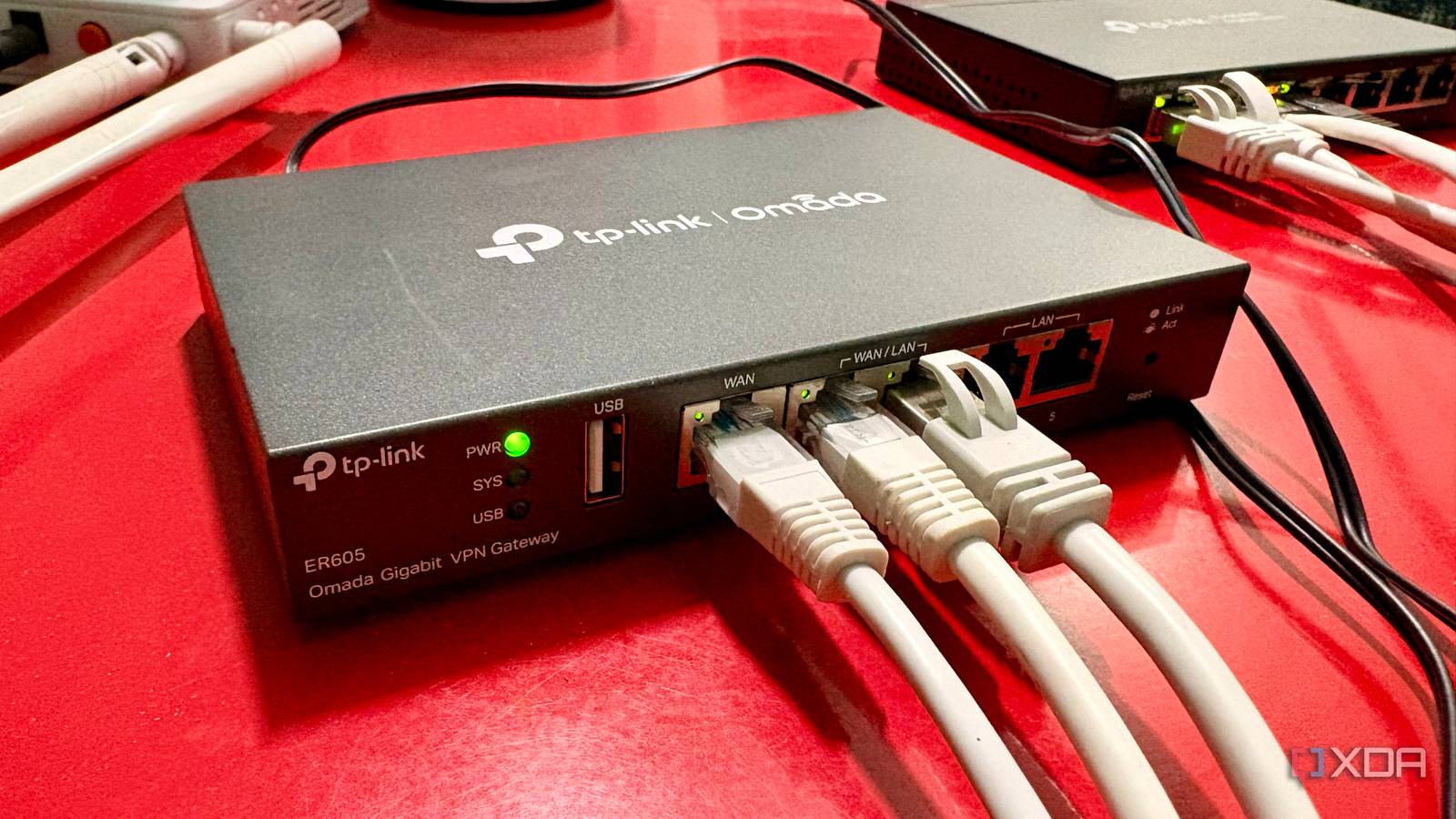
Published Jul 19, 2026, 4:00 PM EDT Shekhar Vaidya is a veteran technology journalist and computer science engineer. He is the founder of TechLatest, where he has spent years providing technical analysis on hardware and Windows ecosystems. Now a Computing Writer at XDA, Shekhar leverages his deep background in NAS, storage solutions, and PC internals to help readers master their tech. Most people install the best ISP for their home and carry on, but I ended up running two side by side on purpose. Not because the speed was low, or the ISP was unreliable — that wasn't the problem. It was to fix something else entirely — my homelab’s dependency on the internet. And my dual-WAN gateway handled both connections at once, deciding for itself which one carried what. Both ISPs had zero awareness of each other — no coordination, no shared config. The gateway decided the sessions and where the traffic went. The biggest benefit of the setup wasn't better speed; it was eliminating a single point of failure and better uptime for my homelab. I stopped treating my internet like a single point of failure One cable wasn't enough After jumping into the self-hosting world, my homelab gradually grew to the point where the home network stopped being “just Wi-Fi” and became a lifeline for it. Most of my hosted services were dependent on the internet to work properly. Initially, I didn't notice much. But as my workflow became more dependent on those services, outages began to affect my day-to-day operations. Living in the countryside has its own perks. A wide choice of ISPs isn't one of them. I had a fiber connection from a local ISP as my only connection. My whole home depended on that single connection. Because of a smaller number of users, the connection was stable, and outages such as maintenance windows, routing issues, or fiber cuts were rare. But whenever it happened, the outage typically lasted 12 to 24 hours. If it were the weekend, the outage could last even longer. Every outage was a reminder that everything in the house depended on a single point of failure. That was when I decided to add another ISP as a backup, so even in an outage, my homelab could work uninterrupted. Instead of another fiber line, I added an airfiber connection (a fixed-wireless connection called airfiber) from a reputable ISP. The goal was simply to have two independent connections, so if one failed, the other would take over. But adding another ISP only solved half the problem. The uptime improved, but the hassle of manually managing both connections was an added burden. The router quietly decides who does the work It switches before I notice Simply having two internet connections wasn't enough. When my primary connection went offline, I had to connect to the secondary one on each device manually. I started searching for something that could manage them intelligently. That was when I came across multi-WAN gateways. I decided to get one immediately, and the best one for my needs and budget was TP-Link’s ER605. As soon as I configured both of my connections on the ER605, they stayed connected to the router at all times. There was a widespread assumption that a dual-WAN router could merge two connections, doubling the speeds, but the assumption didn’t hold up in real-world use. A dual-WAN router can only route the connections intelligently — it can't combine them. After configuring the router, the first thing I did was use the load-balancing function. I set out to balance the connections in a 7:1 ratio, since my primary connection had 300Mbps bandwidth while the secondary had 40Mbps. What that meant was that most new connections would naturally go through my primary ISP, while the secondary remained active rather than sitting idle. Application Optimized Routing and Online Detection Interval were things that interested me, so I enabled them too. By enabling Application Optimized Routing, the router would ensure that once one of my devices was connected to either ISP, it kept that session on the same WAN rather than bouncing packets between ISPs. And I set the online detection interval to three seconds. This ensured that once my primary WAN dropped, the router detected the loss immediately and automatically rerouted new traffic to the secondary WAN. With these few settings in place, my video calls didn't drop, my gaming session stayed up, and downloads continued uninterrupted. I hadn’t even noticed any drops for months; I only found out about them when I was going through logs on the Omada controller one day. That completely changed how I thought about internet reliability. It changed my habits more than my internet I stopped watching the router, and that's the point The best thing about the whole setup was how little I had to think about it once I configured the gateway, switch, androuter. The biggest benefit wasn’t the technology but the attention it never asked for. Before the dual-WAN setup, even a brief internet hiccup meant I had to check router LEDs, run speed tests, and wonder whether any of the ISPs were down. After the setup, that habit quietly disappeared. Even after getting a second connection, I used to check with the ISP when one connection was down, but now I rarely check — the connections stay uninterrupted, so there's usually nothing to notice. Instead of treating every outage as something I had to investigate, I simply carried on with whatever you were doing. The biggest improvement came from the automatic failover mode. The flow was simple: the primary ISP drops, the gateway detects it, traffic shifts to the secondary connection, and the network keeps working without me doing anything. It fixed most of my problems. For example, during my primary ISP outage, remote access still worked, and all homelab services remained reachable. My two ISPs have no idea the other exists The real win for my homelab was never speed or bandwidth; it was that failures quietly became the router's problem, not mine. I accepted that every ISP will eventually have an outage, and I handed the routing over to the gateway. But this isn’t for every household; casual home use probably doesn't need it. If your internet is mainly for streaming, browsing, or occasional gaming, paying for two ISPs probably isn't worth the extra monthly cost.
My two ISPs don't know about each other, and my router makes that fine
Full Article
Original Source
Read the full article at Xda-developers →KhanList aggregates and links to publicly available news content. We do not host full articles from third-party sources. Always verify important information with original sources.