
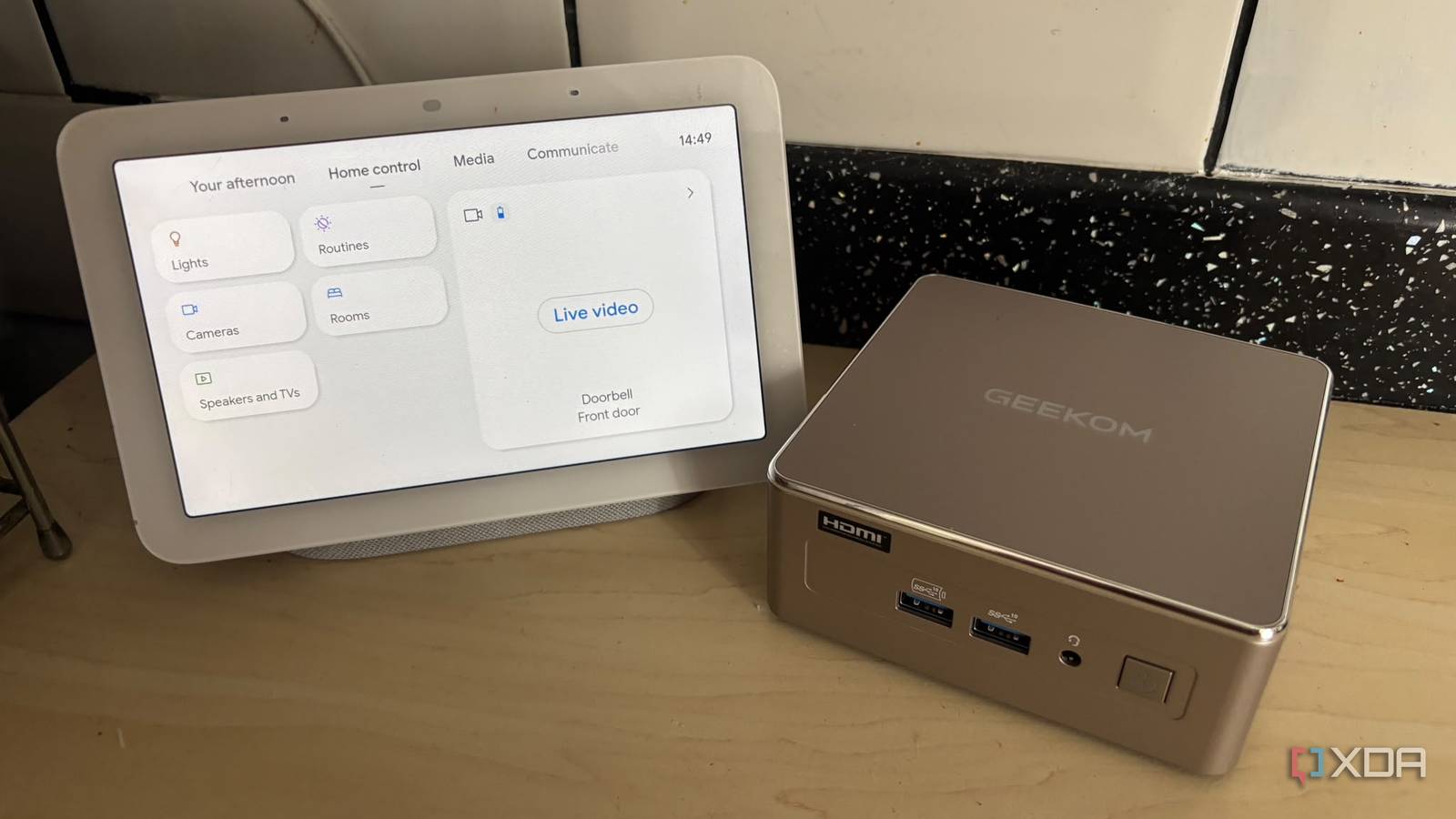
Published Sep 21, 2026, 1:01 PM EDT Jasmine is Software and PC Hardware Author at XDA with years of tech reporting experience ranging from AI chatbots right down to gaming hardware, she's covered just about everything. Whether it's breaking news about the latest AMD NPUs or creating video tutorials on social media platforms, Jasmine has contributed to the world of AI and tech in a variety of ways including interviewing the CEO of Razer, AMD's Director of Product Marketing and the VP of Lenovo. Passionate about gaming and PC technology, she has built countless computers, keyboards and other peripherals - knowing them inside and out. With mainstream voice assistants like Amazon Alexa, Google Assistant, or Apple Siri, every time you give it a command, your voice recording is compressed, packaged, and shipped off to a corporate cloud server farm for processing. It relies on the cloud, meaning if your internet drops, your home automation voice control goes completely dead. On top of that, it means that commercial smart speakers suffer from frustrating multi-second latency lags and can be infected with unrequested shopping suggestions or ad-driven responses. You can swap over to locally hosted voice control, where the entire local AI pipeline, including speech-to-text, intent parsing, and natural language generation, is running locally on a silent, energy-efficient mini PC hidden behind your media center. This allows you to build a lightning-fast, private, 100% offline smart home voice assistant where you are in complete control of your data. The software stack You need a few different tools to get going There are a few open-source tools that you must take advantage of in order to replace corporate cloud servers. First, you need speech-to-text, and one of the most popular models is Whisper. OpenAI's Whisper model runs locally on a CPU or integrated graphics, translating raw audio waveform data into clean text with incredible accuracy without ever talking to an external API. Once you have the clean text, you need intent recognition, and you can do this via Home Assistant Assist. It can parse natural language text commands directly inside Home Assistant's native intent engine. It can then map human phrases to specific entity states. For example, it takes the words "turn on the office lights and set the thermostat to 72°F" and actually understands what you're asking for. Next, you need text-to-speech software, which can be done via Piper. This will generate smooth, hyper-realistic synthesized voices locally, thanks to the fact that it's an ultra-fast neural text-to-speech engine optimized to run efficiently even on the most modest hardware, like a mini PC. Lastly, you should probably use the Wyoming protocol bridge (Home Assistant's Wyoming integration) to decouple the audio-capture hardware (like an Atom Echo or ESP Home satellite microphone) from the heavy lifting of streaming raw audio over the local network to your mini PC for processing. The hardware requirements Make sure your mini PC is powerful enough The mini PC you choose is important, as it needs to have the hardware to make local AI viable without falling to pieces or melting. I chose the GEEKOM A5 2027 edition as it handles local AI quite well. This is down to the specifications, such as the Zen 3 core and SIMD instruction efficiency, while high-end AI inference typically demands heavy discrete GPUs. Quantized models run remarkably well on multi-threaded modern mobile CPUs like the Ryzen 5 7430U. Its robust AVX2 instruction support accelerates matrix multiplication required by Whisper and Piper. It also has a low idle footprint because voice assistants need to listen and be ready to process incoming audio streams instantly. The mini PC's low 15 to 25 idle wattage ensures your electricity bill won't spike just to keep local voice processing alive 24/7. Lastly, it has great memory headroom for local LLMs if you ever want to integrate Ollama, with upgradable RAM options of up to 64GB of DDR4. The mini PC can go beyond basic command and response and host lightweight local large language models like Llama 3 8B via Ollama, giving your smart home a genuinely conversational, context-aware AI personality if you wish. How to get set up You might need to prepare some voice satellites Before getting started, there are a few practical hurdles you might encounter, so it's worth sorting these out in advance of setting up your mini PC. An issue is audio capture hardware. If you're using the mini PC itself for audio capture, then where it's placed might be an issue. A mini PC sitting behind a TV can't hear commands spoken across the house. You might be better off deploying cheap distributed satellite microphones, such as ESP32-based M5Stack Atom Echo running ESP Home Voice Assistant firmware. Place it in key rooms to capture audio and pipe it back to your mini PC over Wi-Fi. You want to ensure that you're balancing CPU inference and real-time processing. You can do this by tuning Whisper model sizes to balance transcription accuracy with light, fast token processing speed on the Ryzen 5 CPU. Once you have these sorted, here's how you can build a local voice assistant. Provision the server containers. Install Proxmox VE or Docker onto your mini PC, ensuring Home Assistant OS has direct access to system compute resources. Install the Wyoming add-ons. Within Home Assistant, you can install the official Wyoming Whisper and Wyoming Piper add-ons to establish local speech engines. Flash your voice satellites if you've chosen to use them. Otherwise, ensure that your mini PC is placed in a prime position to be able to hear you. If you are using voice satellites, set up an ESPHome satellite microphone and link it via the Home Assistant dashboard. It's time to configure intent sentences. You can build custom sentences.yaml configurations to handle natural language shortcuts for your home lighting, media playback, and climate routines. Geekom A5 2027 If you're looking for a mini PC which is capable of functioning as your smart home hub including the ability to set up local voice control then the Geekom A5 2027 is a great option. Don't choose between convenience and privacy A local voice assistant means you can have both For years, we accepted that convenience required trading away our privacy to tech conglomerates. The rise of optimized local AI models running on accessible, efficient hardware like the GEEKOM A5 2027 mini PC proves that we can have lightning-fast voice automation without having to invite corporate surveillance or cloud-based lag into our living rooms. Unplug the cloud-tethered listening devices, grab a capable mini PC, deploy a local app (applications like Whisper and Piper pipelines), and take absolute control over how your smart home listens and responds to you.
My smart home finally answers me without the internet, and the model doing it runs on a mini PC
Full Article
Original Source
Read the full article at Xda-developers →KhanList aggregates and links to publicly available news content. We do not host full articles from third-party sources. Always verify important information with original sources.