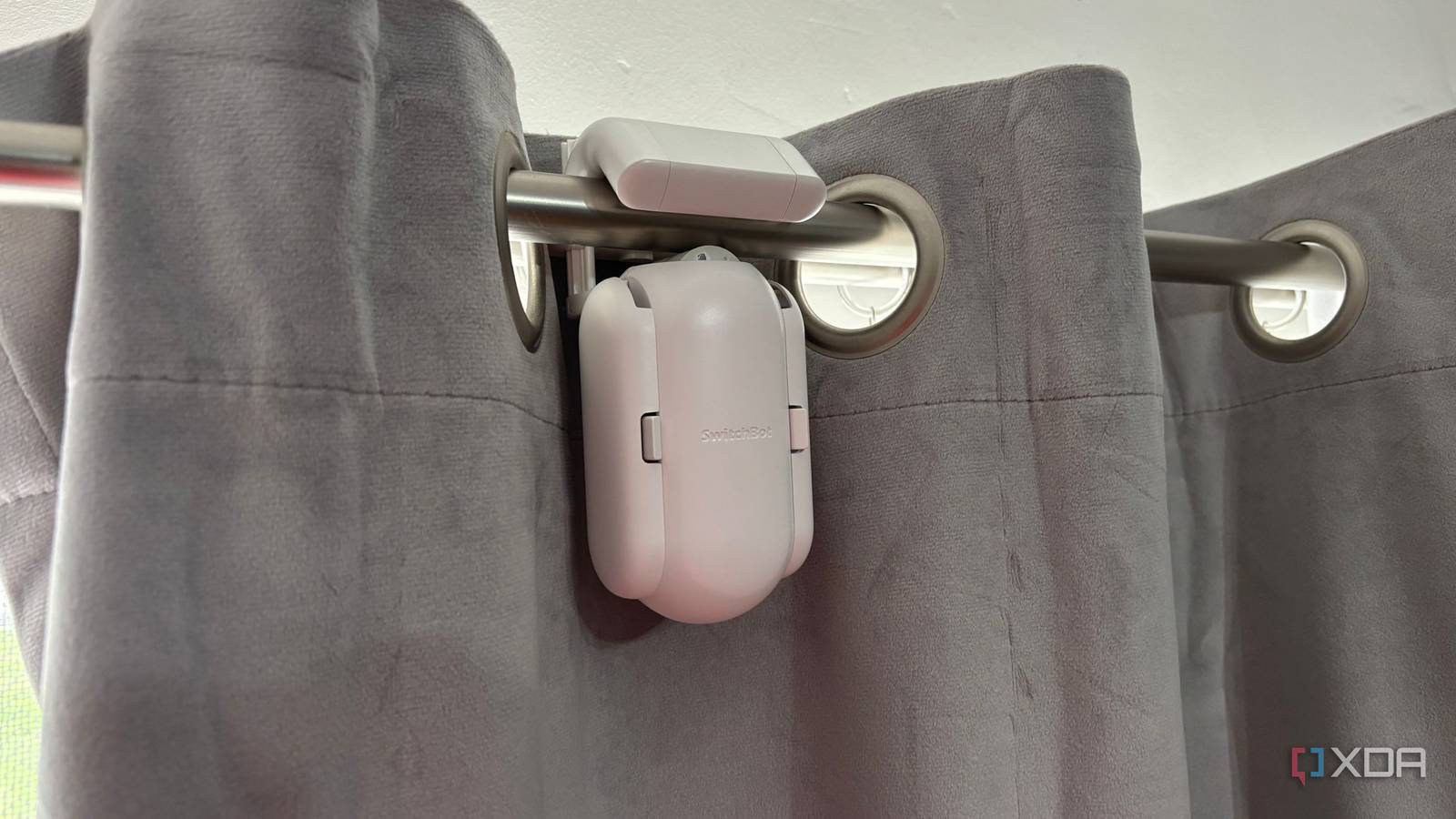
Published Jul 28, 2026, 4:00 PM EDT Jasmine is Software and PC Hardware Author at XDA with years of tech reporting experience ranging from AI chatbots right down to gaming hardware, she's covered just about everything. Whether it's breaking news about the latest AMD NPUs or creating video tutorials on social media platforms, Jasmine has contributed to the world of AI and tech in a variety of ways including interviewing the CEO of Razer, AMD's Director of Product Marketing and the VP of Lenovo. Passionate about gaming and PC technology, she has built countless computers, keyboards and other peripherals - knowing them inside and out. Whether I'm speaking to other smart home enthusiasts or those who aren't into automation at all, I'm always met with an immediate reaction when mentioning my smart curtains. People assume I'm too lazy to walk a couple of feet and pull a piece of fabric. When it's framed like this, it really does seem a bit ridiculous. However, the reality behind a smart home isn't about saving the actual labor — it's about removing micro friction. For me, having to navigate around furniture, then wrestle with heavy blackout drapes, and fight sticky curtain rings on a metal rod is frustrating and not a simple chore at all. Despite my initial skepticism, these silly little retrofitted robots quickly became the most impactful, high-utility smart home device in my entire setup, easily outperforming flashy smart bulbs and voice assistants. By automating daily light shifts at the window level, retrofitted curtain drivers bridge the gap between physical human habits and natural light cycles, reducing domestic friction. The friction of physical curtains Blackout curtains can be heavy I found there was a whole lot of physical friction in manually opening and closing curtains. Whether that's reaching behind heavy desks or other large furniture and having to organize the drapes around them, or even down to dealing with telescoping curtain rods where rings get stuck on the metal lip. Physically opening and closing them isn't as simple as it might first appear, especially for those who have large, heavy blackout drapes. Another issue I found was the all-or-nothing daylight problem. More often than not, I leave my curtains closed all day because having to adjust them mid-afternoon when I get a glare on my screen is a hassle and annoying. This led me to replace natural sunlight with a smart bulb. Whilst an RGB light bulb can change ambient color temperature inside your dark room, it can't actually replicate the physiological benefits of real true sunlight pouring in through a window. Retrofitted was the way to go for me No custom installation required My initial thought was to look into motorized tracks. These ensure that your curtains are smart right down to the track itself, but they're expensive and hardwired, which in turn requires custom installation. The alternative I found was a cheaper retrofitted curtain driver in the form of the SwitchBot Curtain 3. There are other alternatives like the Aqara Curtain Driver E1. It works by using a compact motorized chassis with spring-loaded arms that press a rubber drive wheel against an existing rod or track. This uses raw friction and high-torque gearing to haul up to 15kg of heavy blackout fabric. This means you don't need to replace your curtain rod, your curtains, or set up any custom installation, drilling, or electricity. You can retrofit them to your currently existing curtains, saving you a whole chunk of money. Of course, opting for a retrofit can lead to some technical compromises. If you've got a telescoping rod lip, you might need metal transition tape or plastic glides to prevent the motor from stalling on cheaper curtain rods. There is also a standard motor whine, which means you may hear the motor in action if you're setting it for early morning automations. Automation stacks were suddenly much cooler And I'll admit... some of them are gimmicky Picking up a retrofitted automated curtain driver led to some pretty cool automation stacks, allowing me to turn what was initially a purchase out of being lazy into a truly smart decision. Setting my curtains to open automatically 15 minutes before my alarm goes off allowed me to wake up in a soft, natural way rather than to a blaring audio alarm. The sun coming into my room in line with my circadian rhythm is a much more appreciated and gentle wake-up call. I was also able to use local temperature sensors to trigger curtain closures during peak afternoon heat waves, keeping rooms cool without having to overwork my AC system. You can also pair with weather integrations for the same effect too, leading to thermal isolation and passive energy saving. And while this automation is a little bit more gimmicky, it still feels very cool: Home Theater Mode. Whenever I turn on my OLED TV, it automatically draws the blackout curtains to instantly eliminate any screen glare. It makes my living room really and truly feel like an automated home theater. Switchbot Curtain 3 If you want to make use of smart curtains without any custom installation, then the Switchbot Curtain 3 is a great retrofitted option. Automate those annoying chores Even if it seems silly It's easy to mock smart curtains as a lazy gimmick until you actually live with them for a week, especially considering how much friction I found around opening my curtains and dealing with the heavy fabric. The mark of a truly great smart home upgrade isn't how flashy it looks in an app or how easy it is to show off to guests. It's about how it completely eliminates a minor, repetitive daily chore from your mental load. Don't let the laziness label keep you from automating annoying chores. Sometimes a silly device that clips onto your existing curtain rods and can be set up for sunrise automation can make a major difference in your day-to-day.
My smart curtains were the silliest yet most useful smart home products I ever purchased
Full Article
Original Source
Read the full article at Xda-developers →KhanList aggregates and links to publicly available news content. We do not host full articles from third-party sources. Always verify important information with original sources.