
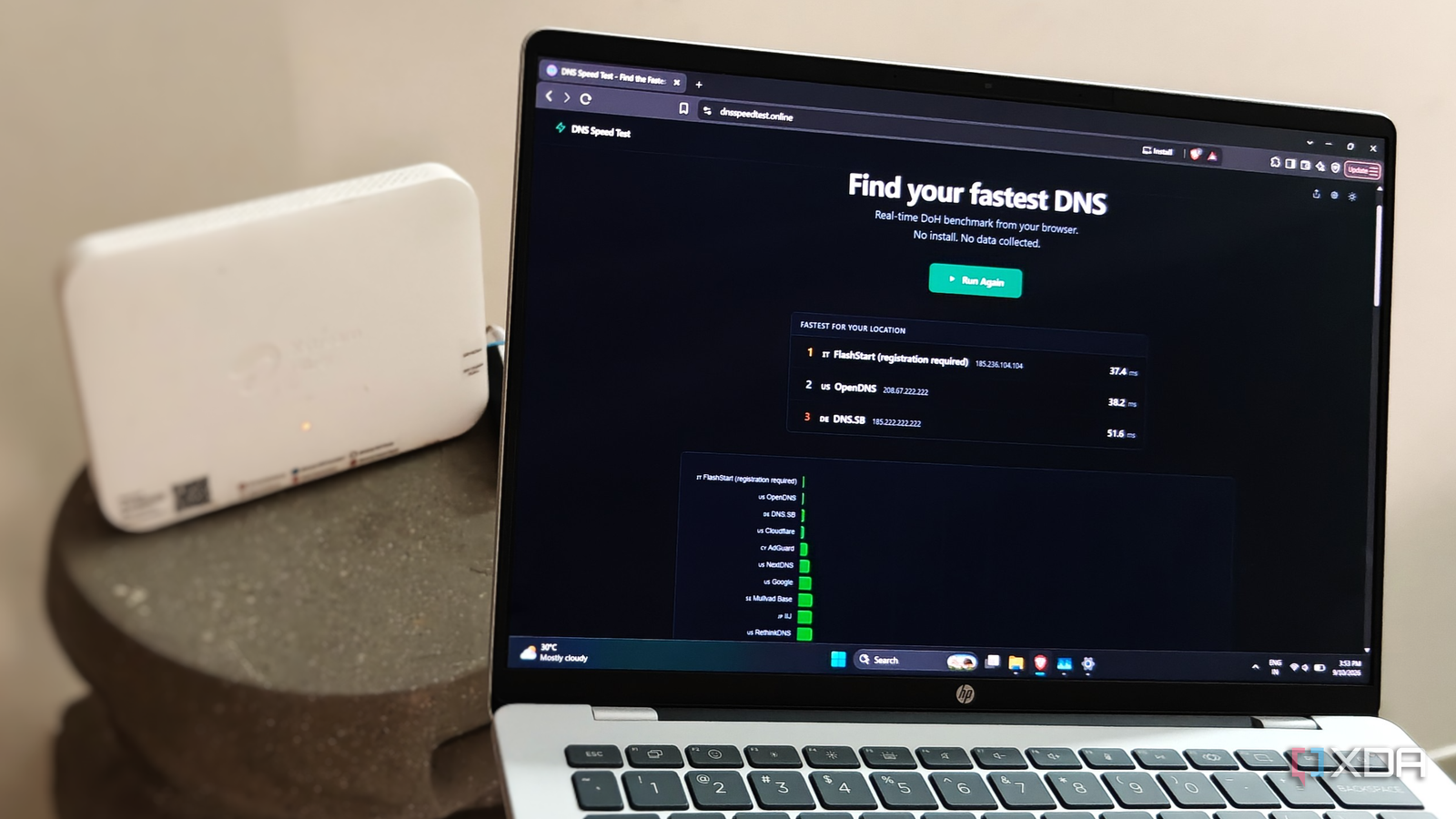
Published Sep 10, 2026, 2:30 PM EDT After a 7-year corporate stint, Tanveer found his love for writing and tech too much to resist. An MBA in Marketing and the owner of a PC building business, he writes on PC hardware, technology, and Windows. When not scouring the web for ideas, he can be found building PCs, watching anime, or playing Smash Karts on his RTX 3080 (sigh). In a bid to remove every last second of latency from my connection, I gradually tweaked almost all my router settings. From picking the best wireless channel and enabling QoS to changing the router's transmit power, I thought I had covered everything. My Wi-Fi and Ethernet performance, however, was still subpar. Everything loaded just the slightest bit slower than it should have on a fast network. I had ignored a crucial part of the puzzle during this journey: the DNS servers. When I tested the DNS speed on my devices, I found that my ISP defaults weren't that bad, but they weren't exactly great either. Changing the DNS servers to a free public DNS was what I had been missing all along. I had addressed almost every part of my network Wi-Fi optimization is a never-ending game Over the last few months, I had addressed nearly every aspect of my internet setup. It started with replacing the older Wi-Fi 5 router with a Wi-Fi 6 model, gaining access to key Wi-Fi improvements. I ensured the router was in the best possible location in the house, so that no major obstructions spoiled the connection between the router and my phone, laptop, and the TV. I also scanned for the best wireless channel from time to time instead of trusting the auto channel selection of the router. To prevent the occasional slowdown due to bufferbloat, I also enabled SQM in the router's settings. There weren't too many devices to begin with; plus, no home automation devices were there to drag the network down. Still, the internet performance, wired or wireless, wasn't up to the mark. Whether it was loading webpages, browsing Instagram, watching Netflix, video-calling friends, or playing online games, everything felt perceptibly slow. Speed tests were fine, but I could feel something was weighing the network down. That's when I thought about the DNS servers Your ISP's default servers aren't great The DNS servers were something I hadn't considered. I knew the ISP defaults aren't ideal, but I should have known how bad they can really be. That's what I finally decided to test when nothing else seemed to work. I started with an nslookup query in PowerShell to find out the current DNS lookup time on my laptop. It was over 90ms, which isn't terrible, but it's on the higher end. So, I knew that switching DNS servers could be beneficial. ipconfig /flushdns Measure-Command { nslookup google.com } Then, I ran an online DNS Speed Test to find the fastest public DNS servers in my region. Google and Cloudflare naturally ranked near the top — I picked Cloudflare, since it was twice as fast as Google in the results. After entering 1.1.1.1 and 1.0.0.1 in my laptop's IPv4 DNS properties (after enabling manual DNS server assignment), I ran the nslookup query again. The lookup time had gone from over 90ms to under 50ms, a near-50% improvement. Of course, 40ms doesn't make everything feel radically faster, but I felt the biggest impact in online FPS and racing games. Streaming, browsing, and video-calling seemed to load slightly faster, too. Of course, the bonus benefits of encrypted DNS and more privacy can't be discounted either. Switching DNS servers should have been one of the first things I did on my network, but better late than never. Changing your DNS servers can boost your connection performance It may not feel important enough among other network settings, but your DNS servers affect the time it takes to resolve domain names into IP addresses. A small delay due to your ISP's slow DNS servers can make your connection noticeably sluggish, even if every other test says it's fine.
My router's default DNS was the slowest part of my connection, and I only found out by testing it
Full Article
Original Source
Read the full article at Xda-developers →KhanList aggregates and links to publicly available news content. We do not host full articles from third-party sources. Always verify important information with original sources.