
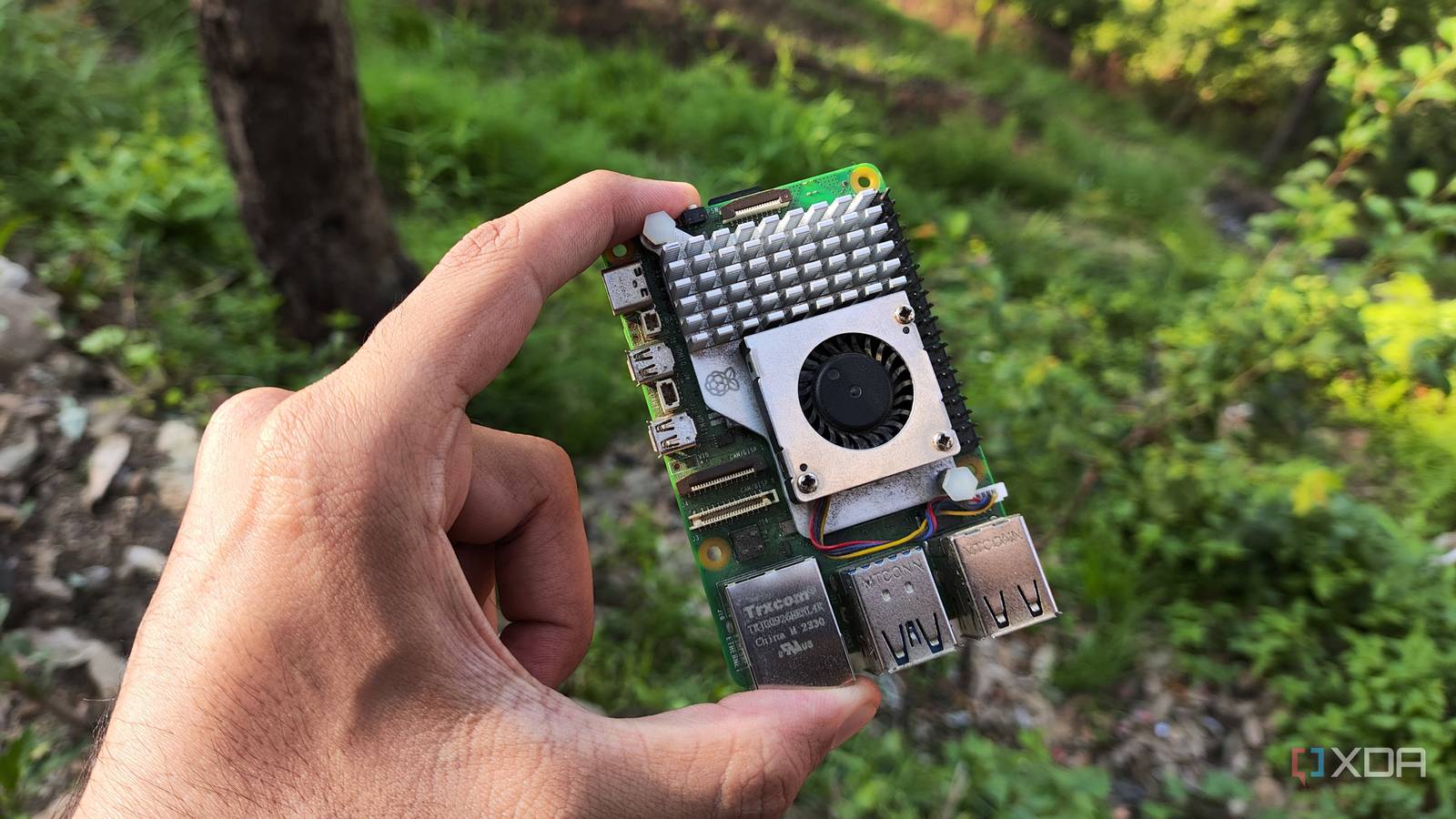
I didn’t buy a Raspberry Pi to save money. I bought it because I wanted a small computer I could leave running, assign a few jobs to, and mostly forget about once everything was working. That’s more or less what happened, except the list of jobs kept growing, and I eventually realized several of them had previously belonged to services I was paying for every month. By the time I added it all up, that little $80 board (at the time of purchase) had quietly become one of the few computers I own that was actually lowering my monthly expenses. I recognize that pricing for Raspberry Pi boards has risen exponentially, but there’s still value here. Even a Raspberry Pi 4 can offer significant value, and there’s something to be said for a 1GB Raspberry Pi 5 running headless to host some, if not all, of the services that replaced my subscriptions. Small recurring charges become surprisingly expensive over time The problem was never one particularly expensive subscription charge None of the subscriptions I replaced felt especially expensive when I signed up for them. That was the problem. Five dollars here and eight dollars there are easy to ignore when they’re buried among everything else on a credit card statement, especially if the service solved an annoying problem when I first found it. I’d sign up, use it, and then largely stop thinking about whether I still needed to keep paying for it. That makes an $80 Raspberry Pi look expensive compared to one month of a $5 subscription. The comparison gets a lot less flattering for the subscription once you stretch it across a year and add a few more services to the pile. Three $5 subscriptions add up to $180 per year, and suddenly I’m spending more than twice the price of the Pi on fairly small conveniences. I didn’t really notice that until the Pi had already started taking over some of those jobs. What surprised me most was how little of each paid service I was actually using. I wasn’t recreating an entire commercial product on the Raspberry Pi, and I wouldn’t have wanted to. I usually needed one feature: an alert, a dashboard, filtering, local control, or some basic automation. Once I had that specific function running locally, the rest of the subscription started looking like stuff I was mostly paying for, because it happened to come in the same package. My Raspberry Pi kept absorbing jobs without much ceremony Network services were among the easiest things to move over. Pi-hole, for example, gives me network-wide DNS filtering without requiring me to install anything separately on every phone, computer, streaming box, or other connected device. Since the Raspberry Pi was already sitting there, powered on all day, adding another lightweight service didn’t feel like asking much of it. It was just another line on the list of things that little box handled for me. Monitoring followed the same pattern. There are plenty of hosted monitoring services that will tell you when a site, server, or application goes down, and some are far more capable than anything I need at home. But I’m not running an operations team. I mostly want to know whether the services in my home lab are alive, and Uptime Kuma covers that without dragging along a pile of enterprise features I’d never touch. That’s roughly how the Raspberry Pi kept picking up work. I’d run into something mildly annoying, start looking at another hosted option, and then realize I could probably run the useful part locally instead. Sometimes that meant a little more setup up front, and not every experiment earned a permanent spot. The ones that did were usually boring services doing boring jobs, which is exactly why I’d rather have one machine handle them than keep paying separate monthly charges. These are five good examples of subscription-based services whose core functions can instead be handled locally by a Raspberry Pi. Subscription-based app Category Raspberry Pi replacement What the Pi can replace NextDNS Pro DNS filtering / privacy Pi-hole Network-wide ad, tracker, and domain blocking. NextDNS currently charges $19.90/year for its Pro plan, while Pi-hole can handle local network filtering on hardware you already own. UptimeRobot Service monitoring Uptime Kuma Website, server, port, and service monitoring with alerts and status pages. UptimeRobot’s paid Solo tier starts at $9/month, while Uptime Kuma is a self-hosted monitoring tool. IFTTT Pro / Pro+ Smart home automation Home Assistant Multi-device automations that would otherwise require paid IFTTT features such as multi-action Applets and more advanced logic. IFTTT still offers a free tier, but more capable Applets require Pro or Pro+. Dropbox Plus Cloud storage / file sync Nextcloud Personal file storage, syncing, sharing, contacts, calendars, and photo uploads. Dropbox Plus currently costs $9.99/month for 2TB, while Nextcloud is designed to run as a self-hosted storage and collaboration platform. 1Password Password management Vaultwarden A self-hosted password vault accessed through Bitwarden-compatible clients. 1Password Individual currently starts at $3.99/month, so this is another recurring charge a Pi can potentially eliminate for someone comfortable maintaining their own vault. Home automation made the subscription problem even clearer Local control changed what I expected from smart devices Home Assistant made the difference much easier to see because smart home devices often arrive with their own apps, accounts, cloud services, and ideas about how I’m supposed to use them. Home Assistant lets me pull those devices into one place, build automations around them, and control them locally where the hardware supports it. That doesn’t magically remove every manufacturer’s cloud service from the equation. It does mean I’m not automatically dependent on one more subscription just because I want two devices from different companies to work together. The more devices I added, the more I appreciated that. One smart bulb with its own app isn’t a big deal, and neither is one sensor. Once there are enough devices around the house, though, bouncing between separate apps and wondering which features are locked behind which account gets old quickly. Running the coordination layer myself gave me far more control over how everything fit together, without having to worry about whether a manufacturer considered a useful automation a “premium” feature. This was also one of the jobs that made the Raspberry Pi stop feeling like an experiment. Home Assistant doesn’t require some enormous rack server to be useful, and the Pi can sit there doing the work day after day. I stopped thinking of it as a development board I happened to own and started treating it as part of the house’s infrastructure. That shift happened gradually enough that I didn’t really notice it until I was already relying on the thing. Paying for convenience can still be completely reasonable Self-hosting does exchange monthly bills for additional responsibility Of course, there’s a reason hosted services charge money. When I pay someone else, I’m also paying them to handle the server, updates, connectivity, storage, backups, certificates, and all the other chores I don’t have to think about when everything is working. If their service breaks, I can at least complain to them rather than stare at my own logs. Once I move something onto my Raspberry Pi, that responsibility lands back on my side of the fence. The Pi taught me to ask whether I actually need the service, or just the job it performs. Self-hosting can also turn into a hilariously bad money-saving strategy if I’m not careful. A Raspberry Pi needs a power supply, storage, and usually a case, and it’s very easy to decide I also need another adapter, another drive, or another Pi for some new project I’ve just thought up. At that point, avoiding a $3 monthly fee can become an excuse to spend far more than the fee would ever have cost. I’ve learned to separate “this saves me money” from “I wanted to build this anyway,” because those aren’t always the same thing. Time counts too, even if I’m terrible at putting a dollar value on my time when I’m tinkering with home lab stuff. A hosted service that works immediately can be worth paying for if the alternative is losing part of an afternoon to a configuration problem I created myself. I happen to enjoy a lot of that troubleshooting, at least until I’ve been staring at the same broken setting for too long. Someone who wants the result without the maintenance could reasonably decide that five bucks a month is money well spent. The Raspberry Pi still wins when the jobs fit The savings work because these services stay relatively simple That hasn’t changed my mind because I’m not trying to replace everything with a Raspberry Pi. I’m using it for the jobs that make sense: lightweight network services, monitoring, home automation, and other local tools that don’t need serious hardware. I have no interest in rebuilding every cloud product I use just to say I self-host it. The minute a service becomes more trouble than it’s worth, I’d rather pay somebody else and move on. The Pi also doesn’t need one killer application to justify its cost. Pi-hole handles one problem, Home Assistant another, and monitoring another. Each chips away at something I might otherwise pay for separately. The savings are cumulative, which is why I didn’t notice them at first. The hardware was already bought and running, so every useful little service I added made the original purchase look better. That’s really where my thinking about subscriptions changed. I used to look at each charge individually and decide whether $5 or $8 per month seemed reasonable for what I was getting. Most of the time, it did. Now I also ask whether I’m paying somebody every month to perform a small computing task that an inexpensive machine already sitting in my house could handle without much drama. An inexpensive computer changed how I evaluate subscriptions My Raspberry Pi hasn’t convinced me that subscriptions are bad, and I’m still paying for plenty of them. Some services provide infrastructure, content, support, or capabilities I absolutely have no desire to reproduce at home, and paying for them makes perfect sense. What changed is that I no longer assume recurring software charges are automatically more convenient just because the individual price looks small. Sometimes they are worth every penny, and sometimes I’m basically renting a tiny function I could run myself. That $80 Raspberry Pi ended up saving me money almost by accident. I gave it one job, then another, and eventually noticed that a handful of charges I’d stopped questioning no longer had much reason to exist. None of those cancellations changed my budget on its own, but together they easily added up to more than the hardware cost over a year. More than anything, the Pi taught me to look at the next subscription before I click through the checkout screen and ask one simple question: do I actually need the service, or just the job it performs? Raspberry Pi 5 CPU Arm Cortex-A76 (quad-core, 2.4GHz) Memory Up to 8GB LPDDR4X SDRAM Operating System Raspberry Pi OS (official) Ports 2× USB 3.0, 2× USB 2.0, Ethernet, 2x micro HDMI, 2× 4-lane MIPI transceivers, PCIe Gen 2.0 interface, USB-C, 40-pin GPIO header GPU VideoCore VII Starting Price $60 Even with rising prices, the Raspberry Pi 5 can still save you hundreds of dollars in subscription costs.
My Raspberry Pi quietly replaced a year of subscriptions I spent hundreds of dollars on
Full Article
Original Source
Read the full article at Xda-developers →KhanList aggregates and links to publicly available news content. We do not host full articles from third-party sources. Always verify important information with original sources.