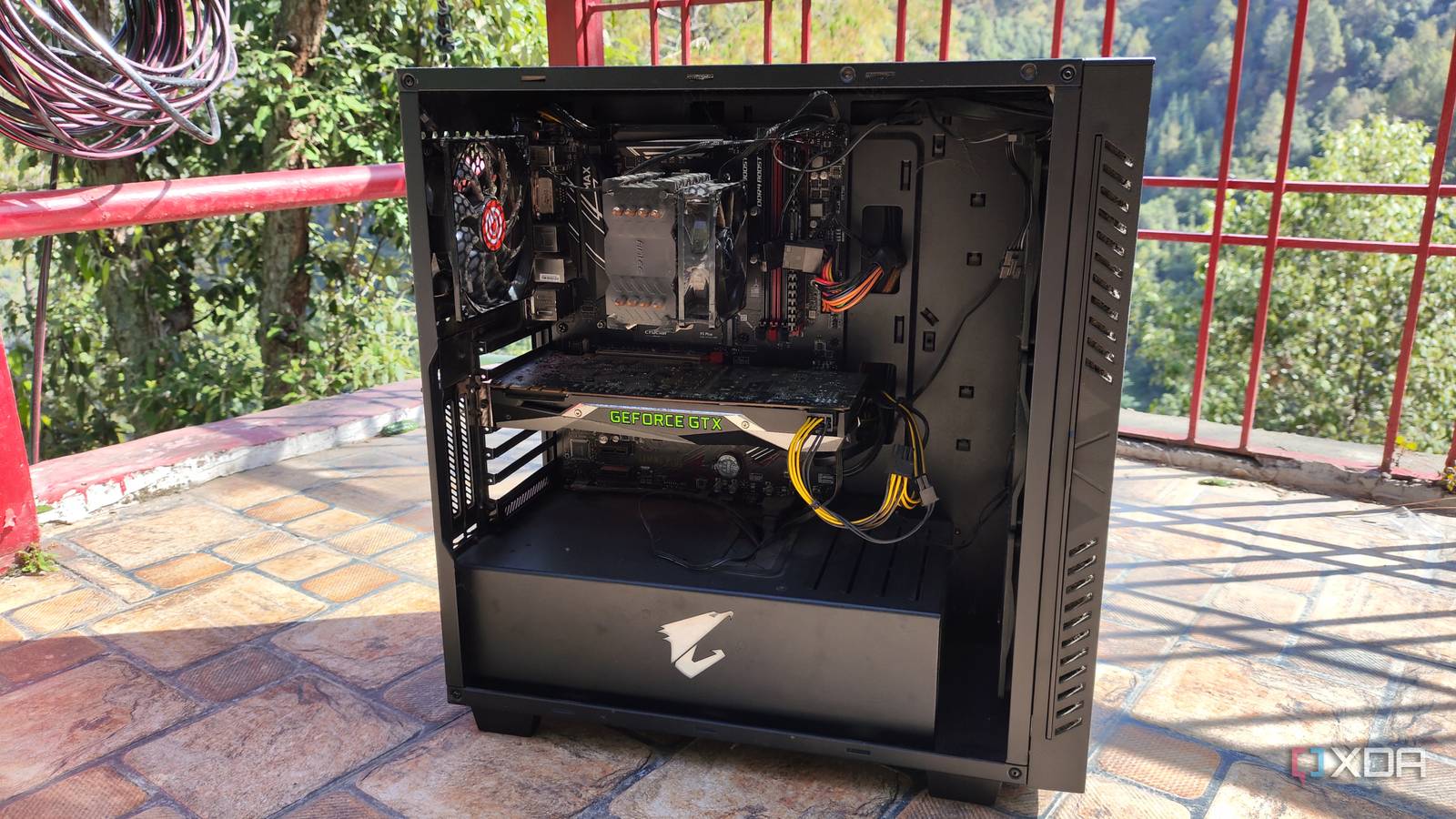
Published Aug 7, 2026, 12:30 PM EDT Ayush Pande is a PC hardware and gaming writer. When he's not working on a new article, you can find him with his head stuck inside a PC or tinkering with a server operating system. Besides computing, his interests include spending hours in long RPGs, yelling at his friends in co-op games, and practicing guitar. Back when Microsoft released the minimum requirements for Windows 11, I was a bit disappointed to find out my first-gen Ryzen system didn’t make the cut. Nevertheless, I relied on good ol’ Rufus to help me install Microsoft’s flagship OS on my outdated machine. But with the system no longer meeting my gaming needs, I began upgrading its components and eventually encountered a ship of Theseus situation where I’d swapped out all its parts and ended up with a completely new PC. With all the old components gathering dust on my shelf, I had no idea how I could repurpose it. Using it for simple computing projects made no sense, as I could just run everything on my current PC. However, I managed to come across Proxmox during a random doomscrolling session, and it not only helped me repurpose my outdated machine, but also set me down the home lab, DevOps, and virtualization rabbit holes. Proxmox’s light design and solid hardware compatibility make it terrific for old devices It pairs well even with dinosaur machines Although there are a bunch of distributions that can revitalize an old system as a home server, few can match the features of Proxmox. Ubuntu Server, for one, is a great way to build a DIY workstation, but manually installing all the essential packages can be a bit of a pain. XCP-ng is another solid Proxmox rival, but it still hogs up some extra resources since (unlike Proxmox) it deploys the Xen Orchestra Appliance management interface inside a virtual machine. ESXi could technically run on my Ryzen 5 1600 system, but it would need a high-end NIC and the free version doesn’t support as many first-party tools and advanced features as Proxmox does. And don’t even get me started on Harvester’s abnormally high system requirements. Proxmox, on the other hand, works well right off the bat on my aged system and lets me access pretty much all the hardcore home lab tools I need without forcing me to buy a premium license. Since it mixes the light KVM with a sleek web UI, I can spin up practically most distros (and even technically unsupported operating systems) on my first-gen Ryzen system and still expect solid performance. Meanwhile, Proxmox’s native for LXCs lets me spin up fresh containers for self-hosted services, so I don't need to expend my PC's computation horsepower on full-fledged virtual machines. On top of these practical tools, I get to tinker with an enterprise-grade SDN stack, powerful cluster provisions, and a solid collection of first-party utilties. I currently use my old rig to host essential LLMs for my app stack All the magic happens within a GTX 1080-powered llama.cpp LXC Ollama LXC failing installation Over the years, I’ve swapped around my primary Proxmox hardware quite a lot to meet my growing virtualization and self-hosting needs. However, my Ryzen 5 1600 system still has its own place in my setup – and that’s driving LLMs for my productivity-driven LXCs (many of which run on this very machine). Well, it’s mostly the RAM and my GTX 1080 doing the work, as I’ve assigned several GBs of the former and passed the latter to an LXC housing a llama.cpp instance. On paper, the outdated GTX 1080 can handle up to 8B models, potentially some with slightly more parameters if I tried offloading my graphics card. However, thanks to MoE offloading, I’ve managed to deploy up to 26B LLMs on this aged Pascal-era card. What I’d do is load the router mechanism and attention components of Mixture-of-Experts on my GTX 1080’s 8GB VRAM and shift the rest of the expert weights onto the 32GB RAM. That way, I’d get to tinker with bulky LLMs without losing on the performance aspect. To put that into perspective, this nearly 10-year-old PC can drive Gemma-4-26B-A4 at 14 tokens/second, which is more than enough for light coding and everyday productivity tasks. I’d upgraded this system before the RAM apocalypse was a thing, but even with the old 16GB stick, I still get GPT-OSS-20B to run on this relic of a PC. But aside from llama.cpp, I run a couple of AI-heavy tools on this machine, as I didn’t want to scatter my LLM-powered productivity stack across multiple nodes. Lightweight services such as Blinko, Open Notebook, Paperless AI, and Karakeep work wonderfully as containers within my Docker virtual machine, and I also use it occasionally to test quirky LXCs that can benefit from my LLMs. But I’ve used it for some insane projects as well Gaming VMs, routers, Hackintosh setups; I’ve subjected this PC to a lot of tinkering shenanigans Although I’m currently satisfied with this LLM-hosting workstation, I’ve used it for several experiments in the past. Before I got into local AI, I had passed my GTX 1080 to a Windows 11 virtual machine and used it as a headless remote gaming server. Of course, I couldn’t play triple-A titles at 4K60 FPS on this system, but it was more than enough to run my Steam library at decent frame rates at 1080p. As for non-GPU projects, I’d temporarily used this server to host an OPNsense instance before I switched to my current ZimaBoard-powered router. Heck, I’ve even spun up a DIY Hackintosh VM that managed to run simple macOS apps with this decade-old machine. I’m currently using an old laptop and an x86 mini-PC (alongside a Raspberry Pi Q-Device) for a ZFS replication Proxmox cluster, but my outdated Ryzen machine used to be one of the main rigs for my high-availability experiments until last year. Proxmox Proxmox is an open-source platform built on Debian Linux designed for server virtualization.
My outdated Windows 10 PC was headed for the recycling bin until Proxmox gave it a second life
Full Article
Original Source
Read the full article at Xda-developers →KhanList aggregates and links to publicly available news content. We do not host full articles from third-party sources. Always verify important information with original sources.