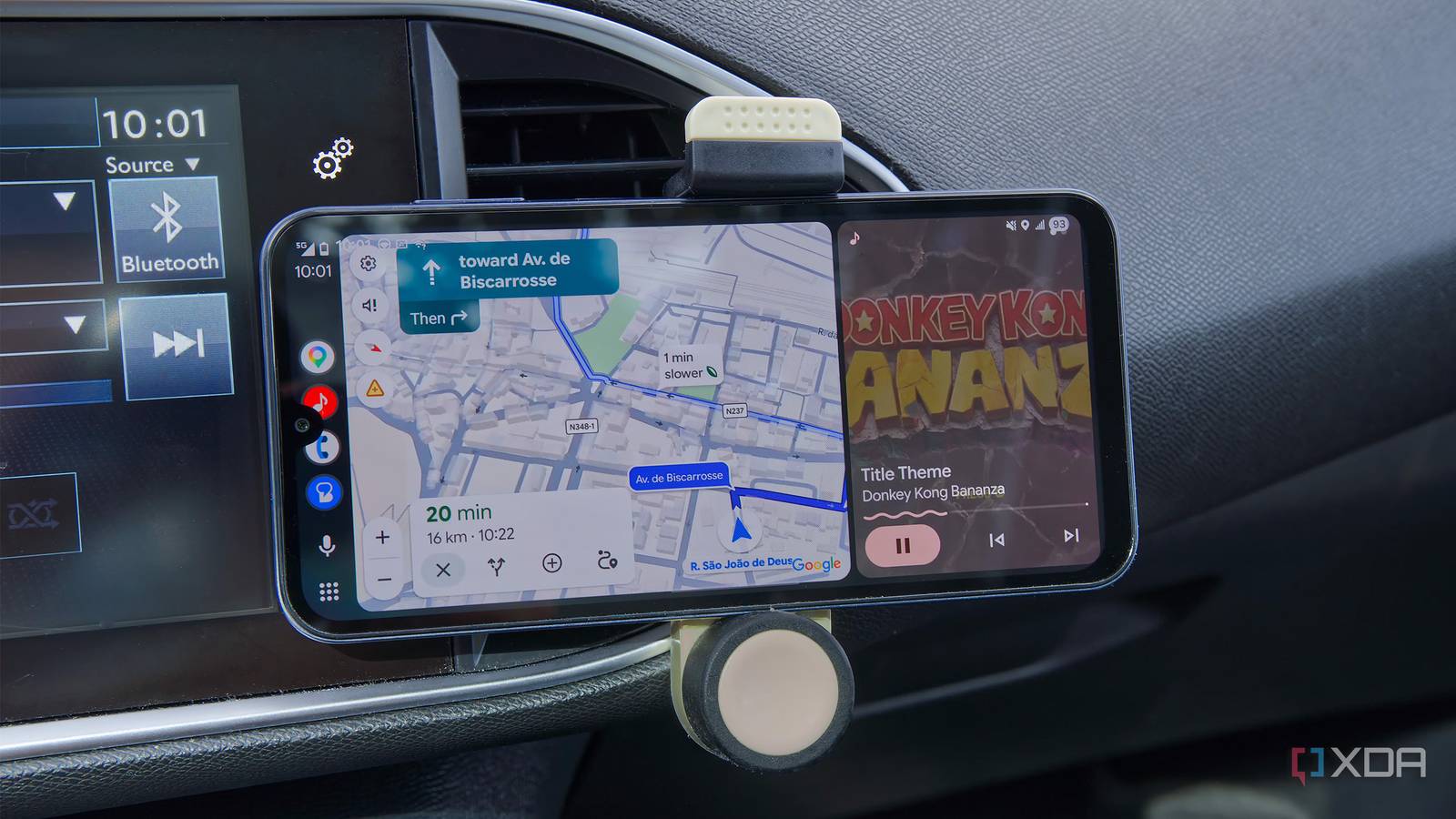
Published Jul 18, 2026, 11:30 AM EDT João has been covering the tech world for over 7 years, with a heavy focus on laptops and the Windows ecosystem. I also love all things tech and videogames, especially Nintendo, which he's always happy to talk about. Prior to joining XDA in 2021, he worked at Neowin: https://www.neowin.net/news/poster/jo%C3%A3o-carrasqueira/ For a good while now, I've been thinking about upgrading my car's head unit with an Android Auto model from Amazon, but I've never taken the plunge. Those units are fairly expensive, and I've never removed and installed a custom head unit in a car, so I felt a little uneasy about the whole process. So imagine my surprise when I learned about Headunit Revived, a project that lets me use an old phone as an Android Auto receiver. Of course, I had to give it a try, and now I'm glad I never made that purchase. Setting up Android Auto It just takes a couple of free apps (and reading the instructions) Setting up Headunit Revived took me a couple of minutes, but it should be fairly easy. Plus, it's free. If you go the Google Play Store route, you can pay to support the app's development, but you can download it for free directly from GitHub. You may also want to use the Wireless Helper app, which is free on the Play Store. Essentially, you'll install Headunit Revived on your old phone (the car screen) and the Wireless Helper on your current phone. This part is technically optional, and you can use a wired connection instead, but wireless is usually the most convenient. Though a wired connection may be more reliable. Before you get into the apps themselves, the easiest way to do this is to use a Wi-Fi Direct connection, which you might need to set up beforehand. I believe this should work automatically, but I wasn't able to do it, so I went into the Wi-Fi settings on both phones, enabled Wi-Fi Direct, and connected the two devices. On the old phone, I set the connection mode to Wireless helper (this is the default), and changed the connection type to Wi-Fi Direct. Then, on my main phone, I launched the Wireless Helper app, set the same connection type, and started searching for devices. This actually took a few attempts, but I might be doing something wrong. Sometimes it works on the first try; other times I had to give it a few tries. It actually works And I can still route audio to my car speakers I had a few questions going into this, and the first one was whether the feature would actually work, which it did. Quite well, in fact. The Android Auto loads on my old phone just fine, defaulting to Google Maps and, mysteriously, Google News, which I never use. Still, most of my apps are available, including Nintendo Music, which often provides the soundtrack for my car rides. This is my first experience with Android Auto, and I like it a lot. The UI lets me keep the focus on the apps that matter most while driving and makes it easy to switch between them, while also providing voice controls and text-to-speech for notifications, which is handy. When I look closely at the screen, the image quality could be a bit clearer, but at the distance I'm sitting at while driving, it's as good as I could expect. The other question I had was about audio, because this old phone doesn't have great speakers. My car does have Bluetooth, so I usually rely on the car's speakers. Thankfully, the Headunit Revived app has an option called Audio sink, and disabling it lets audio keep coming from my main phone, which can instead use its Bluetooth connection to send audio to the car speakers anyway, without disrupting the Android Auto connection. An easier solution may actually be to connect the "head unit" phone to the car's speakers instead and leave the Audio sink feature enabled, but I didn't test this setup. If it works, it would be beneficial since any phone could connect to the head unit and use the speakers automatically, instead of forcing me to also use my car screen to switch the Bluetooth audio input every time someone else drives the car. A safer bet And configurable, too This project is interesting because, like I said, I had been thinking about getting a head unit for my car to replace the built-in touchscreen, but I felt too unsure. Those units cost around $200, and I'd have to make absolutely sure they work with my car, wouldn't interfere with built-in features like the parking sensors, and I wouldn't break anything myself while changing the unit. It was a lot of stress. Plus, who knows what the screen's quality would have been before I got it? A lot of these units come from brands you've never heard of with very little insight into the level of customer support you can get. I'm using a relatively low-end phone here (the Samsung Galaxy A15), but it still has a solid LCD display, so it provides a high-quality experience. And it comes from a well-known brand, so I could reasonably get parts repaired if need be. I might have been all on my own with a built-in head unit. Plus, Headunit Revived gives me control over the experience in ways I probably wouldn't get with a built-in head unit. I can choose, for example, what resolution the Android Auto interface should use or which video codec should be used for streaming from my main phone. It lets me try to find a balance between image quality and performance so I can make sure it works for me. It may not be the full experience It's just a phone, after all One thing you may be missing with a solution like this is that sometimes, these replacement head units aren't just the screen. In some cases, they can include rear or front-mounted cameras to help you with parking, for example. It would have been useful in my case, since I have parking sensors, but no direct visualization of how close I am to objects. The parking sensors tend to be overly cautious, so a camera would actually be a great addition for me. Even then, this would mean I'm in charge of finding a place to mount the camera and how to connect it properly, so it would be even more of a hassle. And it just wouldn't be worth the risk of something not working as intended or me breaking something. Headunit Revived is fantastic After years of pondering whether to upgrade my car's head unit with Android Auto, Headunit Revived settled everything for me in an instant. Now, I can have the Android Auto experience I've been wanting without spending any money or worrying about difficult installations. This old phone will live in my car going forward, and I highly recommend trying this setup yourself. Headunit Revived OS Android Price model Free (optional paid version in Play Store)
My old phone makes a better Android Auto screen than the head unit I almost paid for
Full Article
Original Source
Read the full article at Xda-developers →KhanList aggregates and links to publicly available news content. We do not host full articles from third-party sources. Always verify important information with original sources.