
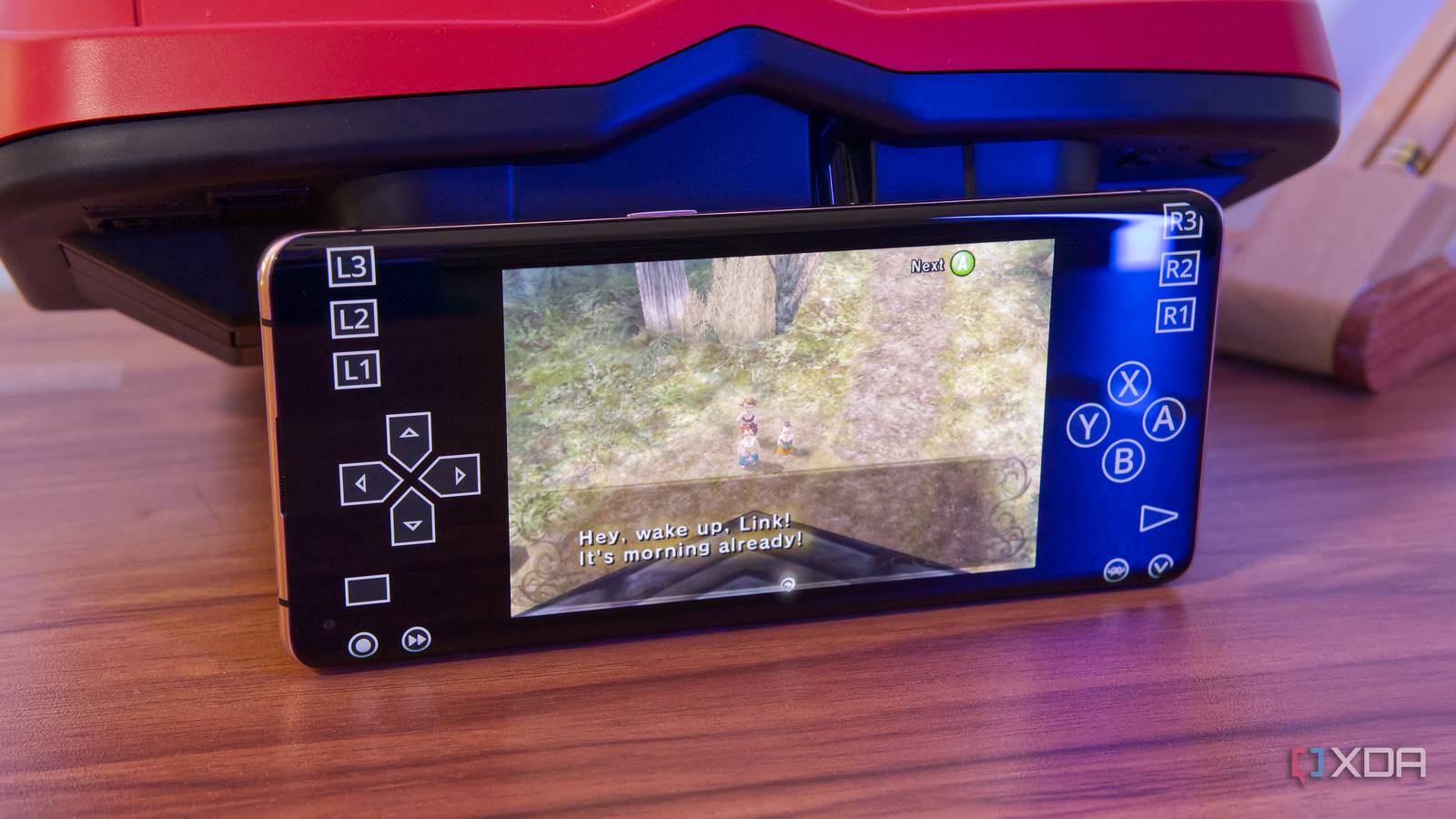
Published Aug 26, 2026, 1:30 PM EDT João has been covering the tech world for over 7 years, with a heavy focus on laptops and the Windows ecosystem. I also love all things tech and videogames, especially Nintendo, which he's always happy to talk about. Prior to joining XDA in 2021, he worked at Neowin: https://www.neowin.net/news/poster/jo%C3%A3o-carrasqueira/ Gaming in 2026 can be just as much about experiencing the classics as it can be about playing the latest titles. In fact, considering where the industry is heading, some might say the classics are preferable in many ways. And there are many options brought up when it comes to playing these old games, whether it's buying a dedicated retro gaming handheld, or using something like a Steam Deck to play old games. For me, though — and maybe for you, too — the best emulation device in the house is an old phone. Not only can most phones form the past few years handle classic games flawlessly, but they cost you nothing. Unless you want to spring for a controller, that is. Playing all the classics Phones are plenty powerful now It used to be that phones were not really that great for emulation because of the power required to play a lot of these older games. Back in my high school days, all my smartphone could handle were 2D games, and emulation projects for consoles like the Nintendo 64 and later were in their infancy. But these days, phones are far more powerful than they need to be for regular use, and that means they're actually great for gaming. I have an old OPPO Find X2 Pro at home, a flagship from back in 2020 (that's six years old now), and it can handle a lot of these 3D games just fine. I loaded it up with a lot of older titles, but also a couple of Nintendo 64 and GameCube games, and performance-wise, they all run fine. Goldeneye 007 and The Legend of Zelda: Ocarina of Time ran just about perfectly, and even going to the GameCube, I was able to play The Legend of Zelda: Twilight Princess with only some small slowdowns near more densely populated areas or wherever there was more water. Again, that's a six-year-old phone, so you may something even more powerful lying around that can play these games even better. But even if you can't run a lot of 3D games, there are so many great titles from the NES and SNES eras, as well as more recent handheld games from the Game Boy or Game Boy Advance. You don't need a new device to handle those kinds of titles. All it takes is the right software iiSU and RetroArch make a killer combo Playing your retro games on a phone is no harder than using PC gaming handheld like the Steam Deck or even a dedicated one. You have to set things up yourself, but it's still very easy to do, and extremely easy to use thanks to two apps. First, there's RetroArch, an emulation frontend that makes it very easy to get started playing any classic game you want. RetroArch brings together a wide range of emulators for almost any platform and makes them available as "cores", meaning the backbone of those emulators is available to you, but you use them with RetroArch's unified interface. That means setting up controls and graphics settings becomes much easier. But RetroArch's default UI isn't actually the most pleasant, and that's where iiSU comes in. This is another frontend, but it's far more focused on the "front" part. There are no emulation chops here, but iiSU can present your game library in an absolutely beautiful and organized way, all while making it extremely easy to browse with a controller. It simply routes your games to your emulator of choice (in this case, it's RetroArch), and you can play them without having to use the RetroArch UI itself that much. iiSU can also be set as your phone's default launcher, so you can make sure it always boots into your gaming hub, and just play your games without anything else getting in the way. You may want a controller Almost anything will work Gaming on phones always comes with the caveat that you don't have any buttons in a normal scenario, so a controller is recommended. You can, of course, use on-screen controls so you don't have to spend any money, but a proper controller is more comfortable. The good news is a lot of modern console controllers just work over Bluetooth, so if you already have a console, you shouldn't need a new controller. Depending on your setup, you may want to get a phone holder so that you can play more comfortably, especially on the go, but for me, I've been okay with just setting my phone down to play at home. If you can spare a few dollars, you may want to look into dedicated controller for phones, which are arguably the best way to go about it. There are a few options from brands like Backbone, 8BitDo, and GameSir. That does make this whole idea cost some money, but it's still much cheaper than buying a whole new device just for playing games. Give your old phone a new purpose If you've been thinking about getting a dedicated gaming handheld and you have an old phone you haven't touched in a while, maybe it's time to look at it from a new perspective. Even an older device can play a lot of classic games just fine, and you don't need to spend any money to do so. Just download RetroArch, iiSU (optionally), and the games of your choosing, and you're off to the races. RetroArch OS Windows, macOS, Linux, Android, iOS, Others
My old phone is the best emulation handheld in my house, and it cost me nothing
Full Article
Original Source
Read the full article at Xda-developers →KhanList aggregates and links to publicly available news content. We do not host full articles from third-party sources. Always verify important information with original sources.