
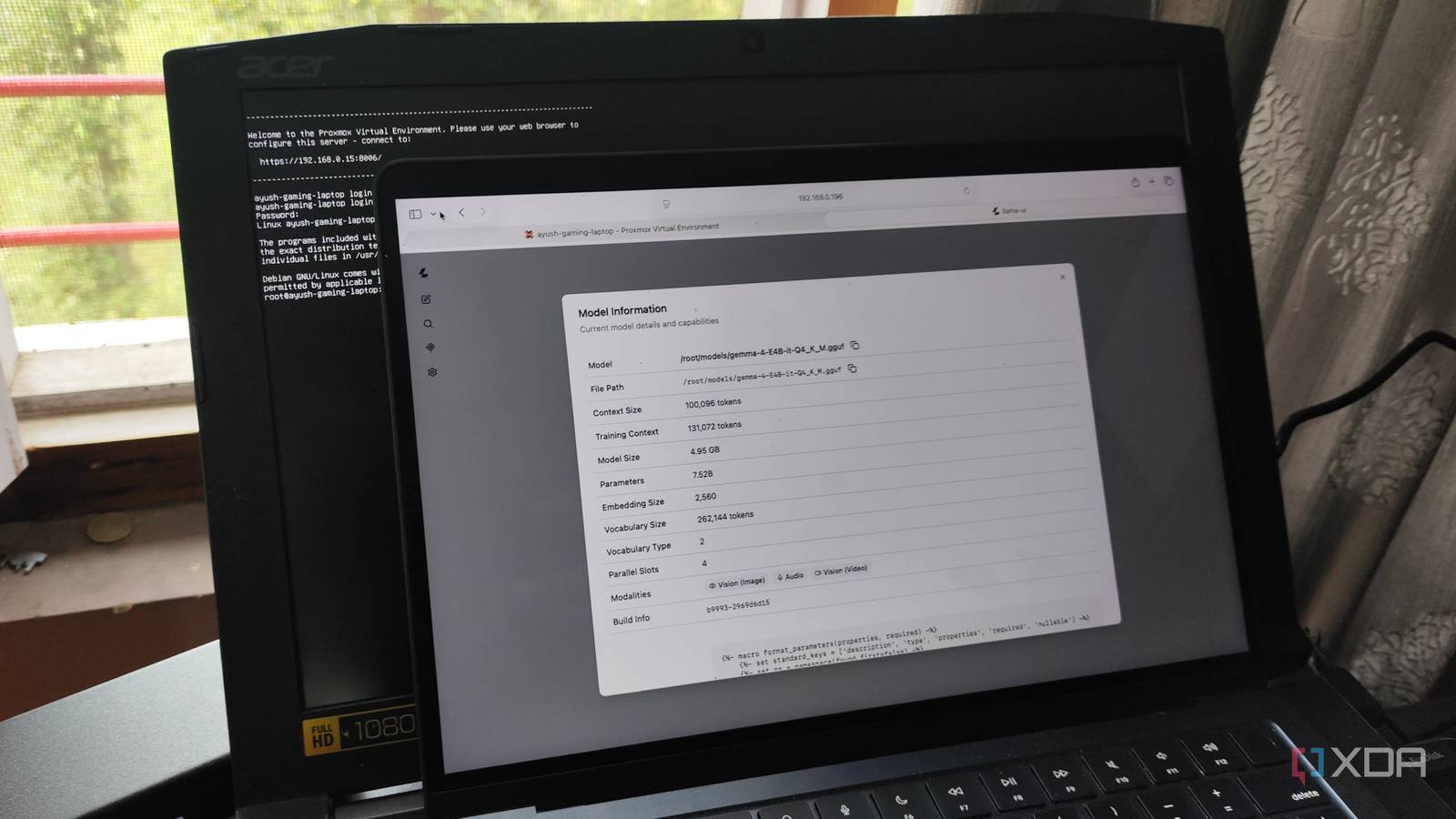
Published Nov 19, 2026, 4:30 PM EST Ayush Pande is a PC hardware and gaming writer. When he's not working on a new article, you can find him with his head stuck inside a PC or tinkering with a server operating system. Besides computing, his interests include spending hours in long RPGs, yelling at his friends in co-op games, and practicing guitar. Turning old hardware into self-hosting workstations is by far the most productive way to revive your computing companions, especially since plenty of FOSS apps work well as lightweight containers. Local LLMs, however, are a bit of an exception to this rule, as you need a little bit of processing oomph in the form of a dedicated graphics card. Fortunately, even decade-old GPUs can be solid accomplices for self-hosting LLMs once you arm them with the right tools. My Pascal-era GTX 1080 is the first card that brought this truth to light, and I’ve since tossed LLMs at a few other GPUs in my arsenal. Heck, I recently tried to run models solely on my dinosaur Acer Predator Helios 300’s GTX 1060, and the results were impressive enough that I decided to turn it into a local AI workstation for my entire house. A llama.cpp LXC uses my aged laptop’s GPU for inference tasks And it was pretty easy to set up on Proxmox, too Although Debian would’ve worked fine for this project, I wanted something a little more convenient than an SSH-based CLI setup. You see, I was planning to deploy a couple of AI-heavy FOSS services on the same machine, and constantly managing everything using terminal commands would get a bit annoying. So, I decided to roll with the king of lightweight home server distros, Proxmox, for this project. Installing PVE was a cakewalk, though I still had to look into the drivers for my discontinued GPU. Luckily for me, Nvidia had released a new set of drivers to fix the DKMS error when installing drivers for Pascal cards earlier this year, and since this package worked well on my GTX 1080-powered Proxmox machine, I decided to roll with them on my outdated Predator Helios 300 Sure enough, nvidia-smi showed the GPU in its full glory, and it was time to configure the inference engine for my local AI experiments. I could’ve opted for an Ollama container using the ultra-helpful PVE Community Scripts repo, but it’s quite sluggish for dedicated AI tasks. So, I pivoted to llama.cpp instead. To be more specific, I wanted to use the Vulkan version of llama.cpp as an LXC, and that’s because it has the least painful setup process out of all the backends and delivers consistent performance for my GPU-aided inference tasks. GPU passthrough was fairly simple afterwards, as all I had to do was pass the device IDs associated with the GTX 1060 to LXC’s config file. Besides the usual set of packages highlighted in the official Vulkan docs on llama.cpp’s GitHub page, I also had to install the libvulkan-dev, spirv-tools, and spirv-headers packages. After a bit of trial and error, I realized I had to add the following snippet to the /usr/share/vulkan/icd.d/nvidia_icd.json config file: { "file_format_version" : "1.0.0", "ICD": { "library_path": "libGLX_nvidia.so.0", "api_version" : "1.3" } } Apart from these detours, setting up llama.cpp was as simple as grabbing the llama.cpp package and running cmake -B build -DGGML_VULKAN=ON to build the Vulkan backend and cmake --build build --config Release -j$(nproc) to make it battle-ready. My laptop has enough horsepower the ol’ reliable Gemma 4 E4B I’ve hooked it up to all the services I self-host on this laptop Considering that my GTX 1060 only has 6GB of VRAM, I wanted to go for a lightweight model for my AI inference tasks. I was tempted to tinker with bulky MoE models, but since I’ve only got a single stick of 16GB LPDDR4 memory on the laptop, I decided to go for the ol’ reliable Gemma 4 E4B (Q4_K_M). Despite possessing a total parameter in the 8B range, this light LLM only uses a 4.5B parameter set during the inference tasks, which fits well into the limited VRAM on my aged GPU. And between its Per-Layer Embeddings and multimodal capabilities, Gemma 4 E4B has enough reasoning capabilities to accommodate simple inference tasks for my FOSS tools. Speed-wise, my GTX 1060-powered llama.cpp server delivers 30+ tokens every second with the Vulkan backend, which is pretty darn impressive for a laptop released over nine years ago. Since the inference tasks run on my GPU’s VRAM, I also have a lot of leeway with the system memory. As such, I’ve deployed a couple of self-hosted services as LXCs on this laptop and pointed their AI features to my llama-server’s IP address. Blinko, for instance, uses Gemma 4 E4B to automatically tag my notes, while Karakeep uses it to create short summaries of my bookmarked websites, documents, and YouTube videos. There’s also Paperless GPT, which harnesses Gemma 4 E4B’s superior reasoning prowess to generate accurate OCR scans before sending them to a Paperless-ngx instance deployed on my NAS. I had to take a couple of precautions with this setup though Specifically, I had to do something about the laptop’s battery and lid Despite doubling as an incredible Proxmox node, I’d be lying if my laptop didn’t have any caveats. Its built-in battery, for example, is still a double-edged sword. Sure, it may let my laptop operate even when the power goes out, but if I leave it plugged in 24/7, it’s bound to swell up and turn into a potential fire hazard. For now, I’ve put together a makeshift solution using the Home Assistant automation pipeline. First, it accepts the battery stats from Proxmox (or rather, the Glances server running on it) as the trigger condition. Depending on the current battery level, it fires an action to start/stop the smart plug connected to my laptop’s charger, thereby ensuring it doesn’t remain plugged in at 100% the entire day. I’ve also seen folks recommend closing the lid to reduce the vertical footprint of a laptop server, but it’s one advice I’d never follow for my setup. That’s because leaving the lid closed while my laptop is busy running an LLM would cause airflow problems and damage the keyboard and screen with all the heat generated by the inference tasks. Llama.cpp helped bring my old laptop back from the dead Although my aged gaming companion can’t drive modern games without forcing me to turn down visuals a notch, it turned out to be a surprisingly effective local workstation for simple AI tasks. Of course, I wouldn’t rely on it to run MoE models for my coding and reverse-engineering tasks, as the GTX 1060 under its hood can’t provide the same prowess as my RTX 3080 Ti. But when it comes to simple auto-tagging, OCR, and summarization tasks, my old Helios 300 can still pull its own weight. llama.cpp Llama.cpp is an open-source framework that runs large language models locally on your computer.
My old gaming laptop is now the local AI server for my whole house
Full Article
Original Source
Read the full article at Xda-developers →KhanList aggregates and links to publicly available news content. We do not host full articles from third-party sources. Always verify important information with original sources.