
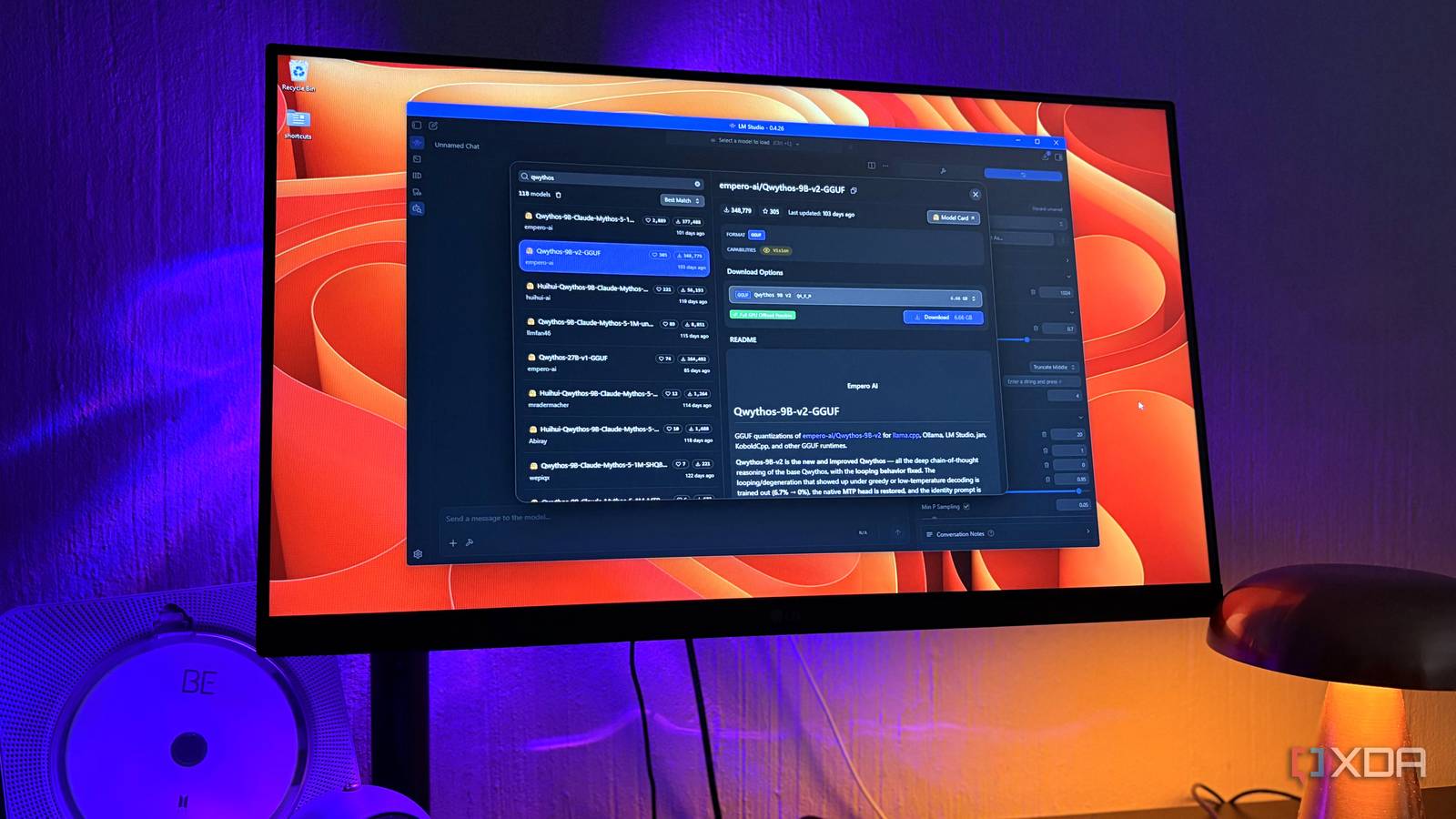
Published Nov 14, 2026, 7:00 PM EST Nolen began their writing career in 2019, with three years dedicated to editing the Creative section at MakeUseOf. Their expertise lies at the crossroads of technology and creativity, covering areas like photography, video editing, and graphic design. Outside of work, you'll often find Nolen diving into a good book, writing their own stories, or playing video games. A Claude subscription is an odd thing to budget around, because the price stays the same no matter what. I pay $20 a month for Pro, and that's the baseline cost regardless of how I use Claude, so when I'm talking about "budgeting", I mean usage because that can eventually cost you extra usage credits. Or if you don't want to pay it, you're simply stuck waiting for the usage meters to reset. Meanwhile, a lot of gaming PCs have a decent graphics card doing nothing between sessions. Mine's an RTX 3070 with 8GB of VRAM, built for games a few years back when local AI wasn't even on my radar. But this year was the year I realized I could run local models on it. Not only does it solve the issue of keeping my work private and off of cloud AI data centers, it also frees up some usage in Claude that can then be spent on more important work. Interacting with my private documents locally There are some files that don't belong in the cloud This might seem obvious, but I don't think it's a good idea to send your most private documents to a cloud bot, or a cloud anything. On a consumer Claude plan, Anthropic keeps your chats for up to five years if you've let it train on them, and around 30 days if you've opted out. Personally I don't even let Gmail touch them. For me, private here means health tests, insurance paperwork, bank statements, and things along those lines. But like any other document, some of them still go over my head, and I do need someone to help explain some things to me. And that's where my local LLM comes in. There are a million local AI apps now that let you upload documents, most of them are GUIs with a bunch of workspace features. But LM Studio has had its document upload feature and RAG system for a while now, so that's primarily what I lean on. You can attach PDFs, Word docs, and text files straight into a chat. If a file fits in the model's context, which is how much text it can hold at once, it goes in whole. If it doesn't, LM Studio pulls out the chunks relevant to your question, and the file stays on your machine either way. And for folders full of batches of files, I use the filesystem MCP. MCP is a standard way of plugging tools into AI apps, and this one lets the model open files in folders I choose. LM Studio pops up a confirmation before a tool runs unless you've set it to always allow that tool, and I keep mine asking. If you're setting up MCP, just remember to use a model that's strong at tool calling - something from the Qwen or Gemma family will have your back. A local browser agent instead of Claude in Chrome I never felt comfortable handing an AI my logged-in browser Claude in Chrome is Anthropic's extension that lets Claude read pages and click around in your browser. It's only on paid plans, and it draws from the same usage limits as regular Claude and Claude Code, so every browser task eats into the same allowance. Browser agents are also the AI tool I trust least. They can't reliably tell your instructions apart from ones hidden on a webpage, which is called prompt injection, and they act with whatever accounts you're signed into. To me, this is a disaster waiting to happen. But there are options for keeping this more private, and my tool of choice here is Jan. Jan is a free, open-source app for running local models, and it comes with its own official browser agent, Jan Browser MCP. The setup simply involves installing the Chrome extension and switching the server on under Settings > MCP Servers, with no config file to edit. It works in any Chromium browser, so I put it in Brave, which is what I use for personal browsing. Then I locked the extension down. Site access is set to On Click so it only runs when I call it, and file URL access is off. The model still reads the page, so running it locally doesn't fix prompt injection. My browsing and whatever the agent pulls from it stay between Brave and my GPU, though. The 9B models on my card cope best with small jobs, like opening one page and pulling content off it. Jan also has web search built in now that works without an API key, so I only use the extension when the model needs to click through a page or work in a tab I already have open. Brainstorming without watching my usage meter Most of this type of work never needed a flagship in the first place Claude Pro limits run on a rolling five-hour window that starts with your first message, plus a weekly cap. Chat, Claude Code, Claude Design, and Claude in Chrome all pull from that same pool. I use Opus for most of my design and research work, as well as some computer admin. Opus 5.5 is actually more token-optimized and burns through usage a little less compared to its predecessors - in fact, up to 40% less on typical workloads compared to Opus 5. Sounds great right? Well, nobody talks about the concept of the Jevons Paradox. In economics, this is what happens when technological progress makes a resource so efficient to use, which drops its cost, and then actually increases our usage of that thing. It also ties into a concept called Hedonic Adaptation, which is more psychological. In terms of Claude, Hedonic Adaptation would be a user adapting to the new speed and token efficiency of Opus 5.5, so our baseline shifts and we're not as careful and deliberate with our prompts anymore. My point is that just because newer Claude models are more token-efficient doesn't mean us as users would be. I still watch my daily and weekly usage and am deliberate about what type of work I send to Claude, because I'd rather not pay for extra usage where I can avoid it. This is why super basic and mundane brainstorming tasks go to my local models now. It's not so much about privacy as it is about dispersing my workload so it fits into the budget. That back-and-forth happens on my GPU now. Qwythos 9B v2 is my favorite local model for chat at the moment, Empero AI's fine-tune of Qwen 3.5 9B, and it talks a lot like an older Sonnet. There's also no cap on how many rounds I go with it. When I'd rather have speed, Qwen 3.5 4B is quicker and still fine for bouncing ideas around. Once an idea looks worth developing, I ask the local model for a short summary of what we settled on and take that to Claude. Claude still gets the hard work I'm still keeping Claude in my stack, probably for a long time, because it's kind of necessary for my design studies and some of my research work thanks to features like Claude Design, Artifacts, the inline visuals, and of course, Claude Code. But the rest of what I do now happens on my GPU, and not only does it keep private what I need to remain private, it's completely free without a usage meter looming over me. LM Studio Jan
My old gaming GPU now handles 3 jobs I used to pay Claude for
Full Article
Original Source
Read the full article at Xda-developers →KhanList aggregates and links to publicly available news content. We do not host full articles from third-party sources. Always verify important information with original sources.