
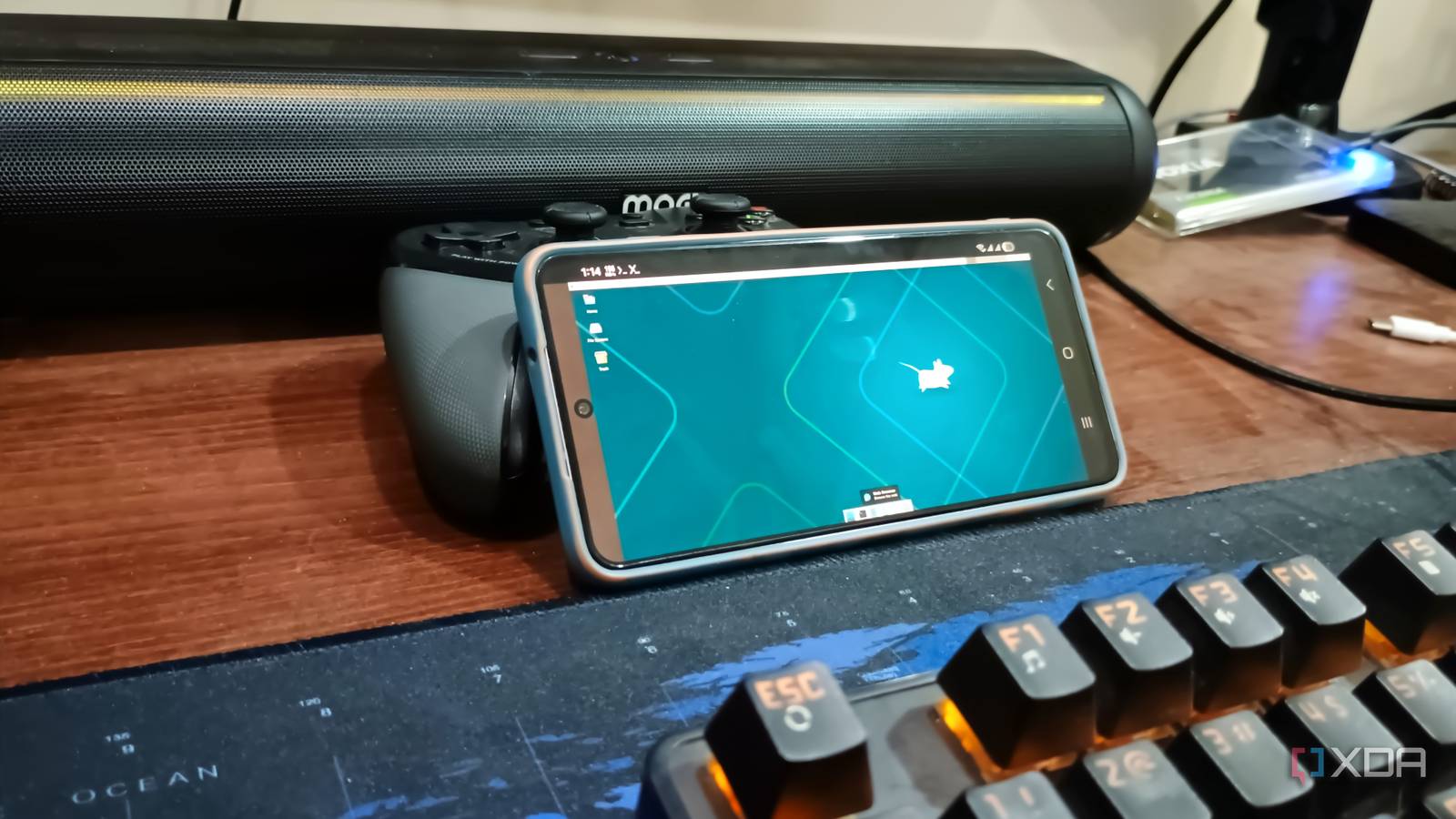
Published Nov 23, 2026, 5:00 PM EST Abhishek is an author at XDA who covers computing. He has loved computers since he got the Lenovo G570 in 2012. Abhishek holds a master's degree in computer applications and began his writing career in 2018. He loves writing how-to articles, listicles, and informational posts on popular operating systems and web services. He closely follows the Windows Insider program and tests new Insider builds to discover upcoming experimental features and upgrades. His past work includes long-term collaborations with reputed publications like Tom's Hardware, and Windows Latest. When not writing anything, he is busy watching new episodes of One Piece or searching for something binge-worthy. Self-hosting applications and building web servers to run and manage them gets quite interesting after some time. Earlier, my purview of a system was how powerful its hardware was. But now, I only think of one thing: “Can it be a server to run a couple of tools?” My curiosity led me down the dreaded path of Linux, an OS that I wouldn't have tried if it weren't for running and managing self-hosted tools. There are ample Linux distributions to keep you busy, and there's one for even the small-sized single-board computers like the Raspberry Pi. After successfully building servers out of old laptops, thin clients, and a couple of Raspberry Pi boards, my next target became old Android phones. I had moderate success with that endeavor. It made me question if a phone could actually run a Linux distribution with a desktop environment. Not my first Linux encounter on Android Termux is a familiar face Termux is an application that can help you run a Linux-like command-line environment on your Android phone. It doesn't mess up your phone's OS or UI and lives separately, allowing you to conduct self-hosting experiments. There are other options such as Podroid as well, but it uses virtualization. You can imagine the subpar performance when you try to squeeze virtualization on something like a weak Android phone. In Termux, I used the PRoot-Distro tool to install a Linux distribution and then add the packages I needed. The best part is that you can use the distro without rooting your phone, and that makes it a fun weekend project. Setting up something like Debian gives you access to a familiar package manager. I even set up a Jellyfin server that could serve my phone's media files on my local network. But running a desktop environment wasn't on my list until a few weeks back. Since the phone could run a CLI OS without any major hiccups, the possibility of running a desktop environment seemed more exciting. Termux:X11 gives you the desktop component The combination makes it possible For CLI distributions, you don't need anything except PRoot-Distro in Termux. But if you want to add a desktop environment to the existing distro and display it on your phone, you'll need Termux:X11. As the name suggests, it provides the X11 display server to view and interact with installed GUI apps. The actual desktop environment is installed in the Linux distribution, which is Debian in my case. You start by installing two Android apps, both of which are available on GitHub and F-Droid. I had some issues installing Termux from GitHub, and Android threw a warning about the app being “suitable for very old versions.” So, I installed Termux using F-Droid just to get started, while Termux:X11's GitHub APK worked without problems. Once you have them up and running, you need to add the x11 repo, the proot-distro tool for installing Linux distros, and the server executable for Termux:X11. You can use the following command: pkg install x11-repo proot-distro termux-x11-nightly -y Then, you can proceed to install a Linux distro of your choice with the PRoot-Distro tool. I picked Debian, but you have other options as well. The second command logs you in to the installed distro and shares a temporary directory between the distro and Termux: proot-distro install debian proot-distro login debian --shared-tmp Thereafter, you need to install the XFCE desktop environment, its associated tools, a few necessary X11 packages, and your preferred GUI apps: apt install sudo nano wget curl git dbus-x11 -y apt install xfce4 xfce4-goodies -y apt install x11-utils xauth -y apt install firefox-esr gimp libreoffice -y The last leg of this setup is to exit the current Debian session and start the X11 server. Then, launch the Termux:X11 app and switch back to the Termux terminal. termux-x11 :0 & proot-distro login debian --shared-tmp Once you log in, all you need to do is set the display variable and launch XFCE. From there, you can launch individual apps in the terminal and then switch to the second app to view them. But I prefer launching them from the desktop. export DISPLAY=:0 export XDG_RUNTIME_DIR=/tmp dbus-launch --exit-with-session xfce4-session Your mileage varies with the phone you choose for this experiment. I used my Samsung Galaxy S21 FE, a moderately powerful phone with 8GB of memory and ample storage to spare. On weaker, older phones, both the installation and the desktop environment’s responsiveness take a massive hit. In my case, the desktop environment loaded without any noticeable delays, but the app launches were noticeably slower. Trying the Linux desktop on an Android phone A mixed bag I tested LibreOffice, GIMP, and Firefox for this experiment, and all of them worked decently after launch. Firefox loaded webpages without delays or broken elements, and GIMP could actually run without any errors. LibreOffice apps were also usable, and if you want to use them for typing or editing something, they won’t be a letdown. The touchscreen interface takes a bit of time to get used to. Double-tapping on icons seems weird, and you’ll be better off with a keyboard and mouse connected to it via an OTG adapter with multiple ports. I built this setup using scrcpy, a tool that mirrors the phone screen on Windows, and it made typing long commands much easier. I highly suggest you use the tool and avoid the phone terminal for initial setup. While the apps run nicely, you might run into compatibility issues with them. Some features may also not work without further tweaks, like audio or video playback. Firefox could launch the YouTube interface, but it closed the server as soon as the playback started. It could be a memory issue or a permissions problem, but video playback always runs into issues. It worked after a few tries, but there were a lot of stutters at 1080p, and I didn't have the correct audio packages at that point. Surprisingly good for an Android phone Running a distro with a desktop environment inside an Android phone with its own OS overhead is baffling. The fact that the app works and can use the display server to run GUI apps is commendable. But you won’t find it as smooth as on a standard PC or SBC OS. It needs a lot of components to work and has to use resources left over after Android takes its share. Running this on a more powerful phone, with a bigger screen like a foldable, could be better for on-screen keyboard typing. Termux Termux is a terminal emulator app for Android OS.
My old Android phone runs a full Linux desktop with Termux:X11
Full Article
Original Source
Read the full article at Xda-developers →KhanList aggregates and links to publicly available news content. We do not host full articles from third-party sources. Always verify important information with original sources.