
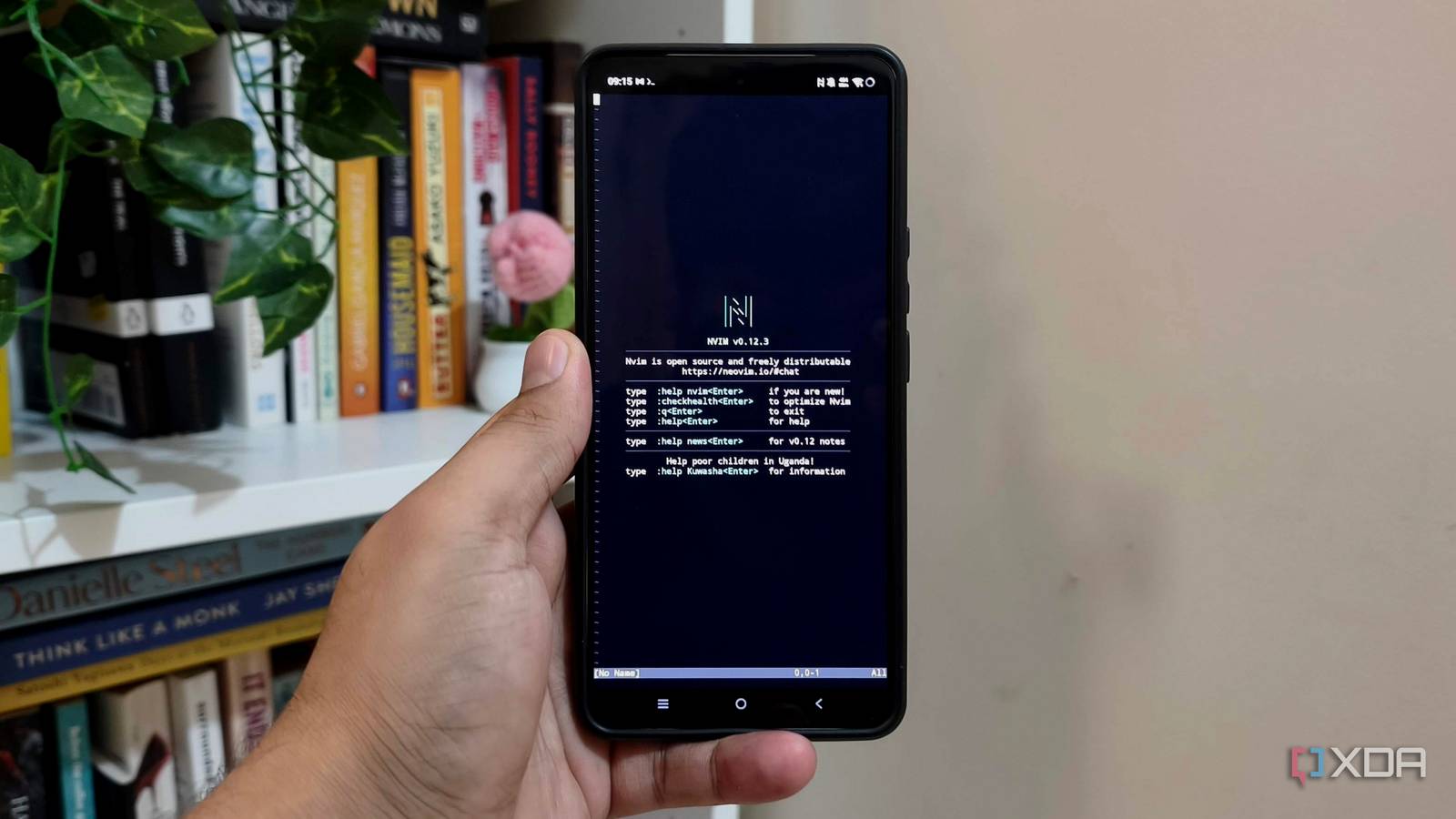
Published Aug 26, 2026, 11:00 AM EDT Anurag is an experienced journalist and author who’s been covering tech for the past 5 years, with a focus on Windows, Android, and Apple. He’s written for sites like Android Police, Neowin, Dexerto, and MakeTechEasier. Anurag’s always pumped about tech and loves getting his hands on the latest gadgets. When he's not procrastinating, you’ll probably find him catching the newest movies in theaters or scrolling through Twitter from his bed. I've been trying to find a good use for the old Android phone that I have lying around. It has capable hardware with 8 GB RAM and a fairly modern processor. For the longest time, I have only used it as a portable hotspot when I am traveling and sometimes as a webcam for online meetings. Both of these use cases were not making the most out of the hardware that is inside this phone, so I decided to turn it into a Linux server. It sounds like something that would require a lot of work, but in reality, it barely takes an hour to set this up. The setup surprisingly handles a lot more services than you'd expect. I've managed to run my media server on this phone, along with a bunch of other services that you would otherwise run on your NAS or mini PC. You can use Termux to set up your Linux server Termux already has its own Linux userland Android is based on a Linux kernel, which means a lot of services that you can run on your Linux desktop can also run on your phone. Of course, it’s not the same Linux that you get on your PC with something like Ubuntu. Android uses a modified Linux kernel that handles low-level tasks like memory management, security, and device drivers, but you don’t get the GNU C library or other GNU utilities. Still, there are a lot of things you can do with what is built into Android, and Termux helps you achieve that. This free, open-source tool acts as a terminal emulator and Linux environment. You can use it to run a functional command line from your Android phone without needing to root the device. It runs like a regular app inside Android’s standard secure sandbox. I would suggest downloading Termux from F-Droid rather than the Play Store, where the available version is maintained separately from the main Termux project. Termux already provides its own Linux userland, so you don’t need to install Ubuntu or another distribution before you can start using it. You can install common tools and the OpenSSH server directly through its package manager. Termux uses port 8022 for SSH instead of the usual port 22. You should also disable battery optimization for Termux and run termux-wake-lock to stop Android from suspending it while the phone is idle. Getting Linux services running on Android I could run Jellyfin, Neovim, Tailscale, and more Once the SSH server is running, you don’t have to use the small touchscreen to manage anything. You can connect to the phone from another computer using its local IP address and Termux’s SSH port. This gives you a proper remote terminal where you can install packages, edit configuration files, and manage running services. I installed tmux and Neovim as well, so I can leave a terminal session running and reconnect to it later. Along with Git, Python, and Node.js, this also gives me a surprisingly capable development environment for writing scripts or working on small projects. Jellyfin is easily the most demanding service I have managed to run on the phone. Termux has a jellyfin-server package, and once it is installed, you can access the usual Jellyfin interface from another device on the same network. I pointed it towards the media folders on the phone and used it like any other Jellyfin server. I wouldn’t expect an Android phone to handle heavy transcoding, especially since Jellyfin cannot properly access the phone’s hardware video decoder through Termux. However, it works well as a small media server when the client can direct play the original file. That covers most of my viewing, and the phone has enough processing power and memory to run Jellyfin alongside several lighter services. I also installed Tailscale and added the phone to my tailnet. This lets me SSH into Termux or reach Jellyfin using the phone’s Tailscale address, even when I am outside my home network. I don’t have to expose any ports on my router or rely on my home IP address remaining the same. There are plenty of smaller services that fit this setup even better. Syncthing can keep folders synchronized between the phone and other devices, while rclone and rsync can handle scheduled backups. You can also host a basic website with Nginx or run small Python and Node.js applications. Android is still the biggest limitation The hardware is good enough Android creates more problems for this setup than the phone’s hardware. The processor and 8 GB of RAM are enough for the services I want to run, but Termux still operates inside Android’s application sandbox. You don’t get systemd, Docker, and many Linux apps. Termux has an impressive package repository, but it’s nowhere close to having everything you would find on Ubuntu or Debian. Android is also very aggressive about suspending applications to conserve power, which is exactly what you don’t want on a server. My bigger problem is the battery on the phone which isn’t meant to be plugged in all the time. Leaving an old phone connected to a charger all day can generate heat and accelerate battery degradation. I keep the phone somewhere ventilated and check it periodically rather than leaving it forgotten in a drawer. The upside is that the battery acts as a small built-in backup during short power cuts, which is something a similarly priced mini PC or NAS doesn’t offer on its own.
My old Android phone became a Linux server, and it handles more than I expected
Full Article
Original Source
Read the full article at Xda-developers →KhanList aggregates and links to publicly available news content. We do not host full articles from third-party sources. Always verify important information with original sources.