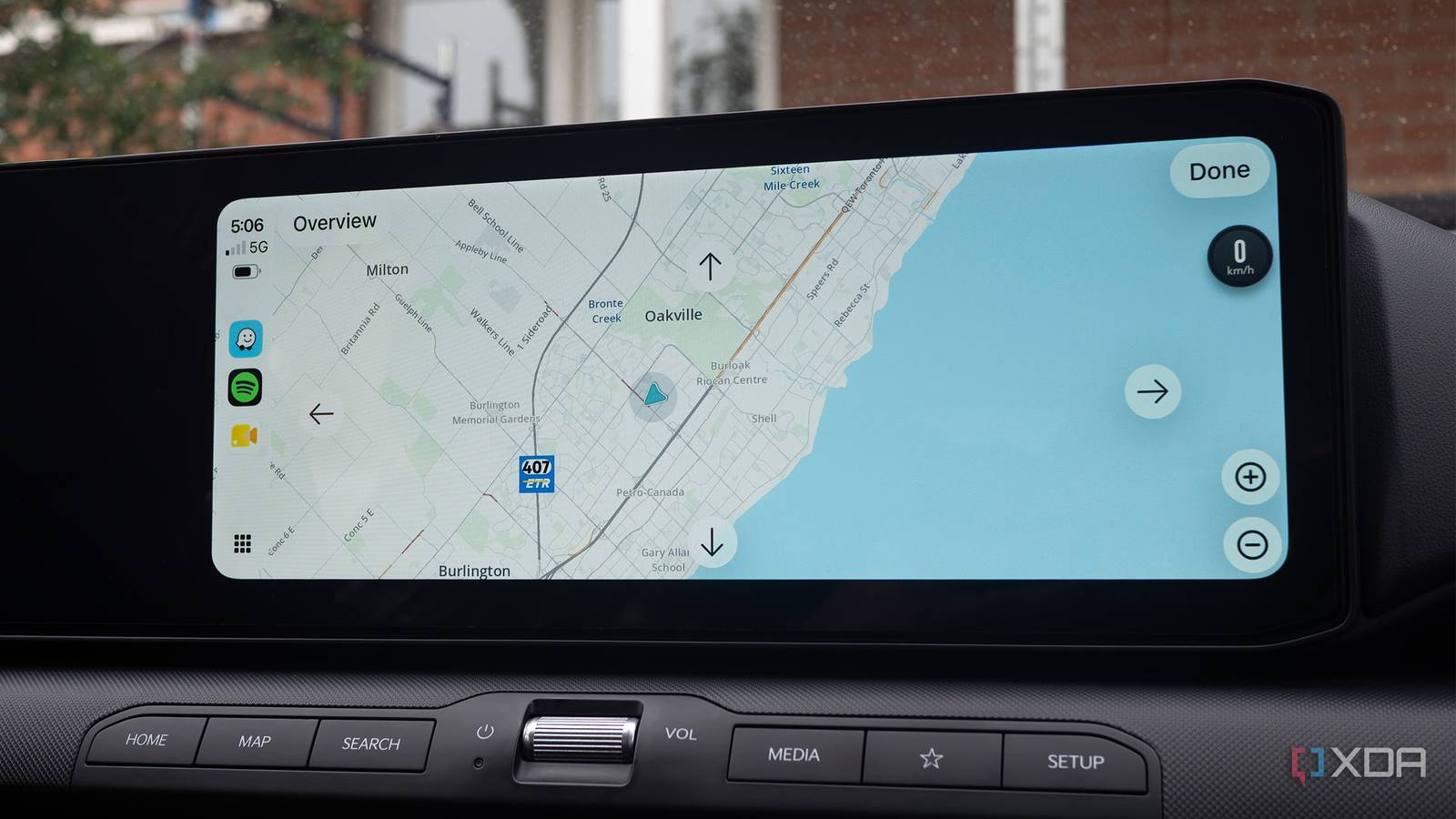
Published Jul 28, 2026, 11:30 AM EDT Patrick O'Rourke is XDA's News Editor and Entertainment Segment Lead. Previously, he was Pocket-lint's Editor-in-Chief, the Editor-in-Chief of Canadian tech publication MobileSyrup, and earlier in his career, he worked as the technology editor at the Financial Post and Postmedia. He's based in Toronto. Over the past 15 years, he's written thousands of articles. Patrick has also interviewed dozens of tech industry executives and covered GDC, E3, Gamescom, WWDC, Apple keynotes, Samsung Unpacked events and more. Patrick has a BA in journalism from Toronto Metropolitan University. When I recently got my hands on my shiny new 2026 Kia K4 Hatchback, I was shocked to find out that it didn't feature a built-in in-car navigation system. At first, I was upset with myself. I'd diligently researched other aspects of the vehicle, including its reliability, trunk size, safety features, handling, and the overall quality of the car for the price (it's one of those rare you-get-more-than-what-you're-paying-for-vehicles), but it just didn't occur to me that the K4 EX trim I decided on didn't offer built-in navigation. Like a lot of other features, it became clear to me that Kia gated its in-car nav behind far pricier trims. How could I miss something so obvious, and why is this yet another basic "premium" feature stuck behind a higher trim option? After all, the car features a modern infotainment system with a 12.2-inch screen, Highway Driving Assist with Smart Cruise Control and Lane Following Assist, so to me, it felt like an in-car navigation system would come standard. I was especially confused because the car supports Kia's Connect app, which means it already has a data connection. Apparently, I would have needed to go all the way up to the GT-Line Turbo to get built-in Navigation, which is several tiers above the far more reasonable EX model I purchased. I have also since learned that this is pretty common in the automotive space and that built-in navigation is typically only featured on higher-end trims of standard vehicles, so this isn't just an exclusively Kia pricing scheme. After the surprise and disappointment wore off, I realized that the built-in navigation missing from the vehicle didn't actually matter to me because I have access to Android Auto and CarPlay, two vastly superior in-car platforms that open my vehicle up to a wide range of navigation apps that are way better than what Kia offers. I already rarely use the built-in navigation with my other car With my Ioniq 5, Hyundai's built-in navigation app is laggy and often frustrating Part of why I assumed the K4 would feature in-car navigation is because my family's other vehicle is a 2022 Ioniq 5 EV. When I sit back and think about it, my Ioniq 5's navigation system has been pretty useless and just another screen I need to navigate to get to Android Auto or CarPlay. It's frequently slow and occasionally even crashes, resulting in the entire screen going black. Additionally, since the vehicle doesn't support OTA updates, its maps are often inaccurate, unless I go through the convoluted update process that requires a proprietary app and a massive 64GB USB flash drive. In pretty much every situation since getting the Ioniq 5 several years ago, I've defaulted to using Waze or Google Maps and have only relied on Hyundai's in-car navigation as a backup when my Pixel 10 Pro is dead, or in the winter when I need to take advantage of the Ioniq 5's battery pre-conditioning feature. This warms the car's battery as I'm approaching a charger, so it powers up more quickly (it only works with the in-car nav). In all other instances, I typically have Waze running for navigation. I've only had the Kia K4 for a few weeks, but I've barely even noticed that it doesn't feature in-car navigation. I changed a few very basic settings to make sure wireless Android Auto boots as soon as I get in the car, and the experience has been far more seamless than I expected. Waze appears on my car's screen as soon as I turn it on. In fact, in most situations so far, the app pops up so quickly that Waze almost feels like it's actually my K4's built-in navigation app. Crowdsourced traffic, frequent updates, and new features hit Waze all the time Google's in-car navigation apps are vastly superior In terms of new features and functionality, car manufacturers just can't compete with Waze and Google Maps when it comes to their proprietary in-car navigation systems. For example, Waze, the app I use most of the time with Android Auto, features real-time rerouting, live traffic updates, and community reporting related to police locations, red-light cameras, crashes, lane closures, and more. It's by far the best way to stay on top of finding the smoothest and fastest route to wherever you're going. Even if Waze isn't your navigation platform of choice (a lot of people aren't fond of its bright and playful UI), Google Maps is a viable alternative that offers similar features, alongside deeper Gemini integration, allowing you to control the majority of the map app's features with your voice. I personally still prefer Waze's more crowdsourced focus, particularly the police location reporting feature. All these are features that Kia's in-car navigation system, which is called the Connected Car Navigation Cockpit (it's actually the same built-in nav system featured in my Ioniq 5), doesn't even come close to matching — and it never will. On the other hand, not having a backup navigation option isn't ideal I need to make sure my phone is plugged in and charging when using wireless Android Auto or CarPlay Over the past few weeks, one thing I've noted very quickly is how rapidly wireless Android Auto drains my Pixel 10 Pro's battery. With that in mind, I've started plugging the phone in as soon as I get in the car or shortly after I start my drive, to make sure my smartphone doesn't die before I get to my destination, leaving me stranded. You see, I have what's best described as a very millennial sense of direction, which means it's non-existent. Without the help of a navigation app, I pretty much can't find any new location when I'm behind the wheel. Given the core of my K4's infotainment system, including navigation through Waze, is powered by my phone, making sure my device is adequately topped up is super important. On a side note, the built-in charging pad in the car seems only to maintain the current charge. Based on my research, it's capable of roughly 15W with Android devices and 7.5W with the iPhone, which should be more than enough to charge my Pixel 10 Pro slowly, but in my experience, that hasn't really been the case. My best guess is the K4's wireless charger isn't actually hitting this wattage. This is why I've opted to plug my phone in to get it charging as soon as I get in the car. Waze is a more capable map than any built-in vehicle navigation system Even though I don't have a backup navigation option, I'd much rather save several thousand dollars and not buy a higher-end vehicle model packed with features I don't actually need, just to get in-car navigation. Waze and Google Maps are far more capable than any proprietary in-car navigation system because they're frequently updated apps that are key parts of both the Android Auto and CarPlay ecosystems.
My new car doesn't have built-in navigation, and I don't miss it thanks to Android Auto
Full Article
Original Source
Read the full article at Xda-developers →KhanList aggregates and links to publicly available news content. We do not host full articles from third-party sources. Always verify important information with original sources.