
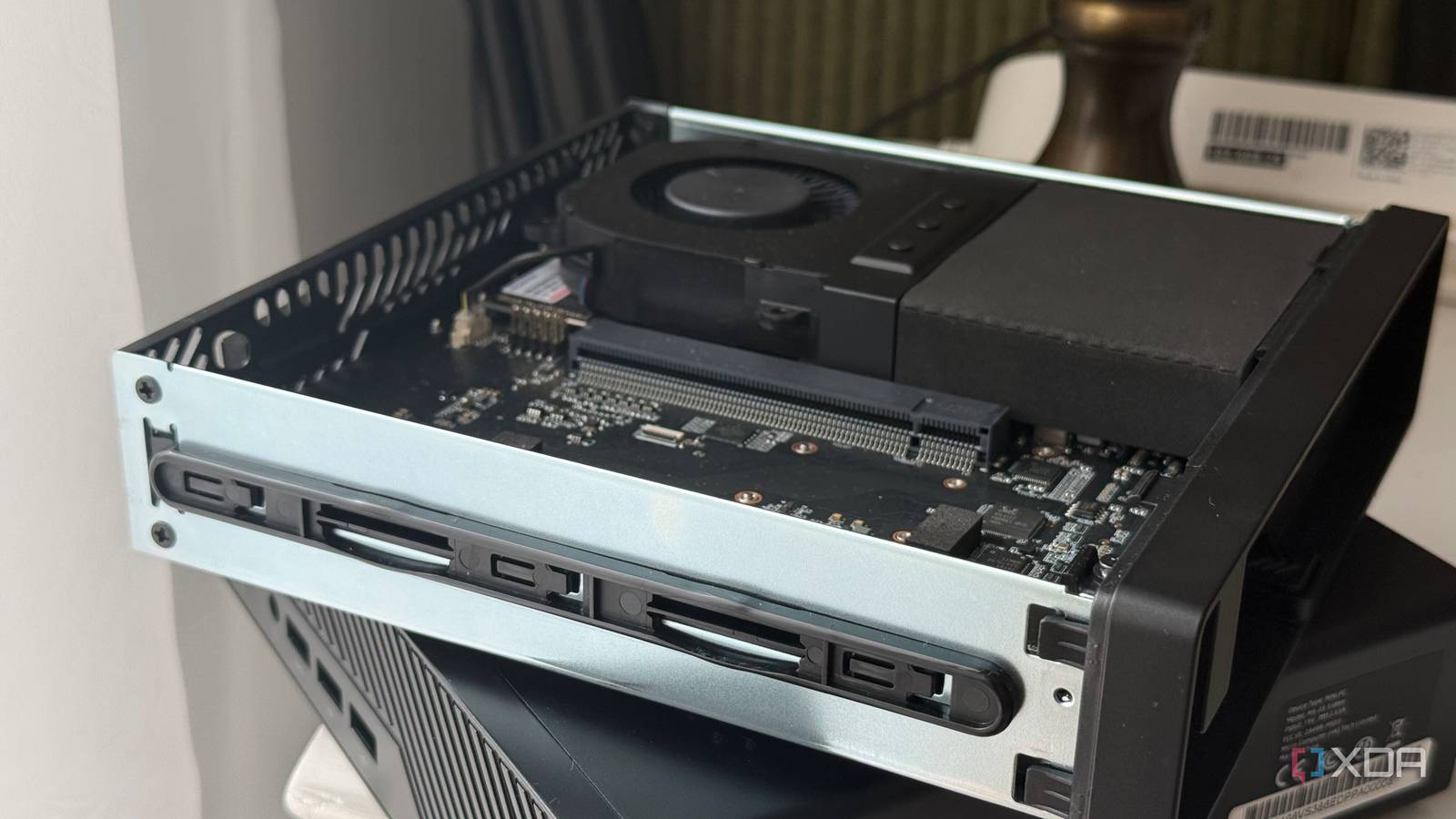
Published Sep 21, 2026, 4:00 PM EDT His love of PCs and their components was born out of trying to squeeze every ounce of performance out of the family computer. Tinkering with his own build at age 10 turned into building PCs for friends and family, fostering a passion that would ultimately take shape as a career path. Besides being the first call for tech support for those close to him, Ty is a computer science student, with his focus being cloud computing and networking. He also competed in semi-pro Counter-Strike for 8 years, making him intimately familiar with everything to do with peripherals. For the past few weeks, I've been toying around with local AI models of various sizes on two very different kinds of hardware. The first of which is my home lab: an i7-6700K-based system with an RTX 3080 10GB dedicated GPU inside, powering Immich machine learning, Jellyfin transcoding, and now, a llama.cpp instance hosting local AI. I put it head-to-head against a MINISFORUM MS-03, one of their latest "AI workstation" offerings that boasts an Intel Core Ultra 9 386H and 32GB of RAM. It's no slouch, even without a dedicated graphics card. It can load models that the RTX 3080 with its 10GB VRAM buffer simply can't, but despite that, once I changed one key flag in llama.cpp, I had models of the same parameter size running on the card, and it shows the key difference between unified memory and offloaded memory. About this article: MINISFORUM provided me with an MS-03 for these tests. The company did not have any input into this article, nor did it see its contents before publishing. A 35B model no longer needs 35B parameters of compute MoE models are the key Parameters describe the numerical weights that a model learns during training, and these are what make up what a model "knows." At native 16-bit precision, a 35 billion parameter model is roughly 71GB, and that's before you've loaded an inch of context at all. What's changed is that the largest models no longer use all of their parameters at once, which is a game-changer for devices with conventional amounts of memory. These models are known as "mixture-of-experts" or MoE. Qwen3.6-35B-A3B is an MoE model, and the A3B means about three billion active parameters per token. A router picks a small subset of specialist sub-networks for each token, while the attention layers and shared weights run every time. Gemma 4 26B-A4B works the same way, roughly four billion active out of 25.23 billion total. This allows these models that, normally, wouldn't fit on most devices consumers have to almost fit. Quantization is the next key. Qwen3.6-35B-A3B at Q4_K_M is 20.74GiB, about five bits per parameter. The IQ4_XS build of the same model is 18.34GiB, or 4.25 bits, which is meaningful memory savings, but it comes at the cost of extra compute. I-quants are generally more compute-intensive to decode, and that's where a dedicated GPU core can make a significant difference. My GPU still can't fit these The RTX 3080 loses to the MS-03 here in terms of convenience My RTX 3080 has 10GB of VRAM, and after the driver takes its share, it can really only use 9,873MiB of that. Asking it to hold Qwen3.6-35B-A3B—even the 4-bit versions—just doesn't work. This is to be expected, and this is where the mini PC wins. Out of the box, it ran both Qwen3.6-35B-A3B and Gemma 4 26B. Doing so in Windows 11 was a little more straightforward than Linux, but I loaded the latter onto it for my ease-of-use. I had varying degrees of success depending on which API I used: SYCL and OpenVINO were giving me wildly inconsistent results, sometimes refusing to run entirely, but using plain Vulkan ended up giving the best and most consistent token rate overall, with Gemma 4 26B running anywhere between 9 and 13 tok/s decode. That's a lot lower than the 22.05 tok/s that Minisforum quotes on their website, and the difference in usability between those two token rates is pretty significant. This comes down to the primary weakness of the unit that I was sent: it only has one stick of 32GB SODIMM memory, running at single-channel speeds. This alone halves the token rate, and while 9 tok/s isn't unusable, it takes the MS-03 from something I'd use daily for local LLM use to something I'd throw a large document summary on and forget about for a few minutes, especially with its relatively fast prefill. One flag that changes everything for an old gaming GPU The experts don't need to be on the GPU at all Offloading parts of a model to your CPU and RAM isn't a new thing with local AI. Not all of the experts need to be reachable on the GPU for the model to be useable, they just need to be reachable period. In llama.cpp, you can use the flag --n-cpu-moe to control how many of a model's layers hand their expert weights to system RAM, keeping the other weights in VRAM. Qwen3.6-35B-A3B has 41 layers, so -ncmoe 40 means nearly everything sits in system memory, and each step down claws another few layers back onto the card. Finding the balance here is critical, and it was the difference in getting this model to run on the RTX 3080 at all. I capped the LXC llama.cpp ran in to 10GB, as my home lab has other duties that take up memory, and I don't want this container to hog it all. At 40, IQ4_XS generated 16.45 tokens per second decode. At 36, it gave 19.72, and as I worked down the number to 24, where the card holds as much as it can, I was seeing 45.02. Below that, it fails to allocate, so this is nearing the limits of this setup. The MS-03, to its credit, ran everything out of the box usually with much faster prefill, but it only did so at around 8 or 9 tok/s decode. Even if we did add the second stick of memory, in theory, my 2015 quad-core i7 and RTX 3080 would still be much quicker. What offloading costs you My mini PC doesn't have to think about this The ceiling on the Proxmox system is a lot sharper than the numbers might suggest on the surface. IQ4_XS survived at -ncmoe 24, but Q4_K_M—the same model, 2.4GiB larger—died at that setting and topped out at 24.91 tok/s a step earlier. You can really only find the limits by testing things manually. Unified memory would skip this and you'd roughly be able to tell what would fit just by looking at the spec sheet. It's also important to note that during those Q4_K_M runs, my container sat pinned at 9.92GiB of its 10GiB cap the entire time. The expert weights living in system RAM weren't staying cached, so they were being re-read from the NVMe constantly, and decode came in 25 to 37 percent slower than IQ4_XS at every working split. The MS-03 has a unique advantage in so far as it is way more plug-and-play than finding an old gaming card and going through the process of limit-testing. It also has very beefy networking on-board, featuring two 10GbE SFP+ ports, one RJ45 10GbE port, and one additional 2.5GbE port for good measure. If I had another stick of 32GB SODIMM memory, I would effectively double the token rate this machine could put out, and that, combined with the space savings and other bells and whistles, would make this unit much more befitting of the "AI Workstation" monicker. MINISFORUM MS-03 $2168 $2710 Save $542 CPU Intel® Core™ Ultra 9 386H RAM 32GB DDR5-5600 (Up to 128 GB) Storage 1 TB NVMe PCIe 5.0 (Up to 8TB, 3 M.2 slots) GPU Intel® Graphics Connectivity 1 × 10GbE RJ-45 LAN (RJ45) (Module: Realtek RTL8127) 1 × 2.5GbE RJ-45 LAN (RJ45) (Module: Intel i226-LM) 2 × 10G SFP+ (Module: Intel X710)
My mini PC can fit larger models than my old gaming card, but it still loses on one key metric
Full Article
Original Source
Read the full article at Xda-developers →KhanList aggregates and links to publicly available news content. We do not host full articles from third-party sources. Always verify important information with original sources.