
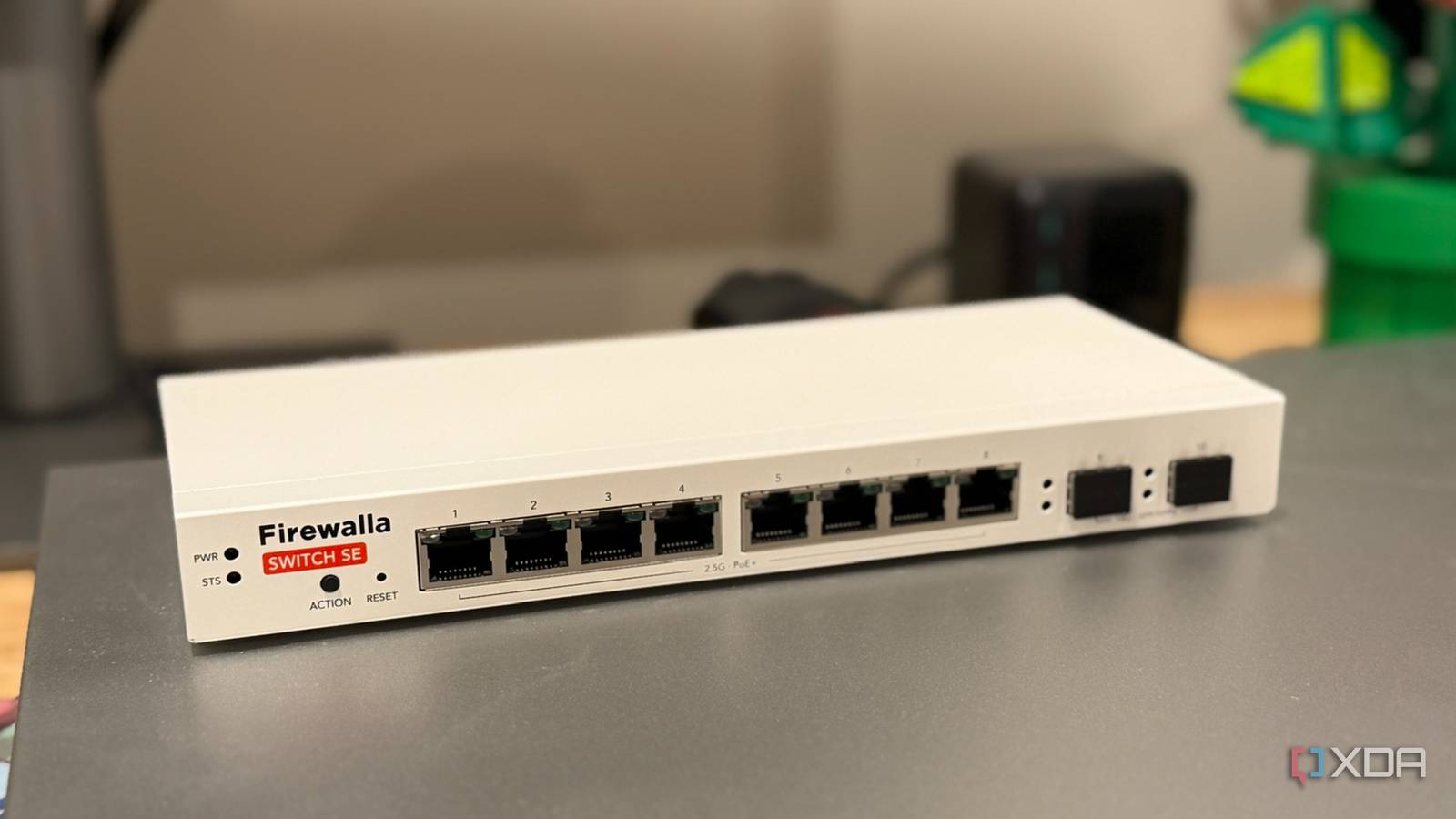
Published Aug 20, 2026, 10:00 AM EDT Maker, meme-r, and unabashed geek, Joe has been writing about technology since starting his career in 2018 at KnowTechie. He's covered everything from Apple to apps and crowdfunding and loves getting to the bottom of complicated topics. In that time, he's also written for SlashGear and numerous corporate clients before finding his home at XDA in the spring of 2023. He was the kid who took apart every toy to see how it worked, even if it didn't exactly go back together afterward. That's given him a solid background for explaining how complex systems work together, and he promises he's gotten better at the putting things back together stage since then. Every smart home starts from a few devices, and grows over time. Maybe it’s a few smart bulbs, or a smart speaker, but it’s not long until you have dozens of devices on your network. Then you realize they’re a security menace, and separate them from your other network devices with a VLAN. I did that too, and then thought I’d solved the problem. It solved one problem, sure, but keeping my laptops, NAS, and PC away from my IoT devices is only part of it. A VLAN doesn’t stop one misbehaving IoT device from taking out the rest, whether that’s noisy broadcast traffic or malware. You’ve just put the noisy devices in a smaller place, so they’re chattering amongst friends. But there’s a fix in your managed switch's dashboard, and it’s not another VLAN. It’s port isolation, and it does the one job a VLAN can't. Your smart home devices are not to be trusted That smart plug you bought five years ago will probably never be updated There’s nothing terribly exciting inside a smart plug. It’s a tiny microcontroller, some Linux code, and a wireless radio. If you were wise and bought Zigbee or Z-Wave, they’re already on a separate network, and your data-containing devices are safe. For the rest of us, built-to-a-cost devices connect to our Wi-Fi, and that’s a problem. Not so much while they’re working, and the company that made them is still going. But at some point the vendor will stop updating them, and it’ll likely be before the hardware stops working. And if you know when the last firmware update was, you’re already ahead of the curve. If UPnP is enabled on your router, those IoT devices are probably opening ports as we speak. Those are beacons for the automated scanners attackers use, and it won’t be long before your devices are conscripted for another use. They used to turn them into DDoS botnets, but things have changed. Now those IoT devices serve as a foothold to monitor your network and pivot to data harvesting or residential proxies. From one compromised device, an attacker can scan your entire network, fingerprint the answers, figure out where personal data is likely to be, and start attacking with credential stuffing and known exploits. Everything is automatic, and the only thing you can do is limit the blast radius if it does happen. Yes, good vendors do patch their devices. Be honest, though: did you buy the good brands, or the ones that cost a third of the price? Only one of them will have ongoing security patches, and even then, they’ll eventually stop supporting it. Port isolation is a quick and dirty VLAN For when you really don’t want your devices to talk Mechanically, an isolated switch port can communicate only with uplink ports, and nothing else. If traffic tries to go to any other port, it gets dropped before it gets anywhere near your firewall. Enterprise hardware sets this up as a private VLAN, with gateway ports, internal ports that can’t talk to each other, and community ports for clusters of ports that need to communicate. Basic port isolation is similar, but it reduces the configuration needs and stops single ports from passing traffic to their neighbors. Rules need to apply in both directions for this to work, so isolating port 3 from port 5 is only half the job, and it’ll make troubleshooting really confusing. And any settings are limited to that network switch, so if you have multiple in your network, you’ll have to work out rules for each. But that’s the general idea, with traffic needing to go through your router once isolation is set up. VLANs won’t protect your IoT devices They’re to reduce the blast radius if something goes wrong I don’t know why it took me so long to realize this basic fact. VLANs limit the potential damage if something gets hit. Sure, they’re also for organizational purposes, which is what I use them for most, but they’re great at stopping data from going between segments. But putting dozens of untrustworthy IoT devices into one VLAN just means they’re not touching your NAS, not that you’re protecting any of them from each other. The fix? Usually, more VLANs are added, introducing micro-segmentation: smart lights on one, speakers on another, and a few mDNS reflection rules in place so device discovery still works. That’s fine if your smart home is small, but once you have dozens of devices, it becomes a management nightmare with subnets, DHCP scopes, and inter-VLAN rules between them all. Port isolation can break your Home Assistant setup Leave your access point alone Credit: Smart home discovery runs on mDNS, and that’s link-local multicast. Port isolation makes it stop working, so Chromecast, AirPlay, HomeKit, Sonos, and your printer all disappear from view. The discovery packets they need are part of the peer-to-peer traffic you just blocked with isolation. So can IGMP snooping if you don’t put a querier on the VLAN, and as someone who’s done both at once, I can tell you it’s not fun. If you’re using Home Assistant in your smart home, make sure it’s on an uplink port and not one with port isolation enabled. Your automation hub needs to reach devices locally; otherwise, you have just security-managed yourself back onto cloud-first control. Also, access points should be on uplink ports; adding port isolation to an AP with 30 devices on it prevents all 30 from being reachable via the share button on your phone, among other things. Home Assistant OS Windows, macOS, Linux iOS compatible Yes Home Assistant is the best way to build your smart home, without being beholden to any one ecosystem. VLANs and port isolation work well together My network configuration is now pretty boring, but boring is safe. One VLAN for all my IoT junk, a firewall policy between VLANs and the outside world that keeps IoT contained, and port isolation in that IoT VLAN. What makes this work is mDNS reflection for the few automations that need it, and it keeps my data storage devices safe in case one of the IoT devices gets infected.
My managed switch had a port isolation feature I ignored, and it finally tamed my smart home devices
Full Article
Original Source
Read the full article at Xda-developers →KhanList aggregates and links to publicly available news content. We do not host full articles from third-party sources. Always verify important information with original sources.