
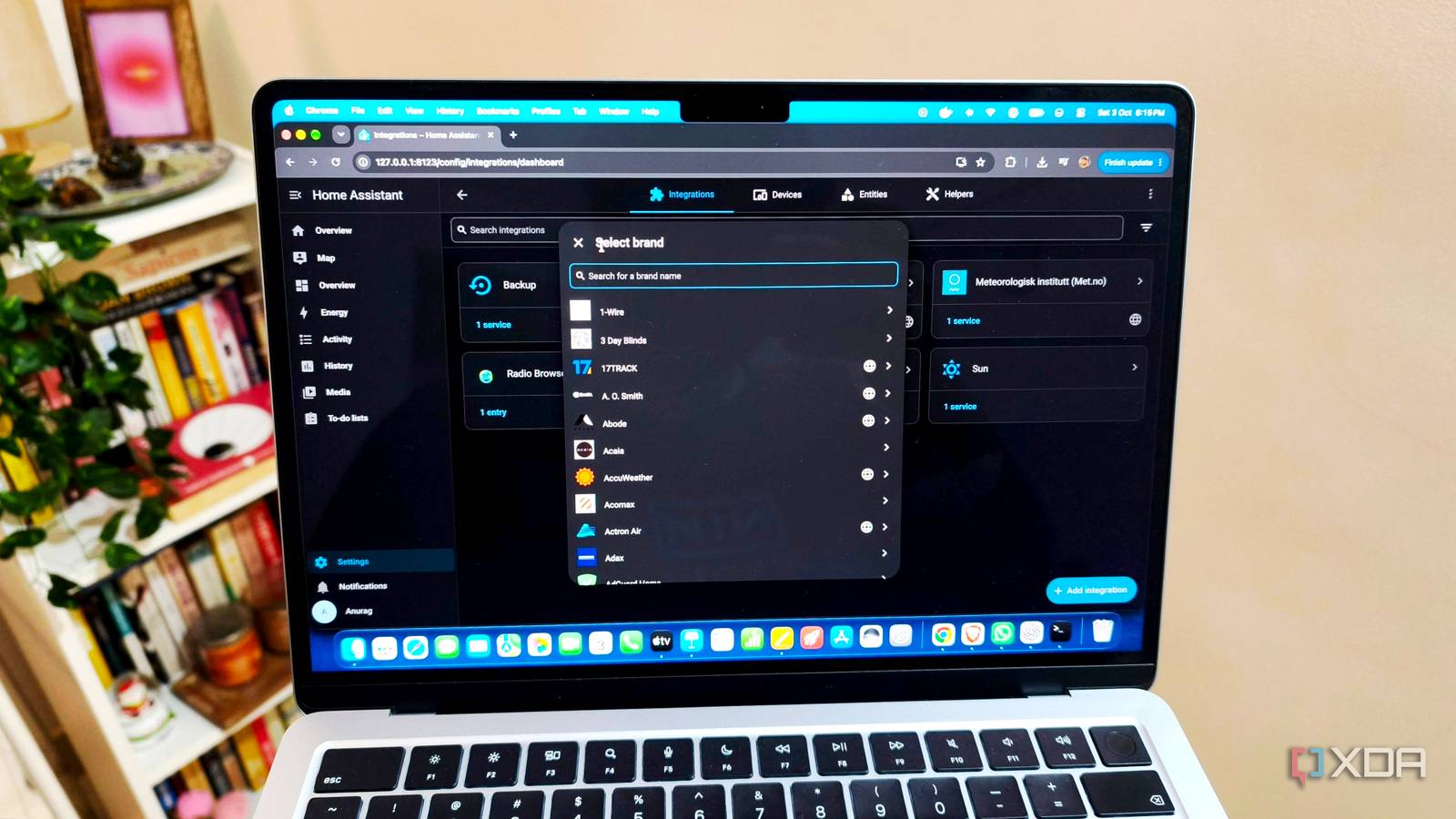
Published Oct 4, 2026, 6:00 AM EDT Anurag is an experienced journalist and author who’s been covering tech for the past 5 years, with a focus on Windows, Android, and Apple. He’s written for sites like Android Police, Neowin, Dexerto, and MakeTechEasier. Anurag’s always pumped about tech and loves getting his hands on the latest gadgets. When he's not procrastinating, you’ll probably find him catching the newest movies in theaters or scrolling through Twitter from his bed. One of the best parts of using agentic AI is that you can connect it to the tools you already use and have it do things for you. I already have Gmail and Google Drive connected to Claude Code, so it can reply to my emails and pull information from my files. I can also ask it to bring up messages that need a response or check upcoming events through my connected calendar. These are useful additions to something I used mostly for coding. Connecting my home server takes this further. I run Home Assistant, which already has a built-in MCP server integration, so I can give Claude Code access to my smart home through that connection. Now I can ask an agent to check device states and control the devices I expose to it, alongside the other tasks I already handle in Claude Code. Home Assistant already has an MCP server Claude gets a second job around the house Home Assistant’s Model Context Protocol Server integration exposes its Assist API to Claude Code. Since my devices are already connected to Home Assistant, I can use that existing setup to make them available to the agent. MCP is an open standard, so the integration also works with other compatible clients if you use something else. The available tools let Claude get information about exposed entities and perform actions, such as switching lights on or off. Home Assistant also provides context about those entities, so the model has information about my home when handling a request. You can expose existing scripts as callable tools as well, which gives Claude access to routines involving several devices. The built-in Assist API has limits, though. It doesn’t give Claude administrative access to Home Assistant, so creating integrations or editing your automation YAML requires a separate connection. Running an existing script and rewriting that script are different capabilities, and the built-in integration covers the former. If you run another application on your home server, you need an MCP service that exposes the functions you want the agent to use. Claude Code supports connecting to an HTTP endpoint, which is also how Home Assistant’s integration works. Another option is launching a stdio MCP process on the server through SSH. Giving Claude Code access to my home You’re still the boss of the switches You can handle the Home Assistant side of the setup by going to Settings -> Devices & services, then selecting Add integration. Search for Model Context Protocol Server and enable the option to control Home Assistant. Then go to Settings -> Voice assistants -> Expose, and select the entities you want available to Assist. This is where you choose the devices Claude can access, so you can begin with a few lights instead of exposing everything at once. Claude Code also needs to authenticate with Home Assistant. For a token-based connection, open your Home Assistant user profile, go to the Security tab, and create a long-lived access token. Give it a recognizable name, such as “Claude Code,” and copy the token for the connection command. You register the connection in your computer’s terminal, outside an active Claude Code conversation: claude mcp add --transport http --scope user home-assistant \ http://HOME_ASSISTANT_IP:8123/api/mcp \ --header "Authorization: Bearer YOUR_TOKEN" Start a new Claude Code session and enter the MCP command, /mcp, to check the connection. Once Home Assistant appears as connected, you can ask Claude whether one of your exposed lights is on to check whether it can retrieve information. Controlling my home from the same conversation This is quite useful Having Home Assistant inside Claude Code is especially useful when I already have a conversation open for something else. If I’m working on a project and want to change the lighting, I can just ask Claude Code instead of opening the Home Assistant dashboard. I can say something like, “turn off the downstairs lights, but leave the bathroom light on,” and the agent figures out which devices it needs to control and handles the individual actions for me. I can also ask it to check the current state before making a change. For example, “check which lights are on downstairs and switch them off” combines getting information with acting on it. And since follow-up requests stay in the same conversation, I can change my instructions or ask Claude to check the result. My existing bedtime routine is a good example of where scripts fit into this. I already use Home Assistant and Node-RED to turn off the TV and speakers, adjust the thermostat, arm security, and leave the bathroom light dimmed for five to ten minutes. I can expose the Home Assistant script that triggers this routine as a tool for Claude to call. This way, the timing and device actions stay defined in the routine, and the agent gets a way to run it from a conversation. I still use Home Assistant’s automations I still use Home Assistant’s automations for scheduled actions and sensor triggers. Connecting MCP gives Claude tools it can use during a task, but it doesn’t automatically create a service that watches my house around the clock. That leaves the existing routines handling their triggers, with Claude available for requests I make as I’m using it.
My home lab finally has an AI brain, and it's Claude Code through MCP
Full Article
Original Source
Read the full article at Xda-developers →KhanList aggregates and links to publicly available news content. We do not host full articles from third-party sources. Always verify important information with original sources.