
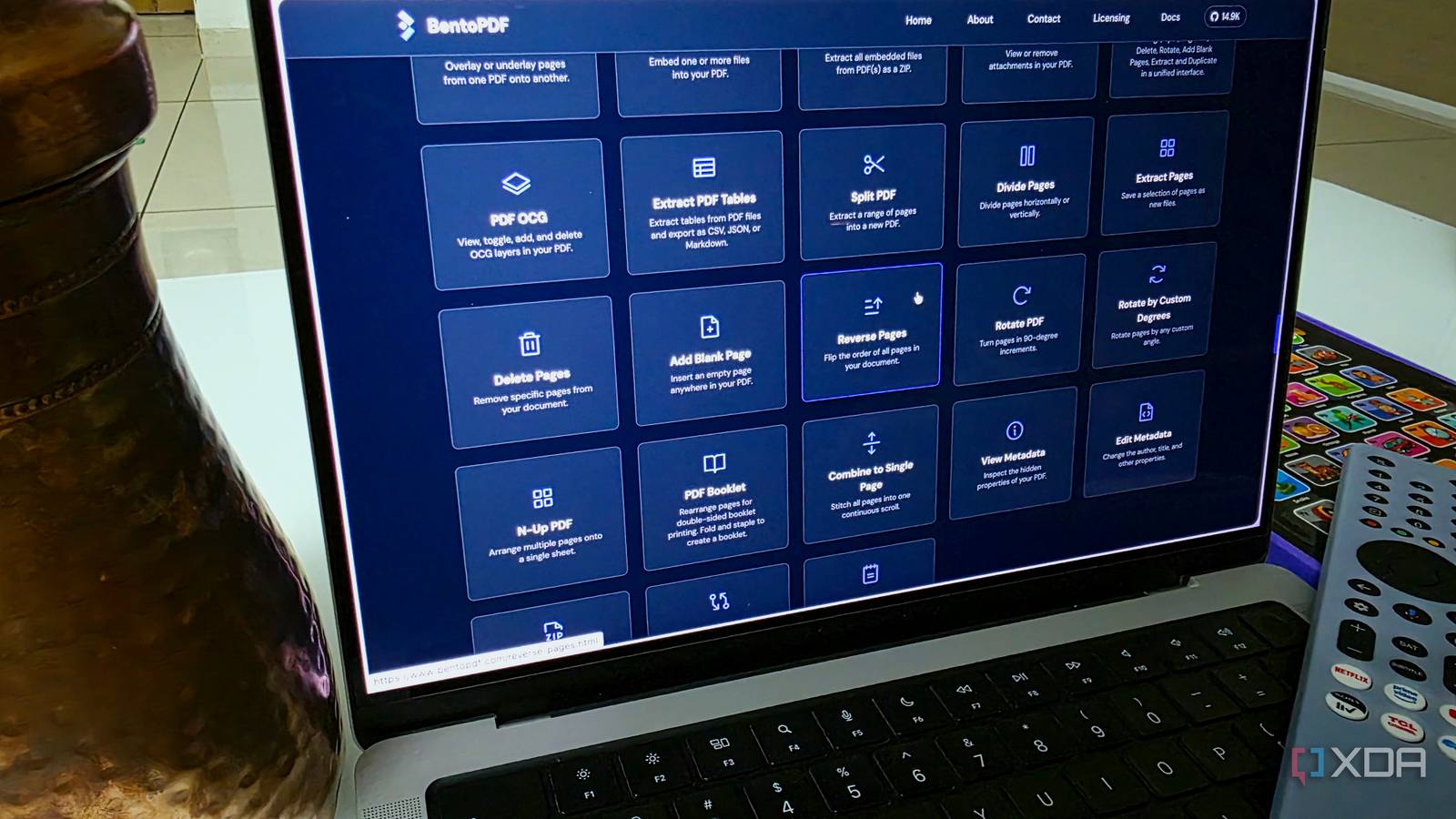
Published Sep 2, 2026, 7:30 AM EDT Parth, a seasoned tech writer, wields the keyboard (or pen) with finesse to unravel the intricacies of both Windows and Mac operating systems. He has covered evergreen content on mobile devices and computers for multiple publications over the last six years. You can find his work on AndroidPolice, GuidingTech and TechWiser. Whether it’s demystifying system updates, deciphering error codes, or exploring hidden features, Parth’s prose guides readers through the binary maze. When not immersed in tech jargon, you’ll find him sipping chai, pondering the next software review, and occasionally indulging in a friendly debate about mechanical keyboards. Finding a capable PDF editor usually means picking a side: sign up for a monthly Adobe Acrobat subscription, deal with the clunky interfaces of legacy tools like Foxit or Nitro, or upload sensitive agreements and invoices to shady online converters. BentoPDF cuts straight through that bloat. It is a free, open-source, and private tool that processes your files locally in your browser and delivers all core functionality most people actually need without the paywalls or tracking. The subscription trap and web converter gamble Each one comes with a con or two My document workflow has always followed a predictable, frustrating cycle. Every few months, I run into a basic task – combining two scanned invoices, rearranging pages in a client agreement, or adding a password to a sensitive file – and hit a wall with Adobe Acrobat. It’s frustrating when software demands a recurring monthly payment just to perform an action that takes three seconds of compute time. Naturally, my first instinct was to look at traditional desktop alternatives like NitroPDF and FoxitPDF. But over the last few years, those platforms have evolved into the exact thing they originally fought against. They have become sluggish, resource-heavy suites loaded with background updater services, cluttered navigation ribbons, and their own aggressive licensing prompts. Installing a gigabyte of desktop bloat just to sign and compress a few documents felt like trading one headache for another. That left me with the quick fix option: free web-based converters. They are convenient, but they come with a massive catch that always made me uneasy. The moment you drag and drop a file onto those sites, you are uploading tax documents, NDAs, bank statements, or client contracts to a remote third-party server. Local, client-side processing The biggest selling point The moment I found out how BentoPDF actually handles files, it immediately earned a permanent spot in my browser bookmarks. Unlike typical online PDF editors that force you to upload documents to a remote cloud server, BentoPDF does all the heavy lifting locally on your device. That means when I drag a sensitive freelance contract, an invoice with bank details, or a tax form into the window, the file never leaves my machine. Also, there are no account sign-ups, no tracking cookies logging my usage, no artificial daily file limits, and zero watermarks slapped onto exported pages. It delivers the speed and convenience of a web app with the strict privacy boundary of an offline local utility. Beyond privacy, the interface design is what sealed the deal for me. Traditional desktop software like Acrobat or Foxit loves burying basic functions beneath endless nested toolbars, complicated ribbons, and menus that 95% of users will never touch. BentoPDF takes the exact opposite approach with a clean, modular layout. The visual page organizer is easily my favorite component – it gives you a clean grid of page thumbnails where you can drag and drop to rearrange order, rotate upside-down scans, or bin duplicate pages in seconds. Everyday power features without the clutter Lightweight footprint and cross-platform flexibility A lot of lightweight tools make the mistake of going too barebones and strip out the actual utility you need to finish a workday. BentoPDF avoids that trap by nailing the everyday features that matter. Take form-filling and e-signatures, for instance. Whenever a vendor agreement or a freelance W-9 lands in my inbox, I don’t need a heavy digital-certificate signing suite. I just need to fill out text fields, drop in a clean signature, and send it back. BentPDF handles that instantly in the browser. The security and cleanup tools are equally solid. If I am sending over sensitive project notes or financial summaries, I can redact specific text blocks or apply password protection directly from the dashboard. Plus, the built-in converters, like turning image batches into single PDFs or extracting high-res image assets from pages, work without degrading quality or choking on larger files. Finally, BentoPDF requires zero installation. Because it runs straight out of any modern web browser, it behaves identically whether I am working at my primary desktop, on a laptop while traveling, or testing workflows across different operating systems. Because the project is open-source, there is complete transparency around what code is executing on your machine. It’s just a clean, portable web utility that stays out of your way until you need it. Full PDF power without the cost As you can see, you don’t need an overpriced Adobe Creative Cloud subscription or a bloated desktop suite just to sign, merge, or tweak a few documents. BentoPDF proves that reliable everyday document management doesn’t have to come at the expense of your wallet or privacy. The next time you run into a paywall or hesitate to upload a sensitive contract to a random web converter, give BentoPDF a spin using the link below. BentoPDF BentoPDF is an all-in-one PDF editor that rivals Adobe Acrobat and Foxit PDF.
My favorite alternative to Adobe Acrobat isn’t NitroPDF or FoxitPDF, it’s something free, private, and powerful
Full Article
Original Source
Read the full article at Xda-developers →KhanList aggregates and links to publicly available news content. We do not host full articles from third-party sources. Always verify important information with original sources.