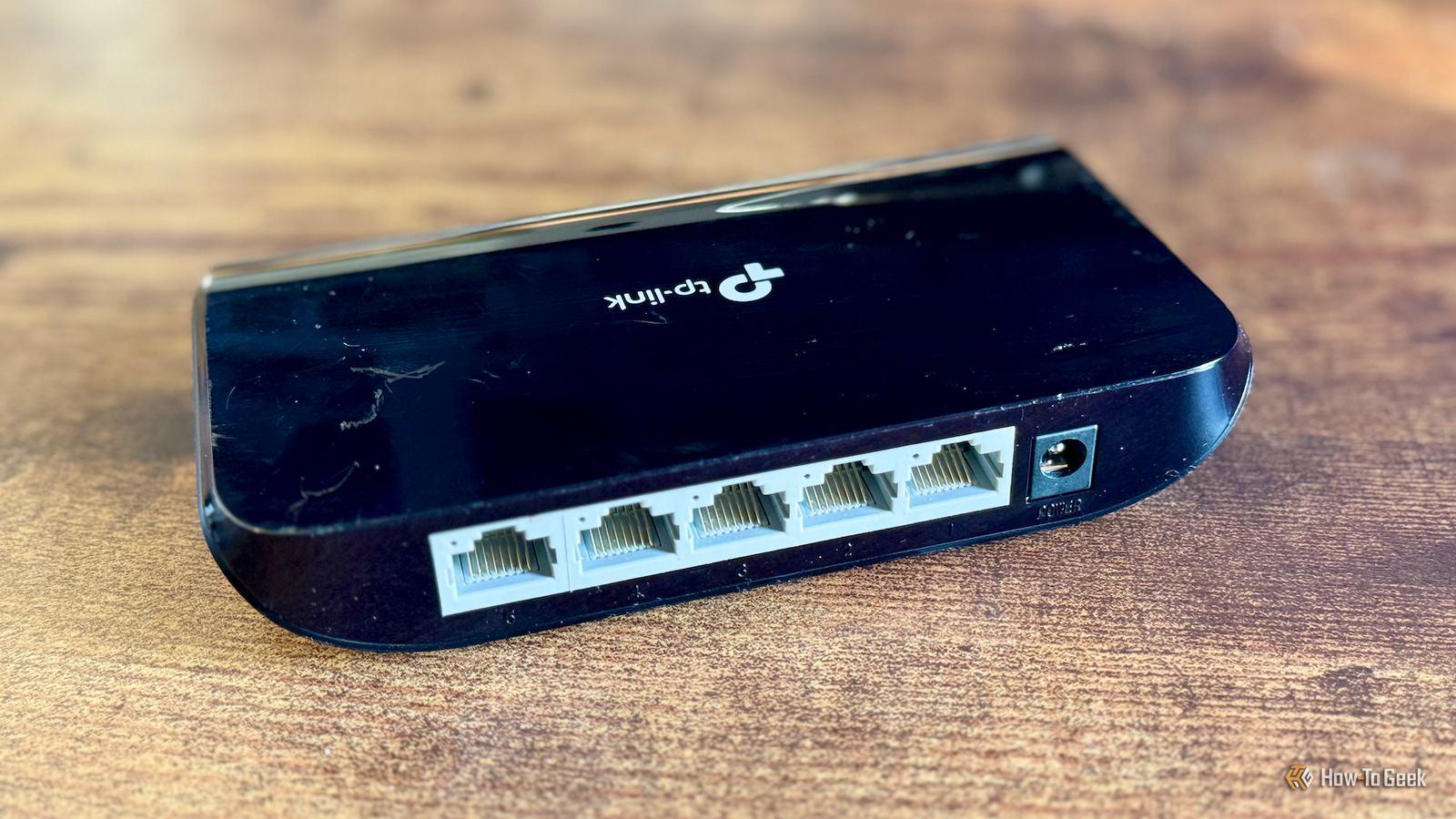
Published Jul 21, 2026, 9:00 AM EDT Monica J. White is a journalist with over a decade of experience in covering technology. She built her first PC nearly 20 years ago, and she has since built and tested dozens of PCs. PC hardware is her main beat, and graphics cards and the GPU market at large are her main area of interest, but she has written thousands of articles covering everything related to PCs, laptops, handhelds, and peripherals. From GPUs and CPUs to headsets and software, Monica's always willing to geek out over all things related to computing. Outside of her work with How-To Geek, Monica contributes to TechRadar, PC Gamer, Tom's Guide, Laptop Mag, SlashGear, Whop, and Digital Trends, among others. Her ultimate goal is to make PC gaming and computing approachable and fun to any audience. Monica spends a lot of time elbow-deep in her PC case, as she's always making upgrades, testing something, or plotting out her next build. She's the go-to tech support person in her immediate circle, so she's never out of things to do. Whenever she has spare time, you'll find her gaming until the early hours and hanging out with her dog. I've spent a whole lot of money on networking gear over the years, but time and time again, it's some of my cheapest purchases that keep surprising me (in a good way). One of the first was my USB-to-Ethernet adapter, and now, I'll tell you a bit more about my second favorite: a five-port unmanaged gigabit switch. It's a little box. Looks as unassuming as can be. But its potential is so huge, and definitely worth the $15 it's cost me. A $15 network switch does more than add ports It looks pointless, but it's incredibly useful Let me sell you on the idea of an unmanaged switch. It takes one Ethernet port and turns it into four or five, with no app, no login page, no extra bells and whistles. It's super simple, and that's part of why I love it. You just plug it into a power source, plug in some cables, and voila, you're all done. That alone solves a problem most people run into eventually. Router manufacturers still act like three or four LAN ports are generous, but these days, the average living room has a TV, a console, a streaming box, and even a PC at times. All of those things are capable of using Ethernet, and Ethernet is often the fix to most network-related problems. A switch doesn't split your bandwidth between ports. Every port gets its own full-duplex gigabit link, and traffic between two devices connected to the same switch never travels back to the router at all. If you copy a file from your PC to a NAS and both are plugged into the switch, that transfer happens fully locally, at full speed, without even bothering to ask your router. That's a pretty sweet bonus that makes this cheap gadget even more worthwhile. TP-Link TL-SG105 5-Port Gigabit Unmanaged Ethernet Switch $13 $25 Save $12 This TP-Link switch only costs you $15, but it still gives you five Gigabit Ethernet ports. Wired still beats Wi-Fi where it actually counts Speed tests never tell the full story, though Credit: Patrick Campanale / How-To Geek Local transfers are a nice bonus, but the real reason I suggest you buy one of these things is what happens to the devices you plug in. And no, I'm not talking about speed. Run a speed test on a decent Wi-Fi 6 connection and it'll probably look great, which is exactly why people stop troubleshooting there. The number that actually matters (and can ruin many an evening) is jitter, meaning how much your latency wobbles from one moment to the next. When we compared Wi-Fi 6 against Cat6 Ethernet, the wired connection averaged 16ms ping with 7 ms of jitter, while Wi-Fi came in at 60 ms with 20 ms of jitter. That variance is what shows up as rubber-banding in games, a video call freezing mid-sentence, or a 4K stream dropping resolution for no obvious reason. The whole reason here is that Wi-Fi is a shared medium, and there's only so much of it to go around. Every device on the band takes turns using the same airtime, and your latency depends on what everyone else in the house is doing. Ethernet doesn't work that way. Controlled testing has found wired jitter staying under 2 ms regardless of how much traffic is hammering the network, while Wi-Fi jitter climbs steeply as soon as the network gets busy. Newer standards like Wi-Fi 6E and 7 genuinely narrow the gap, but they narrow it with hardware that costs a lot more than $15. What actually changes when you plug things in Four real upgrades hiding inside one cheap box Credit: Adam Davidson / How-To Geek Theory's one thing, so here's what the switch actually did in my house. My TV really struggled with Wi-Fi. I was sick and tired of constantly having to restart it or change channels to get it to regain connection or to clear up the low-res image I was greeted with every day. Switching it up (pun intended) fixed all the problems, even during peak hours. Video calls stopped freezing at the exact moment I said something moderately worth hearing. Neither of these were dramatic fixes, but they were small annoyances that I was tired of, so getting them fixed for $15 was nice. The one that surprised me most was mesh backhaul. If you're running a mesh system, your satellite nodes talk to the main unit wirelessly by default, which means every hop eats airtime twice, once receiving and once transmitting. That's why speeds tend to grow more and more disappointing the further you get from the main node. But connect those nodes through a switch and they get a dedicated wired path, and suddenly, everything runs pretty near perfectly. There are some caveats, of course But none erase how worth it this still is Credit: Patrick Campanale / How-To Geek Have I convinced you? Fantastic. But before you go shopping, check the cables you already own, because a Cat5 cable from an old junk drawer tops out at 100Mbps and will cap the entire exercise. Fortunately, Cat5e and up handle gigabit, and the category is printed right on the jacket. Gigabit is also the ceiling on these budget models, so anyone with a multi-gig internet plan or an NVMe-based NAS should look at 2.5GbE switches instead, but they run closer to $30-$50. Still worth it. Unmanaged also means exactly that: no VLANs, no QoS, no port monitoring, which is fine for almost every home but not if you're actively trying to isolate IoT devices. And don't create a loop by plugging the switch into two of your router's ports, since cheap unmanaged switches usually have no loop protection and will be more than glad to take your entire network down in seconds. There's a lot to gain behind that $15 price tag I've bought routers that promised to fix everything and delivered maybe half of it, and I've wasted hundreds of dollars on terrible ISPs. But I've also bought a $15 plastic box that removed a whole category of problems I'd stopped noticing I had. The switch isn't some fancy solution, but it's an expense worth taking a chance on. NETGEAR 8-Port Gigabit Ethernet Unmanaged Switch (GS308) $19 $28 Save $9 This Netgear switch is a tiny bit pricier, but it gives you eight ports instead of five.
My expensive router couldn't fix my network, but this $15 gadget did
Full Article
Original Source
Read the full article at Howtogeek →KhanList aggregates and links to publicly available news content. We do not host full articles from third-party sources. Always verify important information with original sources.