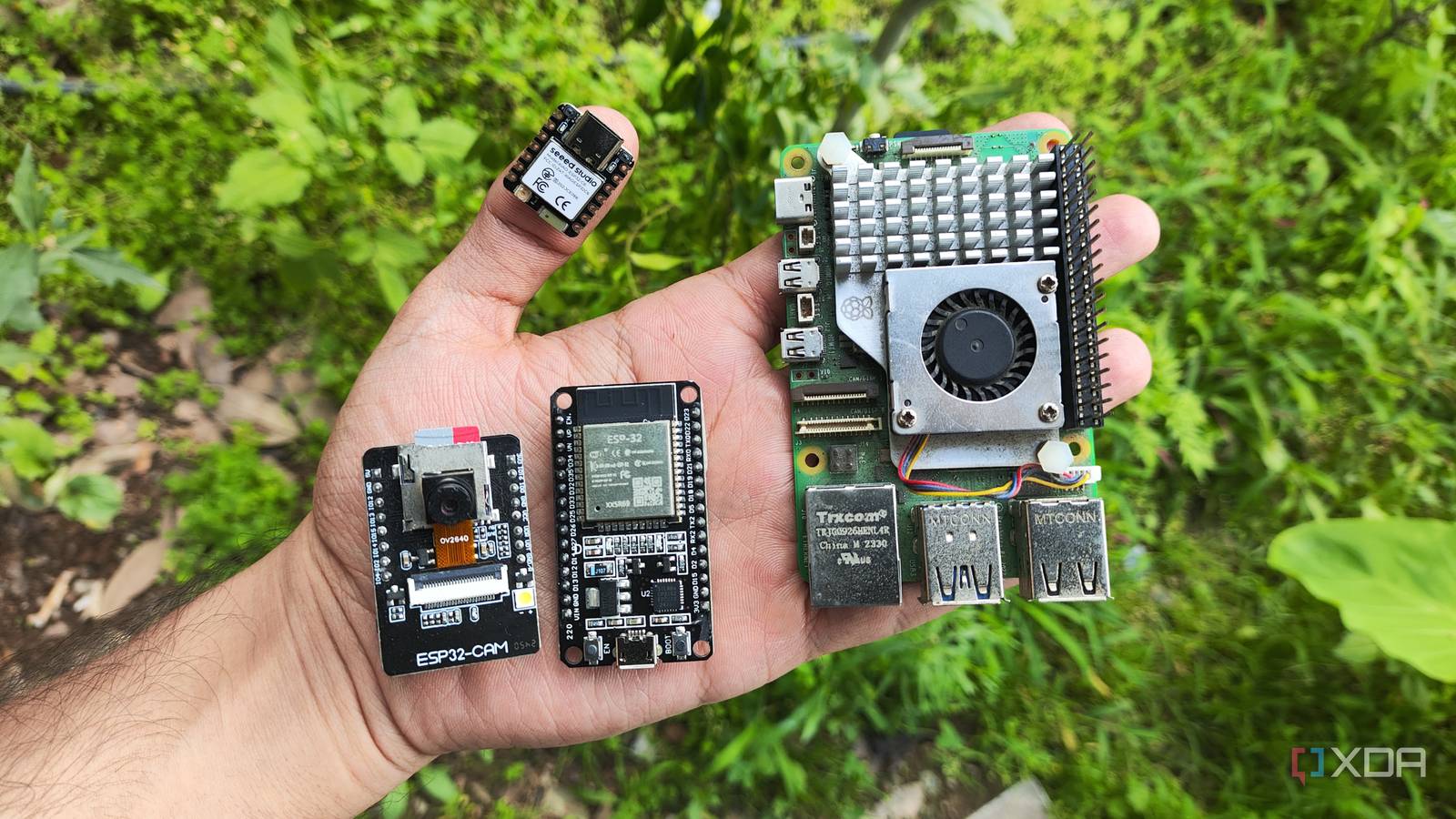
Published Aug 14, 2026, 3:30 PM EDT Ayush Pande is a PC hardware and gaming writer. When he's not working on a new article, you can find him with his head stuck inside a PC or tinkering with a server operating system. Besides computing, his interests include spending hours in long RPGs, yelling at his friends in co-op games, and practicing guitar. On the surface, Raspberry Pi single-board computers are nothing like ESP32 microcontrollers. Leaving aside the Pico lineup, even older Raspberry Pi boards pack more computing power than ESP32 MCUs, making them better for projects where you need to tinker with different Linux flavors or self-host cool services. That said, there’s a massive overlap between SBC and microcontroller projects, to the point where you can ditch the former and switch to MCUs without experiencing any noticeable differences in your DIY experiments. Sure, there are definitely a few scenarios where a microcontroller can prove to be too weak. But when it comes to smart home, circuitry, and sensory-heavy projects, my ESP32 boards can provide the same functionality as my uber-expensive Raspberry Pi boards. The Raspberry Pi is far from budget-friendly these days Besides the original RPi Zero, practically every SBC in this lineup is overpriced In the early days of the Raspberry Pi, the dirt-cheap price tags on these SBCs is what attracted tinkerers to them, and for good reason. If I wanted to build a quick Wi-Fi scanner that lists the different devices connected to my network, grabbing a $30 Raspberry Pi and hooking it up to a tiny display module was significantly cheaper than grabbing thin-clients and other expensive x86 hardware back in the day. Likewise, the RPi’s terrific compatibility with different software packages and hardware components made it the perfect learning companion for beginners, and that still holds true today. But as the years went by, the Raspberry Pi’s costs slowly started to creep up. What used to be a cool yet inexpensive experimentation device turned into a pricey investment, and its overall cost goes up even more when you factor the microSD card, micro-HDMI adapter, and extra accessories into the equation. Sure, my Raspberry Pi is versatile enough to serve a wide range of projects, but I’m definitely not going to spend over $20 – and that’s just the cheapest RPi Zero – to utilize simple sensors or for building a tiny electrical circuit. And to be honest, my RPi was overkill for half my DIY experiments Switching gears to the microcontroller side of things, I’ll admit that an ESP32 may not have as diverse use cases as a Raspberry Pi SBC. Nor am I going to pretend like it’s better than my RPi boards for home server tasks. That said, quite a large fraction of the projects where I needed a Raspberry Pi work just as well if I swapped out the SBC for my ESP32 module. Take the LAN scanner I mentioned earlier. Rather than spending dozens of dollars on just the Raspberry Pi, I can just grab a $9 ESP32, arm it with a CYD module, and have it display all my network devices, all while having it sip less energy than even the cheapest Raspberry Pi single-board computer. Likewise, unless I needed more RAM or computation resources, a Raspberry Pi would be too overkill for designing a simple circuit or grabbing random sensor values when my ESP32 could do the trick for a fraction of the price. With the memory shortage causing mainline Raspberry Pi prices to shoot up, I can’t just relegate an expensive RPi SBC to a project where I may need to solder its GPIO pins to certain modules. Nor can I go wild with experiments where I can potentially damage this SBC. But seeing as how I can grab an ESP32 for $9 (and it’s even cheaper if I buy a couple of them), I don’t need to worry about permanently soldering sensors to the microcontroller. Likewise, if things go wrong and I accidentally render my ESP32 unusable, I can grab a new one without a hitch. An ESP32 is actually easier to use for certain projects Especially for DIY smart home gadgets Confession time: Before I transitioned to ESP32 boards, I was afraid I’d have to create long and complex code to put my microcontroller to good use. However, my fears soon turned out to be unwarranted, as ESPHome Device Builder makes designing custom YAML code and flashing it to my microcontroller army a cakewalk. In fact, I’d go so far as to say that an ESP32 gave me far less trouble than a Raspberry Pi for certain projects. Take my recent weather station, for example. Although both the Raspberry Pi and ESP32 play nicely with my BME280 module, the former needed a lot more custom code to work, and I’d have to spend even longer if I wanted my RPi to feed these statistics to Home Assistant. As for my cheap microcontroller companion, I simply copied the documentation on ESPHome, made some tweaks to it, and flashed it to the ESP32 hooked up to a BME280 to use the environmental statistics for my HASS automations. The same goes true for circuitry projects, where the embedded nature of my ESP32 helps me avoid the extra headache needed to pair the Linux flavor on my Raspberry Pi with other accessories. My ESP32 boards have almost replaced the Raspberry Pi Considering all the perks of a cheap microcontroller that I can interface with any sensor in my tech cave, my Home Assistant server now houses several ESP32 microcontrollers, each fulfilling its own cool purpose. Of course, the Raspberry Pi is clearly superior to the ESP32 in terms of processing power and versatility, but that matters little when my microcontrollers can drive several lightweight projects for a fraction of the price. As for server-centric projects, used thin clients and N100 mini-PCs are far more capable than a mere Raspberry Pi, and seeing as how cheap many x86 devices have gotten these days, I doubt I’ll be picking up an RPi SBC any time soon. Brand AITRIP Connectivity Features UART, USB
My ESP32 fills the same niche as a Raspberry Pi SBC, and it does so at a fraction of the cost
Full Article
Original Source
Read the full article at Xda-developers →KhanList aggregates and links to publicly available news content. We do not host full articles from third-party sources. Always verify important information with original sources.