
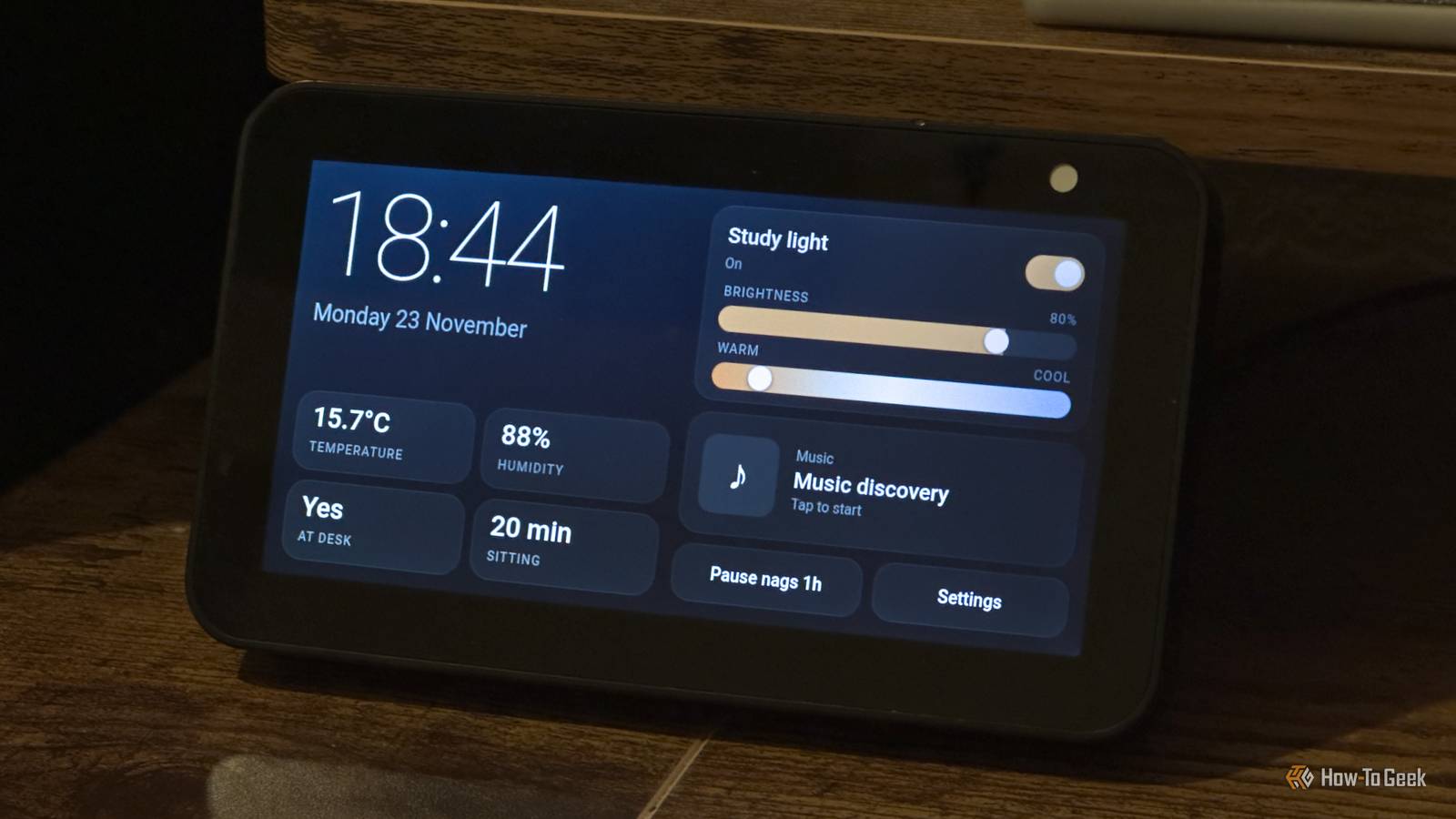
Published Nov 23, 2026, 6:30 PM EST Adam has a degree in Engineering and has a life-long interest in technology. He has been writing for over a decade for various print and online publications, with a focus on consumer tech. He joined How-To Geek in 2024 while working at Pocket-lint. As well as being a long-term fan of Apple products, he also has a strong interest in smart home tech, running a Home Assistant server at home to automate all his smart home devices. He believes that the ideal smart home should work with minimal interaction from the user, with automations running as if by magic rather than requiring you to push buttons on a control panel. You can find more of his work on Muck Rack. The Amazon Echo Show 5 is a small smart display that you can use with Alexa voice commands. Thanks to its 5.5-inch screen, you can also see information such as the live feed from compatible Ring and Blink video doorbells when someone rings the bell. The trouble is that these devices are locked down by Amazon, so you're stuck using the fairly limited options that the stock firmware offers. By jailbreaking my Echo Show and running dedicated software, my old Echo Show 5 is now a truly useful part of my Home Assistant smart home. I'd already turned my Echo Show into a Home Assistant dashboard Fully Kiosk helped, but it wasn't ideal It's been possible to jailbreak an Echo Show 5 for some time. I've been using a jailbroken Echo Show 5 in my home office for more than a year. The trouble was that it still wasn't as useful as it could have been. My setup involved using Fully Kiosk Browser to keep a Home Assistant dashboard constantly displayed on the screen. While it worked okay most of the time, it was complicated to set up and always felt like a bit of a fudge. To access some features, I needed to pay for a Fully Plus license (a few dollars per device) and grant some permissions via ADB, which I struggled to get working. The biggest issue was that the whole setup was essentially a web page that Home Assistant could push different URLs to. I replaced the whole setup with Kiosk Satellite A custom Android image built specifically for this job I'd seen a lot of people online raving about Kiosk Satellite, and I finally got around to trying it out. Kiosk Satellite is an Android kiosk app specifically designed for Home Assistant. It's free for personal use. There's a Kiosk Satellite Edition of Lineage OS for the first- and second-generation Echo Show 5 which installs Kiosk Satellite on first boot, makes it the default launcher, and still leaves a reasonable amount of the Echo Show's RAM free. Since my Echo Show was already unlocked, all I needed to do was flash a clean image. This means I have a dedicated app running on the Echo Show instead of a combination of apps running on Amazon's software. This is a more nuclear option, since it overwrites the Alexa software completely. My Echo Show now does three important jobs well I have the best feature that a stock Echo Show could offer Once Kiosk Satellite is installed, you can set up what you want it to display either on the Echo Show itself or via a web interface, which is far easier to use. There's a lot that's possible, but having used my jailbroken Echo Show for a year, there were only a handful of things I knew I really wanted. The first was a simple home screen that I could use to control the devices in my home office where the Echo Show lives. This was as simple as designing a dashboard in Home Assistant and pointing Kiosk Satellite at the relevant Home Assistant URL. The second thing I wanted was to be able to see who was at the door when a person was detected or the doorbell rang. It was fairly simple to set up an automation to display a live feed view of the doorbell based on person detection from Frigate or a doorbell ring. At first, the feed was taking more than 15 seconds to appear, but by switching the feed to MJPEG, it appears almost instantly now. The final thing was a way to control my music discovery setup that I'd originally been running on a Cheap Yellow Display. I was able to build a dashboard that does the same thing, which I can control directly from the Echo Show's screen. This allows me to tap a button to add a song to my shortlist playlist, or to add an entire album to my Apple Music library. Why Kiosk Satellite has made my jailbroken Echo Show even better The Echo Show is now a device, not just a way to show web pages Using Fully Kiosk, my Echo Show was effectively a tablet displaying web pages. Using Kiosk Satellite, it's now treated as a genuine device connected via ESPHome, with more than 100 entities such as screen brightness, light and noise sensors, and more. Another major benefit is what gives Kiosk Satellite the second half of its name. My Echo Show is now a voice satellite that I can use to give voice commands through Assist. I use the "Hey Jarvis" wake word, and it works really well, allowing me to control my entire smart home with my voice. My Echo Show 5 is now a genuinely useful device that runs smoothly and without issues. I can control the devices in my home office, play music, and see who is at the door, without any of Amazon's annoying ads or bloated software. Kiosk Satellite has given an old device a new life. Running Kiosk Satellite isn't for everyone Jailbreaking your Echo Show can be complicated and risks bricking your device. Running Kiosk Satellite also means losing the standard Alexa software, so you need to be sure you're willing to say goodbye. If you never really use your Echo Show, however, then it can be a great way to make it a useful part of your smart home again.
My Echo Show is actually useful now thanks to Home Assistant
Full Article
Original Source
Read the full article at Howtogeek →KhanList aggregates and links to publicly available news content. We do not host full articles from third-party sources. Always verify important information with original sources.