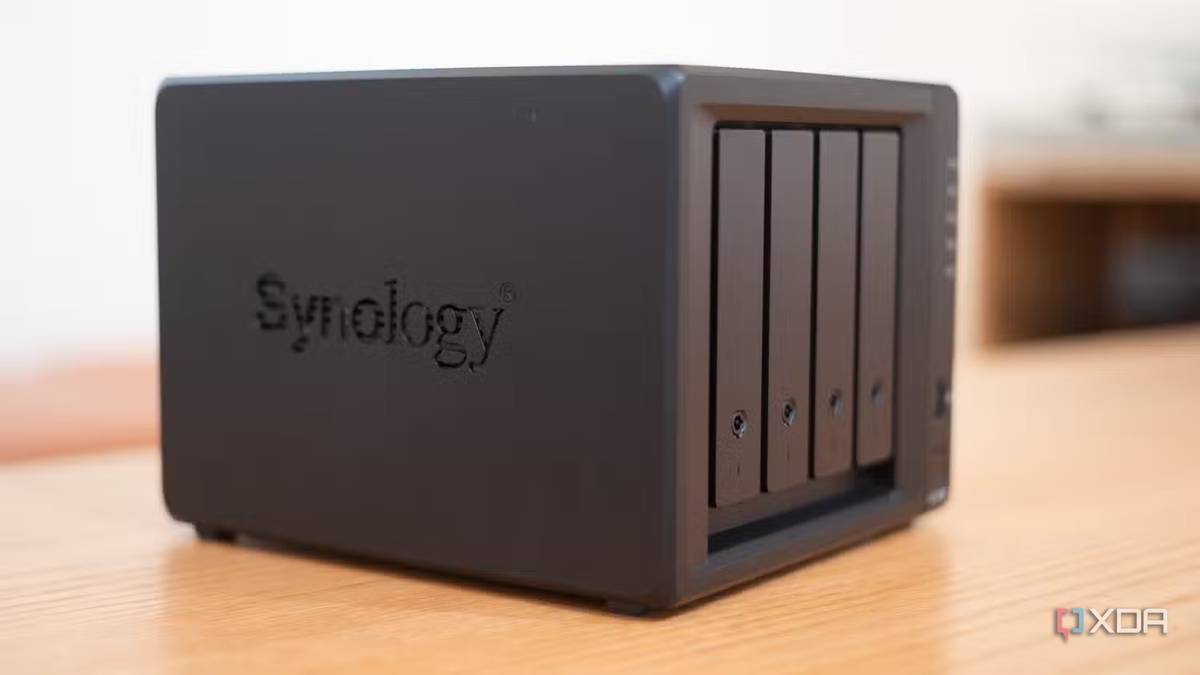
Published Aug 6, 2026, 8:00 AM EDT Maker, meme-r, and unabashed geek, Joe has been writing about technology since starting his career in 2018 at KnowTechie. He's covered everything from Apple to apps and crowdfunding and loves getting to the bottom of complicated topics. In that time, he's also written for SlashGear and numerous corporate clients before finding his home at XDA in the spring of 2023. He was the kid who took apart every toy to see how it worked, even if it didn't exactly go back together afterward. That's given him a solid background for explaining how complex systems work together, and he promises he's gotten better at the putting things back together stage since then. For years, Synology was the safe bet for home NAS enclosures. And like many of you, I went with the safe bet for the best part of a decade. But things change, and my home storage needs changed. It’s not even because Synology became actively hostile to users, although that’s certainly been on my mind, but because the all-in-one NAS formula stopped making sense to me. So I’m migrating my storage to a UniFi UNAS Pro 8, which not only gives me more storage slots but also helps me split my home lab into the task divisions I want. I’ve always been a proponent of using the right tool for the job, and as my needs changed, it’s time to change the infrastructure. About this article: Ubiquiti supplied XDA with the hardware mentioned in this content, but did not see it before publication. My home lab split storage from compute DSM's app layer became dead weight My home lab started on a Synology box, then migrated through several as I needed more storage bays or more CPU power to run VMs, containers, and media serving. And then it ran into problems that were too much for the Synology, things that required hardware acceleration or more CPU threads. Those tasks then ended up on a few mini PCs running Proxmox, except I still needed more VRAM and power for some local LLMs, and I built a home server with a Threadripper. I was going to use this for storage as well, but it started to feel like the Synology again, just on the hardware I controlled. I only really needed storage on a low-powered box to keep my electricity bill from disaster. The server, my PCs and laptops, everything else in my home could then use that when they needed extra storage, and any latency-sensitive tasks could run from local storage. And that’s where the UNAS Pro 8 fits in. Literally fits in because it goes at the bottom of my UniFi rack. It might look like I’m giving up DSM's app ecosystem, the convenience of a single dashboard, and transcoding, but those are all replicated on my Proxmox boxes. What I gain is network-attached storage that lives up to its name, not trying to be a home server. I build the pool, set up shares, and get on with work. I already use bind mounts with containers, so I don't have to go hunting for my files, and it really doesn’t matter to me if they’re on the same box or over the network. UniFi UNAS Pro 8 The UniFi UNAS Pro 8 is a 2U rackmount NAS with eight bays that integrates well into UniFi's product stack. The UNAS Pro 8 slots into the dashboard I already live in Integration is convenience, not lock-in (until it isn’t) I’m under no illusions that switching from one ecosystem to another is closer to changing landlords than building my own home. That’s fine by me, and was part of the considerations. I wanted network-attached storage to manage my files on. I didn’t want to manage the operating system on top of that. The UNAS Pro 8 is closer to a data center storage pod than the consumer-focused NAS devices I’ve used previously. Which is exactly what I wanted for my split of compute and storage, not yet another device trying to do too many things at once. It slots into the UniFi dashboard, which is already my port of call for network changes, making OS updates easy to handle. I can manage it from my phone, and connect it to Backblaze B2 for off-site backups. That’s all I really wanted from my storage device. Rackmount storage without the RackStation price Synology charges for everything The UNAS Pro 8 is $800, which is a considerable chunk of change. But you get not one, not two, but three 10 GbE ports (one for copper Ethernet and two for SFP+), two NVMe slots for SSD caching (although you have to spend $38 for the two sleds), and redundant power supplies (one in the box, and a second 550W for $159). A comparable Synology RackStation with a redundant power supply like the RS1221RP+ is $2,150 or more right now, and that’s without paying $170 to add a PCIe card with two M.2 slots and an RJ45 10 GbE connector. Or you could add two 10 GbE SFP+ via PCIe, without the SSD caching capacity. The point is that, for the features I needed, the UNAS Pro 8 wins hands down. Synology also wants you to use its own RAM modules and has a history of changing policies that don’t benefit consumers. Maybe less so for their enterprise devices, but it’s still a problem. Then there’s software licensing. UniFi doesn’t charge for Protect, so I can store my security camera footage for free. Synology’s Surveillance Station supports two cameras for free on NAS devices; after that, it’s $50- $60 per new camera, doorbell, lock, etc., added to the system. That adds up quickly, and I don’t have to worry about that with UniFi. A decade of trust doesn’t transfer with my data I thought the thing keeping me on Synology hardware was the hardware, but for most of the decade it was actually the software package. When the software stopped mattering as I’d moved that to Proxmox nodes, there was nothing keeping me on DSM. Synology's behavior around drive restrictions just hastened the switch, not instigated it. If you want an all-in-one NAS, Synology is still a good choice, but you pay for that convenience. And the rest of the market has caught up, with QNAP and UGreen near the top of the pack coming for Synology’s lunch money.
My decade with Synology is over — a networking company just proved there's a better way to build a NAS
Full Article
Original Source
Read the full article at Xda-developers →KhanList aggregates and links to publicly available news content. We do not host full articles from third-party sources. Always verify important information with original sources.