
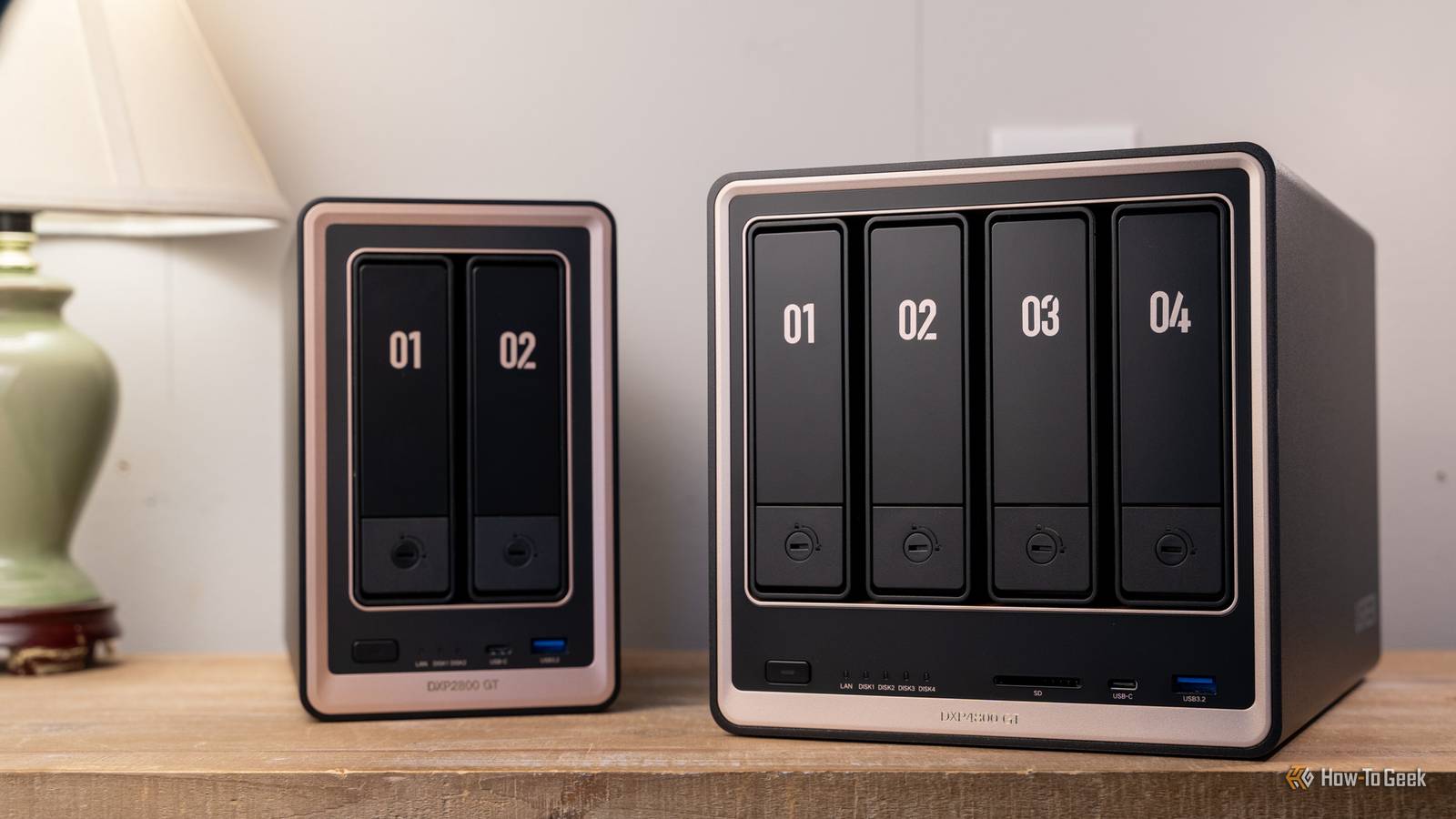
Published Sep 13, 2026, 6:00 PM EDT Patrick Campanale has been in the tech space for well over a decade, specializing in PC/gaming news and reviews, as well as maker-focused products to build small businesses. With a start in technology back in 2010 surrounding the Palm/webOS ecosystem, Patrick spent his formative years developing mobile applications as well as blogging for various publications, eventually leading to starting his own website in 2014. After running a technology blog for a few years, he stepped out of that role and into the world of high-end custom PC manufacturing and building, with a focus on YouTube video production and overclocking. Then, six years ago, Patrick joined the 9to5Toys team as an editor/writer/reviewer with over 14,000 articles being published there there, ranging from deals and roundups to in-depth reviews on the latest technology, video games, 3D printers, and more. In his free time, Patrick loves to create projects from wood using various robots and methods, including leveraging the technologies of CNCs and lasers. If Patrick isn't working on a computer or playing video games, he's likely in his 2-car garage workshop creating something unique. In addition to all this, Patrick is also a youth pastor at his local church where he feels God has called him to serve, and he loves every minute of it. I spent nearly six years running a dual-socket decade-old Xeon server as my primary NAS. Recently, I moved to an off-the-shelf Ugreen NAS and started comparing the two. The thing is, they really can't be compared, and I realized I've spent way more money on that old Lenovo than I originally thought. When I first got into homelabbing, old enterprise gear was all the rage Everyone needs a powerful dual-socket server as their NAS, right? Back in 2020/2021 when I first really got into homelabbing, used enterprise gear was all everyone talked about. 10-year-old servers, rack-mount systems, dual-socket CPUs, and all the rest of everything that comes with enterprise gear was simply the "go-to" for a homelab. I did my research and agreed with that opinion, so I purchased a used 12-bay Lenovo RD440 rack-mount server on eBay for a little over $300 shipped. It was insanely cheap compared to building my own 12-bay system, and it was enterprise, so it had to be better! Truth be told, it honestly was better than anything else I could get at the time for that price. I had more than enough processing power to do everything I needed with it for nearly five years since it had two decade-old Xeon processors totaling 12 cores/24 threads and 64GB of DDR3 ECC RAM. The one thing I didn't account for was electricity usage. That beefy server used a beefy amount of electricity, and that's something I wasn't prepared for, but ended up having to deal with for years. Pre-built NAS choices used to be fairly slim It was Synology, QNAP, or TerraMaster basically Credit: Patrick Campanale / How-To Geek Why did I go with a 12-bay enterprise server instead of an off-the-shelf NAS? Well, back in 2020/2021, off-the-shelf NAS systems were way more limited than they are today. For one, it was basically just the old guard holding down the fort for brands that made NAS systems. However, the real limiting factor was the drive bays. To get a Synology (or any NAS) with 12 bays would have cost me well over $2,000, and I just wasn't prepared to pay that much. I needed the bays because I had a random assortment of hard drive sizes that I planned to use, as it was the only way to get the amount of storage I needed. Also, while many NAS systems now are as powerful as a desktop, that didn't used to be the case. Anemic processors, barely any RAM, and other abysmal specs were the standard for a very long time in the NAS game. It's only recently that consumer-grade NAS hardware actually started to get some power. Ugreen's entry to the NAS space completely changed the game I run multiple Ugreen NAS systems now and couldn't imagine anything else While Ugreen didn't start out its NAS debut with a bang, it definitely has become one of the pillars of the NAS community in 2026. I moved from my old Xeon server to a Ugreen NAS—one of the brand's most powerful units—in June 2026, and it was honestly the best decision I have ever made. The Ugreen NAS outperforms my Xeon system by far. Now, granted, the Ugreen NAS is quite a bit more expensive than my Lenovo server, and I'm blessed to be able to have access to hardware such as the iDX6011 Pro. However, even the Ugreen DXP4800 GT I reviewed earlier this year outperforms my old Xeon server without breaking a sweat. It doesn't have 12 drive bays, but it does use far less power while delivering way more horsepower to handle things like Docker containers and such. I've spent so much money in electricity that it makes me sick to think about Moving from the inefficient Xeon server to a Ugreen NAS saves around $220 per year in electricity costs Credit: Patrick Campanale / How-To Geek When I sit down to think of how much money I've spent over the past six years on my Lenovo server, compared to what I'm spending on my current setup, it's actually quite eye-opening. For starters, just in power alone, I'm saving over $220 per year by not using the Lenovo server. My RD440 drew around 200-300W of power from the wall, while the Ugreen only draws around 40-45W. That means I have spent over $1,300 in electricity over the past six years to keep that server running. I also had two other rack-mount servers that I ran for several months which used the same amount of power, so I've probably spent nearly $1,500 (or more?) in electricity running the old enterprise gear. While I could have found this out upfront, I didn't, so I went into it not thinking about the long-term cost of running an old enterprise server. Looking back, I should have sold the hard drives I did have and just bought a nice, lower-power server up front and it would have saved me so much hassle in the long-run. Hindsight is 20/20, as the saying goes. UGREEN NASync DXP4800 GT Brand Ugreen CPU AMD Ryzen Embedded R2514 Memory 8GB DDR4, expandable to 64GB Drive Bays 4 3.5/2.5-inch, 2 NVMe Ports USB-A/USB-C 10Gb/s, USB-A 480Mb/s, dual 10GbE, HDMI OS UGOS The Ugreen DXP4800 GT is the latest NAS from Ugreen, featuring dual 10Gb Ethernet, two NVMe slots, and a whole lot more. Shipping with 8GB of DDR4 RAM, you actually can replace it yourself and upgrade it to have up to 64GB of RAM should the need arise. Plus, UGOS continues to mature and is becoming a very solid NAS operating system. UGREEN NASync iDX6011 Pro Memory 64GB DDR5 Drive Bays 6 OS UGOS Pro LAN Ports 10GbE x2 Get your data off of cloud subscription services and put it back under your control. The iDX6011 Pro makes it easier than ever to set up a NAS server with AI features, including universal search, the ability to search images by what they look like rather than the file name, and more. Though it was definitely costly, I'm glad I made the "mistake" of getting a Xeon server Looking back on all the money I've spent on running that old Xeon server can definitely hurt. However, it taught me so much. I learned proper server management, how to use IPMI, and how mixing and matching hard drives is convenient, but can also be slightly frustrating. If I could do it all over again with the knowledge I have now, I would probably just find a way to buy the NAS I needed up front instead of the old, power-hungry server. But, I'm glad I gained the experience I did. It's served me well over the years.
My decade-old Xeon server lost to a budget UGREEN NAS in every way that matters
Full Article
Original Source
Read the full article at Howtogeek →KhanList aggregates and links to publicly available news content. We do not host full articles from third-party sources. Always verify important information with original sources.