
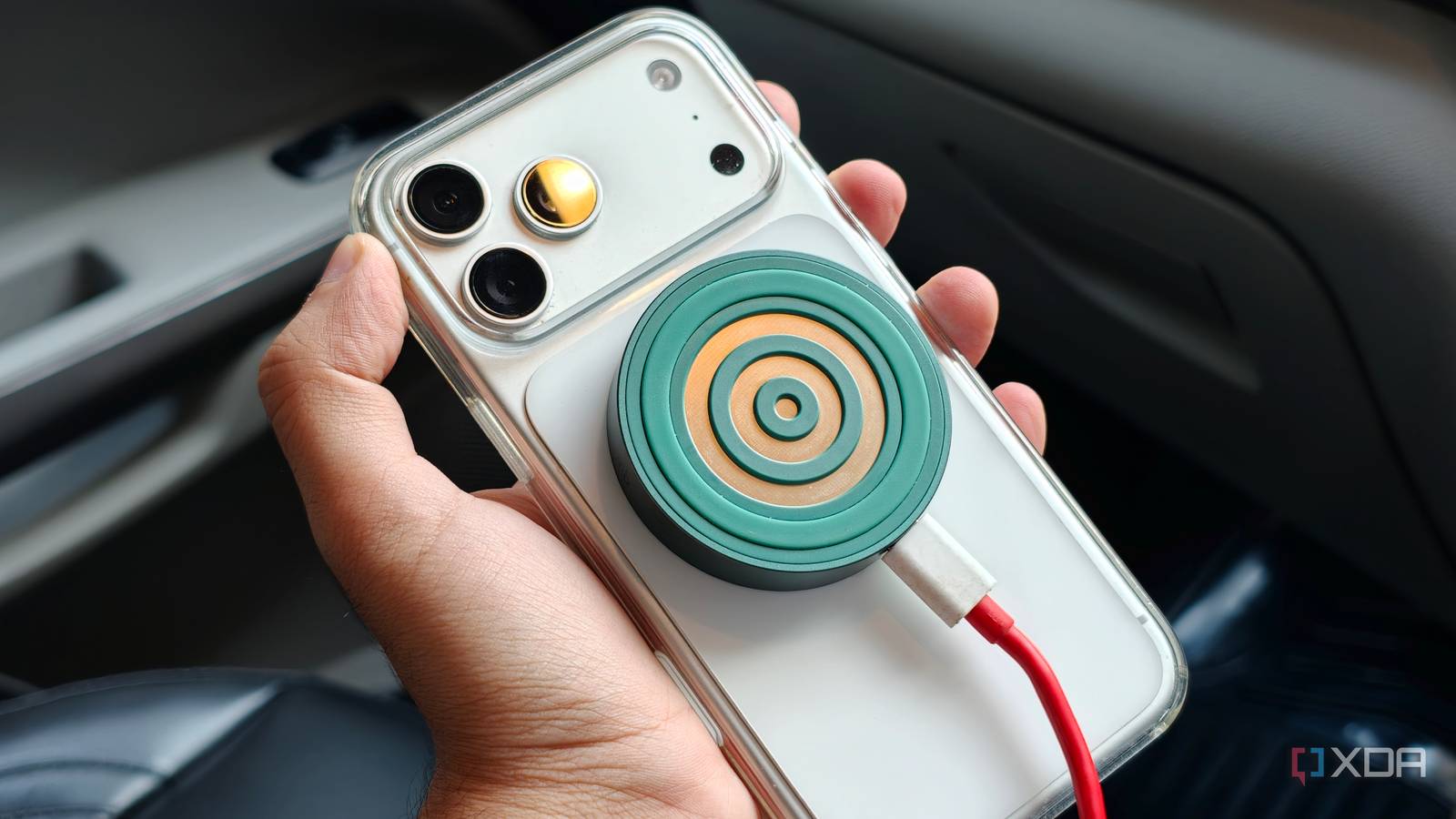
Published Sep 17, 2026, 8:30 AM EDT Dhruv Bhutani has been writing about consumer technology since 2008, offering deep insights into the personal technology landscape through features and opinion pieces. He writes for XDA-Developers, where he focuses on topics like productivity, networking, self-hosting, and more. Over the years, his work has also appeared in leading publications such as Android Police, Android Authority, CNET, PCMag, and more. Outside of his professional work, Dhruv is an avid fan of horror media spanning films and literature, enjoys fitness activities, collects vinyl records, and plays the guitar. Wireless charging in cars is one of those quality-of-life features that should, on paper, make life much easier. Now, I'm not saying it doesn't, but in practice, I have found that the built-in charging pads are rarely placed ideally. Either the phone has to sit in a fixed spot, or the pad takes up a lot of space. Ventilation can be a concern, and charging speed varies greatly too. I could always use a cable to charge, but I didn't want to lose the convenience. So, I ended up solving the problem in a much simpler way. I used a dedicated wireless charging puck connected to the car's 12V socket through a USB adapter. It turns out, you don't need wireless charging built into your car, and you don't need to use the built-in pad to take advantage of the feature. Now I treat wireless charging as an accessory, and it's given me much more control over where my phone sits, how it charges, and how fast it charges. I can now put the charger wherever I want The charging puck and speed aren't tied to what shipped with my car While it isn't necessarily the problem I was trying to solve, the biggest advantage of using a separate charging puck is that it isn't tied to any one location. My car has plenty of places to put a phone, and the charging pad was probably the worst of them. Built-in charging plates are usually placed in the center console or under the infotainment screen, neither of which is convenient if you need to reach your phone quickly. Using a puck, I can position the charger around how I use my car. I've opted for a MagSafe- and Qi2-compatible puck so that I can keep my phone within easy reach. But I can chuck it into the center bin should I choose. There's plenty of flexibility here. That flexibility means I can chuck the phone on a phone stand while using navigation, or keep it on the seat if I want access to music controls, all while charging. A fixed-in-place charging pad no longer limits it. That placement flexibility is critical in hot countries like mine. Where my phone sits naturally is also the exact spot that gets bright sunlight while I'm on the go. Wireless charging heats the phone; direct sunlight does more so, and lack of ventilation adds to it. Using a separate puck solves all those problems in one go. Simple, flexible, and future-proof You can build the charging setup you need Okay, fine. I know the question a lot of you are about to ask me. If I value flexibility so much, why wouldn't I just plug in the cable to my phone? That's a great question. However, there are still some aspects of wireless charging I care about, and MagSafe-based wireless charging gives me the best of both worlds. For one, since the charging puck stays stuck to the back of my phone, reliability isn't a concern. My phone doesn't have to be repositioned from time to time to make sure it's actually charging. Once it's on the puck, it's charging. At the same time, I can detach my phone in a second. Heck, I don't even need two hands for that. Need to quickly answer a phone call? There you go, my phone's off the charger with speakerphone on. Putting it back on charge is equally quick. I just need to get it close to the wireless charger, and you're back in action. There's no need to pull over the car to safely plug in a cable. The setup itself is astonishingly simple. You can use your choice of wireless charging puck, connect it to a USB adapter via a USB cable, and plug it into the 12V socket in your car, and that's it. This also means you can choose your wireless charging solution. From a basic wireless charging pad to a MagSafe-compatible option with magnets built in. I'd recommend starting here, since it keeps your phone from sliding around while driving. As for me, I'm using a Qi2.2-based puck that stays locked to my phone while charging, like a steady clip. When the tech improves, I only really need to change this puck. The rest of the setup remains the same. I like having this level of future-proofing. The irony is that this setup lets you build a more modern charging setup than whatever your car shipped with. As far as I know, no car today supports Qi 2.2-based charging. It turns out, my car does. And it does so only because I jerry-rigged my own solution. Of course, the entire setup is portable too. If you change cars or park in a less-than-safe area, you can unplug and carry the entire setup with you. While the setup benefits practically anyone, this setup especially benefits users whose cars don't have wireless charging at all. That would be someone like me. One of my cars predates the wave of in-car wireless charging solutions, but that hasn't stopped me from adding it in. Adding wireless charging makes sense even if your car features it built-in I used to think that in-car wireless charging wasn't really worth bothering with, especially if it wasn't built-in. That couldn't be further from the truth, and using a dedicated puck changed my mind about it. While getting rid of cables is certainly nice, that's not the only benefit. You get a lot of control over the entire charging experience. I can put the charger wherever it makes sense in the moment, especially when I'm navigating. I can also upgrade the charging pad as standards improve. Most importantly, I've added an incredible quality-of-life upgrade to a vehicle that didn't even have wireless charging. I'd highly recommend trying this cheap, easy trick, whether your car has wireless charging or not. It's absolutely worth it for everyone. Anker 313 Wireless Charger This simple wireless charging pad from Anker will be great for your desk or nightstand. It has a 10W charging speed, which is on the slower side for the S23 Ultra series. It'll be perfect for longer charging periods, like overnight charging. Plus, it's a really affordable wireless charger.
My car’s wireless charger is terrible, so I found a cheap alternative that actually works
Full Article
Original Source
Read the full article at Xda-developers →KhanList aggregates and links to publicly available news content. We do not host full articles from third-party sources. Always verify important information with original sources.