
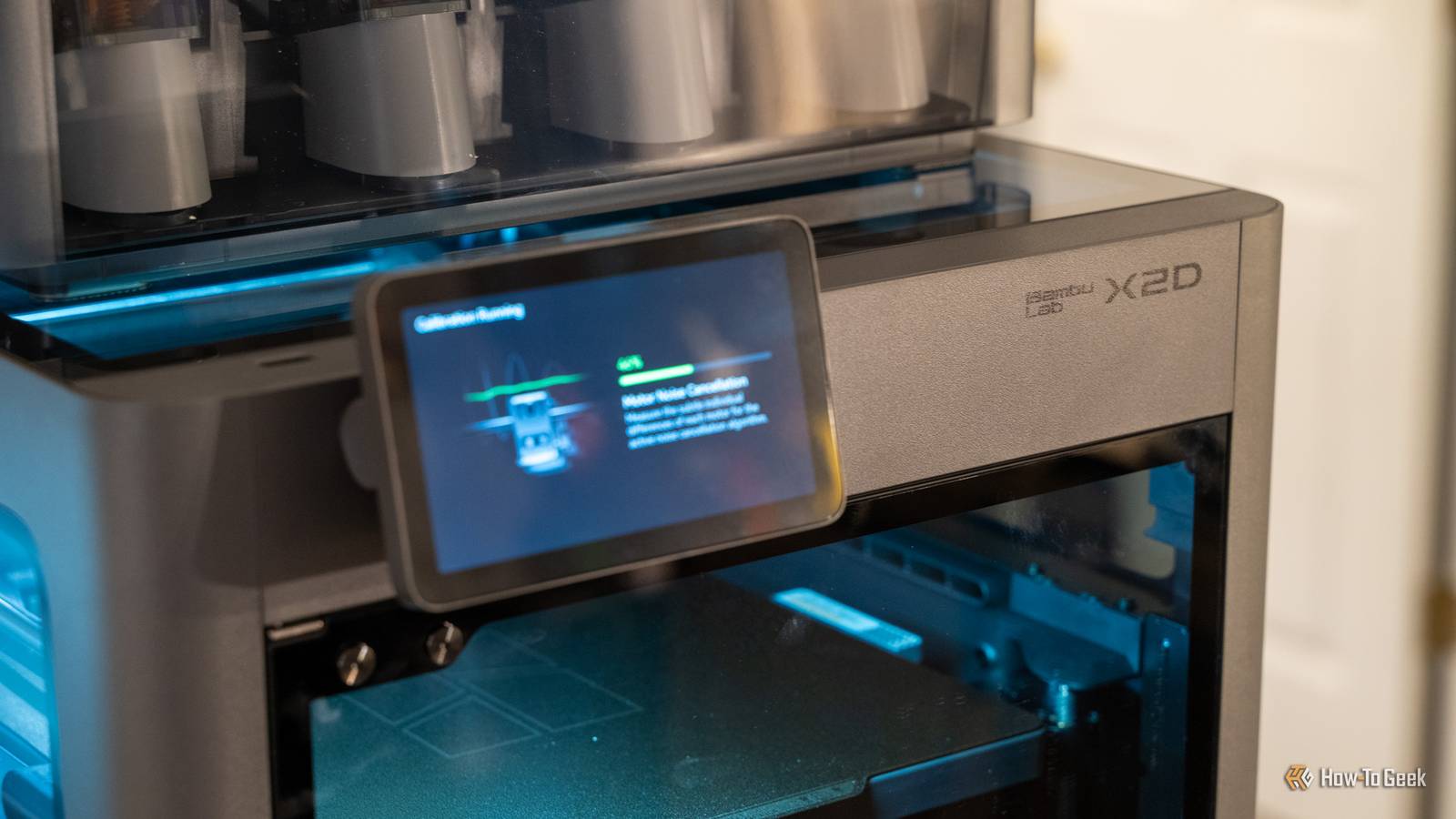
Published Oct 21, 2026, 12:00 PM EDT Patrick Campanale has been in the tech space for well over a decade, specializing in PC/gaming news and reviews, as well as maker-focused products to build small businesses. With a start in technology back in 2010 surrounding the Palm/webOS ecosystem, Patrick spent his formative years developing mobile applications as well as blogging for various publications, eventually leading to starting his own website in 2014. After running a technology blog for a few years, he stepped out of that role and into the world of high-end custom PC manufacturing and building, with a focus on YouTube video production and overclocking. Then, in 2017, Patrick joined the 9to5Toys team as an editor/writer/reviewer with over 14,000 articles being published during his time there, ranging from deals and roundups to in-depth reviews on the latest technology, video games, 3D printers, and more. In his free time, Patrick loves to create projects from wood using various robots and methods, including leveraging the technologies of CNCs and lasers. If Patrick isn't working on a computer or playing video games, he's likely in his 2-car garage workshop creating something unique. In addition to all this, Patrick is also the media director at his local church where he feels God has called him to serve, and he loves every minute of it. I absolutely love my Bambu Lab 3D printers—but they could be a lot better. Not in hardware. I think the hardware is fantastic. But the software that runs the printers could use a lot of work. Thanks to the open source community, my Bambu Lab 3D printers got a free upgrade that made them a lot smarter. My printers were already fast, but they didn't know much about my prints Speed was never the problem, everything around the print was I've been a huge fan of Bambu Lab printers for years now. The printers are just fast, accurate, reliable, and they look good too. That last part doesn't have anything to do with how well they work, but it's definitely a nice-to-have. The problem is, Bambu's software is fairly limited. Sure, Bambu Lab has farm-focused software, but it's not all that great. Bambu printers are also feature-packed, but they don't always have the features that I want them to have. That's why I decided to move mine to be run by open source software. Bambu Lab got the motion system right for the printers, but the control plane just wasn't where I wanted it to be. Bambuddy fixes that. With Bambuddy, I'm able to add a lot of features to my Bambu Lab farm that I simply can't with first-party software. For one, I can easily monitor all of my printers from anywhere using a web dashboard, which is really nice. But that's only the start of the features that Bambuddy adds to my Bambu Lab print farm. Bambuddy keeps an eye on my prints so I don't have to Obico is a great piece of software that I used to run when I had my older Ender 3 V2-style 3D printers, but I just haven't used it on my Bambu Lab printers. The main reason is because I didn't want to have to try and mount a separate camera for each printer—so I just stuck with using the built-in error and fault detection that Bambu ships with (some) of its printers. Bambuddy, however, works differently. Since Bambuddy can access the Bambu Lab camera directly, it can pass images from the camera to Obico natively. All it takes is a self-hosted Obico ML server (which runs as its own container) and Bambuddy does everything else. It defaults to using the printer's built-in camera, polling about every 10 seconds to see if there's a problem with the print. If it detects that there's a problem with the print, it can stop it right then and there. This works on all Bambu Lab printers, and isn't limited to the newer models, making it an extremely big upgrade for my older P1S and my A2L. Bambuddy also has an empty build plate detection function. It uses OpenCV to compare a frame with a calibrated empty-plate reference when a print starts, and it pauses if it sees an object on the build plate. This, again, is available on newer Bambu Lab 3D printers, but not the older ones. Bambuddy brings this feature to all of my printers, not just the new releases. I finally know what my prints actually cost The spreadsheet I always meant to keep, without the spreadsheet Bambuddy also handles cost and filament tracking way better than other platforms I've seen. Since Bambuddy can read all the information it needs directly from the printer, it knows what filament is loaded and how much that specific spool has been used. The spool tracking does take a bit of upkeep on your part, but Bambuddy automates everything else. For instance, it uses the slicer estimates for how much filament a print will need and pulls that amount off of the spool's availability. This not only helps me know when it's time to order more of a specific filament, but it also helps estimate the cost. This cost comes from the per-spool cost per kg that can be entered, which then rolls into a cost per print to only charge for what is actually used. The extra magic comes from integrating a smart plug with energy monitoring into Bambuddy. It can actually pull the electricity usage and cost in to help tell me exactly how much that print cost me, which helps me actually price my prints better. In addition to helping keep track of filament and cost, Bambuddy also helps me keep up with maintenance reminders based on print hours for certain things. Plus, it has print-time accuracy statistics. Essentially, was the slicer time estimate accurate to the real-world time it took to print that object? All in all, Bambuddy adds a ton of fantastic tracking features that Bambu Lab just can't compete with. Queueing prints keeps my X2D busy even when I'm not Clear the plate, tap once, and the next job starts on its own I don't know about you, but I have definitely had some times when I had multiple print jobs and wanted to just queue prints to start one after the other. The way I accomplished this in the past was by just having multiple slicer windows open, and then trying to remember what I had already printed versus what was left to print. Within Bambuddy, there is a queueing system that fixes this exact gripe. It has a drag-and-drop layout plus a Gantt-style timeline view to help view when a print should start next. It also lets me schedule prints out in the same view. Essentially, the way the queue works is it takes a print and queues it up for the next available machine that it would be compatible with the right nozzle size and filament loaded. When a print finishes, the next print moves up next and is just a button-click away from starting. The great part is, once I start that next print, it clears from the queue and leaves just what's actually remaining for me to print so I don't have to think about it. Bambuddy also goes the extra mile for scheduled prints. It not only checks the filament before printing, but it can also preheat or heat soak before a queued job if the filament or print requires it, and also supports auto power-on and auto power-off when used with a compatible smart plug. Bambu built a fast printer, and Bambuddy made it a smart one At the end of the day, Bambuddy just increases my Bambu Lab printer's abilities. It takes an already-great printer and makes it better. I love how much smarter my printer is when running with Bambuddy. And, since it's open source, I can expand its capabilities and add my own whenever I need, even if the main app itself doesn't have it.
My Bambu Lab printers were already fast, but this upgrade made them smarter
Full Article
Original Source
Read the full article at Howtogeek →KhanList aggregates and links to publicly available news content. We do not host full articles from third-party sources. Always verify important information with original sources.