
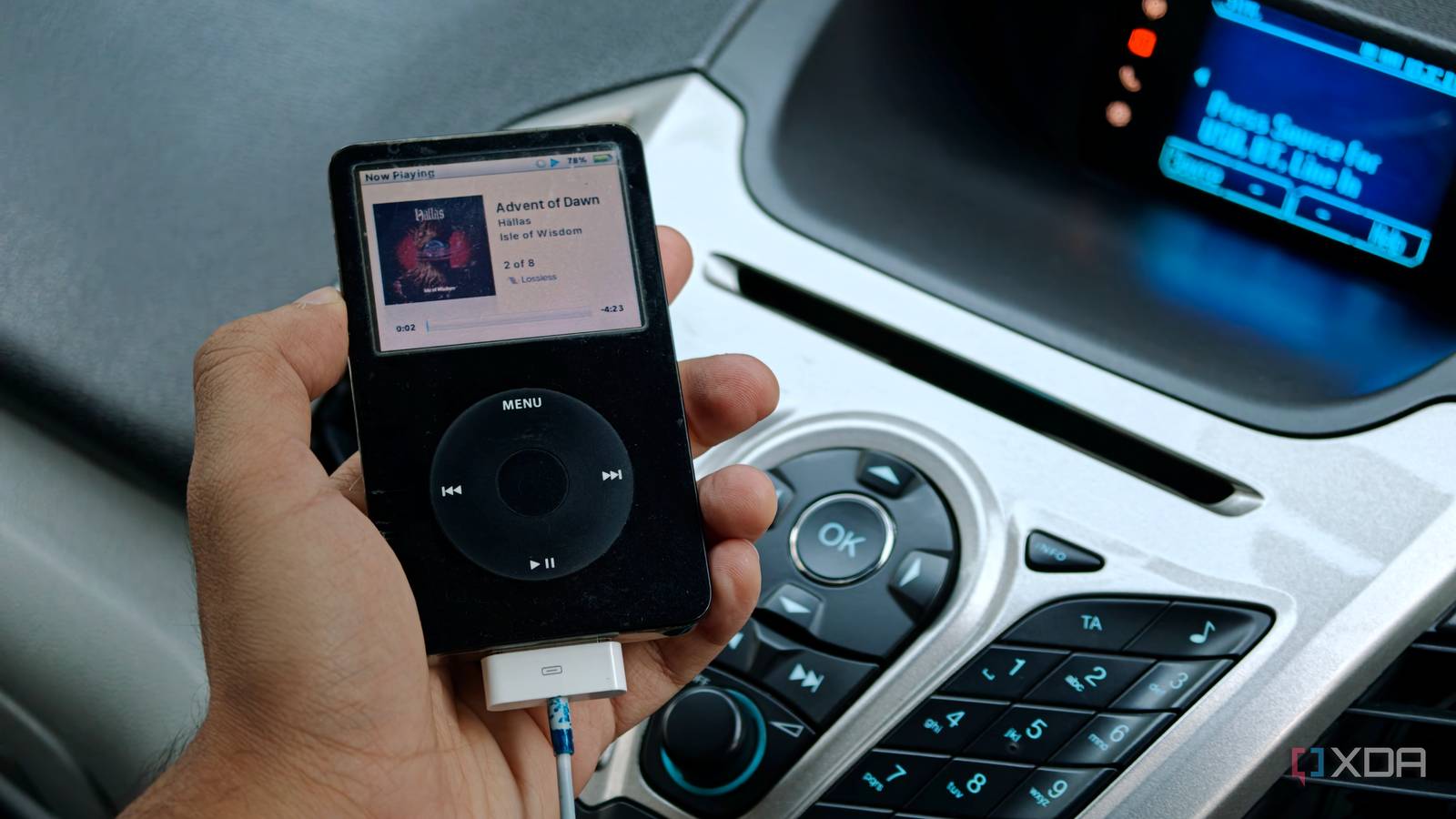
Published Nov 4, 2026, 8:30 AM EST Dhruv Bhutani has been writing about consumer technology since 2008, offering deep insights into the personal technology landscape through features and opinion pieces. He writes for XDA-Developers, where he focuses on topics like productivity, networking, self-hosting, and more. Over the years, his work has also appeared in leading publications such as Android Police, Android Authority, CNET, PCMag, and more. Outside of his professional work, Dhruv is an avid fan of horror media spanning films and literature, enjoys fitness activities, collects vinyl records, and plays the guitar. The iPod Classic has been having a bit of a renaissance moment, but it never went out of style for me. You see, I've never been particularly happy about using my phone as my primary music player in my car. Between Android Auto, streaming apps, and beeping and booping notifications, it's more complicated and disjointed than it needs to be. I also don't want a constant barrage of notifications ruining my flow. Instead, I've been using my 20-year-old iPod Video as my music source. When I first switched over, I expected it to feel slightly nostalgic and a bit annoying, but I didn't expect to end up preferring it for my daily driving. A dedicated music player solves more than a few problems I hadn't even realized I was facing. Why I prefer my iPod's curated music library to streaming No streaming, subscriptions, or mobile data to worry about The biggest advantage of using an iPod as your in-car music source is its highly curated experience, unlike streaming services. What's on there requires no external data connectivity and no subscriptions. All you do is get into the car, pick your album, plug in your iPod, and you're good to go. It's a straightforward experience that contrasts sharply with almost everything else involving a phone, where you might dig through three different submenus to get to your music choice. I've mentioned it several times, but most of my driving isn't in the city. On the expressway, mobile connectivity isn't consistent, and streaming music throughout the drive burns through my data allowance, especially if I'm streaming lossless tracks. Sure, downloading offline playlists is another option, but that's one more thing to manage. I use the iPod anyway, so it's always up to date with the music I want to listen to. The music library is already on it in lossless quality, which means no data-streaming disconnections or allowances to worry about. But it's not just that; my iPod music library is a curated collection of tracks I know I like, unlike streaming services' proclivity to push me toward the taste du jour. No thanks, I'll stick to my Rush, Phish, and Grateful Dead bootlegs. Look, streaming has a place. It's pretty handy for discovery. But if your tastes are pretty locked in, and, more importantly, if you don't want to fiddle around with the media controls while driving, a curated experience always wins out. Beyond all that, though, the biggest benefit is that there are absolutely no interruptions. Since the experience isn't running on your phone or tied to a connection to it, your music keeps playing no matter what. Got a call coming in? No interruptions. Text messages? No interruptions. You catch my drift. Even if the phone is set to silent mode, Android Auto tends to interrupt music playback to alert you to an incoming call. That's not the case here. Getting an old iPod connected to a modern car USB is the best option, with a 3.5mm audio jack as the fallback Alright, so you might be wondering how to get your iPod from 2006 connected to your modern car. There's obviously no Bluetooth, and you won't find a USB port. The old-school classic iPods use a 30-pin dock connector. Fortunately, there are still a few ways to make this work. The easiest option is USB, as long as the car's infotainment system still supports Apple's Made for iPod standard. You'll be surprised how many still do. When connected, the car can recognize the iPod as an external music source, display track information, and let me browse everything from artists to albums on the infotainment's display. This effectively turns your iPod into an external hard disk plugged into your car. While this is obviously the best way to use an iPod in a car, not every car will recognize an iPod Classic. More so, not every modern car supports the protocol. My Ford does; my Mercedes doesn't. If your car doesn't support direct iPod playback over USB, you still have some reliable backup options. The 3.5mm audio jack might be an old-school piece of tech, but it works just as well today. All you have to do is plug a cable between your iPod and your car's 3.5mm input jack and start playing music on your iPod. It's a purely analog experience that works. My old iPod makes more sense in the car than I expected The fact is, I didn't go in expecting an old iPod to become my preferred way to listen to music in my car, but it makes a surprising amount of sense. I don't have to think about mobile data, streaming subscriptions, or keeping things offline. An iPod is offline by default. It carries my entire music library in high-res and doesn't eat into my data allowance. Does it take effort to curate a library? Sure. But that's no different from avoiding cluttering your Spotify library, too. If you're looking for a reliable, distraction-free way to listen to your curated music on the go, this is perhaps one of the best options.
My 20-year-old iPod beats Android Auto in the car, and streaming never comes into it
Full Article
Original Source
Read the full article at Xda-developers →KhanList aggregates and links to publicly available news content. We do not host full articles from third-party sources. Always verify important information with original sources.