
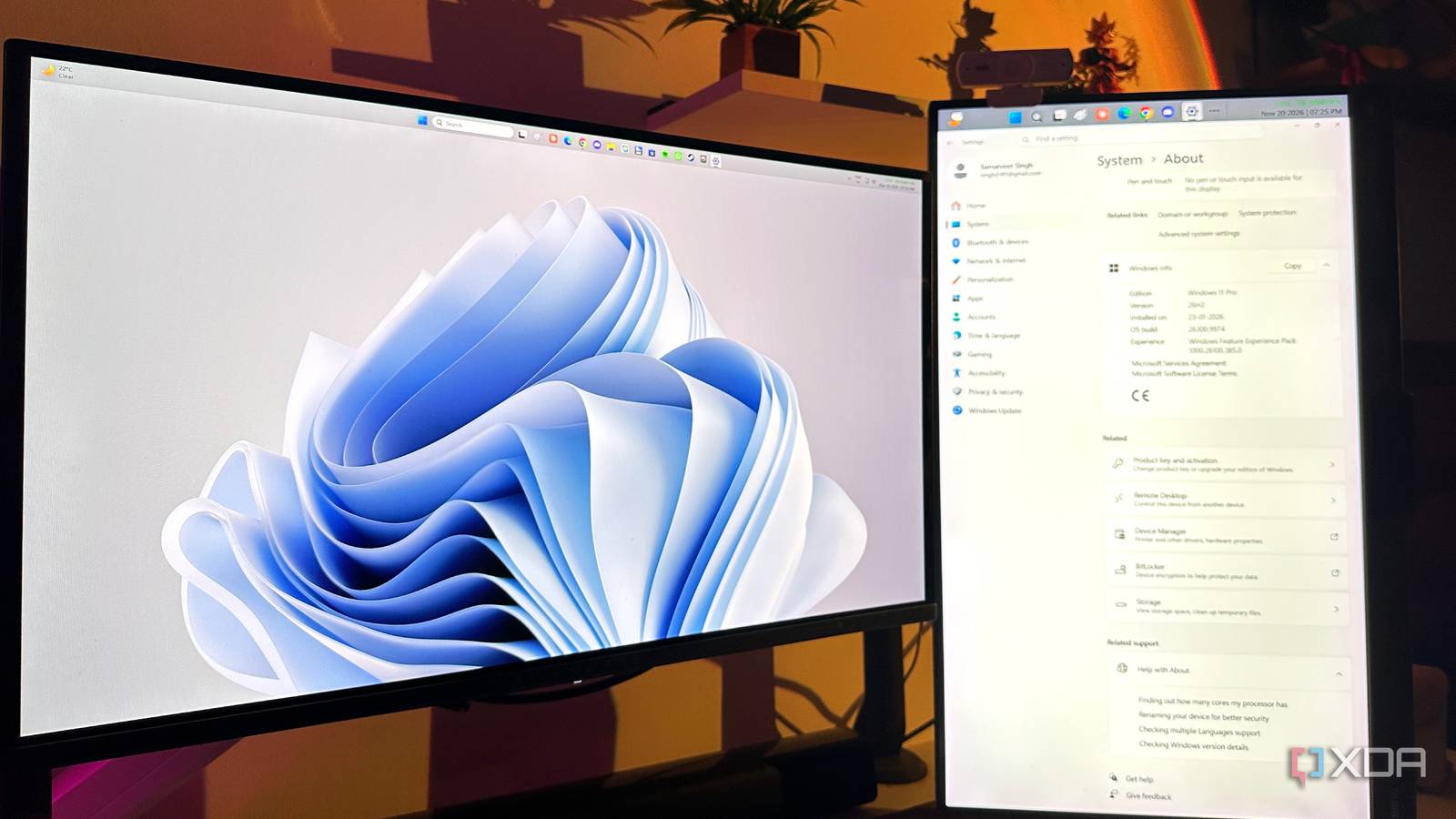
Published Nov 22, 2026, 1:30 PM EST Gaming has been Samarveer’s greatest passion, and the Literature graduate in him takes immense joy in dissecting games for their themes, messages, and impact. Samarveer holds a deep appreciation of gaming, and considers the platform to be the most immersive and impactful across all media. He can be found engaging with gaming communities online, always ready to debate the finer points of ray tracing or itching to write an 8-page collegiate thesis on any game that impacts him emotionally. There's a good chance you're using Windows 11 Pro without ever actually choosing it. You might have noticed the little "Pro" label attached to your Windows version once or twice, felt good about it, and then carried on with your day. I know I did. For most people, that badge is little more than a slightly fancier name for Windows, and Microsoft does very little to suggest otherwise. The funny thing is that Windows 11 Pro actually has some genuinely useful tricks hiding underneath all that enterprise baggage. They aren’t necessarily features you need every day, but a few of them can solve surprisingly annoying problems when you know where to look. So, how did you end up with Pro in the first place, and why has Windows never bothered telling you what you’re actually paying for? You didn't choose Pro, and nobody sold it to you Pro is usually something that happened to you Most people don't sit down and decide they need Windows 11 Pro. It usually comes preinstalled on a business laptop, gets bundled with a more expensive machine, or is set up by an employer who needs to manage it remotely. In fact, you might even end up upgrading to Pro since it sounds like the version you're supposed to have if you're even mildly serious about computers. However, Pro doesn't really make your computer faster. Upgrading to Pro doesn't make your games perform better than on Windows 11 Home, nor does it unlock more horsepower from your CPU. You're paying for additional management and security features, not a higher-performance version of Windows. If your laptop runs slowly on Home, Pro isn't going to fix that. That also explains why Microsoft rarely sells Pro to you like a normal consumer product. Its real audience is IT departments managing hundreds of PCs, not someone trying to play games after work. Truth be told, that's a shame, because Windows 11 Pro has some buried features that regular Windows users can genuinely benefit from in their day-to-day routines. Windows 11 Pro's best features are hiding in plain sight If you've ever downloaded a suspicious installer and wondered what it might end up destroying, Windows Sandbox is the answer. It creates a temporary, isolated Windows environment for testing software without letting it loose on your main installation. This feature isn't available on Windows 11 Home versions, meaning it's actually a benefit for Pro owners. However, it's disabled by default, so you'll need to activate it (after enabling Hardware Virtualization in your BIOS). Then there's Group Policy, which exposes toggles and features that the Settings app doesn't. It gives you granular control over things like updates, telemetry, and system behavior, but there's no friendly button pointing you toward it. You have to know gpedit.msc exists before Windows will even bother showing you the door. If you've ever needed to reach your home PC while away from it, Windows 11 Pro lets that PC host incoming Remote Desktop connections; Windows 11 Home users can connect to another PC, but can't host incoming connections. As usual, the ability to host incoming Remote Desktop connections is switched off by default on Windows 11 Pro. Another feature you probably didn't know you had is BitLocker. It can encrypt your internal drive and removable storage, including USB drives carrying files you'd rather not lose to a stolen laptop. There's a recurring theme here you can notice with Windows 11 Pro — its genuinely useful features are buried beneath layers of enterprise tooling. If you never had a reason to look for them, Windows had very little reason to point them out to you. There's also a part of Windows 11 Pro that isn't for you This is where the enterprise baggage starts showing Windows 11 Pro also includes a pile of features you probably have no reason to touch. Domain Join and Entra ID are designed to connect PCs to an organization's identity infrastructure, while Intune lets IT departments manage those PCs remotely. There's also Kiosk mode, which can lock a machine down to a specific app, and Windows Update for Business gives admins more control over how updates reach an entire fleet of computers. These enterprise-centered features don't necessarily make Pro a bad edition for a normal user, but they do explain why so much of it feels rather irrelevant. Microsoft built the Pro version as the bridge between consumer Windows and the tools businesses need to manage hundreds or thousands of machines, so the useful features for individuals are almost accidental beneficiaries of that design. It's also perfectly okay to ignore most of Pro — you're not obligated to learn features you'll never touch a day in your life just because your laptop has a "Windows 11 Pro" sticker under the keyboard. The trick, however, is to know which parts are actually useful to you, instead of feeling obligated to justify the upgrade by finding a use for every enterprise feature Microsoft stuffed into it. You might as well use what you paid for You don't need to become an IT administrator Start by checking whether you actually have Pro by going into Settings > System > About. Then, from the features mentioned above that you can use with the Pro version, pick one that solves a problem you genuinely have, and run with it. Enable the feature, try it out, and see where it gets you. In fact, if none of the Windows 11 Pro-exclusive features sound remotely useful to you, that's valuable information, too. The next time you buy a new PC, Windows 11 Home is all you'll need to purchase. There's a $60 difference between the $139 Home and $199 Pro editions of Windows 11, and that's not an insignificant amount of money to save on software. Pro should feel like a choice It's a shame that Microsoft has spent years making Windows 11 Pro feel like a sensible upgrade, while quietly leaving the interesting bits behind doors most users will never think about opening. That makes the "Pro" badge feel more like a label than a useful distinction. I don't think that means everyone should suddenly upgrade to Pro, either. If Windows 11 Home does everything you need, there's no prize for owning an edition with an alphabet soup of enterprise tools attached to it. But if Pro is already sitting on your PC, it's worth taking five minutes to see what you actually have. Windows 11 Pro A USB installation drive and license key for Windows 11 Pro, with additional features like Hyper-V and Windows Sandbox support.
Most people paying for Windows 11 Pro are buying features they'll never touch
Full Article
Original Source
Read the full article at Xda-developers →KhanList aggregates and links to publicly available news content. We do not host full articles from third-party sources. Always verify important information with original sources.