
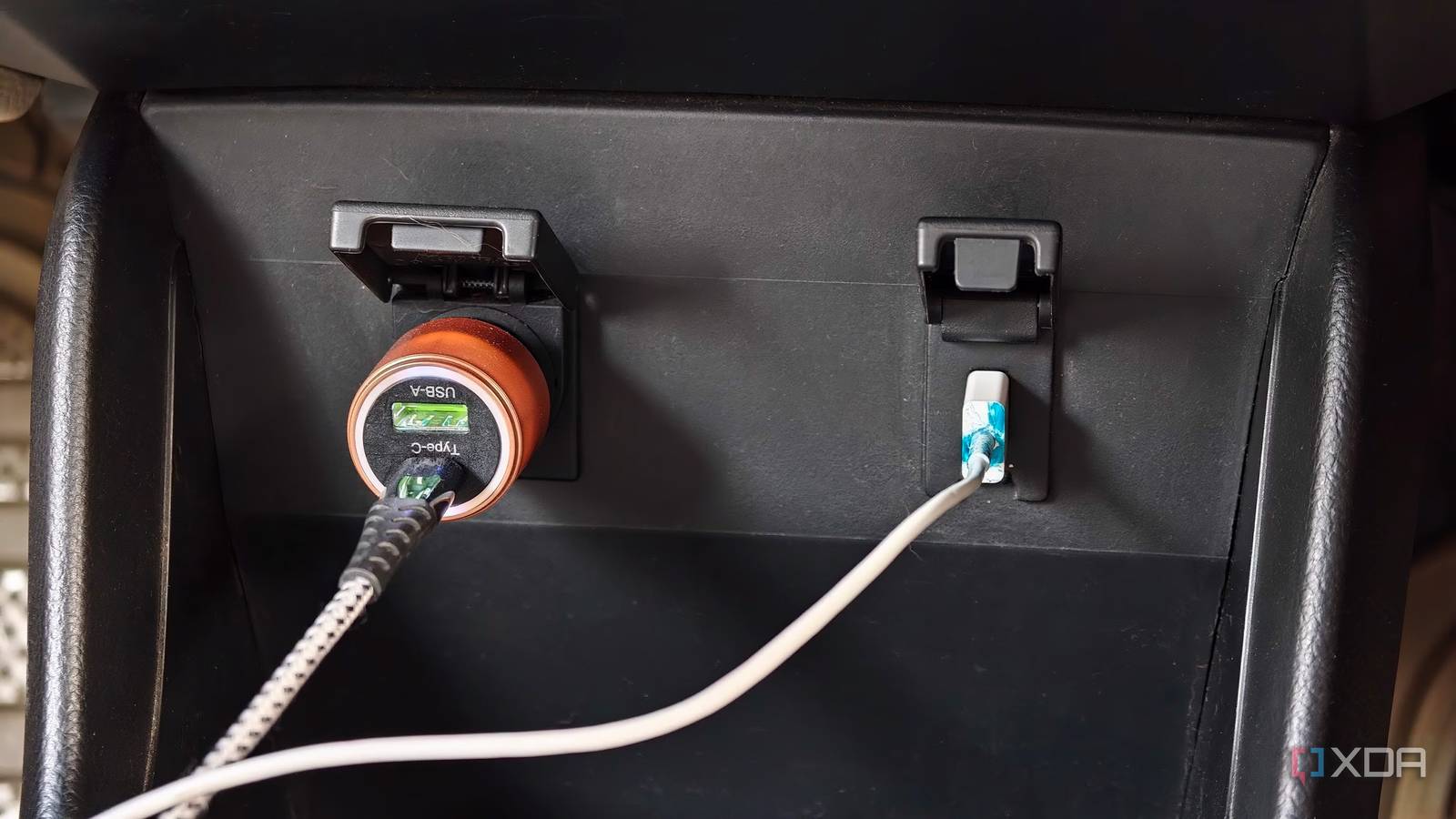
Published Oct 31, 2026, 8:30 AM EDT Dhruv Bhutani has been writing about consumer technology since 2008, offering deep insights into the personal technology landscape through features and opinion pieces. He writes for XDA-Developers, where he focuses on topics like productivity, networking, self-hosting, and more. Over the years, his work has also appeared in leading publications such as Android Police, Android Authority, CNET, PCMag, and more. Outside of his professional work, Dhruv is an avid fan of horror media spanning films and literature, enjoys fitness activities, collects vinyl records, and plays the guitar. I have an older car, and lately, with some of my newer phones, I've observed that when I plug my phone into my car's USB port expecting it to charge while I use navigation, stream music, and take calls, I often end up draining my phone's battery instead of charging it up. The problem becomes much more noticeable on long drives when I use my phone for navigation. The solution is simple enough, but the reason behind it matters more. My car's USB port works for connecting my phone to the infotainment system, but it doesn't supply enough power. The USB port was built to supply 5 watts of power at 5V. That was fine for charging iPods, the main way people listened to music when I bought my car, but not for today's phones that can charge as fast as 80W. Understanding why these ports behave differently makes it easier to avoid slow charging. That's why I switched to a 12V car adapter to charge my phone. USB ports in cars were built for a different era Why your car's USB port struggles to charge a modern phone but not an iPod Credit: USB ports have been a fixture in car infotainment systems for years, but they weren't originally meant to charge smartphones. When I bought my car, connecting with an iPod was a convenient way to access my music library without pulling out CDs or an auxiliary cable. The USB port gave me digital playback and let me connect to the iPod, play music, control playback, and power it. That use case obviously made a lot of sense. But here's the thing: an iPod wasn't juggling navigation, mobile data, notifications, and background applications while playing music. Moreover, power requirements were also very different from those of a modern smartphone. Of course, capabilities have expanded since, and depending on your vehicle, you might be able to play music from a flash drive, connect a phone to Android Auto or Apple CarPlay, or even connect a gamepad and play some games. These functions only rely on a stable data connection. A port designed for data transfer can still work perfectly even when charging capabilities fall short. That's why your phone can connect to the infotainment system, run Android Auto without issues, yet still lose battery over a long drive. The limitation is how much current the standard USB-A port can supply. A traditional USB 2.0 port provides 500mA at 5V; some configurations might offer a bit more. However, modern phones usually burn through battery while connected to 5G, running all those apps and services at once. That 2.5W-5W of power is simply not enough. Especially when the phone is in active use. Newer cars might have USB-C ports that can output enough power to charge your phone, but if you're using an older car with USB-A ports, that's where your charging limitation lies. A $20 car charger fixed my phone's battery problem Why a 12V adapter is better for fast charging The solution is deceptively simple, and I didn't need to replace my car or stop using Android Auto to fix it. I simply switched to a dedicated charger plugged into the car's 12V accessory socket. Unlike the USB port built into the infotainment system, this socket takes power from the car's electrical subsystem and converts it to modern output standards. In fact, you can find adapters that output up to 100W to charge laptops. Predictably, that is all it takes to solve the problem. A $20 accessory is the difference between ending up with a dead phone at the end of a long drive and having a fully charged phone. I don't have to compromise how I use my phone, stop streaming music, or even pull up Google Maps. The charging system keeps up just fine because it wasn't designed for an era with much more modest requirements. The only thing to keep in mind is that you are buying a 12V adapter that matches the specifications you need. If your phone charges at 60W, you'll want an adapter that can match that spec. Another thing to keep in mind: most of these adapters include multiple USB ports, but the rated power is split across them. So, if you've got, say, a dashcam connected alongside your phone, you won't be getting the full 60W charging speed. That said, it'll still be much faster than anything your car's USB port can supply. Finally, you'll also want a cable that can keep up with those speeds, but that goes without saying. Your car's USB port isn't broken, it's just underpowered Here's the thing. Your car's USB port isn't broken. In fact, it is working exactly as intended, except it was built for a different era of power requirements. While the data connection might be enough for modern niceties like Android Auto, it can't keep up with increasing power demands. Switching to a 12V socket-based charging solution frees you from those shackles and lets you choose a charging system built specifically for 2026 standards. So, if your phone’s battery keeps dropping while it’s plugged into your car, check the USB port’s power output before assuming something is wrong with the phone or its battery. Sometimes, you just need a better power source. Belkin USB car charger This Belkin USB-A car charger comes with two ports, each of which can deliver up to 12W of power to your phone. It has decent build quality overall and comes with some thoughtful additions, like an LED indicator.
Most car USB ports were built to sync an iPod, not charge a phone
Full Article
Original Source
Read the full article at Xda-developers →KhanList aggregates and links to publicly available news content. We do not host full articles from third-party sources. Always verify important information with original sources.