
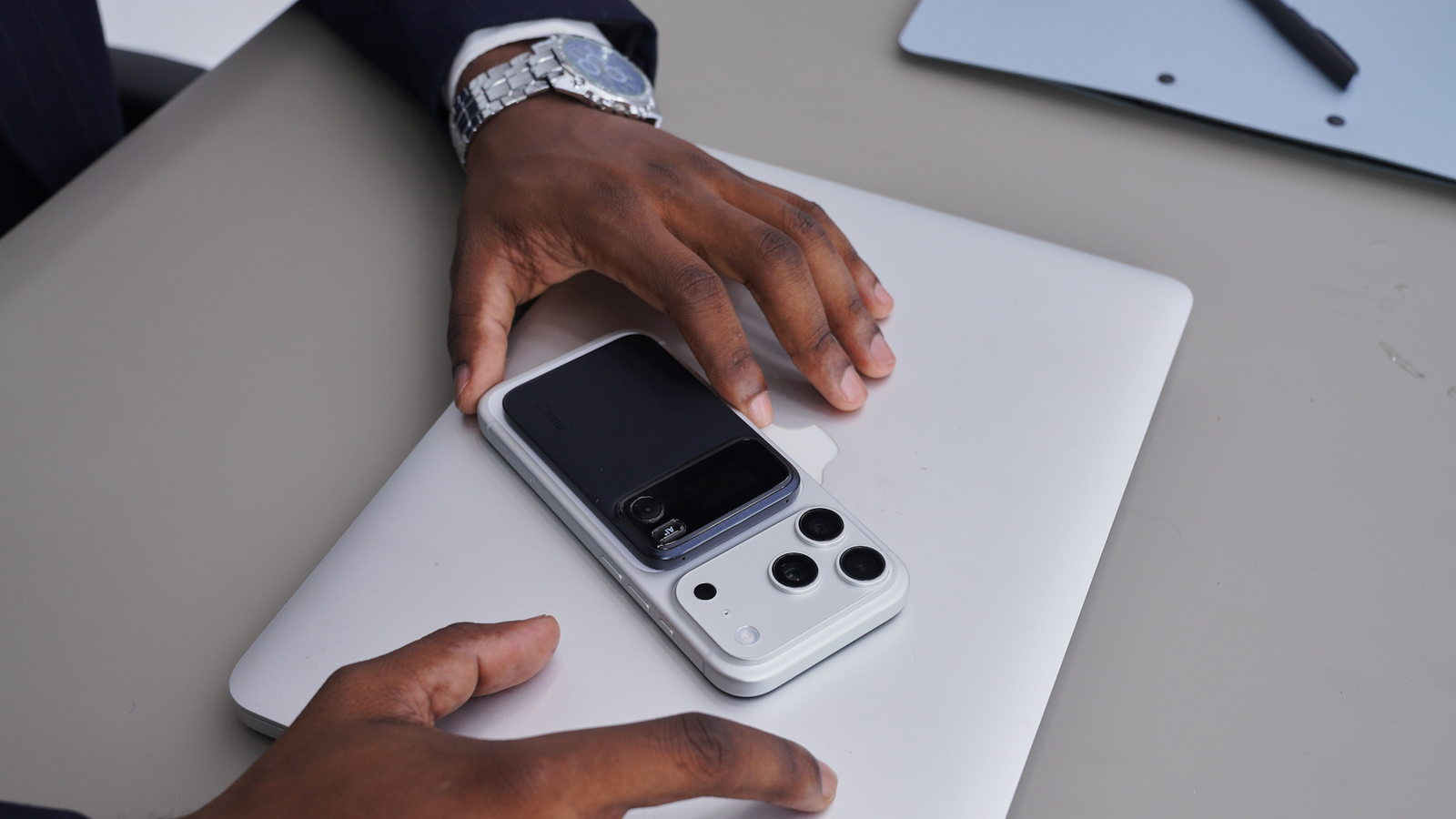
Anyone who spends their day in client calls knows how it goes. The meeting wraps up, and then the real work starts. The CRM needs updating. Someone has to write the follow-up email. Decisions and deadlines need chasing, and an hour of loose conversation has to be turned into something the rest of the team can use, whether that's a set of notes or a slide deck for the next pitch. None of that shows up on a calendar, but for consultants, salespeople, and team leads who handle a steady stream of information-heavy conversations, it can quietly swallow a large part of the working day. The Comu Action Pro is a pocket-sized AI notetaker designed with that problem in mind. It records and transcribes, as most AI recorders do, but Comu has put most of its effort into what happens to a conversation once it's been captured. Transcription is now the starting point Comu Action Pro Battery Life Up to 70 hours of recording Colors Black, Silver, and Cherry Red Brand Comu The Comu Action Pro is a pocket-sized AI note taker built around what happens after a meeting. Six microphones capture calls and in-person conversations, while a dedicated AI button lets you ask Comu’s built-in assistant for summaries, follow-up emails, CRM notes, PPT drafts and calendar events. Conversation Context links recordings over time, and the battery is rated for up to 70 hours of recording. Not long ago, a dedicated recorder that could produce an accurate transcript was a clear step up from a phone's voice memo app. Today, it's the baseline. Most AI recorders can capture phone calls and in-person meetings, transcribe them, and generate a summary. A summary is useful, but it rarely finishes the job. You still have to turn it into an email, copy the relevant details into your CRM, add follow-up dates to your calendar, and remember what the same client said three meetings ago. Comu describes the Action Pro as an AI Workmate rather than a recorder, and the idea behind that label is fairly practical: the device and its companion apps should help produce the follow-up material, not just keep a record of what was said. The hardware Credit: Comu The Comu Action Pro is a small device with a 0.95-inch OLED display, which shows recording status and on-device prompts so you can check what it's doing at a glance. It uses six microphones in total: four MEMS microphones, a VPU, and a directional microphone. Comu positions it for phone calls as well as in-person meetings, interviews, and quick voice notes. Battery life is rated at up to 70 hours of recording on a single charge, which should cover many meetings between top-ups. When it does need charging, it uses USB-C, so you can share the same cable with your phone or laptop. It can attach magnetically to compatible phones or use the included magnetic ring with other devices, making it easier to keep on hand for calls. A dedicated button for the AI assistant The most noticeable hardware difference is a second button dedicated to Comu's built-in AI assistant. With most AI notetakers, getting anything beyond a standard summary means unlocking your phone, opening the app, finding the right recording, and then typing out a request, often with some background so the AI knows what you're asking about. On the Comu Action Pro, you press the AI button and say what you need. Comu then handles the request using the conversation you've just recorded along with your earlier recordings. You might ask it to pull together all the unfinished action items from this week's meetings and remind you to follow up, or to point out which issues keep coming up across a series of customer calls. If you'd rather not speak to the device, you can make the same requests by voice or text in the app. Keeping track of conversations over time Comu lets you reference earlier recordings: Conversation Context. Instead of treating each recording as a separate file, Comu tracks the people, topics, dates, and discussion history that link them together. For anyone managing an ongoing client relationship or a deal that runs across several calls, this is arguably more useful than any single summary. You can ask how a project has changed across recent discussions, or check the status of decisions made in the last meeting, without scrubbing back through hours of audio yourself. From conversation to finished work Credit: Comu Comu's AI can turn recordings into a long list of outputs: summaries, key decisions, action items, CRM notes, follow-up emails, documents, PPT drafts, calendar events, and meeting prep. It also supports AI Agent workflows, where you describe the outcome you want rather than picking a template, and Comu sends a notification when the result is ready. In practice, that might look like this. A consultant finishes a discovery call, presses the AI button, and asks for a follow-up email to the client plus a short deck summarizing the problems they discussed. Once Comu has processed the request, drafts of both appear in the app, along with calendar events for the deadlines that came up during the call. They'll still want to read through the drafts and adjust anything that isn't quite right, as with any AI-generated content, but it's a much better starting point than a blank page. Transcription and language features Underneath the workflow tools, the Comu Action Pro covers the transcription features you'd expect from a current AI recorder. Comu supports transcription in 113 languages, with automatic speaker labeling and speaker recognition so you can see who said what. Custom vocabulary helps with names, product terms, and industry jargon that speech models can get wrong, and smart classification sorts recordings so they're easier to find later. Real-time translation is available, too, which could be handy for teams working with international clients, and task and calendar integrations connect action items to tools you already use. Comu says custom templates are on the way, but they aren't available yet, so if you rely on a fixed note format, that's worth keeping in mind. Apps, privacy and plans Recordings sync to the Comu app on iOS and Android, and you can also get to them through desktop apps for Windows and macOS or in a web browser. That helps if you'd rather review notes and edit drafts on a bigger screen. Recording client conversations raises obvious privacy questions. Comu says its platform complies with GDPR, CCPA, HIPAA, and SOC 2, that files are encrypted, and that it doesn't sell user data or use it to train AI models. You can access, update, or delete your data at any time. As with any recording device, you'll still need to follow your company's policies and local consent rules before recording a meeting. On the software side, unlimited AI transcription and basic summaries are included without a subscription. More advanced features, such as translation and in-depth analysis, are limited on the free tier, and a monthly plan is available if you need more. Who it's for The Comu Action Pro makes the most sense for people whose meetings generate a lot of follow-up work: sales professionals tracking deals, consultants juggling several clients, and managers who spend much of their week in back-to-back calls. If you mainly want a transcript and a quick summary, a simpler recorder may cover what you need. If the admin after your meetings regularly takes longer than the meetings themselves, the Comu Action Pro is designed to take a good share of that work off your plate. XDA readers can use the exclusive discount code XDA10 at checkout to get an extra $10 off the Comu Action Pro, bringing the final price to $159.99.
Most AI notetakers provide transcripts, but the Comu Action Pro finishes the work
Full Article
Original Source
Read the full article at Xda-developers →KhanList aggregates and links to publicly available news content. We do not host full articles from third-party sources. Always verify important information with original sources.