
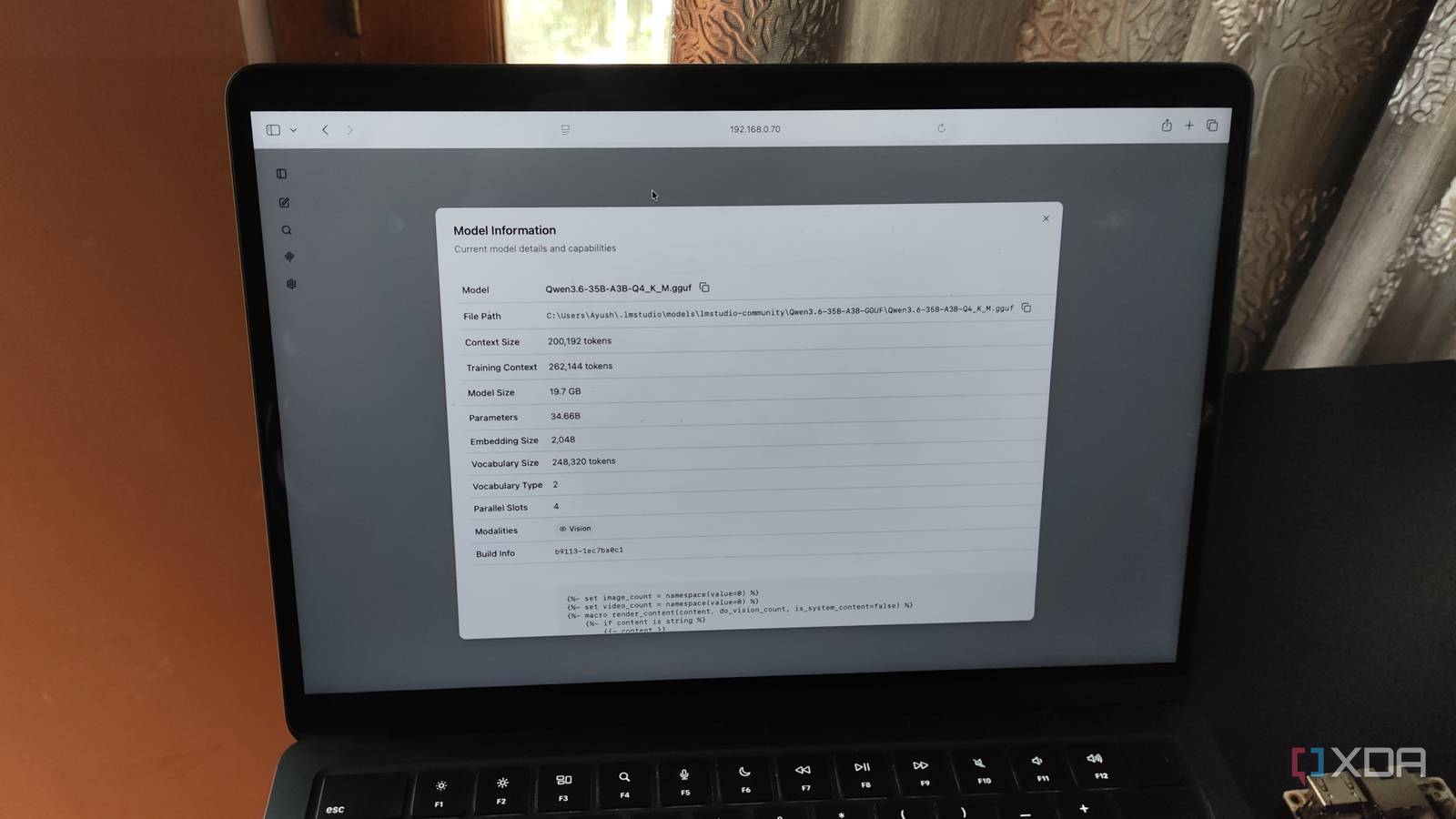
Published Oct 10, 2026, 7:30 AM EDT Ayush Pande is a PC hardware and gaming writer. When he's not working on a new article, you can find him with his head stuck inside a PC or tinkering with a server operating system. Besides computing, his interests include spending hours in long RPGs, yelling at his friends in co-op games, and practicing guitar. When I first got into self-hosting my own Large Language Models, I’d use distilled variants of Deepseek-R1 and switch to a different model if it couldn’t handle my productivity tasks. Unfortunately, the only alternatives I could find were in the sub-7B range, as my old GPUs couldn’t accommodate bulkier models without massively slowing down the inference operations. However, everything changed once I came across Mixture-of-Experts models. Rather than restricting my LLM experiments to low-parameter models that could fit on my VRAM-constrained systems, the MoE architecture lets me run large models with bulky knowledge bases at rock-solid token generation rates without worrying about the limited video RAM on my outdated GPUs. Typical dense LLMs need a lot of VRAM to run at decent speeds You could load them into the system memory, but their performance takes a hit For conventional LLMs with dense architecture, you need to ensure that your graphics card has enough video memory to accommodate all its parameters. That’s because dense models have all the parameters active when they process tokens. Since every part of the LLM network participates in the inference operation, you’ll want a graphics card that has enough VRAM to house the entire model. Sure, you could try offloading different layers to the system memory if you have a weak GPU, but that would cause the inference engine to fetch a lot of data back and forth between the memory and PCIe bus. As such, you’ll end up with abysmally low token generation rates, even if you could technically load the model into your system. Or, you could opt for the low-precision quantization rates for your LLMs, but doing so would reduce their computation capabilities drastically. A typical 7B model, for example, would need anywhere between 4–5.5GB of VRAM at Q4 quantization, which is more than enough for a GPU with 8GB of VRAM. On 12GB VRAM cards, you could go up to 12B models (and even 15B variants with Q4 quantization). But once you get past the 18B threshold, the average GPU might not be able to accommodate the somewhat bulkier models. MoE models can use both system RAM and VRAM without the speed penalty They’re a godsend for budget-friendly setups In contrast, Mixture-of-Experts LLMs have a unique architecture that lets you offload certain aspects to the system memory, thereby letting you fit extremely bulky models on weak GPUs. Rather than featuring a large feed-forward network in every block like dense models, MoE LLMs feature several parallel networks called experts. And instead of activating every parameter for an input token, MoE models have a routing mechanism that assigns each token to a specific expert network. As such, only a specific group of experts is responsible for computing every token, while the rest remain dormant. If you’ve got outdated GPUs like I do, you could have the routing mechanism, attention weights, embeddings, and the active experts remain on the graphics card’s VRAM. Meanwhile, the rest of the expert layers can remain in the system memory. Of course, you’ll need enough VRAM and RAM to accommodate all the parameters of the LLM. But since the token generation rates don’t take massive hits in this split setup, you can experiment with extremely bulky models that would otherwise crawl at a snail’s pace if they featured the traditional dense architecture. To put this into perspective, my decade-old card can easily handle 26B MoE models While my RTX 3080 Ti can handle even bulkier models for coding With the theory part over, let me go over some actual numbers I’ve gathered from using MoE LLMs across different systems. A 5-year-old RTX 3080 Ti is the most powerful GPU in my arsenal, but between its outdated architecture and limited VRAM, it’s not something most tinkerers would recommend buying for LLM tasks. Well, since my PC has 32GB of memory, I’ve got a lot of headroom for my MoE models, even with the RTX 3080 Ti’s 12GB VRAM. Qwen3.6-35B-A3B, for instance, runs around 24 tokens/second on this setup once I set the --no-cpu-moe flag on llama.cpp to 25 layers. That’s pretty insane for a 35B model that would otherwise require expensive GPUs to run at decent speeds. And that’s not even the wildest setup in my arsenal. On paper, my GTX 1080 and its 8GB VRAM is borderline useless for models past the 9B range, as it’s not only starving on the video memory front, but it also doesn’t have any Tensor cores whatsoever. But the Proxmox node housing it has around 32GB of DDR4 memory, so I figured I could try deploying some MoE LLMs on it. Well, this beast of a GPU can drive the likes of Gemma-4-26B-A4B at a respectable 14 tokens/second, which is insane for a Pascal-era card. MoE models and home lab productivity tools are a match made in heaven If you’re wondering how I use these LLMs, they’re the ones powering a bunch of productivity tools. I use the Qwen3.6-35B-A3B instance running on my RTX 3080 Ti with VS Code as a Copilot replacement, and occasionally pair it with Perplexica/Vane when I need help troubleshooting my failed projects. Meanwhile, Open Notebook, Blinko, Paperless-GPT, and a bunch of other self-hosted tools rely on the Gemma-4-26B-A4B model running on my GTX 1080 for their AI features. llama.cpp Llama.cpp is an open-source framework that runs large language models locally on your computer.
MoE models changed what "fits on my GPU" means, and most hardware advice hasn't caught up
Full Article
Original Source
Read the full article at Xda-developers →KhanList aggregates and links to publicly available news content. We do not host full articles from third-party sources. Always verify important information with original sources.