
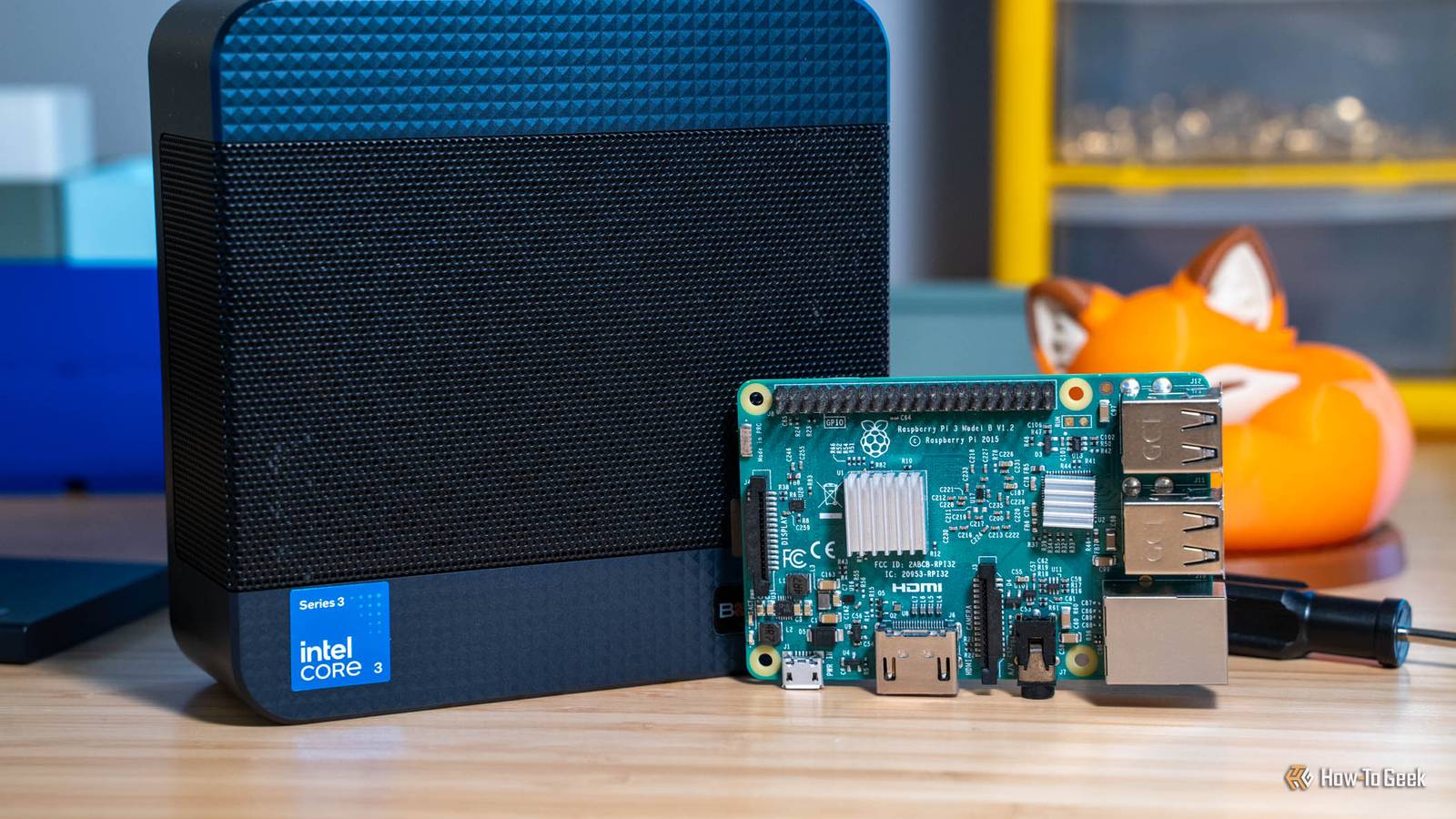
Published Nov 12, 2026, 12:00 PM EST Patrick Campanale has been in the tech space for well over a decade, specializing in PC/gaming news and reviews, as well as maker-focused products to build small businesses. With a start in technology back in 2010 surrounding the Palm/webOS ecosystem, Patrick spent his formative years developing mobile applications as well as blogging for various publications, eventually leading to starting his own website in 2014. After running a technology blog for a few years, he stepped out of that role and into the world of high-end custom PC manufacturing and building, with a focus on YouTube video production and overclocking. Then, in 2017, Patrick joined the 9to5Toys team as an editor/writer/reviewer with over 14,000 articles being published during his time there, ranging from deals and roundups to in-depth reviews on the latest technology, video games, 3D printers, and more. In his free time, Patrick loves to create projects from wood using various robots and methods, including leveraging the technologies of CNCs and lasers. If Patrick isn't working on a computer or playing video games, he's likely in his 2-car garage workshop creating something unique. In addition to all this, Patrick is also the media director at his local church where he feels God has called him to serve, and he loves every minute of it. At one point in time, the Raspberry Pi was a go-to system for homelabbing and DIY hobby projects. I really wish that was still the case. These days, mini PCs reign supreme in many areas. However, the Raspberry Pi is still the best choice for these five reasons, and a mini PC doesn't even come close. Mostly centered around the GPIO pins, longevity, and low-power applications, the Raspberry Pi does still make sense for certain applications. One of my favorite uses for a Pi that a mini PC simply wouldn't be ideal for is to run a little e-ink display on my desk that shows me the overview of what my day holds. A Pi is still one of the few cheap computers with pins you can wire to A mini PC needs adapters just to switch a relay Credit: Patrick Campanale / How-To GeekCredit: Nick Lewis/How-To Geek You might think that mini PCs can do everything a Raspberry Pi can do—and that's partially true. Mini PCs can run homelab apps arguably way better than a Raspberry Pi can. Mini PCs can also run relays and other electronics gear like a Raspberry Pi can. But, a Raspberry Pi has built-in GPIO (general purpose input/output) headers that mini PCs simply don't have. A mini PC needs an adapter in order to do things like switch relays or control LEDs, while Raspberry Pis can do it natively. One of my favorite uses of my Raspberry Pi is strapping it to the back of a picture frame and plugging a cable into an e-ink display that turns it into a low-power desk status board, something a mini PC simply couldn't do without all kinds of adapters. Raspberry Pis are also capable of driving things like motors, servos, sensors, and all sorts of other devices that really don't work all that well on traditional mini PCs. This means that you could use a Raspberry Pi powered over a USB battery to run something like a little robot that wanders around the house, with the Pi powering the vision of the robot, the servos and motors, and any other sensors it has on-board—something a mini PC just isn't set up to do. Raspberry Pi will still be making the Pi 5 in 2036 No mini PC maker promises anything close Raspberry Pi is an anomaly in the computing world. The Raspberry Pi 3B was originally released back in 2016, and is still being produced today, and will remain in production "until at least January 2028." The Pi 5 was launched in 2023, and will remain in production "until at least January 2036" according to Raspberry Pi. No mini PC manufacturer is going to continue making the same model mini PC for 13 years. It just wouldn't make sense. Desktop technologies change so much year over year, but the Pi is a different beast. A production promise like this means that you can build entire projects around a Pi and know that, whether you rebuild them next week or a decade from now, you can still get the same system to run it. A Pi can run off one network cable or a solar panel That's where the low power draw actually matters Credit: Patrick Campanale / How-To Geek I'm a big PoE (Power-over-Ethernet) fan, and Raspberry Pi is built around that very premise. You can easily power almost any Pi with PoE, meaning a single Ethernet cable delivers both power and network connectivity to the tiny computer. But, that's not the most unique part of how a Raspberry Pi can be powered. The Pi 5, for instance, can draw just 1.2 to 1.6W of power when idling. Using the POWER_OFF_ON_HALT=1bootloader flag drops it to about 0.01W at idle. The Pi 5 is also powered over a USB-C cable. Drawing such little power, and taking its power over USB-C, means you can deploy a Raspberry Pi somewhere that a mini PC could never go. Places like remote wildlife cameras or weather stations are ideal for a Pi, and simply not feasible with a mini PC. The camera ports have no real mini PC equivalent $25 gets you an autofocus camera that just works Credit: Raspberry Pi Basically any mini PC can take camera input from a USB webcam, but webcams aren't the best choice for all applications. Sometimes you want something ultra-small, and other times you need a camera with a built-in AI platform to do on-device processing. The Raspberry Pi is built just for that use case. There are two four-lane MIPI camera/display ports on the Pi 5, which makes it extremely versatile. The $25 Camera Module 3 has autofocus and is great for a wide range of applications, like monitoring a 3D printer remotely. The more expensive AI Camera module is $70 and it runs inference on the sensor itself, making it the perfect choice for something like setting up that wildlife camera remotely. Overall, the Pi is just better built to handle camera inputs than a mini PC for compact projects. The board, the OS and the remote access all come from one company Raspberry Pi Connect is free and already installed There's something to be said about a company making the full stack of both hardware and software, and Raspberry Pi handles everything top to bottom. Raspberry Pi Ltd designs the board itself, the operating system that runs on the board, and even a remote access client (called Raspberry Pi Connect) that works quite well. Outside of Macs, there aren't really many mini PCs where one vendor controls the hardware and software stack top to bottom. It puts Raspberry Pi in a very unique place and gives it quite a bit of an advantage if you want something plug-and-play that just simply works well. I especially like Raspberry Pi Connect. I've used it a handful of times and it's something that I wish either macOS or Windows would adopt, as having native web-based access to my system from anywhere in the world is a level of convenience that I never knew I needed until I tried it. If none of these fit your project, buy the mini PC Outside of the above projects, there really aren't a ton of reasons to buy a Raspberry Pi these days. With the 16GB Pi 5 now costing $385 after a recent $80 price hike, it's not that much more affordable than a comparable mini PC. While Pis definitely have their own jobs, normal homelab projects are just better suited to run on x86 hardware instead of Arm chips like the one powering the Pi. So, unless you have a specific project that is specifically suited to run on a Pi, get a mini PC, it'll be easier to work with and offers better performance in almost every area.
Mini PCs beat the Raspberry Pi at almost everything now, except these five jobs
Full Article
Original Source
Read the full article at Howtogeek →KhanList aggregates and links to publicly available news content. We do not host full articles from third-party sources. Always verify important information with original sources.