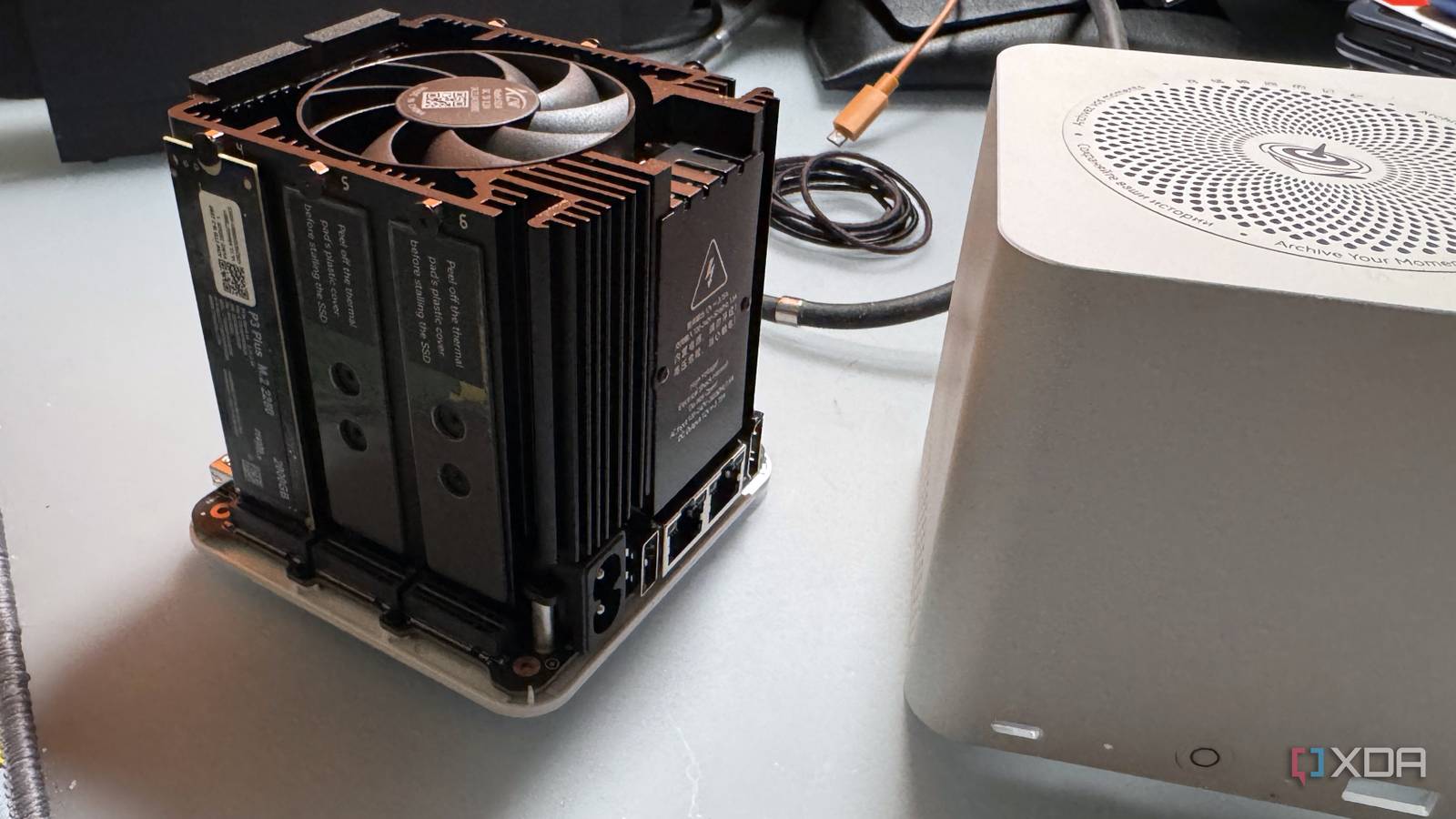
Published Jul 29, 2026, 10:00 AM EDT His love of PCs and their components was born out of trying to squeeze every ounce of performance out of the family computer. Tinkering with his own build at age 10 turned into building PCs for friends and family, fostering a passion that would ultimately take shape as a career path. Besides being the first call for tech support for those close to him, Ty is a computer science student, with his focus being cloud computing and networking. He also competed in semi-pro Counter-Strike for 8 years, making him intimately familiar with everything to do with peripherals. If you're planning to build an all-flash NAS using a mini PC, you're not the only one. The tight form factor and low power envelope has made them an incredibly attractive option for those looking for some high-speed storage, but there's one key pitfall that most buyers aren't taking into account. While you might be able to physically fit up to six M.2 drives in some of these Intel N150 machines, that CPU only provides nine PCIe lanes, which cuts directly into the core use case of an all-flash NAS box: blazing fast storage. Nine PCIe lanes have to cover everything Storage is only one aspect Most Windows mini PCs can be upgraded using standard PC components. The Intel N150 is a Twin Lake part, which comes as a refresh of Alder Lake-N. Any mini PC equipped with this chip exposes nine PCIe lanes available for the user to populate, and that's it. There's no chipset sitting behind the CPU that adds a second tier of connectivity in the same way that there is on a desktop platform. This means that every M.2 slot, every Ethernet controller, every SATA bridge, and any other potential expansion device on one of these boards is drawing from the same pool of nine. For a six-bay mini PC box, that's a pretty grim outlook. The Beelink ME mini, for instance, gives you five M.2 slots at PCIe 3.0 x1 and a sixth at x2, then spends two additional lanes on its pair of Intel i226-V 2.5GbE controllers. That's five lanes, plus four. The entire budget is exhausted right then and there, and there's no potential configuration where all six slots ran at x4 speeds. When you actually do the math on what that would give you, it gets even worse. A Gen 3 lane carries roughly 985 MB/s, so a 1x slot tops out at around that, and 2x around 2 GB/s, 4x at 4 GB/s, and so on. The physical M.2 connector doesn't tell you which one of those you're getting, and that's also why putting a Gen 4 or Gen 5 drive in these boxes is a total waste, because you'll always be limited to what the CPU is able to allocate. Two boxes with the same chip can have completely different bottlenecks These mini PCs are not created equal for storage, by any means Nine PCIe lanes are nine PCIe lanes, no matter how you dice them up, but vendors do make vastly different choices on how they do just that. The GMKtec NucBox G9 is a great example of a manufacturer going the other way. They give all four of its M.2 slots two lanes each, leaving one lane for networking. That final lane presumably feeds the ASM1182e packet switch on board, fanning out to two PCIe 2.0 1x ports, one for each 2.5 GbE controller. A Gen 2 lane carries around 500 MB/s, and two saturated 2.5 GbE ports want closer to 625 MB/s between them, so networking on this particular box is promising a bit too much by design. Networking is the main bottleneck anyway, not storage These mini PCs aren't equipped to take full advantage of the next part of the chain regardless A single 2.5 GbE port tops out at around 312 MB/s, and that tells you pretty much everything you need to know about using these N150 boxes as flash-based NAS machines. A Gen 3 x1 slot delivers roughly three times that. Which means that on the six-bay box with the narrowest slots on the market, the slowest drive in the system is still comfortably faster than the fastest thing the network can do with it, and the array in aggregate overshoots the network by an enormous margin. If the box is meant to be a Jellyfin target or a phone backup endpoint, capacity is the main binding constraint, and that makes six 1x slots a lot more useful than four 2x slots, as it allows for a lot more storage to be physically slotted in. The lane configuration still dictates anything that doesn't leave the machine Anything internal is affected Credit: Drive-to-drive copying, container and VM storage, library scans, backup consolidation, and snapshot work are all examples of workloads that are directly influenced by lane count, because none of them leave the device. They're all contained to the drives involved and the connection between them. The second big factor is an upgrade path, and that doesn't just refer to storage upgrades. If the thought behind choosing SSDs over HDDs is that you intend to use faster networking to harness that extra performance, the lanes required for something like a 10 GbE NIC simply aren't available if they're used up by storage. The N150 also offers no Thunderbolt or USB4 to get around that, so you're paying for a permanent 2.5 GbE ceiling. An all-flash NAS box can be practical, but not in the way you think These mini PCs are incredibly quiet, power efficient, and can be the perfect device to slot-in to an existing home lab setup as a NAS, but they're not interchangable. Do a count of the PCIe lanes afforded to you before you set your grand NAS plan into motion, and better yet, take note of how the manufacturer spent them before you buy. Beelink ME mini 6-Slot Home Storage NAS
Mini PC NAS boxes are bottlenecked by a spec nobody talks about, and it kills your storage speed
Full Article
Original Source
Read the full article at Xda-developers →KhanList aggregates and links to publicly available news content. We do not host full articles from third-party sources. Always verify important information with original sources.