
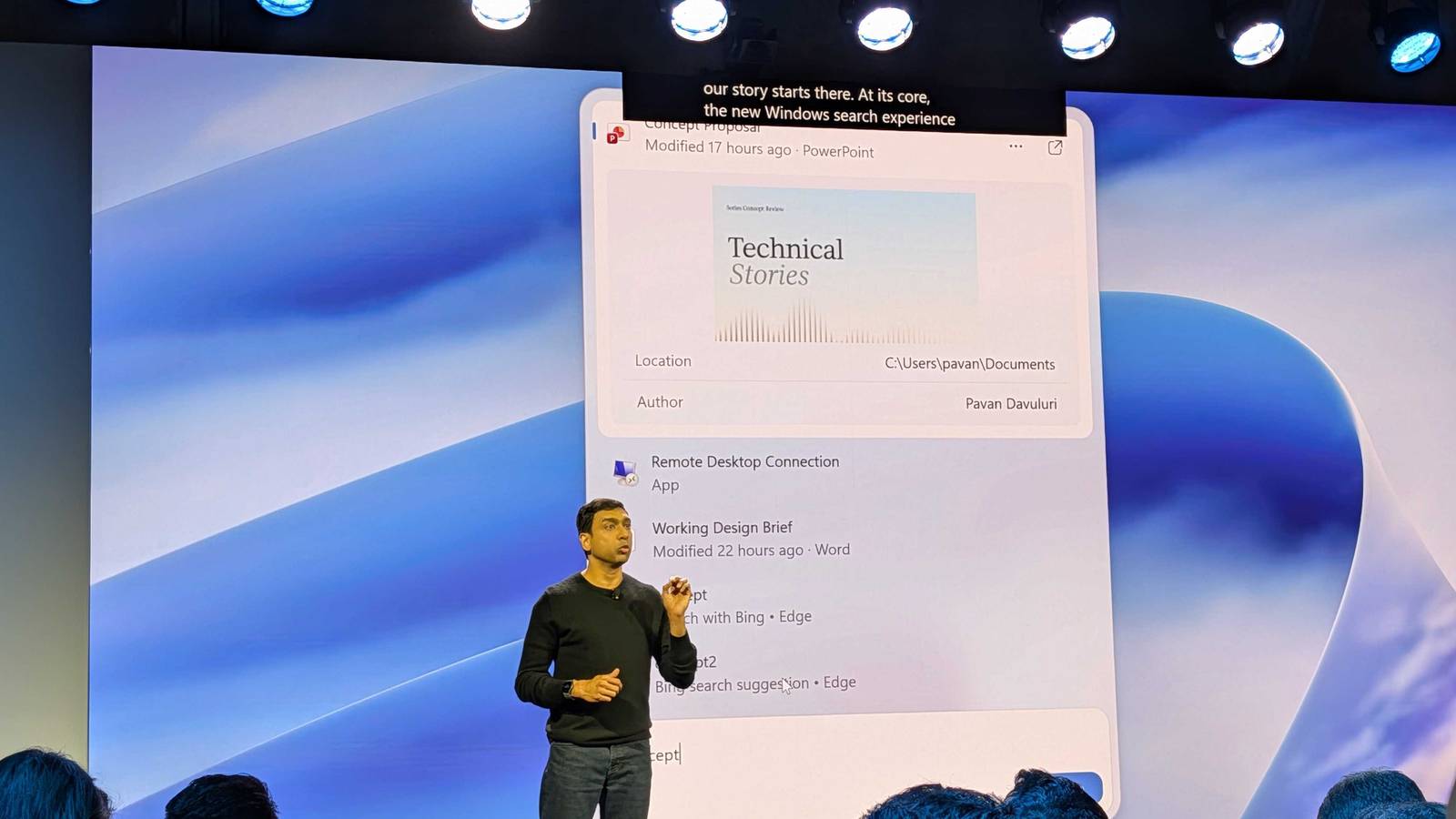
This article covers a developing story. Continue to check back with us as we will be adding more information as it becomes available.I've always said that I wanted Copilot to be able to perform simple tasks on Windows for it to be successful. Well, it seems Microsoft has finally listened. The company showed off what it's planning by mixing Copilot with its Windows 11 taskbar and its search. Microsoft showed off the new Copilot-enhanced Taskbar for Windows 11 It's looking pretty powerful Microsoft showed off what this new search bar can do, which is planned to release this Fall. You can perform simple and quick tasks like adjusting light and dark mode, messaging people, turning on Do Not Disturb, taking screenshots, arranging the desktop, and finding things with a simple text prompt. It'll know all your files on your system, so it can pull data and answer your questions with ease. Speaking of accessing your files, Windows 11 users will also get access to Hybrid Intelligence. This lets you give your AI services permissions to access files, take actions on Windows, and even use local models to run tasks on your PC. Microsoft also showed off some impressive connectivity with the new Copilot app. You can ask it a question through the taskbar search, and if what it says isn't in-depth enough, you can jump into a more in-depth response via the Copilot app for more context. The new taskbar search will also play nicely with Copilot's new sections: Home, Code, and Autopilot. Microsoft calls Home "the new starting point for Copilot," which brings Chat and Cowork into one place. With Hybrid Intelligence, Home can grab local Office files from your PC and open it up for collaborative work, in case you need more eyes on a document. For Code, Copilot will allow people to generate Windows-native apps with just a single text prompt. It emphasised that "no developer experience is required," runs in a secure MXC local sandbox, and even pass work down onto other local models when needed. The company's demo with Autopilot featured Hybrid Intelligence, showing someone receiving an email from someone asking if they had a file on their system. With Hybrid Intelligence on, the AI could peek onto the user's PC, find the file in question, attach it to an email, write a draft, and then wait for permission to send. There's also a brand new Windows startup flow. Now, when you set up Windows 11, there will be options to get your favorite LLMs set up from the very start. The company also showed off AI automatically sorting through a batch of photos with Perplexity. With just a single prompt detailing what needed to be done, the AI would dig through photos, resize them, rename them, and then present the user with a completed batch of images. The company took some time to show off how it's working with businesses to keep them protected from AI agents accessing things they shouldn't. It showed examples of AI models reporting back when it detected prompt injection attacks on the destination website, and businesses can even tweak different permissions for both the user and their agents.
Microsoft's new Windows Taskbar search is the tool I've always wanted
Full Article
Original Source
Read the full article at Xda-developers →KhanList aggregates and links to publicly available news content. We do not host full articles from third-party sources. Always verify important information with original sources.