
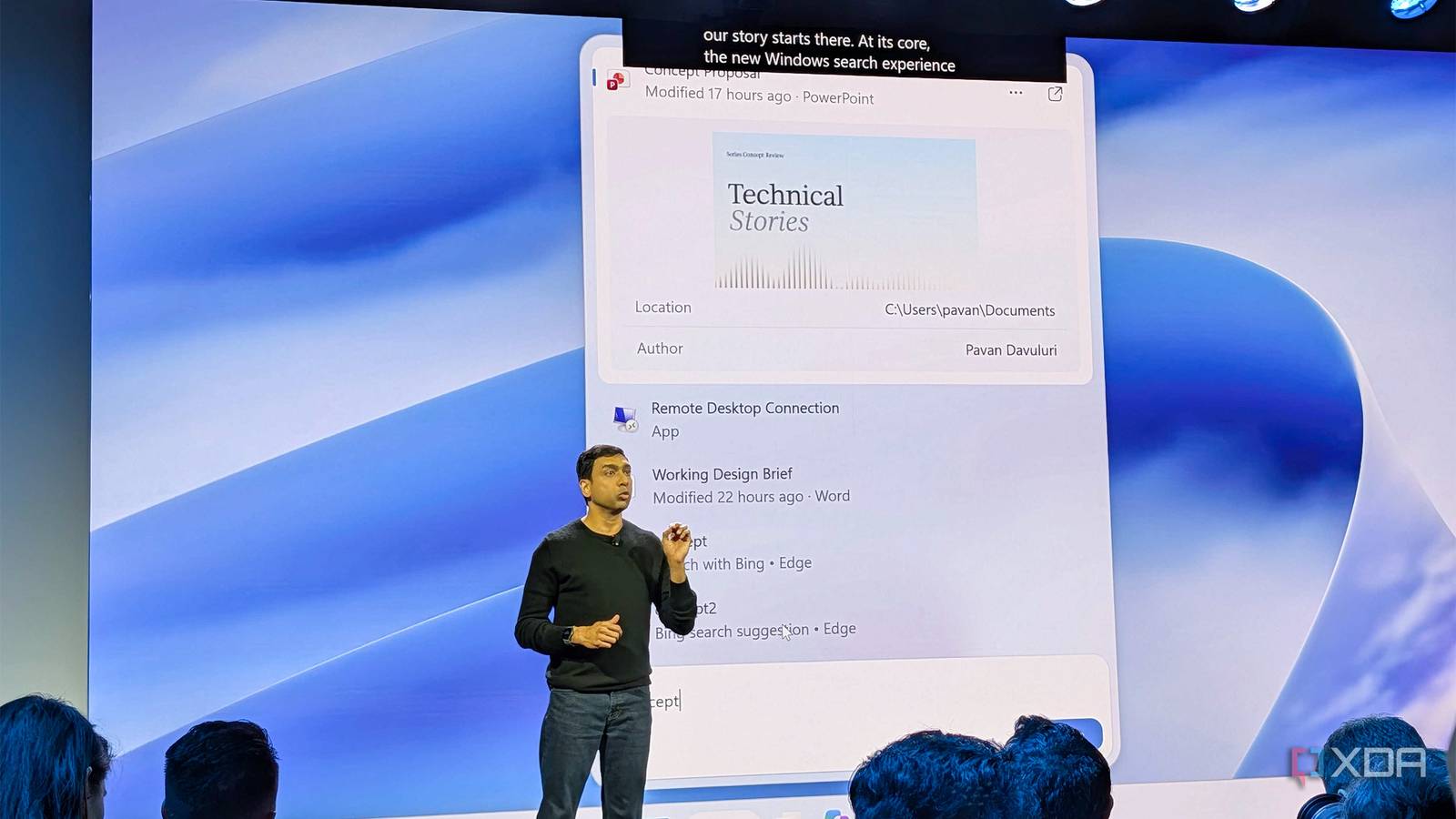
Published Oct 7, 2026, 1:29 PM EDT Simon is a Computer Science BSc graduate who has been writing about technology since 2014, and using Windows machines since 3.1. After working for an indie game studio and acting as the family's go-to technician for all computer issues, he found his passion for writing and decided to use his skill set to write about all things tech. Since beginning his writing career, he has written for many different publications such as WorldStart, Listverse, and MakeTechEasier. However, after finding his home at MakeUseOf in February 2019, he would eventually move on to its sister site, XDA, to bring the latest and greatest in Windows, Linux, and DIY electronics. Summary Copilot in the Windows 11 taskbar's Search runs quick tasks, toggles settings, and finds local files. Hybrid Intelligence lets Copilot access files, run local models, and act on your PC; use the Copilot app for fuller answers. Code can generate Windows apps from one prompt, and Autopilot automates workflows like finding and attaching a file to an email. When Copilot arrived on Windows 11, I lamented that it couldn't really help people with simple OS tasks. Back in 2023, it was one of the things I felt Copilot should be able to do in order to succeed on Windows 11. Well, it seems Microsoft has listened, because it just showed off the power of a brand-new Copilot-enhanced Taskbar search, and as someone who doubted it, I am impressed. Microsoft showed off the new Copilot-enhanced Taskbar search for Windows 11 It looks pretty powerful At its Windows and Surface event, Microsoft showed off what this new Copilot-powered Search bar can do. When Copilot first hit Windows 11 PCs, it couldn't do many simple Windows-based tasks. By comparison, this new Windows Search function seems capable of much more, including adjusting light and dark mode, messaging people, turning on Do Not Disturb, taking screenshots, arranging the desktop, and finding things with a simple text prompt. It's planned to release this Fall, so it shouldn't be long until we see it on our PCs, too. To help the AI find those files you're looking for, Microsoft is introducing a new control layer in Copilot called Hybrid Intelligence. This lets you grant Copilot permission to access files, take actions on Windows, and even use local models to run tasks on your PC. You can toggle these on and off at any time, so you can give the AI running on your machine as much or as little control as you like. The new taskbar Search will play nicely with Copilot's new sections: Home, Code, and Autopilot. Microsoft calls Home "the new starting point for Copilot," which brings Chat and Cowork into one place. The company showed off what Hybrid Intelligence can do here, such as grabbing local Office files from your PC and opening them up for collaborative work, in case you need more eyes on a document. You can also ask questions to Copilot within this new Windows Search, and if you want more detail, you can open the response in the main app for more context. For Code, Copilot will let people generate Windows-native apps with a single text prompt. It emphasized that "no developer experience is required," runs in a secure MXC local sandbox, and can even pass work down to other local models when needed. There was a strong emphasis on people being able to explain what they want from a Windows app and have Code generate it all for them with little to no expertise. The company's Autopilot demo also featured Hybrid Intelligence. The example showed us receiving an email from someone asking if we had a file on their system. With Hybrid Intelligence on, the AI could search through our PC, find the file in question, attach it to an email, write a draft, and then wait for permission to send it. Autopilot seems to be shaping up to fit its namesake perfectly, letting you ask Copilot to perform a specific task on your PC and do the heavy lifting for you. Microsoft's new AI ambitions aren't just restricted to Copilot It's also playing nicely with other agents If you're not a huge fan of Copilot, Microsoft also took some time to demonstrate how Windows 11 will integrate with third-party agents. The company showed off a demo from Perplexity, where someone wrote a prompt asking the agent to take the photos, make smaller, resized copies, and then create a local HTML gallery that supports light and dark mode. Sure enough, the AI dug through photos, resized them, renamed them, and then presented the user with a completed batch of images. Microsoft emphasized that everything Perplexity did ran locally on the device, which is especially good news for people who'd rather not upload their photos to the cloud. There's also a brand new "Get Started" flow on Windows for getting an agent up and running. If you want to use an AI agent that isn't Copilot, such as Hermes or OpenClaw, Windows 11 gives you a sleek setup flow that lets you pick the model you want, install it, and get started as soon as it's ready.
Microsoft's new Windows 11 Taskbar Search is the tool I've always wanted
Full Article
Original Source
Read the full article at Xda-developers →KhanList aggregates and links to publicly available news content. We do not host full articles from third-party sources. Always verify important information with original sources.