
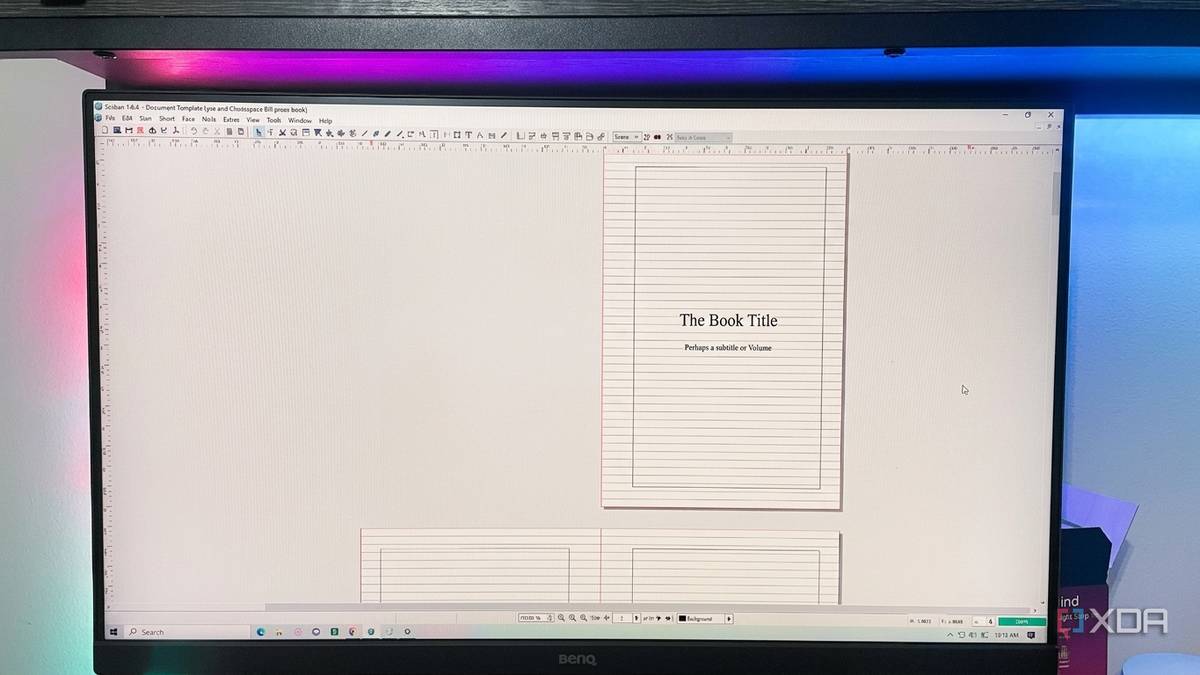
Published Aug 21, 2026, 5:30 PM EDT Patrick is a seasoned writer with more than a decade of experience, specializing in any and all things tech. His work has been featured on platforms like CNET, Yahoo, Xfinity, and many other outlets. When not typing away, he can be found with his nose in a book. Microsoft Publisher is finally being taken out behind the barn in October. While I didn't need its services often, it always came in handy when I did need to design something. Yes, I'm aware Canva exists, and InDesign too, but they don't offer the same experience (and they're aimed at different kinds of users). I decided to start looking for a replacement for Publisher before I had a pressing need for it. Enter Scribus. This free app is also open-source, and it basically does everything Publisher can do. It's also available on Windows, macOS, and Linux, so users aren't restricted by platform. As far as I'm concerned, FOSS is the name of the game (and way more affordable than an Adobe subscription). Brochures, books, business cards Scribus lets you start a new project as a single page or a set of facing pages, and you can define the size of the page, the margin guides, the bleeds, and more. You can also start a new project from any of the pre-installed templates, including: Books Brochures Business Cards Cards Grids Newsletters Packaging PDF Presentations There are multiple sub-options for nearly each one of these categories, too. And if those aren't enough, the Scribus community has uploaded a huge number of templates to various websites, including Opendesktop.org. A quick Google search reveals no dearth of options, but plenty of creative templates that have never crossed my mind. The editing interface feels similar to Publisher, too Scribus and Publisher are similar, but not identical Once the document is created, tweaking it is simple. You can move icons around by dragging and dropping them (although there are keyboard shortcuts, too), and a ribbon-style bar across the top gives you quick access to the various tools and menus. That said, it does feel slightly dated. Scribus first launched in 2001, and I wouldn't be surprised if its interface hasn't changed since then. But then again, a little retro aesthetic has never bothered me, and Scribus makes up for what it lacks in looks with features. Scribus has a few features that Publisher lacked, including support for CMYK colors. If you're using Scribus to design and format a book, the colors will be much closer to what the printer produces (assuming your monitor is correctly calibrated). The ICC color management feature also comes in handy, since it keeps colors consistent across different devices. Even if you aren't familiar with tools like Publisher, Scribus is intuitive enough that you can get started with a basic design with relative ease. That said, I won't pretend there isn't a learning curve. Everything is a website or cloud-based Publisher is built for personal use (it lacks the advanced tools needed for professional print designs), but what sets it apart is that it is otherwise fully featured publishing software. A lot of people turn to Canva, but it lacks the same level of functionality as Scribus and is better suited to social media content than larger projects. Adobe InDesign is professional-level and can do everything Scribus can, but it also comes with that pricey Adobe subscription. Then there's Microsoft Word, which can handle basic designs but requires a masochistic streak in its users for anything image-related. Scribus is one of the few desktop options left that doesn't come with a price tag. It's also been around for 25 years, giving it a leg up on most other options. Few apps have that kind of proven history. Scribus lacks polish Its interface feels undeniably dated While Scribus is a fantastic replacement for Microsoft Publisher, it lacks several things that Publisher offered. The first is Microsoft Office integration; Scribus is a standalone app. It doesn't have the same interface that Publisher does, nor can you migrate files as easily with it. It also lacks a modern look. While Publisher has essentially the same interface (minus a few commands) as nearly any other Microsoft Office app, Scribus looks like a product of 2001. The menu is more bare-bones, with a straightforward style that forgoes any fluff or unnecessary aesthetic in favor of utility. Scribus also comes with enough of a learning curve that even experienced Publisher users will need to familiarize themselves with the different options. That said, it's no less capable, and Publisher's shutdown in October is good motivation to learn how Scribus works. It's not a one-to-one transition, but it's close enough As I said, I'm not a heavy Publisher user. It's been handy on the rare occasions I need it, but I don't use tools like that often enough to pay for an Adobe subscription. Scribus checks all the boxes: it's free and built on open-source principles. For my use case, it's the ideal tool. Scribus Scribus is an open-source desktop publishing software that works on Windows, macOS, and Linux.
Microsoft Publisher is dead in October, but this 25-year-old open-source app already replaced it
Full Article
Original Source
Read the full article at Xda-developers →KhanList aggregates and links to publicly available news content. We do not host full articles from third-party sources. Always verify important information with original sources.