
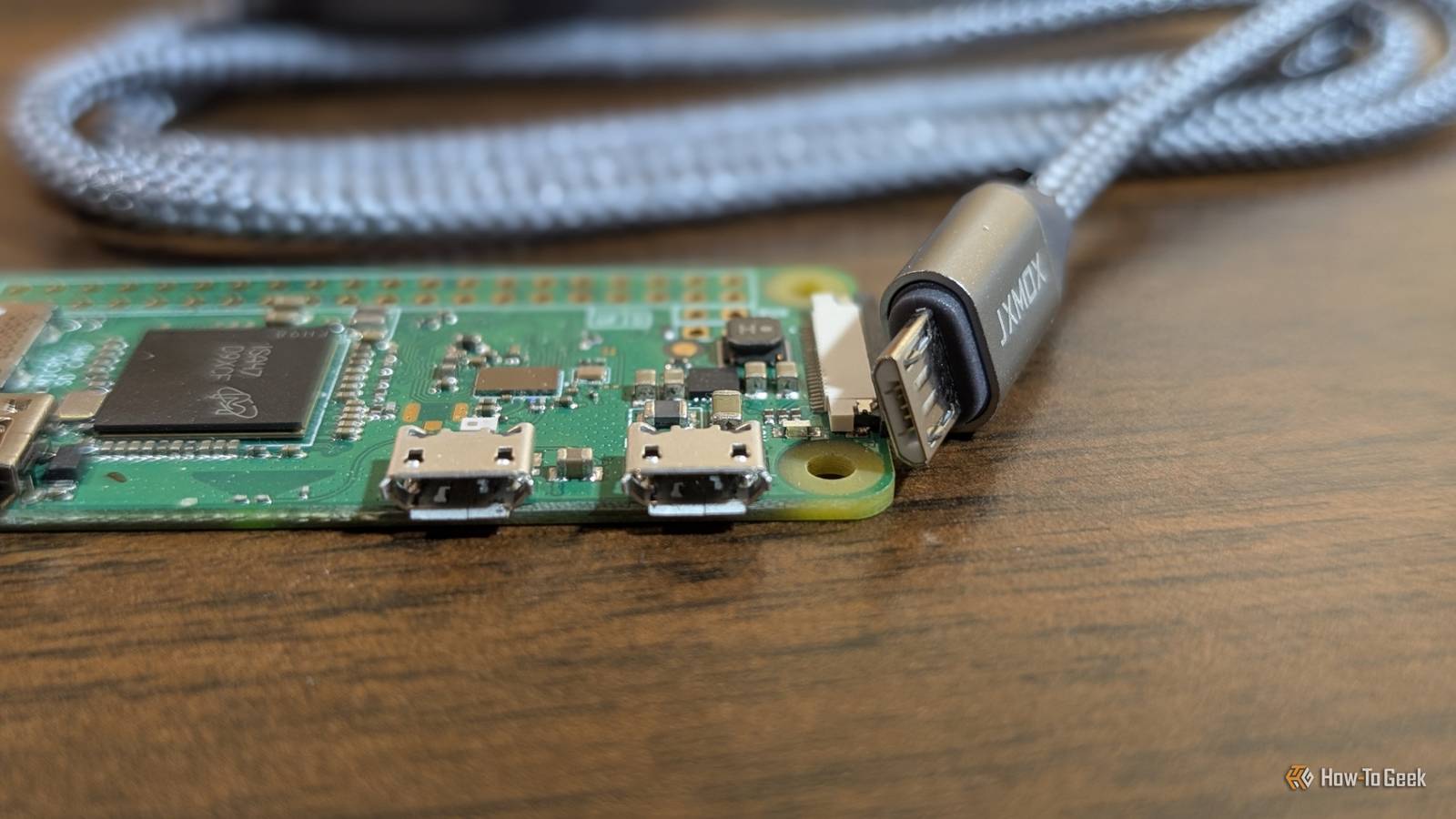
Published Oct 26, 2026, 10:00 AM EDT Andrew Heinzman is a seasoned tech writer with over half a decade of experience. He specializes in delivering insightful tech news and detailed product reviews, particularly focusing on audio and video technology, as well as computers and smartphones. His journey in tech writing includes a two-year stint as the News Editor at Review Geek, the former sister site of How-To Geek. Throughout his career, Andrew has consistently provided readers with valuable insights and up-to-date information on the latest developments in the tech world, earning recognition for his clarity, depth, and relevance. In his free time, Andrew likes to explore music and read books, just as he did when earning his bachelor's degree in English literature. Remember when phone chargers were straight up garbage? The Micro-USB standard defined a generation of devices, but it was notorious for both its fragility and its toxic "hey, I just bent your phone's pins, now I'm the only charger that'll ever work with it" attitude. Micro-USB still thrives in some corners of the tech world, with single-board computers (SBCs) being one of the most famous holdouts. There are several reasons for this discrepancy, but it mainly comes down to cost. You gotta save money somehow Hobby boards need to be cheap. Micro-USB is cheap This may not come as much of a surprise, but the older Micro-USB standard is cheaper to manufacture than USB-C. Not only are there fewer components in a Micro-USB cable, but the old standard is still abundant, so it's very easy to source cheap parts. Equally important is Micro-USB's easy-to-use design, which provides a cost benefit when designing and assembling SBCs like the Pi Zero. While USB-C requires extra resistors (on the SBC) for power, Micro-USB is happy to push electricity into just about anything. The standard 5-pin layout of Micro-USB is also easier to solder to a board than even the most dumbed-down version of USB-C, which uses 6 pins. (Full-fledged USB-C, the kind used in the Pi 5, uses 24 pins. There are also 16 and 12-pin variants with reduced capabilities.) It's worth mentioning that a lot of popular SBCs have been in production for several years. The cost associated with transitioning these boards to USB-C, as opposed to waiting a few years and implementing a Type-C port in a next-gen model, may not be worth the durability and convenience that customers would gain from USB-C. SBCs rarely benefit from USB-C's capabilities Pi Zero and ESP32 boards require a 5V power source and utilize less than a watt of power even under sustained loads. The Pi Zero 2 W can eat up a little over a watt and a half of power, but even then, the power requirement is so low that there's no benefit from using a USB-C cable. Plus, a lot of SBC-powered devices receive power through their GPIO pins and only use USB for diagnostics (if at all). A Pi Zero board, for example, doesn't have the polyfuse that's on larger Pi boards, so there's no practical difference between powering over USB or powering through the 5V header. Why spend extra on a USB-C port that a lot of customers will never touch? Any benefit offered by USB-C's extreme data transfer rates is moot here, too. A lot of SBCs can't receive data over a USB connection, and even when they can, it doesn't really matter because people rarely use SBCs to store or manage massive amounts of data. When they do, they usually opt for something that has an Ethernet port … I'm intentionally ignoring some odd projects, of course. Larger boards are a notable exception here. The Raspberry Pi 5 eats up to 27 watts under load, which is too much for a Micro-USB cable. I'm sure that there are some situations where large boards benefit from USB-C transfer rates, too, but I should point out that the Pi 5's USB-C port is capped at USB 2.0 transfer rates and only works as a data port under certain conditions—the USB-C port's real purpose, in this case, is to hit the board's power requirement. Quiz 8 Questions · Test Your KnowledgeUSB standards & connectorsTrivia ChallengeFrom clunky Type-A plugs to lightning-fast USB4 — test your knowledge of the universal serial bus revolution.HistoryConnectorsSpeedsStandardsHardwareBegin In what year was the original USB 1.0 specification officially released?A1993B1998C1996D2000Correct! USB 1.0 was released in January 1996 by a consortium led by Intel, Compaq, Microsoft, and others. It aimed to replace the chaotic mix of serial ports, parallel ports, and PS/2 connectors that plagued early PCs.Not quite — USB 1.0 launched in January 1996. It was developed by a consortium including Intel and Microsoft to simplify the frustrating tangle of legacy ports on personal computers at the time.Continue What is the maximum data transfer rate of USB 2.0, also known as 'Hi-Speed' USB?A12 MbpsB480 MbpsC960 MbpsD5 GbpsCorrect! USB 2.0 tops out at 480 Mbps, which is why it earned the 'Hi-Speed' label when it launched in 2000. That was a massive leap over USB 1.1's 12 Mbps Full Speed ceiling, making it practical for external hard drives and cameras.Not quite — the correct answer is 480 Mbps. USB 2.0 is branded 'Hi-Speed' and launched in 2000, offering a 40x improvement over USB 1.1's Full Speed 12 Mbps mode, which made external storage far more viable.Continue Which USB connector type was specifically designed for use with mobile phones and cameras, featuring a distinctive 5-pin trapezoidal shape?AUSB Type-BBUSB Micro-BCUSB Mini-BDUSB Type-CCorrect! USB Mini-B was the go-to connector for early digital cameras and mobile phones before being largely replaced. It features a recognizable five-pin trapezoidal design and was formally specified in USB 2.0, though it has since been superseded by Micro-B and USB-C.The correct answer is USB Mini-B. It was the standard connector for early digital cameras and many mobile phones, featuring a 5-pin trapezoidal shape. It was eventually displaced by the slimmer Micro-B connector, which allowed for thinner device designs.Continue USB 3.0 was later rebranded by the USB Implementers Forum. What is its current official name?AUSB 3.1 Gen 2BUSB 3.2 Gen 2x2CUSB 3.2 Gen 1DUSB 3.1 Gen 1Correct! The USB-IF rebranded USB 3.0 as USB 3.2 Gen 1 to fit into a unified naming scheme. It still delivers the same 5 Gbps 'SuperSpeed' transfer rate — the confusing renaming was meant to streamline the standard's versioning but arguably made it more complicated.Not quite — USB 3.0 is now officially called USB 3.2 Gen 1. The USB Implementers Forum rebranded the entire USB 3.x family to create a unified naming structure, though the 5 Gbps SuperSpeed performance of the original USB 3.0 remains unchanged.Continue What key physical feature makes USB Type-C different from all previous USB connector types?AIt uses gold-plated contacts for better conductivityBIt is fully reversible and can be inserted either way upCIt is the smallest USB connector ever madeDIt supports only digital audio signalsCorrect! USB Type-C's most celebrated feature is its symmetrical, reversible design — you can plug it in either way without fumbling. Introduced in 2014, it also supports far higher power delivery and data speeds than older connectors, making it a true universal solution.The standout feature is its fully reversible design — you can insert a USB-C plug either way up, ending the frustration of guessing the correct orientation. Introduced in 2014, USB-C also supports higher power delivery and data speeds than its predecessors.Continue Which organization is responsible for developing and publishing the USB specification?AIEEE (Institute of Electrical and Electronics Engineers)BISO (International Organization for Standardization)CUSB-IF (USB Implementers Forum)DANSI (American National Standards Institute)Correct! The USB Implementers Forum (USB-IF) is the non-profit organization formed by the original USB developers to maintain and promote the USB specification. Founded in 1995, it certifies compliant products and grants the right to use the official USB logo.The correct answer is the USB-IF, or USB Implementers Forum. This non-profit was founded in 1995 by the companies that originally developed USB, including Intel and Microsoft. It maintains the specification, runs compliance programs, and certifies products to carry the USB logo.Continue What maximum power output did USB Power Delivery 3.1 introduce, enabling charging of high-performance laptops?A60 wattsB100 wattsC140 wattsD240 wattsCorrect! USB Power Delivery 3.1, released in 2021, dramatically raised the ceiling to 240 watts using Extended Power Range (EPR) mode. This is enough to charge even power-hungry gaming laptops and workstations over a single USB-C cable, replacing bulky proprietary chargers.The answer is 240 watts. USB Power Delivery 3.1, introduced in 2021, added an Extended Power Range (EPR) mode that maxes out at 240W over a USB-C cable. Earlier PD versions were capped at 100W, which was insufficient for many high-performance laptops.Continue USB4, released in 2019, is based on which company's proprietary technology that was donated to the USB-IF?AApple's Lightning protocolBIntel's Thunderbolt 3 protocolCGoogle's USB-C Audio standardDAMD's SuperSpeed architectureCorrect! Intel donated the Thunderbolt 3 specification to the USB-IF, which became the foundation for USB4. This means USB4 at its fastest tier (40 Gbps) is technically compatible with Thunderbolt 3 devices, blurring the line between the two standards significantly.The correct answer is Intel's Thunderbolt 3. Intel donated its Thunderbolt 3 spec to the USB Implementers Forum, and it became the basis for USB4. The top USB4 speed tier of 40 Gbps mirrors Thunderbolt 3, and the two standards share a high degree of compatibility.See My Score Challenge CompleteYour Score/ 8Thanks for playing!Try Again Micro-USB is smaller than USB-C Size constraints keep USB-C off some boards We're kind of splitting hairs here, but a Micro-USB connector is ever-so-slightly smaller than a USB-C connector. The former is 6.85mm wide and 1.8 tall, while the latter is roughly 8.4 wide (depending on the implementation) and 2.56mm tall. This is such a small difference that, in practice, it doesn't really matter. A millimeter isn't going to throw the average project out of wack. The real problem goes back to that cost thing we mentioned earlier: USB-C's larger footprint may require a partial redesign of some boards, so a mid-lifecycle upgrade isn't worth the money. Next-gen boards will probably require a partial redesign anyway, so why not save the USB-C upgrade for that? There may be some other concerns associated with sizing, such as the effort spent redesigning popular cases or accessories to accommodate for USB-C. But that kind of stuff still just boils down to cost. And, of course, it's easier to re-sell a case or accessory to a customer if it's associated with a proper next-gen hardware upgrade. SBCs will eventually abandon Micro-USB As old designs refresh and Micro-USB availability dwindles, SBCs will slowly shed the old standard in favor of USB-C. Still, it's going to take us a few years to reach that point. Micro-USB components and cables are still abundant, and tech's power capabilities will always be suitable (though not necessarily ideal) for low-power devices.
Micro-USB was the worst generation of USB. Here's why Pi Zero and other SBCs still use it anyway
Full Article
Original Source
Read the full article at Howtogeek →KhanList aggregates and links to publicly available news content. We do not host full articles from third-party sources. Always verify important information with original sources.