
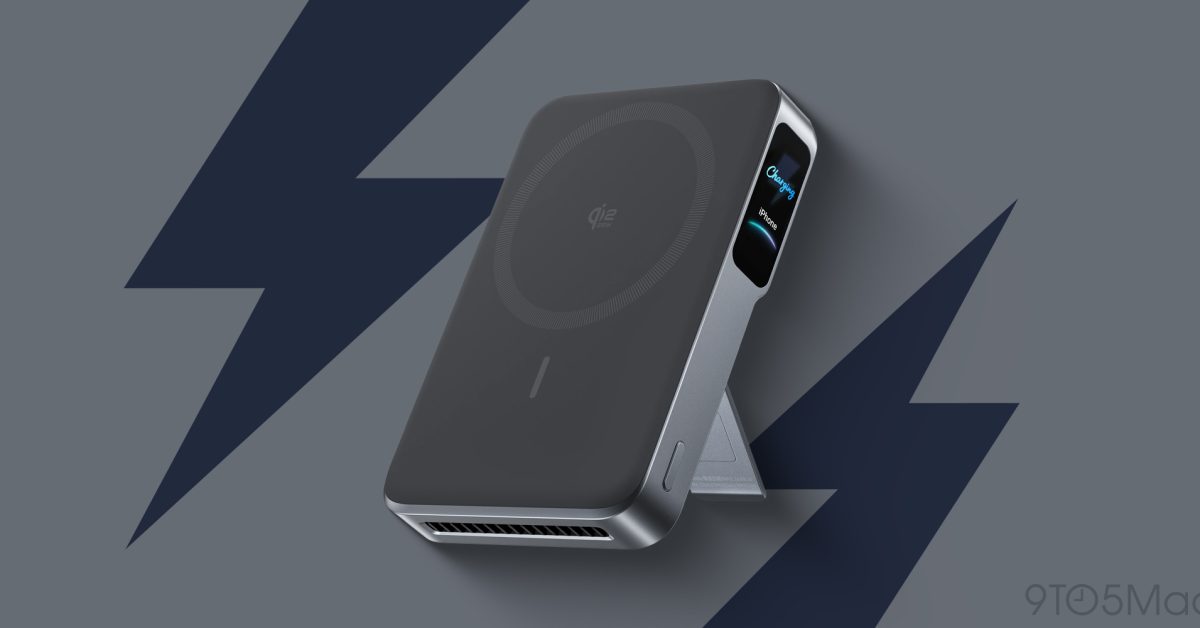
The biggest issue with Qi 2.2 on MagSafe batteries is the slowdown caused by heat. It doesn’t matter if the battery specs say it can charge at Qi2.2 speeds if the heat slows it down after 15 minutes. The Anker MagGo 2 Pro directly targets heat with a built-in fan in the MagSafe battery. MagSafe Monday: Every Monday, Bradley Chambers looks at the latest and greatest in the MagSafe and wireless charging industry to help you get the most out of your Apple devices that support wireless charging. Heat is the enemy of MagSafe charging, which is why it slows to a crawl on a hot day and why most MagSafe batteries can’t hold their top speed for an entire charge. Anker’s answer in the MagGo 2 Pro is a small fan inside of it. Anker says it keeps the charging surface below 96.8°F, and the fan adjusts its speed based on what’s plugged in and how the charge is progressing. You can switch between Cool and Silent modes if you don’t want to hear it running at all. The result of having this fan is a Qi2.2 power bank that actually reaches Qi2.2 speeds for a full charge. Anker rates it at 25% on an iPhone 17 Pro in 10 minutes, then to 50% in 25 minutes, which is the kind of speed you’d normally expect from a wired charging session. Anker MagGo 2 Pro capacity and recharging The MagGo 2 Pro battery is 10,000mAh, which is enough for a little over one full charge of an iPhone Pro Max and closer to two on a standard iPhone. Size-wise, it has about the same footprint as the iPhone itself and is roughly an ounce lighter than Anker’s standard MagGo. It’s not a slim battery, but for one with a fan, it’s workable in your travel bag, crossbody, etc. The single USB-C port works both directions at up to 45 watts. If you plug in a 45-watt charger to it, the MagGo 2 Pro can charge from empty to 80% in under an hour. The same port will charge a Mac or an iPad up to 45 watts in a pinch, which is a nice add-on for a MagSafe battery. You are not going to charge up your MacBook Pro from zero to full with it, but it’s a nice way to get a little charge in an emergency at the airport, etc. One thing to know before you buy: the cable in the box is a 1-foot USB-C-to-USB-C cable, and Anker says that reaching the full 45-watt recharge speed requires a 45-watt-rated cable. So keep that in mind as you pack for a trip. Display and stand Anker put a small display on the side that cycles through six screens with a side button: charging wattage, battery percentage, battery health, and temperature. It’s a nice touch to know you are reaching the 25-watt Qi 2.2 speed. There’s also a built-in stand that adjusts from flat to 80 degrees and folds back into the body when you’re done. You can also quickly turn off charging if you simply want to use it as a stand. The Anker MagGo 2 Pro comes in Phantom Gray, Burgundy Red, Polar Night Blue, and Starlight Silver. Wrap up on Anker MagGo 2 Pro Qi2.2 is the Holy Grail of MagSafe chargers, but as I said in the beginning, it’s irrelevant if the heat throttles it. To get full 25-watt MagSafe charging on the go, you’ll likely need something with a fan, unless you’re in colder weather. The Anker MagGo 2 Pro solves that problem with a built-in fan, a handy side display, and a stand. The Anker MagGo 2 Pro is available on Amazon and directly from Anker. FTC: We use income earning auto affiliate links. More.
MagSafe Monday: Anker’s MagGo Pro 2 has a built-in fan to keep 25W Qi2.2 charging from slowing down
Full Article
Original Source
Read the full article at 9to5mac →KhanList aggregates and links to publicly available news content. We do not host full articles from third-party sources. Always verify important information with original sources.