
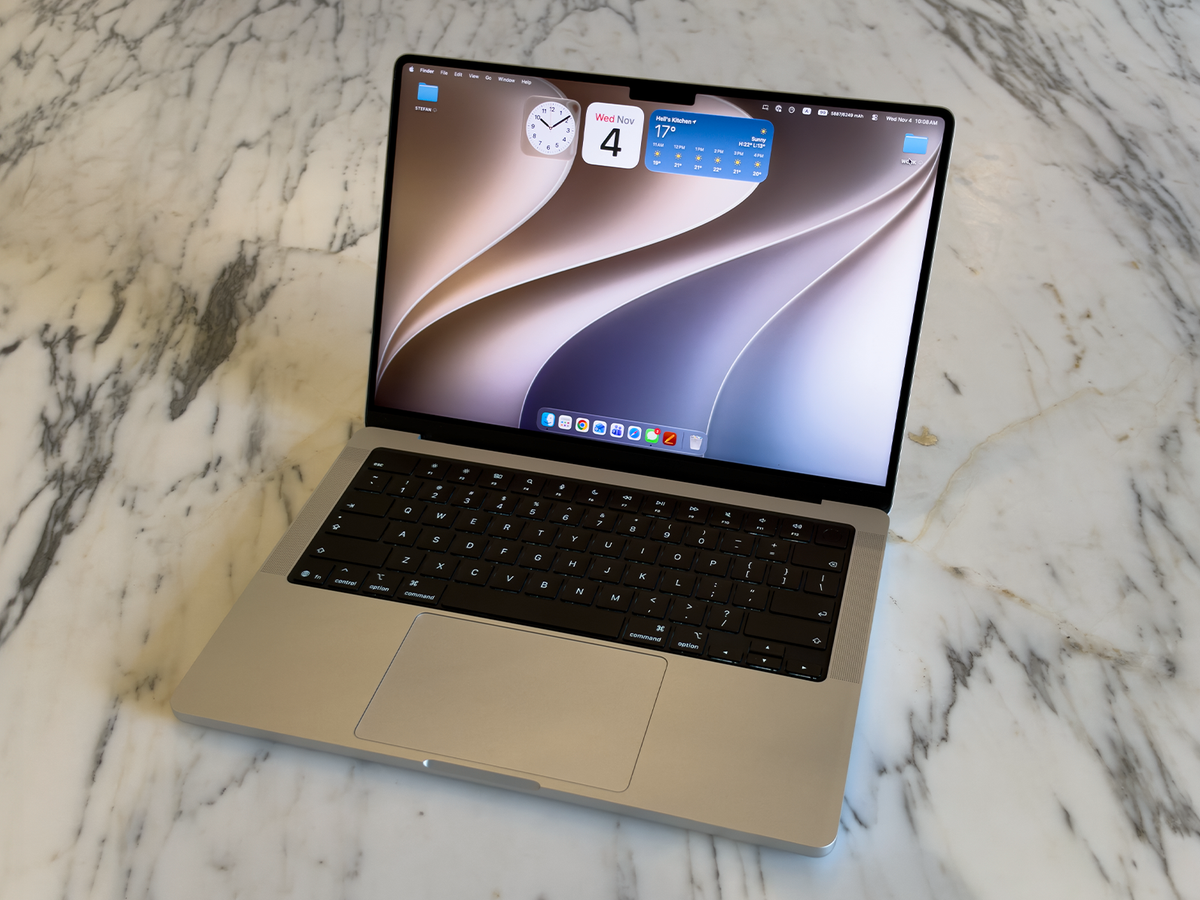
5 min readApple made big waves in laptop land last month when it announced that it would do something it had previously refused to consider: release a MacBook Pro with a touchscreen. That new high-end laptop, which features the M5 Pro or Pro Max chip, looks very interesting, but it also starts at $2,899 for the 14-inch model with base specs. Touch aside, it’s a very expensive laptop for creative professionals who want Apple’s PROLED XDR display, which features a very bright, color-accurate, tandem-OLED panel. (At least on paper. We haven’t tested it yet.)For those of us who just want a really great all-around laptop and are willing to pay a lot, but not that much, Apple also released a new version of the standard MacBook Pro, which features a new M6 processor. It’s far less exciting than the touchscreen model: The new processor brings improved performance, especially for running local artificial intelligence (A.I.) tasks, plus minor upgrades like better wireless connectivity. But broadly, the standard 14.2-inch MacBook Pro remains unchanged from last year's M5 model.The MacBook Pro has been the laptop I've recommended most for a long time—at least since Apple started making its own processors. The MacBook Pro M5, specifically, is excellent and has been my go-to computer all year. This year’s improvements do more than enough to maintain that distinction. The touchscreen MacBook Pro may draw eyeballs (and fingers), but Apple’s “beginner” MacBook Pro is the no-nonsense machine most “pro” (and spec-nerds) really need.ProsTop-tier performance and battery lifeFutureproof hardware specsSleek, instantly recognizable designSurprisingly powerful soundConsNano-texture display should be standardLimited configurations for M6Key SpecsAsinApple M6 with 12-core CPU, 12-core GPU, Dual Neural EngineDisplay14.2-in. Liquid Retina XDR displayMemoryUp to 32 GB of RAMStorageUp to 4 TB SSDConnectivityWiFi 7, Bluetooth 6, three USB-C ports with Thunderbolt 4, HDMI, SD card slotOtherDolby Atmos speaker system, Center Stage cameraThe M6 Chip, ExplainedThe MacBook Pro is mostly the same as ever; the big difference is the new Apple M6 chip. It features a 12-core CPU and 12-core GPU, versus a 10-core CPU and a 10-core GPU in the M5 version, immediately hinting at a power bump before I even powered the notebook up. It also utilizes Apple’s new two-nanometer architecture, first introduced in the A20 mobile chipset found in the iPhone 18 Pro and the iPhone Duo. That means more power efficiency without sacrificing the performance gains.It also gave Apple room to double the size of the “Neural Engine” in the chip, which powers local A.I. work. The so-called dual neural engine delivers a noticeable speed boost for A.I.-related tasks. If your work routine involves them now or in the near future, this is probably the strongest reason to switch from an M5 MacBook Pro. Running A.I. agents locally is part of the future of productivity, so this nerdy M6 upgrade matters.To put the M6 chip’s power in numerical terms, I ran single- and multi-thread tests in Maxon Cinebench—a CPU benchmarking tool—to stress the chip. It delivered single- and multi-thread scores of 806 and 5,519, respectively, significantly surpassing the 733 and 4,187 scores I got out of the MacBook Pro M5. In real life, I didn’t notice a difference after switching to the newer model. For comparison, though, when I opened a selection of 25 RAW image files, I noticed the M6 variant finished the task a fraction of a second faster.Overall, I couldn’t slow down the M6 MacBook Pro as my go-to computer. This is a pro-grade machine, so it made quick work of my typical workflow. My “everyman’s stress test” involves switching between a web browser with 10 to 15 open tabs, navigating an endless stream of emails and instant messages, editing images in Pixelmator Pro, and creating this review in Apple Pages, all while streaming lossless audio from Apple Music. This MacBook Pro performed superbly during that routine, as expected, because it's built for tougher work like video editing and running a small library of AAA Mac-compatible games at high specs. And it works efficiently, too: The battery averaged about 40 percent after a full day of work and play, so you can be somewhat loose about daily charging.Stefan VazharovThe M6 Pro runs games like Cyberpunk 2077 very well.While Macs don’t make ideal gaming rigs because of platform compatibility limits, the MacBook Pro is still a capable macOS option. During my testing, it ran Cyberpunk 2077 Ultimate Edition with in-game graphics set to high without a hint of hesitation.What Else Is New? (And What’s Still There But Still Worth Talking About?)Even if there is only a smattering of new features beyond the chip, many returning features and components from last year’s MacBook Pro are still, frankly, best in class and worth considering if you’re upgrading from an older Mac or a Windows system.While it isn’t an OLED touchscreen, the MacBook Pro’s bright 14.2-inch mini-LED Super Retina XDR display is sharp, bright, and plenty capable for any creative task. For streaming video and calls, you get a six-speaker audio system with Dolby Atmos spatial audio support and a 12-megapixel webcam with Center Stage, both of which perform admirably for their everyday purposes.If you’re an Apple fan, a common reason to buy a MacBook Pro over the MacBook Air is access to a wider range of ports: The M6 features the same set as previous models, including a trio of Thunderbolt-compatible USB-C ports, an HDMI output, and an SD card reader, to go with the mandatory MagSafe charging connector.Stefan VazharovExtra ports like these—From left to right: SD Card reader, USB-C, HDMI—are signature Macbook Pro features.Stefan VazharovMore ports, from left to right: a MagSafe power connector, two USB-C ports, and a 3.5mm headphone jack.Okay, so what’s actually new on the M6, though? There’s better wireless connectivity, with both Bluetooth 6 and WiFi 7 support. (These are a bit overdue from Apple, as always, but they're two good reasons to buy this year’s model instead of an older one on sale.) If you have a WiFi 7 router, you should see a big improvement in your internet speeds—streaming music and TV, downloading apps and games, and even video calls all run very smoothly.Stefan VazharovShould you buy a MacBook Pro M6? It depends on what laptop you have now, and how much power you need.The MacBook Pro M6 is my favorite laptop of the year so far, and it will likely be the new top pick in our “best laptops” guide. That said, it’s not for everyone: It costs a cool $2,000 (which, unfortunately, is pretty standard for mid- to high-powered laptops in 2026). Given that price, I recommend it as an upgrade for folks who want or need a high-performance laptop: Creatives, tech lovers, gamers, and anyone who can’t help but bristle at compromising on specs. If you fall into any of those categories, this machine's design, performance, and battery life are impeccable, and Apple’s track record of macOS support is flawless.I will say specifically that you should not buy the M6 MacBook Pro if you bought the M5 last year, unless you’re deep into working with A.I. The dual neural engine could be a game changer if deep A.I. work is a big part of your life, but I wouldn’t say you need it for everyday A.I.-enhanced search and chat.Finally, we come back to the MacBook Pro with PROLED XDR Touchscreen. Setting aside the fact that we haven’t tested it yet, I think it’s a tough sell unless you work in visual arts because of the price tag. It’s an incredibly powerful machine, I’m sure, but $900 (or more) is a lot to pay when the M6's display is also excellent. Some might scoff at the lack of an OLED panel, but I can guarantee most people will be fine without it for one more upgrade cycle.The Full List of MacBooks We RecommendStefan is an award-winning consumer technology editor with over a decade of experience in reviewing gadgets, particularly smartphones, tablets, smartwatches, desktop and laptop computers across multiple form factors and platforms, as well as accessories for them. He also covers televisions and audio equipment, including headphones, earbuds, wireless speakers, and soundbars. Since joining Hearst in 2015, Stefan has contributed to BestProducts, Popular Mechanics, and numerous other publications. Prior to his current role, he served as the US Editor for GSMArena.com.
MacBook Pro M6 Laptop Review: An Iterative Update to the Computer I Recommend for Most People
Full Article
Original Source
Read the full article at Popularmechanics →KhanList aggregates and links to publicly available news content. We do not host full articles from third-party sources. Always verify important information with original sources.