
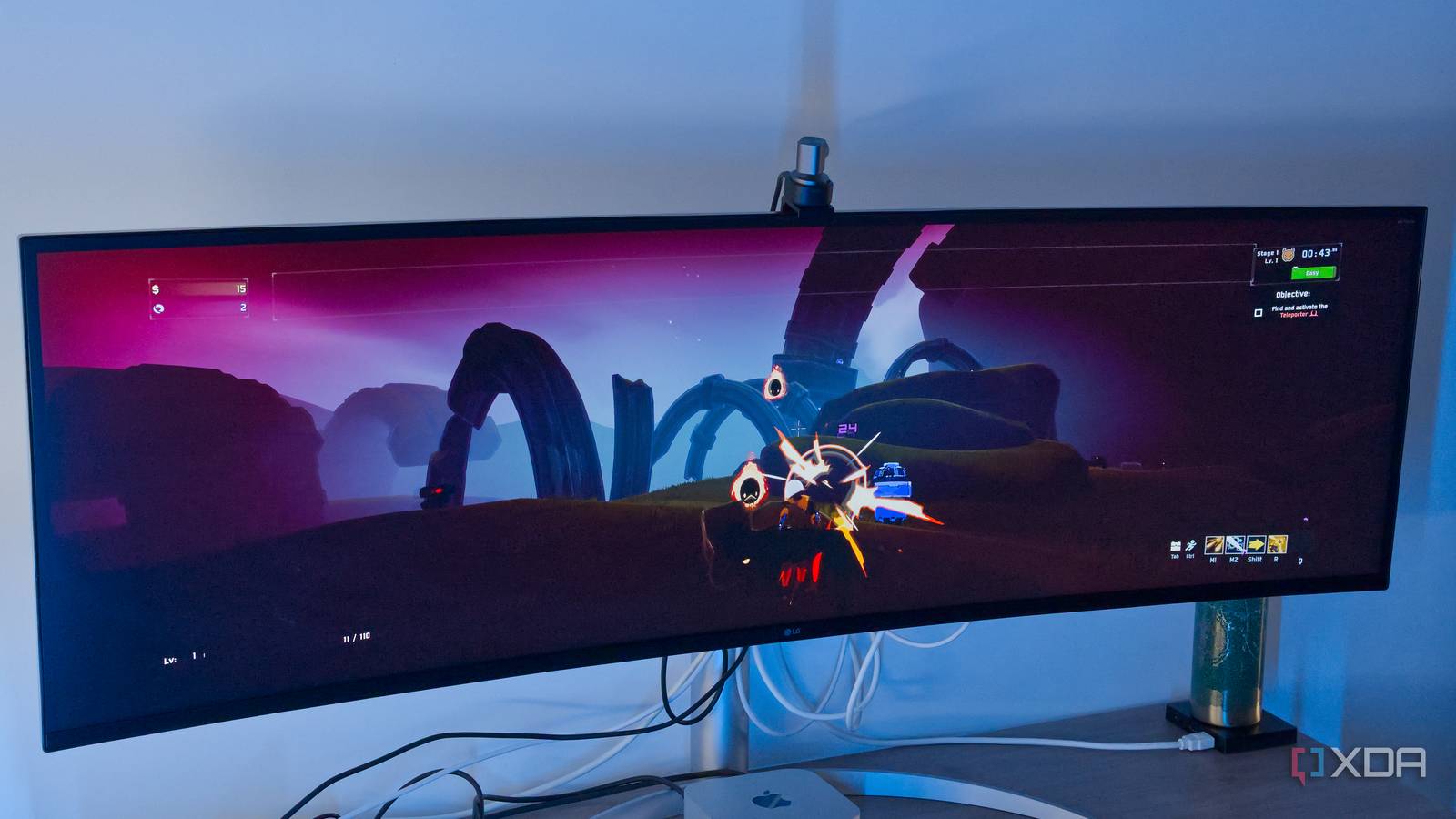
Published Aug 28, 2026, 6:00 PM EDT João has been covering the tech world for over 7 years, with a heavy focus on laptops and the Windows ecosystem. I also love all things tech and videogames, especially Nintendo, which he's always happy to talk about. Prior to joining XDA in 2021, he worked at Neowin: https://www.neowin.net/news/poster/jo%C3%A3o-carrasqueira/ I do most of my work on a Mac Mini, and in many ways, I like macOS more than Windows 11. However, while you can argue back and forth on various topics, there's one area where Windows still comes out so far ahead that it's not even a fair comparison: gaming. But recently, a potential solution to this problem came about in the form of PixelPort. It's still in beta, but this software aims to run your Steam games on macOS, and of course, I had to take it for a spin. The results? They're fairly impressive so far. How PixelPort works It's a great idea PixelPort tries to make Windows games playable on macOS through a couple of features, but the biggest one is its Prism engine. PixelPort installs the Windows version of Steam under Wine, and then it uses DXMT, a DirectX-to-Metal translation layer, to make Windows games playable on Mac. There's another engine, called Synthesis, that tries to determine how a given game should run on macOS, including the necessary dependencies. The goal of this part of the process is to make games one-click installs, rather than requiring additional setup steps. Setting up PixelPort is fairly easy. You install the app, and during the initial setup, it tries to install the Windows version of Steam, which you then log into using Steam Guard. There's technically support for regular username and password login, but it's more finicky, and it's easiest to just use the QR code scanner. I did have some trouble during the initial setup, which kept showing an error over and over, but eventually I got through. Once you're in, you can select from the games in your library that have been validated for macOS by the PixelPort team. During the current beta phase, only a few select games are available to test, though PixelPort also lets you request that a game be added to the beta phase, which hopefully means you'll be able to try it in the near future. Otherwise, you simply install the games you want and then launch them. PixelPort makes a big deal of its validation process, which is meant to ensure that if you see a game marked as Verified, that means it was tested by a human to run as intended. Many games are marked as Playable, including those are either automatically tested or confirmed by the community but not yet verified by the PixelPort team. How well PixelPort work? It's limited, but it's looking solid As I mentioned, the beta program only lets me access a handful of games right now, and a few of them already have native Mac versions, so I didn't bother testing those. Instead, I took five Windows-only titles for a spin, and the results were solid. I'm running these games on an M4 Mac Mini, and only one of the five is marked as Verified, while the other four are only Playable. NieR: Automata is the only fully verified game, and indeed, my brief time with the opening sequence was pretty much flawless. The entire first section, up to the first final boss, ran perfectly at Quad HD resolution and default settings, and it looked great. Not bad at all for what's essentially integrated graphics. The other titles I tested included Risk of Rain 2, which also ran nearly perfectly, with the only caveat I could spot being that enemy health bars did not display correctly. Boss health bars, which are always on-screen, did work as intended, and I think that's where it matters most, so the game was perfectly playable. The same can be said for Dark Souls Remastered. Likewise, Outer Wilds seemed to run very well, although the default settings were maxed out and were a little more than the M4 chip could handle. Unfortunately, frame rate indicators from both Steam and PixelPort didn't work, so I can't give you an exact figure for how well it ran, but the game was still perfectly fine by just lowering a couple of settings. The only game that posed some noticeable problems was Half-Life 2, which is interesting considering its age. The title still ran fine 90% of the time, but occasionally there were very noticeable stutters. In the early stages of the game, it never stopped me from doing what I needed to do, but I could see it being a problem in more intense scenes. Mac gaming may finally be viable If PixelPort keeps growing, that is PixelPort isn't the first project to run Windows games on macOS, and Apple itself seemed to be interested in making this easier when it introduced the Game Porting Toolkit a few years back, but those efforts seem to have fizzled out. Whisky was another attempt at something similar, but the original project was abandoned over a year ago, with a new fork currently aiming to do something similar. But PixelPort does seem to be doing some great work here. The app itself feels modern and works fairly well once it's all set up, and since Steam is the largest game distribution platform on PC, it's one of the most significant tools for making Macs viable as gaming machines. Pair that with the Heroic Games Launcher to help handle titles from the Epic Games Store and some other platforms, and you start to have access to a lot of games. And the fact that these titles can run as well as they do on a PC as small and quiet as the Mac Mini is impressive, no matter how you slice it. One concern I had is that Apple is removing Rosetta 2 from macOS in late 2027, so I'm not sure whether all these x86 titles will still run after that change. The team at PixelPort tells me that while Rosetta is still required for the app to work, there's some work being done to overcome the challenges that will come when macOS 28 is released. That's all the team is willing to share for now, but from talking to the developers, I have confidence that the project has a solid foundation to keep growing. It's worth paying attention It's still early days for PixelPort, but the fact that the titles I tested ran so well on an M4 Mac Mini gives me confidence that this could be a great solution in the future. This tiny machine can already run many great games with this tool, and I can see it getting even better. Mac users have been locked out of gaming for too long, but this could be exactly what they needed. PixelPort OS macOS CPU Requires Apple Silicon
Mac gamers finally have a real solution, and it's running far better than I expected
Full Article
Original Source
Read the full article at Xda-developers →KhanList aggregates and links to publicly available news content. We do not host full articles from third-party sources. Always verify important information with original sources.