
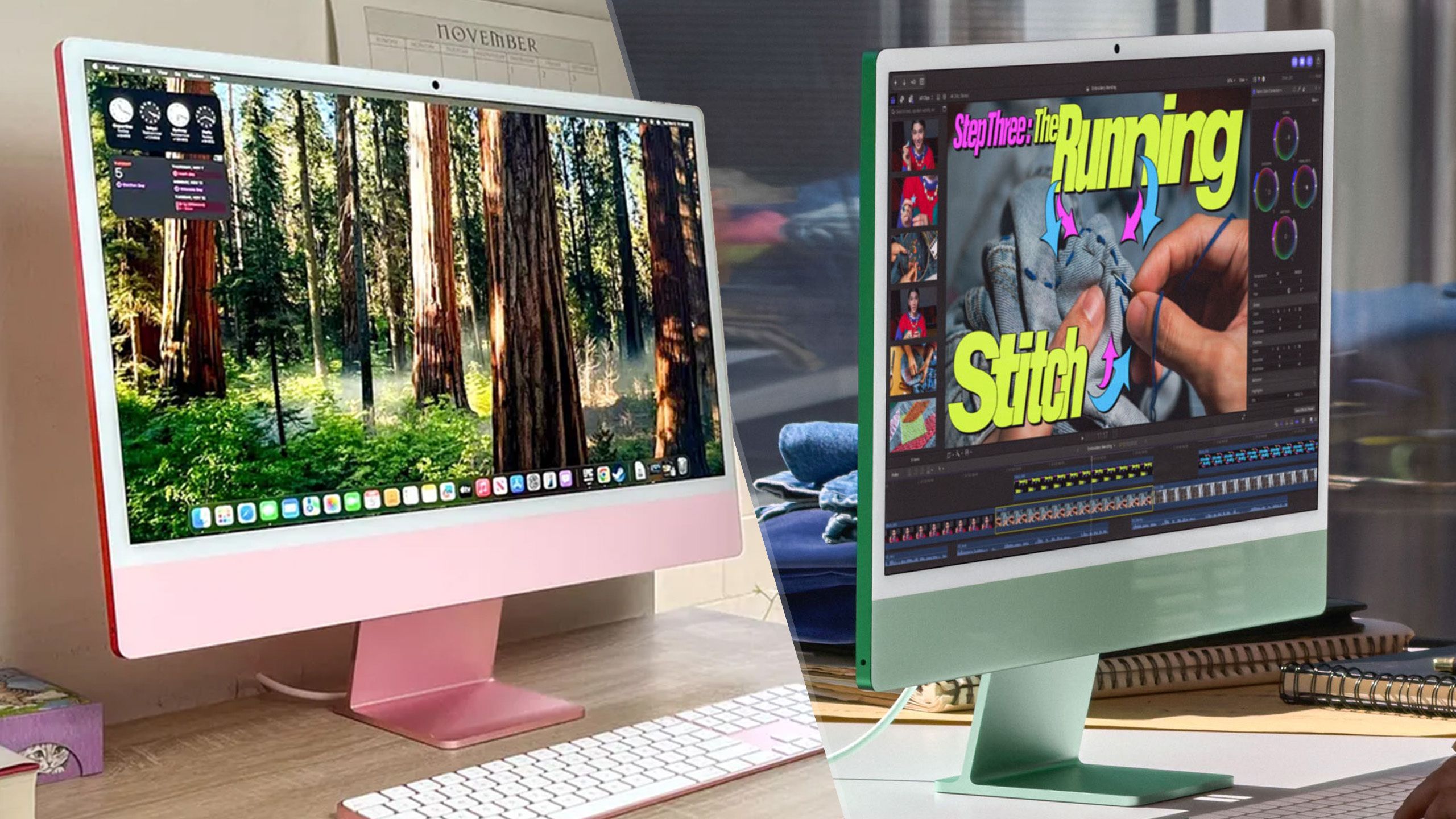
(Image credit: Apple / Future) The ultimate all-in-one just got an upgrade: the M6 iMac is here. But if you already have the M4 model, is this worth the upgrade?Because if you’re looking at the press photos, you’ll be hard-pressed to spot the difference. Don’t strain your eyes. On the outside, these two machines are identical twins. But it’s what’s inside that counts.Apple’s done some serious surgery under the hood — significantly beefing up the internals to handle the massive local compute requirements of Siri AI, as well as the increasing workflow demands.So if you are sitting on an M4 iMac, or still clinging to an older model, here is the brutal face-off to help you decide if the M6 is actually worth your money.Pre-order iMac M6: Starting at $1,499 (pre-orders open Wednesday, October 28 at 1:10pm ET)M6 iMac vs M4 iMac: Specs Swipe to scroll horizontally Spec M6 iMac M4 iMac Starting price $1,499 $1,499 (originally $1,299) Chip M6 (up to 2 super cores, 4 performance cores and 6 efficiency cores) + 12-core GPU M4 (up to 4 performance cores and 6 efficiency cores) + 10-core GPU RAM From 16GB From 16GB Storage From 256GB From 256GB Ports Up to 4x Thunderbolt 4 Up to 4x Thunderbolt 4 Wireless connectivity Wi-Fi 7 / Bluetooth 6 Wi-Fi 6E / Bluetooth 5.3 DIsplay 24-inch 4.5K Retina display 24-inch 4.5K Retina display Design and display: Copy and paste (Image credit: Apple / Future)If you were hoping for a larger display or the introduction of an OLED screen to match the iPad mini 8 and incoming touchscreen MacBook Pro, you are going to be disappointed.The M6 iMac retains the exact same 24-inch 4.5k Retina display. You get the same 500 nits of brightness, the same True Tone technology, and the same option to upgrade to Nano-texture glass. It’s a fine display, don’t get me wrong, but I was hoping for something — would 120Hz really be so difficult to add? (Image credit: Apple / Future)As for the design, Apple didn’t update the paint bucket. M6 iMac comes in the same seven colors as M4: blue, green, pink, yellow, purple, orange and silver. The 12MP Center Stage camera remains unchanged, same with the up-to-four Thunderbolt 4 ports.Sign up to the Tom's iGuide weekly newsletter with coverage on everything from product launches to software updates, this is your go-to source for the latest updates on all the best Apple content.It’s the same hardware wrapped around a much faster engine, so let’s talk about the real difference here.The power jump: Escaping RAMageddon with raw compute (Image credit: Apple / Future)Here’s where the new iMac actually flexes its muscles. The tech industry is currently in the middle of an AI arms race, and local processing requires serious hardware to prevent your machine from choking.The M6 chip jumps up from the M4’s 10-core CPU and GPU configuration up to a 12-core mix. But the most vital upgrade isn’t the core count; it’s the data pipeline that increases memory bandwidth from the M4’s 120 GB/s to 170 GB/s.And when combined with the new dual 16-core Neural Engine, Apple claims the M6 delivers up to 5x faster on-device AI performance than the M4. If you’re relying heavily on Siri AI or running local LLMs (Large Language Models), the bottleneck has been truly smashed.We’ve already tested the M6 in the Mac mini, so here’s how it fares against the M4 iMac. Swipe to scroll horizontally Performance Benchmarks Header Cell - Column 0 Mac mini M6 iMac M4 Geekbench 6 single-core 4708 3646 Geekbench 6 multi-core 21405 14724 Handbrake (Mins:Secs) 2:45 5:03 Geekbench AI ML Neural Engine test (Quantized score) 81162 50681 Pugetbench Photoshop test 16343 10419 Plus, shoutout to the wireless upgrades too — bumping up to a much faster and stable Wi-Fi 7 and Bluetooth 6 (up from the M4’s Wi-Fi 6E and Bluetooth 5.3).Verdict: Should you upgrade? (Image credit: Apple / Future)I’m torn on this, so let me break it down for you. There are several answers!If you own an M4 iMac and you’re just doing day-to-day work: Absolutely not. Save your money. The M4 remains a capable machine — provided your daily workflow doesn’t involve intensely heavy local AI processing or rendering massive 3D scenes in Blender. At which point, if you’re doing all that, you’ll be looking at Pro or Max chips anyway!If you own an M4 iMac and want to dabble with local AI: The improvements to that Neural Engine and GPU make AI performance uplifts worthwhile here to upgrade.If you own an M1 or Intel iMac: Hit that buy button right now. M6 is up to 18x faster than the most popular Intel-based iMac. The leap in performance, transition to Thunderbolt 4, Wi-Fi 7 and sheer AI processing power of M6 makes this the perfect time to ditch your aging desktop. Follow Tom's Guide on Google News and add us as a preferred source to get our up-to-date news, analysis, and reviews in your feeds. More from Tom's GuideCancel your iPhone Duo pre-order: Here's why I think the iPad mini 8 and iPhone 18 Pro combo is cheaper and betterI strapped a touchscreen to my MacBook Pro to see if macOS is ready for next week — 3 things that need fixing quicklyApple MacBook Pro M6 just unveiled with 30% faster graphics, 25% faster AI and up to 24 hours of battery life Jason brings a decade of tech and gaming journalism experience to his role as a Managing Editor of Computing at Tom's Guide. He has previously written for Laptop Mag, Tom's Hardware, Kotaku, Stuff and BBC Science Focus. In his spare time, you'll find Jason looking for good dogs to pet or thinking about eating pizza if he isn't already.
M6 iMac vs M4 iMac: Is Apple’s latest all-in-one actually worth the upgrade?
Full Article
Original Source
Read the full article at Tomsguide →KhanList aggregates and links to publicly available news content. We do not host full articles from third-party sources. Always verify important information with original sources.