
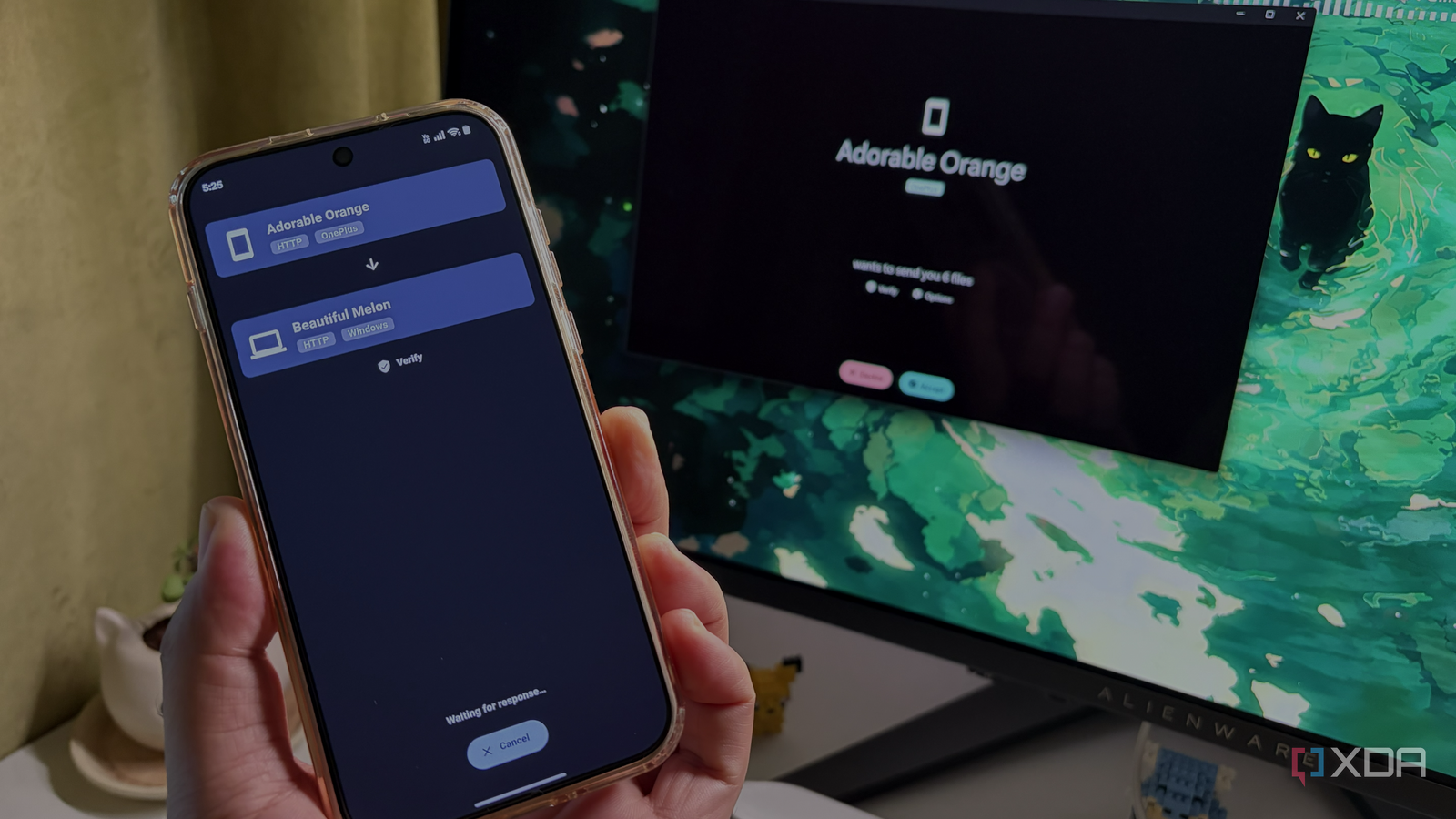
Published Nov 24, 2026, 4:00 PM EST After a 7-year corporate stint, Tanveer found his love for writing and tech too much to resist. An MBA in Marketing and the owner of a PC building business, he writes on PC hardware, technology, and Windows. When not scouring the web for ideas, he can be found building PCs, watching anime, or playing Smash Karts on his RTX 3080 (sigh). Seamless cross-platform file-sharing has been one of the most pertinent problems in most people's workflows. If you have devices running on different operating systems, you're probably relying on a third-party app to somehow transfer your files. AirDrop works almost flawlessly, but it's limited to the Apple ecosystem. I have a Windows PC and Android phone, so I have been using Send Anywhere till now, but I've just found something way better. I admit I'm late to the LocalSend party, but I'm glad I discovered it. LocalSend is an open-source application supporting seamless file-sharing and messages across Windows, macOS, Linux, Android, and iOS. You just need both devices on the same network and the app installed on both of them. If you don't like the idea of another app, it has a web version as well. There are no size limits, and nothing is stored in the cloud. LocalSend is the cross-platform AirDrop killer I needed I can finally use a single app, no matter the OS I've never been a fan of iOS or macOS, but the Apple ecosystem does have a few enviable benefits, AirDrop being one of them. My partner relies on it for sharing stuff across her iPhone, iMac, and MacBook, but I need to look for other options. There are more than enough third-party apps for cross-platform file-sharing, but none of them are perhaps as polished as LocalSend. It's a lightweight (less than 70MB) app on Windows, and it's free and open-source. I've grown fond of its minimalist yet beautiful UI and the cute names it assigns to every device on the same network. Yes, that's the only prerequisite you need to share files across basically any OS. Whether I need to send photos from my Android phone or my partner's iPhone to my Windows PC, I don't need to think about which app to use. LocalSend doesn't need you to create an account, nor does it store files on a server somewhere. The transfers are between the two devices in question, and they're end-to-end encrypted. There are no ads, unlike some other file-sharing apps, or intrusive tracking. The UI runs smoothly, and the transfer speed is limited by your network speed alone. And you don't even need to install the app, although it makes the process smoother on phones. You can even enforce a PIN to add an extra layer of privacy, so that enabling Quick Save (auto-accept) doesn't expose you to unwanted transfers. A nice addition is the ability to change your device name. I'm still on the auto-generated "Beautiful Melon" for now, but I might change it to something more personal. It has replaced Send Anywhere on my phone and PC I can never go back As I mentioned above, I had been using Send Anywhere before moving to LocalSend because that's the app I landed on a few years back. I was looking for a free and simple solution to share files across devices, and Send Anywhere fit the bill. It wasn't the best in terms of the UI — there were too many tabs and options for a file-sharing app. Everything was crammed into a rather small area. Plus, it had ads on the free tier which were too intrusive for my taste. Still, it worked most of the time. I say "most" because I remember losing connection or encountering disappeared files if I didn't keep the app active on both my phone and PC. Sometimes, even when my phone said the transfer was complete, my PC never received the files, and I had to resend them. LocalSend is not only a stark departure from the visual clutter and ad-riddled UI of Send Anywhere, but it's also much more reliable. In the time I've been using it, I have only great things to say about it. As long as all my devices are on the same network, I don't need to think about using any other app. LocalSend can't do it all The local network–only restriction of LocalSend dictates that I need to look elsewhere if I need to send files to someone outside my home network. Getting photos and videos from my friends after a trip or sending work files to my brother (and XDA colleague) requires me to use PairDrop, another great open-source and web-based file-sharing solution. PairDrop doesn't care if you're on the same network or not. Once you're paired with someone on the internet or join a temporary room, you can send whatever you want — no limits, no storing on the cloud. Your files are encrypted, and there are no ads here either. PairDrop is the other half of my file-sharing workflow, while LocalSend fits a particular part of it. I like the experience of using LocalSend on my phone, despite the fact that PairDrop can achieve the same result on local networks, too. I should have switched to LocalSend years ago LocalSend isn't a new app; it launched back in 2023. If I remember correctly, I have been using Send Anywhere for at least the last two years. I wish I had discovered LocalSend back then, so I wouldn't have to suffer through the minor annoyances of Send Anywhere. LocalSend is now one of the best free and open-source tools in my workflow. LocalSend LocalSend is a multi-platform file transfer app that's open-source, secure, and fast.
LocalSend is the first app I install on every device because it does AirDrop across Windows, Android, and Linux
Full Article
Original Source
Read the full article at Xda-developers →KhanList aggregates and links to publicly available news content. We do not host full articles from third-party sources. Always verify important information with original sources.