
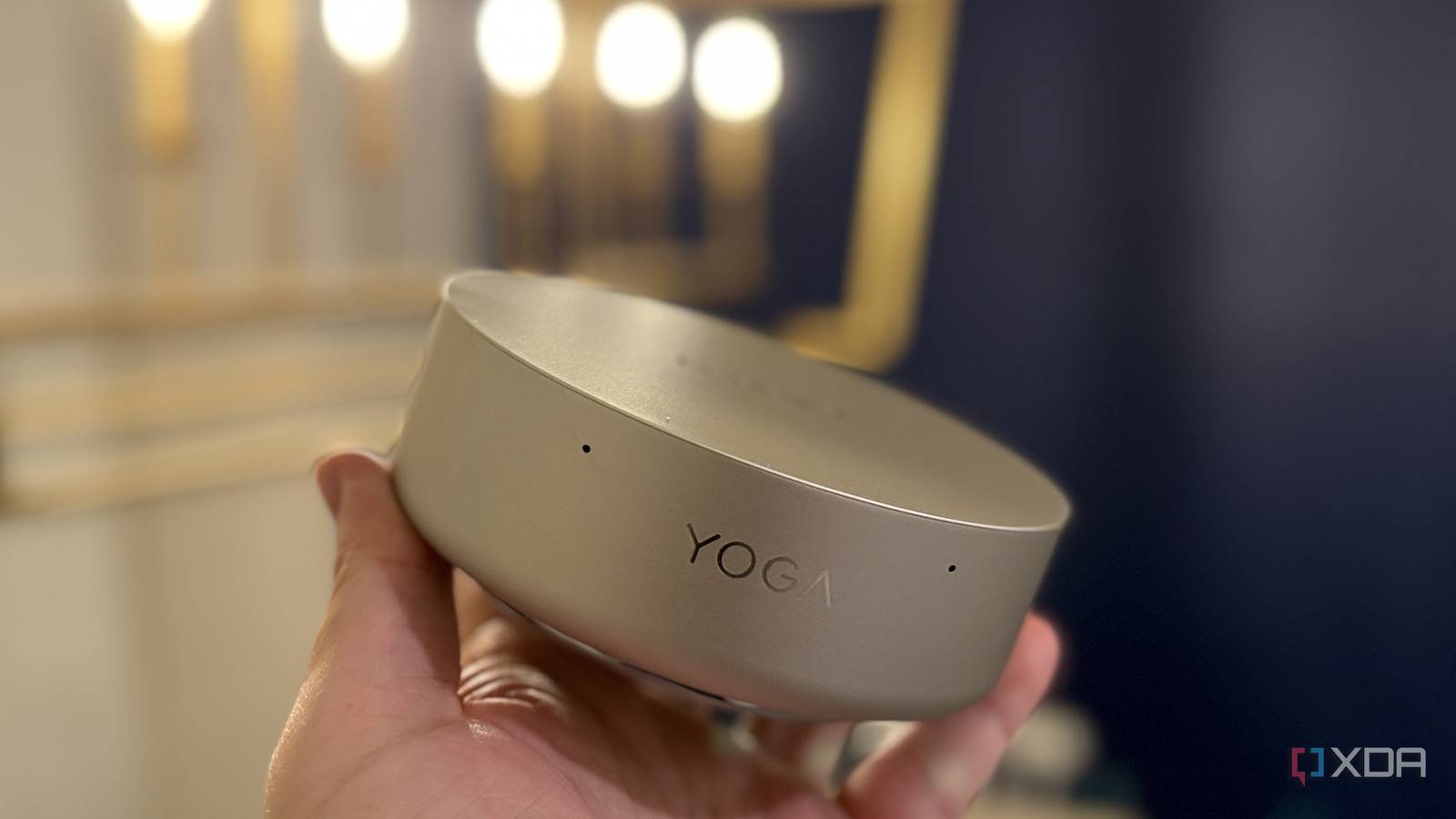
Published Oct 11, 2026, 9:00 AM EDT Maker, meme-r, and unabashed geek, Joe has been writing about technology since starting his career in 2018 at KnowTechie. He's covered everything from Apple to apps and crowdfunding and loves getting to the bottom of complicated topics. In that time, he's also written for SlashGear and numerous corporate clients before finding his home at XDA in the spring of 2023. He was the kid who took apart every toy to see how it worked, even if it didn't exactly go back together afterward. That's given him a solid background for explaining how complex systems work together, and he promises he's gotten better at the putting things back together stage since then. Sign in to your XDA account Look, everyone knows that I love mini PCs. There's just something about the form factor that excites me, whether that's a Mac mini, or something more powerful designed for local LLM work. But I'll also be one of the first to say there aren't many innovative designs out there, since most mini PCs are just some sort of box. Then the Lenovo Yoga Mini landed on my desk, looking like it literally came from outer space. This puck-shaped PC has a lot going for it, with a powerful Intel Core CPU, quiet cooling, and a snazzy light ring. It's designed to be seen, not stowed behind your monitor, and I like that. It's not the easiest thing to upgrade, and the RAM is soldered on, but it slaps harder than a puck in the NHL. About this review: Lenovo provided the Yoga Mini used for this review and had no input into its content. Yoga Mini PC (Intel) $1712 $2151 Save $439 8/10 CPU Intel Core Ultra 5 325, Intel Core Ultra X7 358H Graphics Intel Graphics, Intel Arc B390 Memory 16GB or 32GB LPDDR5X-8533 Storage 512GB, 1TB SSD Ports 2x Thunderbolt 4, 1x HDMI 2.1, 1x 2.5 GbE, 1x USB-A 10 Gbps, 2x USB-C 10 Gbps, 3.5mm audio jack Operating System Windows 11 Dimension 130 x 130 x 48.6 mm (5.12 x 5.12 x 1.913 inches) Weight Around 0.6 kg (1.3 lbs) Speakers 2W x1 Microphone Dual Pros & Cons Excellent port selection for the form factor Built in fingerprint scanner, speaker, and microphones Impressive performance Expensive Price, specs, and availability The Lenovo Yoga Mini PC is available from Lenovo and major electronics retailers like Best Buy, starting at $999 for the Ultra Core 5 325 base model. That's not the one we were sent for review; however, ours is the more powerful Intel Core Ultra X7 358H, with 32GB of RAM and 1TB of storage. That's currently $1,712 on Lenovo, with a bundled wireless mouse and keyboard. The base model is currently $700 at Best Buy, making it a convincing alternative to the Mac mini (though you'd get more performance on the Apple side). Yoga Mini PC (Intel) CPU Intel Core Ultra 5 325, Intel Core Ultra X7 358H Graphics Intel Graphics, Intel Arc B390 Memory 16GB or 32GB LPDDR5X-8533 Storage 512GB, 1TB SSD Ports 2x Thunderbolt 4, 1x HDMI 2.1, 1x 2.5 GbE, 1x USB-A 10 Gbps, 2x USB-C 10 Gbps, 3.5mm audio jack Operating System Windows 11 Dimension 130 x 130 x 48.6 mm (5.12 x 5.12 x 1.913 inches) Weight Around 0.6 kg (1.3 lbs) Speakers 2W x1 Microphone Dual What I liked about the Lenovo Yoga Mini This is one stylish circle The Lenovo Yoga Mini will impress you from the second you take it out of the box, because I can't remember the last time I opened up a circular piece of tech that wasn't a smart speaker. Inside the puck-shaped housing, you get the power of a laptop, plus a better selection of ports, from a 2.5 GbE wired LAN port to Thunderbolt 4, HDMI 2.1, and a single USB-A port. You also get a fingerprint reader built into the power button, two microphones for clear calls, and a built-in accelerometer that lets you turn the top of the Yoga Mini into a customizable button, much like tapping the back of your iPhone to trigger features. This device is made to live on your desk, within easy reach and view. This device is made to live on your desk, within easy reach and view. After using a string of laptops with fingerprint scanners, it's one of my favorite things now, and I love that it's included on this mini PC. And Panther Lake still impresses We got the more capable Intel Core X7 358H version, and we plugged it into a 4K OLED for all the time we used it. It boots fast, feels responsive on the desktop, and the midrange CPU is pretty capable. It's slightly more capable than a few laptops I've tested with the same CPU inside; the mini PC's extra thickness gives it more space for cooling, and it shows. Lenovo Yoga Mini (Intel Core X7-358H) Asus Zenbook A16 (Snapdragon X2 Elite Extreme X2E-94-100) Asus Zenbook 14 (Core Ultra 9 285H) Dell XPS 14 (2026) (Intel Core Ultra X7-358H) Asus Zenbook Duo (Intel Core Ultra X9 388H) HP EliteBook Ultra (Snapdragon X Elite X1E-78-100) PCMark 10 (AC / battery (best perf) / battery (balanced) 9,728 / - / - - / -/ - 7,480 / 7,134 / 6,255 8,980 / 9,561 / 8,313 9,474 / 9,692 / 9,112 ----- Geekbench 6 (single / multi) 2,778 / 15,088 3,521 / 22,978 2,807 / 15,390 2,835 / 16,358 2,956 / 17,343 2,392 / 13,266 Cinebench 2024 (single / multi) 121 / 988 146 / 1,490 125 / 746 123 / 806 129 / 1,114 101 / 826 3DMark (Time Spy / Wild Life / Night Raid) 6,892 / 41,772 / 45,456 4,516 / 38,708 / 50,653 4,401 / - / 31,322 6,136 / 33,695 / 37,886 7,721 / 36,969 / 47,631 1,793 / --/ 24,654 CrossMark (Overall) 1,949 2,091 2,032 1,905 2,010 1,007 I didn't play much in terms of games this time, but the X7 358H and B390 iGPU is certainly powerful enough for light gaming, and maybe even some AAA titles at 1080p. Both Thunderbolt 4 ports and both USB-C ports can drive DisplayPort monitors, so you can do a one-cable setup if your monitor supports 100W PD or higher, which I love. What I didn't like about the Lenovo Yoga Mini You're paying laptop prices for something without a screen The Intel Core X7 358H version is roughly in the same price range as a similarly specced laptop. The cheaper Core Ultra 5 option is in Mac mini territory, but not quite as capable. That puts it in an odd place, but the styling and port selection could be the decider. The ports are all perpendicular to the rounded edge, so cables stick out a little, like a crayon drawing of the sun. It's less annoying than I expected, and actually gives larger USB and HDMI cables more room. Oh, and to get inside to swap the SSD for a larger one, you'll need a suction cup, to pry off the top lid. You can't upgrade the RAM because it's soldered on. Should you buy the Lenovo Yoga Mini PC? You should buy the Lenovo Yoga Mini PC if: You want a stylish mini PC with something different You like the idea of fingerprint sign-on You want a Mac mini alternative that runs Windows You should NOT buy the Lenovo Yoga Mini PC if: You want a more powerful mini PC You want to play games You need more than 32GB of RAM The Lenovo Yoga Mini is a wonderful mini PC, unlike anything else I've physically used. The design might be polarizing, but those who find the quirky puck shape endearing will naturally gravitate to it. It's sleek, well-crafted, and silent in use, and I can't say much better about a mini PC. Yoga Mini PC (Intel) $1712 $2151 Save $439 8/10 CPU Intel Core Ultra 5 325, Intel Core Ultra X7 358H Graphics Intel Graphics, Intel Arc B390 Memory 16GB or 32GB LPDDR5X-8533 The Lenovo Yoga Mini is a sleek desktop that looks great from any angle. Storage 512GB, 1TB SSD Ports 2x Thunderbolt 4, 1x HDMI 2.1, 1x 2.5 GbE, 1x USB-A 10 Gbps, 2x USB-C 10 Gbps, 3.5mm audio jack Operating System Windows 11 Dimension 130 x 130 x 48.6 mm (5.12 x 5.12 x 1.913 inches) Weight Around 0.6 kg (1.3 lbs) Speakers 2W x1 Microphone Dual
Lenovo's tiny AI PC ditches the box, and it's the smartest form factor I've seen in years
Full Article
Original Source
Read the full article at Xda-developers →KhanList aggregates and links to publicly available news content. We do not host full articles from third-party sources. Always verify important information with original sources.