
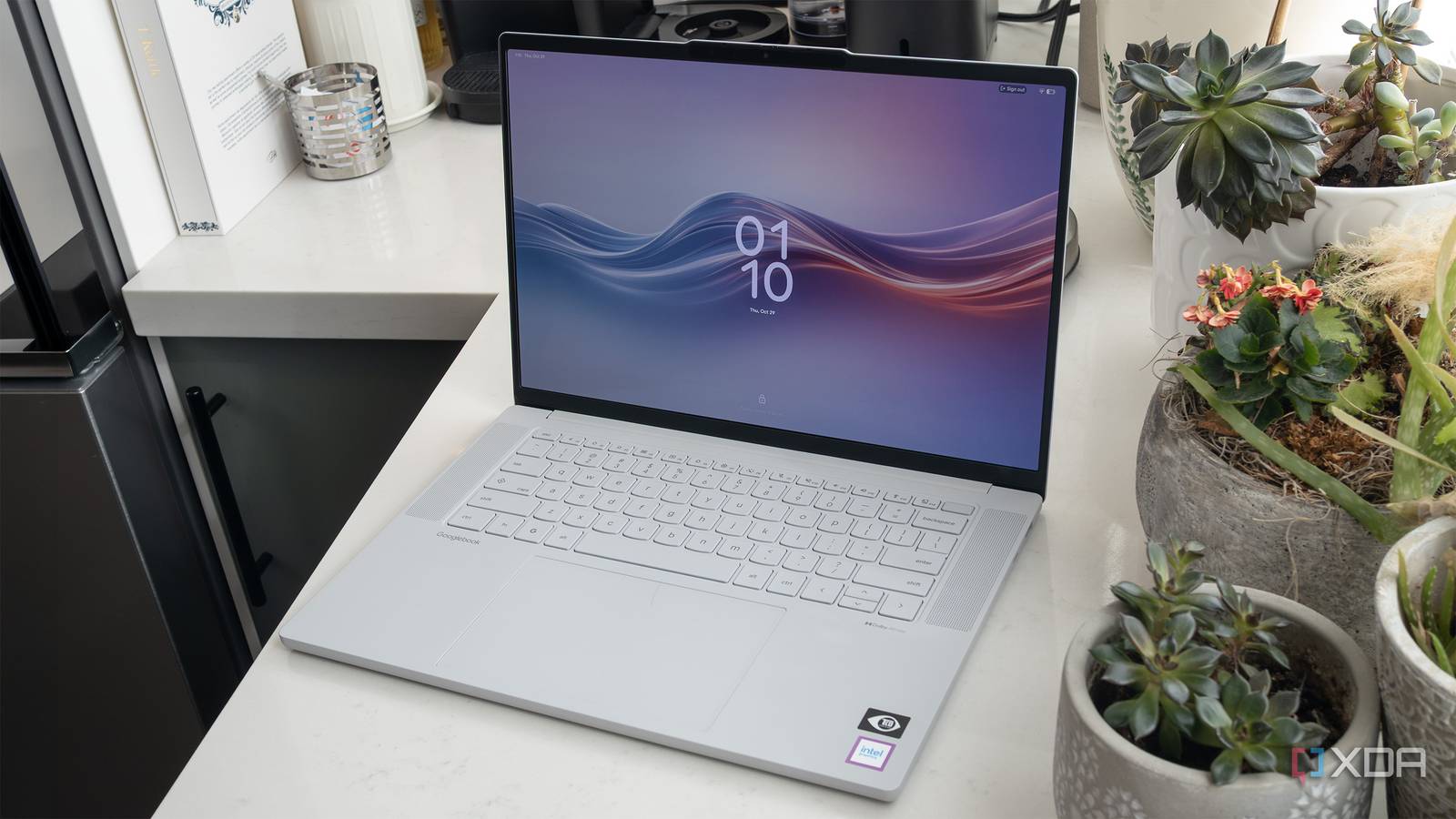
Published Oct 31, 2026, 9:00 AM EDT Patrick O'Rourke is XDA's News Editor and Entertainment Segment Lead. Previously, he was Pocket-lint's Editor-in-Chief, the Editor-in-Chief of Canadian tech publication MobileSyrup, and earlier in his career, he worked as the technology editor at the Financial Post and Postmedia. He's based in Toronto. Over the past 15 years, he's written thousands of articles. Patrick has also interviewed dozens of tech industry executives and covered GDC, E3, Gamescom, WWDC, Apple keynotes, Samsung Unpacked events and more. Patrick has a BA in journalism from Toronto Metropolitan University. Sign in to your XDA account Lenovo's Googlebook 15 is a perplexing laptop. Its design is far more playful than Asus' more rigid and serious Googlebook 14 and the utilitarian-looking HP Googlebook 14, thanks to its more rounded edges. Its metal chassis is even covered with an anti-fingerprint coating that gives it a smooth, almost plastic-like feel. It's a pretty unique aesthetic that makes it look like a very expensive toy, but in a good way, especially given how firm and well-built the Googlebook 15 feels overall. In short, it's a really nice laptop. Then there's Googlebook OS, which, as it stands right now, is lackluster at best. The operating system feels incomplete in a variety of ways; whether it's app support and optimization or odd stability quirks, it quite simply doesn't feel ready for prime time. Unfortunately for Lenovo, the Googlebook 15's operating system holds the laptop back considerably, and during my time with it, I found myself wishing it just ran Windows 11. Lenovo Googlebook 15 6/10 Operating System Googlebook OS CPU Intel Core Ultra 5 325 (8 cores) GPU Integrated Intel Graphics RAM 16GB LPDDR5X Pros & Cons Great-looking design Excellent OLED display Googlebook OS is a mess Desktop app support is bad Price, specs & availability Lenovo's Googlebook 15 starts at $1,099 (originally announced at $1,300). The laptop features an Intel Core Ultra 5 325 CPU alongside an integrated GPU, 16GB of RAM, and a 512GB SSD. Other specs include a 15.3-inch 16:10 2880 x 1800 pixel resolution OLED display, a 5-megapixel camera, Wi-Fi 7, and Bluetooth 6.0. Ports include two Thunderbolt 4 ports, one USB-A port, one HDMI 2.1 port, and a 3.5mm headphone jack. The laptop has a 70Wh battery and supports 65W USB-C charging. The Googlebook 15 is available now at several retailers, including directly from Lenovo and Best Buy. As far as pricing is concerned, this is a steep cost for what is ultimately a great-looking and feeling laptop equipped with a very experimental and incomplete operating system. That said, the price is in line with the other Googlebooks included in the laptop series' launch lineup. Lenovo Googlebook 15 specs CPU Intel Core Ultra 5 325 (8 cores) GPU Integrated Intel Graphics Display (Size, Resolution) 15.3-inch OLED, 120Hz, 1000 nits peak brightness, 16:10, 2880 x 1800 RAM 16GB LPDDR5X Storage 256GB/512GB NVMe PCIe Gen 4 M.2 2242 Battery 70Wh, 65W USB-C charging Ports 2 Thunderbolt 4, 1 USB-A, 1 HDMI 2.0, 1 3.5mm audio jack Operating System Googlebook OS Webcam 5-megapixel Wi-Fi connectivity Wi-Fi 7, Bluetooth 6.0 Dimensions 13.43 × 9.29 × 0.63-inches (341 x 236 x 15.95mm) Weight 2.84lb (1,290g) Speakers 2x 2W tweeters & 2x 2W woofers, Dolby Atmos Colors Cloud Grey Price $1,100 Googlebook OS holds the Googlebook 15 back in a big way I don't review devices based on their potential While I'd typically start with how a device looks and feels, right now a Googlebook review is more of an unpacking of Googlebook OS, Google's new laptop operating system. At a very high level, Googlebook OS aims to blend a traditional desktop environment with Android and Gemini. On paper, this seems like a solid idea, but in practice, Googlebook OS feels like a mishmash of ideas that never quite come together, and I can't shake the feeling it's just a half-baked ChromeOS reboot. On the plus side, the OS looks great overall. It's playful and fun and makes great use of Google's colorful Material 3 Expressive design. The one exception is the settings panel; it looks out of place, like it was pulled directly from Android 17 and dropped onto the Googlebook 15's screen. Overall, Googlebook OS is pretty easy to pick up and instantly understand if you're familiar with Android or even ChromeOS. The usual desktop OS stuff is here, too. There's an app drawer, the ability to search for files across Googlebook OS, and a status bar at the top that shows the time, notifications, and connectivity controls (the time is on the left, though, which feels a bit odd at first). You can even place widgets on your desktop, but I didn't find any useful ones, so I turned the feature off pretty quickly. Things start to fall apart when it comes to Googlebook OS' overall stability. I've run into several situations where apps fail to load initially, then appear out of nowhere after I've moved on to something else. Sometimes, touchscreen input dies entirely, and in some cases, connecting my Pixel 11 Pro to the laptop failed repeatedly (and that's after I ran into connection issues during the initial setup). Hopefully, these problems will be ironed out in the coming months. On a side note, Continue On, Google's take on Apple's Handoff, is genuinely great when it works, but I haven't found I use it that often. On the AI front, in theory, I really like the idea of Googlebook OS' Magic Pointer. It's basically a Gemini-powered mouse cursor with contextual awareness, but I haven't found that I use it much. It's basically a desktop OS version of Android's Circle-to-Search. In most cases, I just type questions into Gemini like I do with my Pixel 11 Pro. As clever as the Magic Pointer is, I just rarely need to actually look something up about what's on my screen. The GooglebookOS app situation isn't great Even some apps that are supposedly optimized for desktop are disappointing App support is by far Googlebook OS' biggest issue. There isn't a truly optimized Googlebook version of Firefox, my usual browser. The same goes for other apps like Adobe Photoshop and Lightroom, which are listed as optimized but really don't seem to be. Both apps are basically expanded Android tablet versions, with missing features and finicky touchscreen controls. The Spotify app is very similar despite being listed as optimized. Its UI elements are ridiculously tiny, and it's full of dead space. Only a handful of apps are listed as being made specifically for desktop, including CapCut Pad, BandLab, and Luminar. However, none are part of my current workflow, and I've always believed an operating system should adapt to you, not the other way around. Chrome works great, though, so I guess that's a small win that's expected. What Googlebook OS really needs is more apps built from the ground up for desktop and fewer optimized apps that are really just slightly altered tablet versions. There are also Compatible with Desktop, Better on the Website (where the web version offers a better experience than the Android app), and Built for Mobile apps. While web-based apps generally work fine in Googlebook OS, the other two categories aren't really even worth exploring because their user interfaces are often too frustrating to navigate with a trackpad, or they perform poorly. While Googlebook OS' Arm64-to-x86-64 binary translation layer, which allows Arm Android apps to run on Intel-powered hardware, works well, it's far from perfect (I haven't used one yet, but my guess is Arm64 Qualcomm Googlebooks offer better performance). Will the Googlebook OS third-party app ecosystem grow significantly in the coming months and years? I definitely hope so, but given the lack of apps designed from the ground up for ChromeOS, I'm very skeptical, and that makes it even harder for me to buy into the Googlebook dream. This is a great-looking laptop It's just a shame about the operating system At the top of this review, I wrote that I'm fond of the Googlebook's overall design, including its soft, plastic-like metal chassis and friendly look. That positivity extends to the keyboard, too. I'm not a fan of the unusually shaped letter, number, and punctuation keys, but thankfully, the keys still have a lot of bounce, making the Lenovo Googlebook 15 a joy to type on (and with a laptop, that's all that really matters). The keyboard also feels much bigger than the more cramped Asus Googlebook 14's. Like every Googlebook, there's a cool Glowbar LED strip on the laptop's rear — it doesn't really do much right now, but I still think it's neat. An odd design quirk I'm not fond of is the fact that the top of the laptop's display juts out a bit. I assume this is to make it easier to open and close it since the built-in camera sits snugly within its bezels, but it feels unnecessary. It's a minor gripe, but it makes the display look uneven at first. Like the notch in Apple's various MacBooks, I quickly forgot it was even there after a few hours, though. On the screen front, I'd prefer the Lenovo Googlebook 15 to be a little smaller at 14-inches (overall, the laptop feels pretty big), but I have to admit the 2880 x 1800 pixel resolution 120Hz OLED panel looks great. Colors are vibrant, with impressive contrast levels and the blacks you'd expect from an OLED screen. It also gets plenty bright at 1,100 nits, and covers 100% of the DCI-P3 color gamut. Would I take the Googlebook 15's look over Asus' or HP's Googlebook? Probably not. I'm a low-key guy who prefers a more subtle, serious design, but it's clear Lenovo knows how to make a laptop that feels great in this price range. It might not speak to my design sensibilities, but I have a feeling the Googlebook 15's look will land well with a lot of people. While I touched on performance already, I also ran a few benchmarks for those that care about all-important numbers. With Geekbench 7, the Googlebook 15 hit 2,349 for single-core and 10,289 for multi-core. In 3DMark's Steel Nomad Light, the Googlebook 15 scored 892 overall, with an average framerate of 6.61. The only other thing worth mentioning is that the laptop's fans seem to always be on and frequently spin up a bit louder when using apps like Lightroom or Photoshop (this is similar to my experience with Asus' Googlebook 14). In my experience, battery life is pretty close to Lenovo's 13-hour estimate, with about 10-11 hours on a typical day. Should you buy the Lenovo Googlebook 15? You should buy the Lenovo Googlebook 15: You're a big Android user, and you like the desktop version of the OS. You're cool with Googlebook OS being very frustrating right now. You should not buy the Lenovo Googlebook 15 if: You want a stable experience that just works (buy a Windows 11 laptop or a MacBook instead). You aren't already an Android user. The straightforward answer is no. What stuck with me the most is the relief I felt when I switched back to my trusted MacBook Pro or my Windows 11 gaming PC. As solid as the Lenovo Googlebook 15's hardware is, Googlebook OS feels like an experiment that isn't quite ready. On the other hand, if you're a hardcore Android user and an expanded tablet version of Android appeals to you, the Googlebook 15 might make some level of sense for you. You just need to be aware that the app situation isn't great right now, and that you'll likely need to learn a range of new apps, or keep most of your usage tied to browser-based apps and Chrome. This is doable, of course, but at this price point, better laptop operating systems will cause far fewer headaches. Most people would be better off with a comparably priced Windows 11 laptop or a MacBook Air over Lenovo's Googlebook 15. Lenovo Googlebook 15 6/10 Operating System Googlebook OS CPU Intel Core Ultra 5 325 (8 cores) GPU Integrated Intel Graphics RAM 16GB LPDDR5X
Lenovo's Googlebook 15 is a fantastic laptop held back by an OS that isn't ready for prime time
Full Article
Original Source
Read the full article at Xda-developers →KhanList aggregates and links to publicly available news content. We do not host full articles from third-party sources. Always verify important information with original sources.