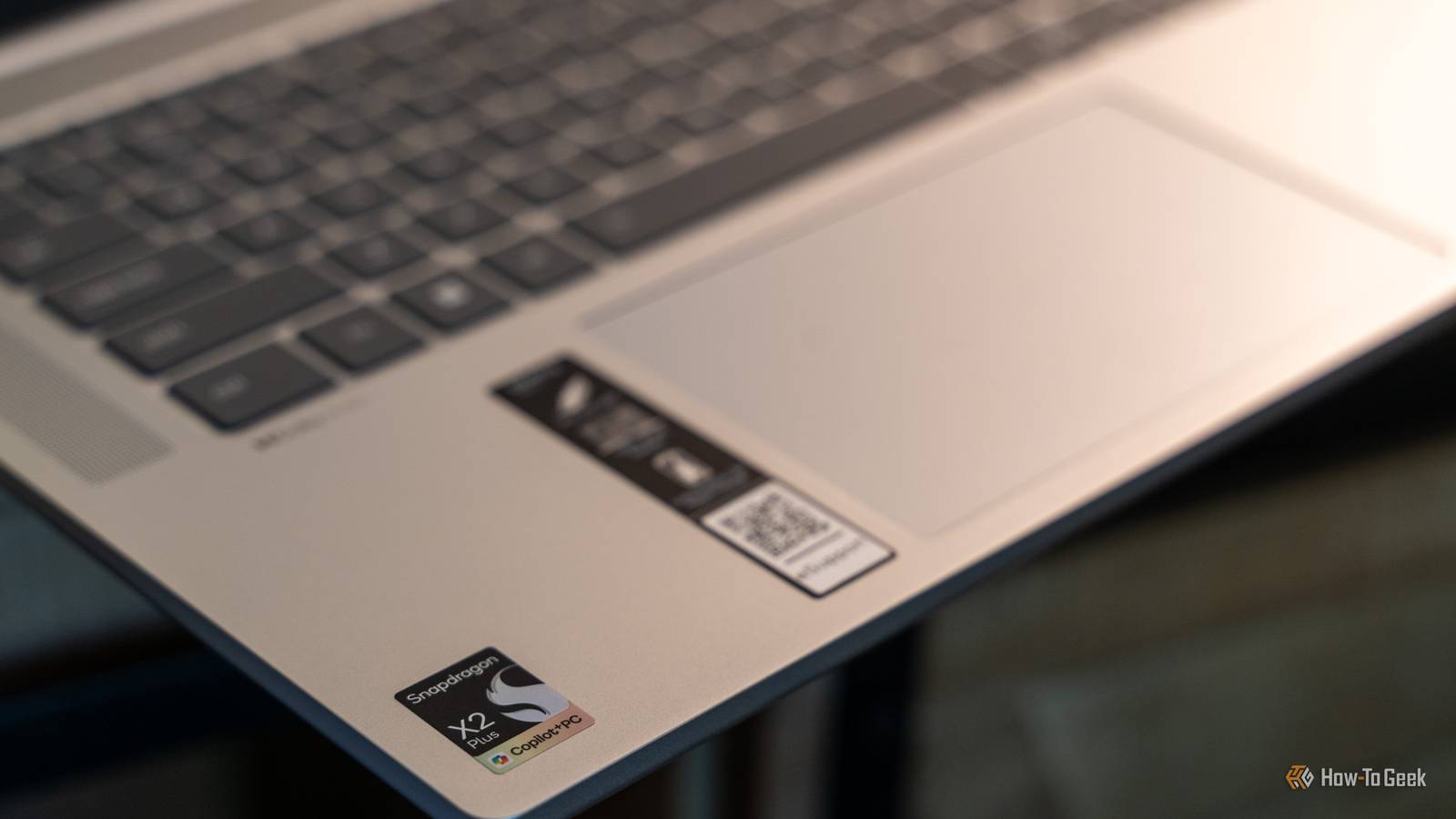
Published Jul 29, 2026, 2:00 PM EDT Patrick Campanale has been in the tech space for well over a decade, specializing in PC/gaming news and reviews, as well as maker-focused products to build small businesses. With a start in technology back in 2010 surrounding the Palm/webOS ecosystem, Patrick spent his formative years developing mobile applications as well as blogging for various publications, eventually leading to starting his own website in 2014. After running a technology blog for a few years, he stepped out of that role and into the world of high-end custom PC manufacturing and building, with a focus on YouTube video production and overclocking. Then, six years ago, Patrick joined the 9to5Toys team as an editor/writer/reviewer with over 14,000 articles being published there there, ranging from deals and roundups to in-depth reviews on the latest technology, video games, 3D printers, and more. In his free time, Patrick loves to create projects from wood using various robots and methods, including leveraging the technologies of CNCs and lasers. If Patrick isn't working on a computer or playing video games, he's likely in his 2-car garage workshop creating something unique. In addition to all this, Patrick is also a youth pastor at his local church where he feels God has called him to serve, and he loves every minute of it. When it comes to laptops, Windows on Arm seems to be taking center stage lately. The Lenovo IdeaPad Slim 5x Gen 11 is right in the middle of Windows on Arm, with the Snapdragon X2 Plus processor in tow. I was surprised at just how performant this mid-range laptop is, and actually think it's a better buy than its more expensive Snapdragon X2 Elite brothers. Lenovo IdeaPad Slim 5x Gen 11 8/10 Operating System Windows 11 CPU Snapdragon X2 Plus RAM 16GB/32GB Storage 512GB/1TB Lenovo's IdeaPad Slim 5x Gen 11 offers Snapdragon's latest X2 Plus processor, delivering fantastic processing power and battery life. Not only that, but the laptop is quite lightweight at just 3.1 pounds. Plus, it features all-day battery life so you can unplug in the morning and get through your whole day before having to plug back in. Pros & Cons Long battery life Solid performance across the board Great typing experience Good port selection No full-size SD card slot Can struggle with more intensive games Price and Availability The Lenovo IdeaPad Slim 5x is available for purchase from from Lenovo with pricing starting at $970. Specifications Brand Lenovo Operating System Windows 11 CPU Snapdragon X2 Plus RAM 16GB/32GB Storage 512GB/1TB Battery 4-cell 54.7Wh Display (Size, Resolution) 15.3-inch 1920x1200 IPS Camera 1080p Network Wi-Fi 7, Bluetooth 5.4 Model IdeaPad Slim 5X Gen 11 Finally, a mid-range laptop with great performance Better than expected performance in an affordable package Credit: Patrick Campanale / How-To Geek When the Lenovo IdeaPad Slim 5x first arrived, I wasn't sure what to think of the Snapdragon X2 Plus. It's the base-model processor in the Snapdragon X2 lineup, and I expected base-level performance. I was wrong. The Snapdragon X2 Plus surprised me in all the right ways. It's snappy, responsive, and handles both lightweight and medium-weight tasks with relative ease. There's really not a single thing I did on the IdeaPad Slim 5x where I felt it slow down, except for a few areas. Unzipping files is something that's actually pretty heavy on a system, depending on what's inside the zip file. If the zip file had a bunch of small files in it, then the IdeaPad Slim 5x struggled with it and it took quite a while. On the other hand, if it was a few larger files, it handled it fairly decently. Another area where the Snapdragon X2 Plus struggled in the IdeaPad Slim 5x was gaming. Let me get this out of the way: this is not a gaming laptop in the least. But, I always test how a laptop can play games, because just because something isn't designed for gaming shouldn't mean it can't game at all. The IdeaPad Slim 5x really isn't a gaming laptop, though. At 1920x1080 on low settings, Forza Horizon 5 struggled to break 30 FPS. 30 FPS is my marker for low-end performance. Ideally, I want to see closer to 60 FPS. The fact that all the settings were turned down to low and it still struggled to hit 30 FPS is very telling for its gaming performance. Credit: Patrick Campanale / How-To Geek However, Forza Horizon 5 is definitely a heavier game overall. Minecraft, for instance, runs just fine on this laptop, though big heavy modpacks can make it struggle, especially if you add shaders into the mix. But, for vanilla Minecraft, you should easily be able to explore worlds and enjoy the game, both locally on the laptop or on a remote server with friends. At the end of the day, though, the Lenovo IdeaPad Slim 5x definitely left me impressed in the performance department for a laptop in this price range. It felt extremely snappy and responsive through all my testing and I never really felt it slow down, which was a welcomed surprise. Something that really surprised me in the performance department is when I started to compare the Snapdragon X2 Plus to the Elite and Elite Extreme. On paper, the Elite and Elite Extreme are definitely more performant than the X2 Plus—as expected. But, in real-world use, the X2 Plus felt just as fast as the two more expensive chips. This is something that I really didn't expect, and I was very happy about. Unless I was doing ultra heavy workloads, the X2 Plus felt just as fast as the X2 Elite and Elite Extreme. Really, the X2 Plus impressed me so much that it's the main Snapdragon X2 processor I recommend to people who are looking for a Windows on Arm laptop. This laptop delivers a surprisingly nice typing experience And the rest of the input devices are top-notch, too I'm all about the way a keyboard and trackpad feel to use. I use an expensive mechanical keyboard at my desk, and I love the way my 14-inch M1 Max MacBook Pro's trackpad functions. It's hard to please me in that department. I was actually pleasantly surprised with the keyboard and trackpad on the Lenovo IdeaPad Slim 5x. The keys actually have a satisfying click to them, and they don't feel mushy at all. The trackpad is also large and has solid palm rejection, which is something not all Windows laptops have. In addition to the keyboard and trackpad, I was happy with the performance of the speakers, webcam, and microphones. Really, I think that the input devices Lenovo chose for this mid-range laptop all complement each other very nicely. Lenovo nailed the port layout on the IdeaPad Slim 5x The only thing it's missing is a full-size SD slot Ports can make or break a laptop experience. Apple found that out the hard way when they went all-in on USB-C and removed everything else. Lenovo actually has a really solid port selection and layout on the IdeaPad Slim 5x. On the left side, you have two USB-C ports capable of 10Gb/s speeds, Power Delivery 3.0, and DisplayPort 1.4, plus both HDMI 2.1 and a combination headphone/microphone jack. On the right side, there are two USB-A ports capable of 5Gb/s speeds, plus a microSD card reader and the power button. Yes, the power button is on the side of this laptop for some reason. However, this port layout and selection really give you a lot of capabilities. For starters, having both USB-C and USB-A means you can use new and old peripherals alike. The HDMI port means you can hook up an external display without any adapter, and the microSD slot delivers easy storage expansion. The only thing I would have liked to see is a full-size SD card slot. I'm a photographer and videographer, so I have to carry around a USB-C to SD card adapter to get any footage or photos to the IdeaPad Slim 5x. I know the laptop isn't designed for photographers specifically, but it still would have been nice to see it added. The all-day battery life claim is no joke Get ready to become confident leaving your charger at home Credit: Patrick Campanale / How-To Geek Windows on Arm has come a long way since I first used it, and battery life is one of the most improved parts of it. I had no problem unplugging the IdeaPad Slim 5x at the start of the day and getting through a full day's worth of work without having to plug back in. In fact, I eventually got comfortable not even bringing a charger with me when I went somewhere, so long as I was charged up before I left. Now, I wouldn't expect to get multiple days on a single charge with normal use. However, if you're only using it lightly, then you definitely could. I went a few weeks on a single charge with ultra light use, which is something Windows laptops used to not even be able to dream of doing. Should you buy the Lenovo IdeaPad Slim 5x Gen 11? Credit: Patrick Campanale / How-To Geek The Lenovo IdeaPad Slim 5x Gen 11 is a fantastic laptop. Coming in at under $1,000, this is actually one of the laptops I highly recommend people consider when shopping for a new system. The only drawback it has, really, is Windows on Arm. Windows on Arm is still in its infancy, though it's progressing quickly. Certain apps still require compatibility layers to function, and other apps just outright refuse to run at all. If you can get past that, I think the Lenovo IdeaPad Slim 5x Gen 11 is one of the best Snapdragon X2 Plus laptops on the market. It's snappy, has great battery life, offers a solid display, and has a fantastic port layout, making it a great all-around choice. Lenovo IdeaPad Slim 5x Gen 11 8/10 Operating System Windows 11 CPU Snapdragon X2 Plus RAM 16GB/32GB Storage 512GB/1TB Lenovo's IdeaPad Slim 5x Gen 11 offers Snapdragon's latest X2 Plus processor, delivering fantastic processing power and battery life. Not only that, but the laptop is quite lightweight at just 3.1 pounds. Plus, it features all-day battery life so you can unplug in the morning and get through your whole day before having to plug back in.
Lenovo IdeaPad Slim 5x Gen 11 Review: A solid Windows on Arm laptop under $1,000
Full Article
Original Source
Read the full article at Howtogeek →KhanList aggregates and links to publicly available news content. We do not host full articles from third-party sources. Always verify important information with original sources.