
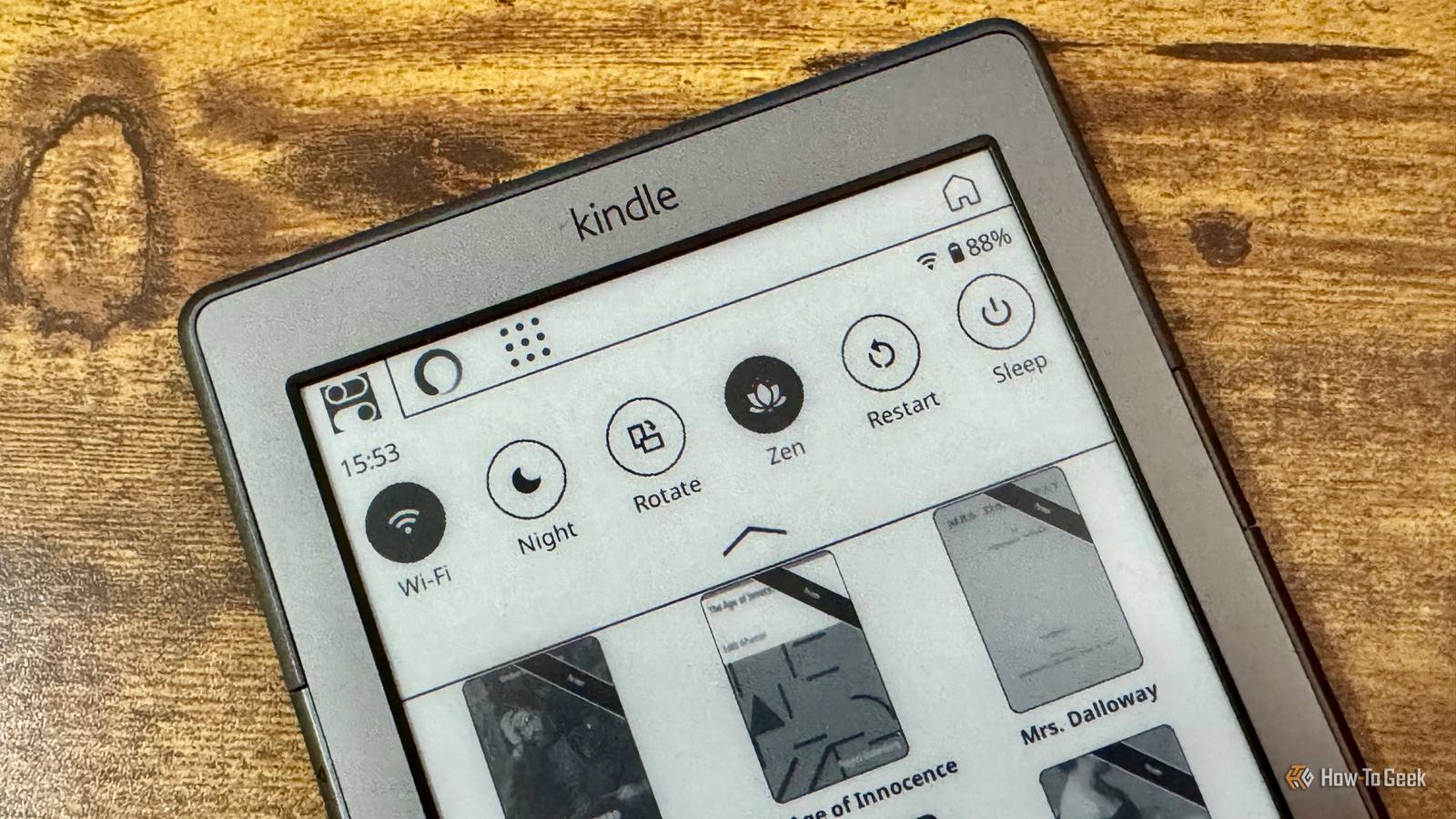
Published Aug 12, 2026, 11:00 AM EDT Adam has a degree in Engineering and has a life-long interest in technology. He has been writing for over a decade for various print and online publications, with a focus on consumer tech. He joined How-To Geek in 2024 while working at Pocket-lint. As well as being a long-term fan of Apple products, he also has a strong interest in smart home tech, running a Home Assistant server at home to automate all his smart home devices. He believes that the ideal smart home should work with minimal interaction from the user, with automations running as if by magic rather than requiring you to push buttons on a control panel. You can find more of his work on Muck Rack. I gave my old Kindle a new lease of life by jailbreaking it and installing KOReader. While KOReader is packed with features, it lacks the polished feel of the stock Kindle software. Thankfully, there's a free KOReader plugin that makes my Kindle way more useful while still looking great. KOReader has given my old Kindle new life Amazon had effectively killed it off Credit: Adam Davidson / How-To Geek In May 2026, Amazon dropped support for Kindle devices from 2012 or earlier. This includes my Kindle 4. It means I could no longer purchase, borrow, or download books from the Kindle Store or use features such as Send to Kindle. If I factory reset my Kindle, I also won't be able to register it with Amazon again. This was finally the encouragement I needed to jailbreak my Kindle, something I'd been considering for some time. After the jailbreak, I installed the KOReader document viewer, which can be used in a similar way to Amazon's default eReader software. Using KOReader, I'm no longer tied down to Amazon's ecosystem. Instead of Amazon sitting between me and my books, I can get books wherever I want, copy them to my Kindle, and read them without using the Kindle Store, Send to Kindle, or even requiring an Amazon account. KOReader is powerful, but it isn't pretty My biggest issue with KOReader was that it doesn't look great Credit: Adam Davidson / How-To Geek KOReader can do a lot more than a standard Kindle. It offers native EPUB support, as well as support for formats including DOC, DjVu, CBT, and CBZ files that a standard Kindle can't display. You get far more control over how your documents look, with the ability to change fonts, margins, line spacing, word spacing, and more. KOReader's PDF support is also far superior to a standard Kindle. You can adjust a multi-column document to display one column at a time or use the Reflow feature to reformat a PDF into an easy-to-read eBook style. KOReader isn't perfect, however. It's packed with features, but the UI leaves a lot to be desired. The standard Kindle software may not be nearly as useful, but it does look slick and polished. In comparison, KOReader's interface feels utilitarian and is definitely a case of function over form. The problem is that because KOReader offers so many features, the menus tend to feel cluttered. When you're reading a book, KOReader looks just as good as the standard Kindle does. It's when you're navigating the rest of the UI that things feel a little messy. The Zen UI plugin gives you the best of both worlds The power of KOReader with a stylish look I stuck with the standard KOReader UI for some time. I was so happy with finally escaping from Amazon's claws that I was more than willing to put up with the interface not looking quite as pretty. Eventually, however, I started to wish that common actions such as selecting a new book to read could feel a little more polished. I did a little digging and discovered Zen UI. It's a free plugin for KOReader that is designed to remove the clutter from KOReader to give it a clear and simple interface that makes using KOReader a more enjoyable experience. In Zen mode, Zen UI strips away most of the KOReader menus, leaving just a handful of the most useful controls. For basic reading, these are all you need, leaving a clean and uncluttered experience. You can bring back the full KOReader menus at any time by turning Zen mode off. Browsing books is also much nicer. KOReader does include a mosaic view to browse books by their covers rather than a list of text, but Zen UI adds a clean toolbar to the library view, with quick access to favorites, authors, and series, making it feel more like browsing books on a standard Kindle. There's even a lockdown mode that restricts access to settings and configuration menus and just leaves the ability to browse and read books. This is perfect if you're setting up a Kindle for your kids, as they don't have to try to navigate through menus to access their books. Reading my Kindle feels better than ever No ads, no promotions, just reading Credit: Adam Davidson / How-To Geek Zen UI was the final piece of the puzzle for me. My only regret about jailbreaking my Kindle and leaving the Amazon software behind was that KOReader felt cluttered and ugly. Now I have Zen UI installed, that worry has gone. Zen UI is predominantly designed for more modern touchscreen Kindles, with many of the useful menus accessed with swipes or gestures. Even on my ancient Kindle 4, which doesn't have a touchscreen, using Zen UI is a much nicer experience. I can access everything I need using the physical buttons, and it just looks and feels much more like using the original Kindle software. The best part is that Amazon's promotions and other proprietary nonsense have been left behind. I can read the books I want to read in a beautiful, clean interface, and I don't have to worry about all the key features of my eReader suddenly being removed. Amazon Kindle (2024) Storage 16GB Screen Size 6-inches Even in the budget department, the Amazon Kindle is a stellar value, from its light and compact design, to its adjustable front light and 6-inch display. I wish I'd jailbroken my Kindle sooner Now that I'm using KOReader with the Zen UI plugin, my Kindle does everything I want from it. My only regret is that I wasted so much time sticking with Amazon's stock firmware. The best part is that I'm reading more than ever.
KOReader's Zen plugin is the open-source answer to Amazon's Kindle monopoly
Full Article
Original Source
Read the full article at Howtogeek →KhanList aggregates and links to publicly available news content. We do not host full articles from third-party sources. Always verify important information with original sources.