
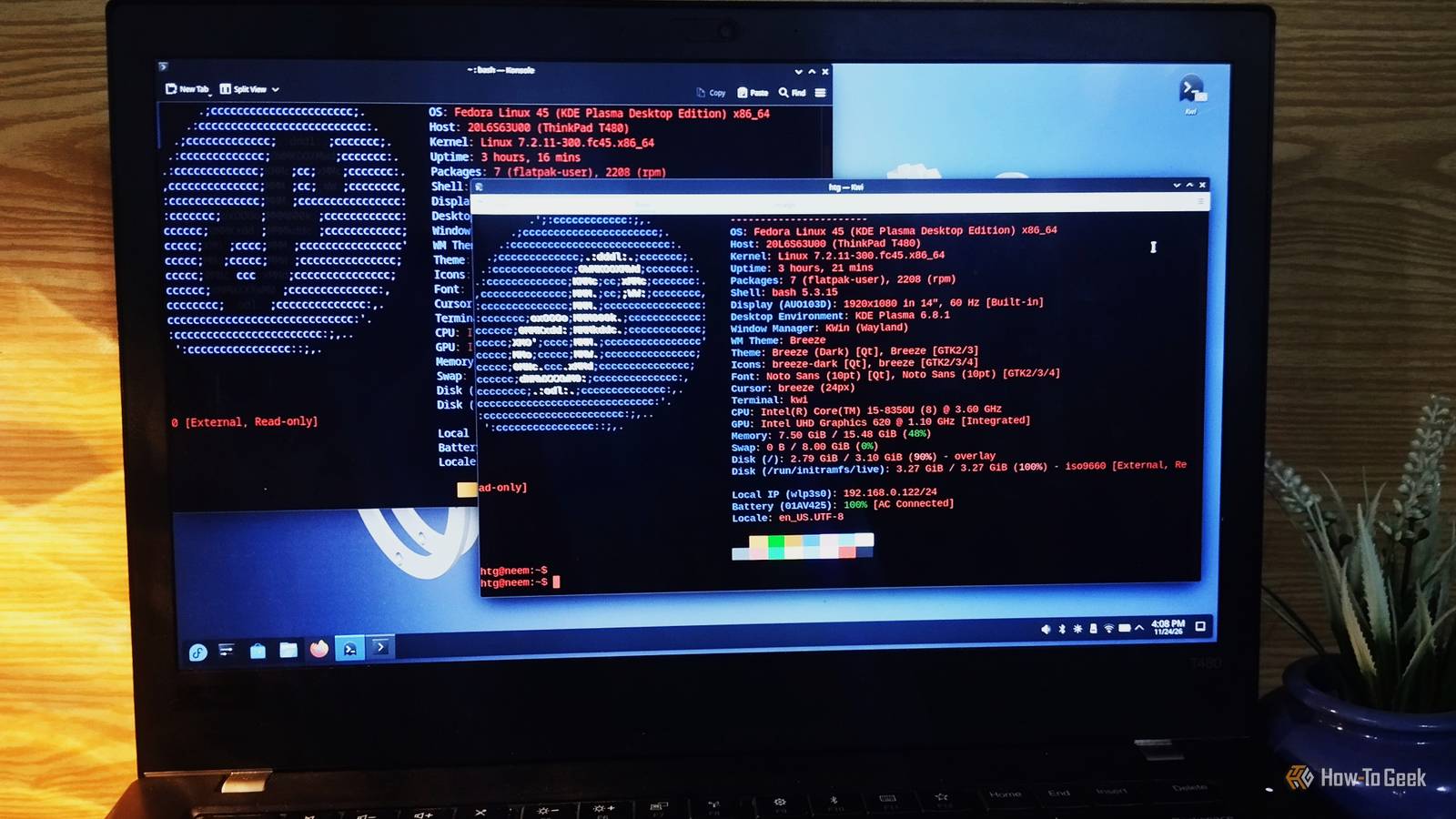
Published Nov 25, 2026, 4:00 PM EST Nimrah has spent the last five-plus years writing about technology, with Linux being one of her favorite subjects to explore. Her work covers everything from Linux and open-source software to databases, cybersecurity, and everyday software. She has contributed to Baeldung, Make Tech Easier, and LinuxHint. She particularly enjoys turning a concept that initially seems complicated into something anyone can understand. Away from tech, she loves to read, cook new recipes, and try new restaurants and cuisines. Konsole has been part of the KDE desktop for so long that it's easy to take it for granted. It opens when you need a terminal, handles your commands, and gets out of the way. There's not much reason to question something that already works. But KDE recently released another terminal worth watching. It's called Kwi (pronounced "kwee"), and it takes a different approach. Rather than building on Konsole's foundations, Kwi combines technology from Ghostty with KDE's newer application frameworks and GPU-accelerated rendering. It's an experimental project, not a replacement for Konsole, and KDE hasn't announced any plans to retire its long-standing terminal. I spent some time trying Kwi on KDE Plasma, exploring its everyday features and testing heavier workloads. I found some conveniences, along with a few rough edges. KDE has a new terminal, and it's not Konsole 2.0 Meet Kwi, KDE's little terminal ghost Kwi has a rather cute identity for something that spends its time displaying command-line output. Its app icon features a little terminal ghost, and even its name has a spooky connection. Kwi comes from kwisin, a Romanized form of the Korean word 귀신, which means ghost. But there's more to Kwi than its icon. KDE developer Eike Hein introduced it as an experiment in building a modern terminal around KDE's newer technology stack. It isn't intended to be a direct replacement for Konsole, and KDE hasn't announced plans to retire its long-established terminal. That distinction matters. Konsole has 29 years of continuous development behind it, while Kwi is still at the beginning of its journey. Kwi reached its first release, version 0.1.0, on November 20, 2026, and has since passed KDE Review to become an official KDE project. That's an important milestone, but it doesn't suddenly give it decades of accumulated features and refinement. Kwi takes a different approach to rendering Ghostty's terminal technology meets KDE's modern interface The most interesting thing about Kwi is what's happening under the hood. It uses libghostty-vt, the terminal emulation library from the Ghostty project, alongside KDE's KPty framework. Its interface is built with Qt Quick and Kirigami, while Qt Scene Graph handles rendering with GPU acceleration through Vulkan or OpenGL. Konsole takes a different route. It's closely tied to Qt's older QWidget technology, which typically relies on CPU rendering. Kwi's newer architecture gives it access to GPU-accelerated rendering instead. And KDE isn't shy about the potential performance difference. According to its developer, Kwi was between three and 35 times faster than Konsole in certain benchmarks, depending on the workload. One example involved the DOOM-fire-zig test, where Kwi reached 870 frames per second compared with Konsole's 23 on the same test system. KDE also suggests that moving more rendering work to the GPU could help reduce battery usage. Those are KDE's benchmark results, not numbers from my own testing. I didn't run a controlled performance benchmark, so I wouldn't claim that Kwi is 35 times faster on my machine. What I can say is that I didn't notice much difference when running basic commands. When I pushed the terminal with heavier output, however, Kwi appeared to render it more smoothly. The difference was more noticeable when displaying images, too. The idea of putting an available GPU to work on terminal rendering makes sense, particularly when you're dealing with applications that constantly update what's on the screen. Just don't expect every command you type to suddenly finish faster. GPU acceleration primarily helps render what the terminal needs to display, not make your shell commands or applications execute faster. I tried Kwi, and it feels right at home on KDE Kwi makes managing multiple terminal windows easier Kwi doesn't look out of place on Plasma. Its interface follows KDE's newer design conventions, and the automatic color-scheme synchronization means it can follow the desktop's appearance without requiring you to recreate your system theme manually. I started with the usual terminal tasks, opening a few tabs and running commands such as Fastfetch. The interface felt familiar enough that I didn't have to learn a completely new way of working. I could also open the settings and adjust the available options, including keyboard shortcuts and scrollback behavior. One little feature I particularly liked was the ability to move tabs between separate Kwi windows. Just like in a web browser, I could grab a tab and drop it into another Kwi window without reopening the session manually. It's a small convenience, but it makes working with multiple terminal windows feel much more natural. I couldn't do the same thing with Konsole in my testing. Kwi's current feature set is more streamlined than Konsole's, though. I couldn't find the profiles or split-pane options I normally associate with a more mature terminal. If you regularly divide one terminal window into several working areas, that's something to keep in mind. Still, the interface feels like a deliberate KDE application rather than a quick experiment thrown together around a terminal engine. That is a good starting point. Kwi handles some desktop features surprisingly well Plasma themes, fractional scaling, and image rendering A terminal can have impressive rendering technology and still feel awkward on a desktop if it doesn't handle the basics properly. I wanted to see how Kwi behaved with Plasma's appearance settings, different text characters, and terminal graphics. The first pleasant surprise was its integration with the desktop. When I changed Plasma's color scheme, Kwi followed along. Fractional scaling also worked properly in my testing, and text remained clear at the scaling level I tried. Unicode characters and box-drawing symbols displayed as expected, too. I also tested the Kitty graphics protocol by displaying images in both Kwi and Konsole. Both terminals handled the test, but Kwi appeared to render the images more quickly. There was a small visual difference, though: Konsole's image colors looked a little crisper, while Kwi's appeared slightly paler. Though I was expecting the opposite. Nerd Fonts and Powerline symbols were another interesting test. Both terminals displayed Powerline styling, but I ran into more missing or unusual Nerd Font glyphs in Kwi. Konsole handled more of the symbols I tried correctly. That's worth mentioning because KDE's development notes highlight improved support for Powerline and geometry symbols, but my own test shows there's still room for improvement with particular fonts and glyphs. None of these issues made Kwi unusable. In fact, its Plasma integration and scaling behavior were among the things I liked most. Kwi still has some catching up to do Kwi is off to a good start, but still has some growing to do Kwi's first release is an exciting step, but it doesn't have everything that makes Konsole such a dependable daily terminal. The lack of split panes and profiles will matter to some users, and my Nerd Font testing showed that a few rendering details still need attention. There's also a difference between having a modern rendering engine and having a mature terminal application. Konsole has had years to build up its settings, workflows, and integrations. Kwi needs time to develop that same depth. KDE has some bigger ambitions for the project, too. Its developer has discussed using Kwi's technology as the basis for a possible alternative to Kmscon, the userspace virtual terminal used by some Linux distributions. The idea is to explore a solution with deeper accessibility and input-method support. That's a future possibility, not something Kwi currently delivers. For now, the more immediate goal is to keep improving the terminal itself. KDE has already been refining its interface and fixing bugs, and the first release is a useful foundation to build on. I wouldn't expect every missing feature to arrive overnight, but the project has a clear direction. KDE's little terminal ghost has potential I'm not ready to give up Konsole, especially when it already handles the terminal features I rely on. But Kwi has made a good first impression. Its interface feels at home on Plasma, moving tabs between windows is genuinely convenient, and its GPU-accelerated rendering gives it an interesting advantage when the terminal has more work to display. What I like most is that KDE isn't simply trying to recreate Konsole with a fresh coat of paint. Kwi takes a different technical approach, and that gives it room to grow into something of its own. I'll be keeping an eye on this little terminal ghost as it matures.
Konsole has been around for decades. KDE is trying something completely different
Full Article
Original Source
Read the full article at Howtogeek →KhanList aggregates and links to publicly available news content. We do not host full articles from third-party sources. Always verify important information with original sources.