
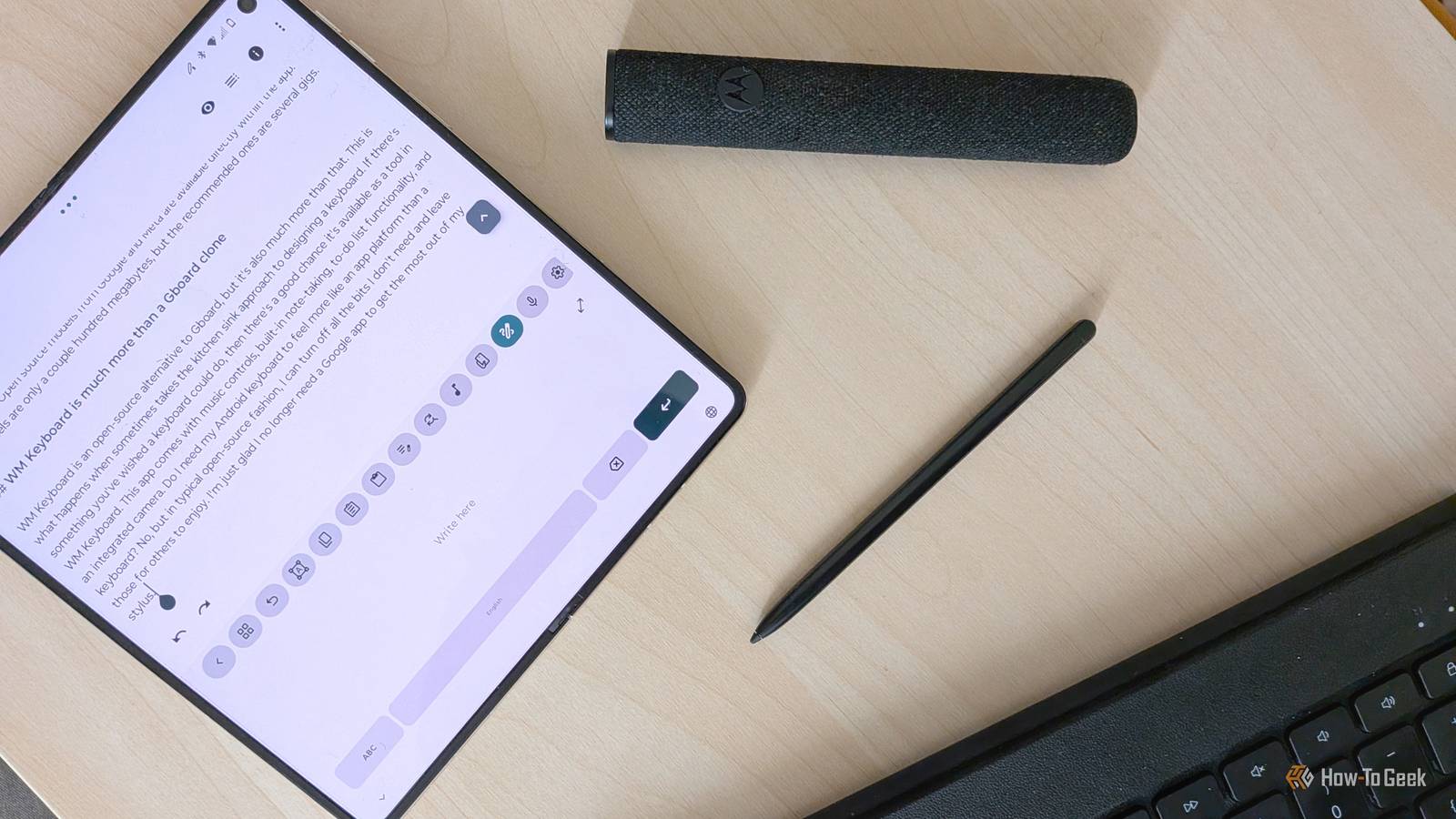
Published Nov 18, 2026, 3:01 PM EST Bertel is a lifelong tech enthusiast with over a decade of experience writing thousands of articles about Android devices, Linux, and more. Before joining the How-To Geek team, Bertel wrote for the likes of MakeUseOf, MakeTechEasier, and Android Police—at the latter he wrote over 3,500 articles. He delights in helping others decide which tech to bring into their lives... and which tech to do without. Bertel graduated from the College of William and Mary in 2012 with degrees in History and Government. He has spent his entire career as a tech journalist covering Android, Linux, wearables, smart home devices, and more. I've always felt a little uneasy about Gboard, a keyboard with internet access that explicitly comes from an ad-tech company. Yet switching away, especially to an open-source keyboard, comes with sacrifices. Then, I found the Wasi Master Keyboard, known as WM Keyboard, which not only preserves my favorite things about Gboard — it's packed with features Google would never add! I'll be upfront. This keyboard embodies both the best and worst of open-source software. Its settings let you customize and fine-tune every aspect of the app — arguably too much. It's a keyboard that needs time to break in, but its payoff is largely unrivaled. I don't have time to cover everything WM Keyboard can do (it is a keyboard with a built-in calculator, currency converter, and translator). Instead, I'll focus on what Gboard features WM Keyboard preserves that other open-source keyboards don't. I no longer need Gboard for handwriting recognition I can write out words with my stylus and have them reliably converted to text My stylus is so important to me that it guides my phone purchasing decisions. That's the primary reason I purchased a Motorola Razr Fold instead of a Samsung Galaxy Z Fold 8. One phone supports a stylus. The other doesn't. Gboard and Samsung Keyboard come preinstalled on these phones, and they offer the ability to write by hand and have that text converted into any input field. My preferred alternatives, like FUTO Keyboard, don't. This has left me switching to Gboard whenever I want to write by hand. WM Keyboard is the first open-source keyboard I've encountered that supports writing by hand. To my surprise, it's actually good! When it gets a word wrong, it's usually because my handwriting was sloppy. Put another way, it writes what I wrote, which does not always reflect what I intended to write. Honestly, I prefer to use WM Keyboard over Gboard for handwriting because it does a much better job recognizing punctuation like periods and commas than Google's keyboard does. WM Keyboard can scan text Convert words in the physical words into text in the digital one So much of what makes Gboard better than other keyboards comes down to Google flexing its AI capabilities. Text-scanning is one such flex. With Gboard, you can point your phone at words on a birthday invite and have your keyboard extract the text for you to paste into your calendar app. Turns out, the WM keyboard can do this just as well. When you take a picture of a business card or brochure, your keyboard will show you what it thinks it sees and let you select which scanned words you want to enter. By letting you select which text you want to copy, this is another case where WM Keyboard's approach might actually be preferable to Gboard, which simply copies everything it sees. WM Keyboard can proofread your text Grammar-checking and other writing tools work entirely offline For the longest time, grammar checking tools were limited to the apps we were writing in, like Microsoft Office or Google Docs. Then extensions like Grammarly let us check grammar in our web browsers. Now these tools are baked directly into Android's default keyboard, and they are making their way into third-party options. You can make a grammar tool appear in the toolbar above WM Keyboard, or you can tuck it away behind the toolbar button (which is where I keep it). Tapping the tool runs through a list of your grammatical errors, which you can address one at a time. It's helpful, and since everything takes place offline, you can actually trust it to give even your most sensitive writings a look-over. WM Keyboard also comes with other AI writing assistant tools, though if you want it to generate text on your behalf, you'll either need to provide your own API key or download an AI model directly to your device. Open-source models from Google and Meta are available directly in the app. Some models are only a couple hundred megabytes, but the recommended ones are several gigs. WM Keyboard is far more than a Gboard clone WM Keyboard is an open-source alternative to Gboard, but it's also much more than that. This app is what happens when someone takes the kitchen sink approach to designing a keyboard. If there's something you've wished a keyboard could do, then there's a good chance it's available as a tool in WM Keyboard. This app comes with music controls, built-in note-taking, to-do list functionality, and an integrated camera. Do I need my Android keyboard to feel more like an app platform than a keyboard? No, but in typical open-source fashion, I can turn off all the bits I don't need and leave those for others to enjoy. I'm just glad I no longer need a Google app to get the most out of my stylus.
I've found a private open-source keyboard that keeps Gboard's best features
Full Article
Original Source
Read the full article at Howtogeek →KhanList aggregates and links to publicly available news content. We do not host full articles from third-party sources. Always verify important information with original sources.