
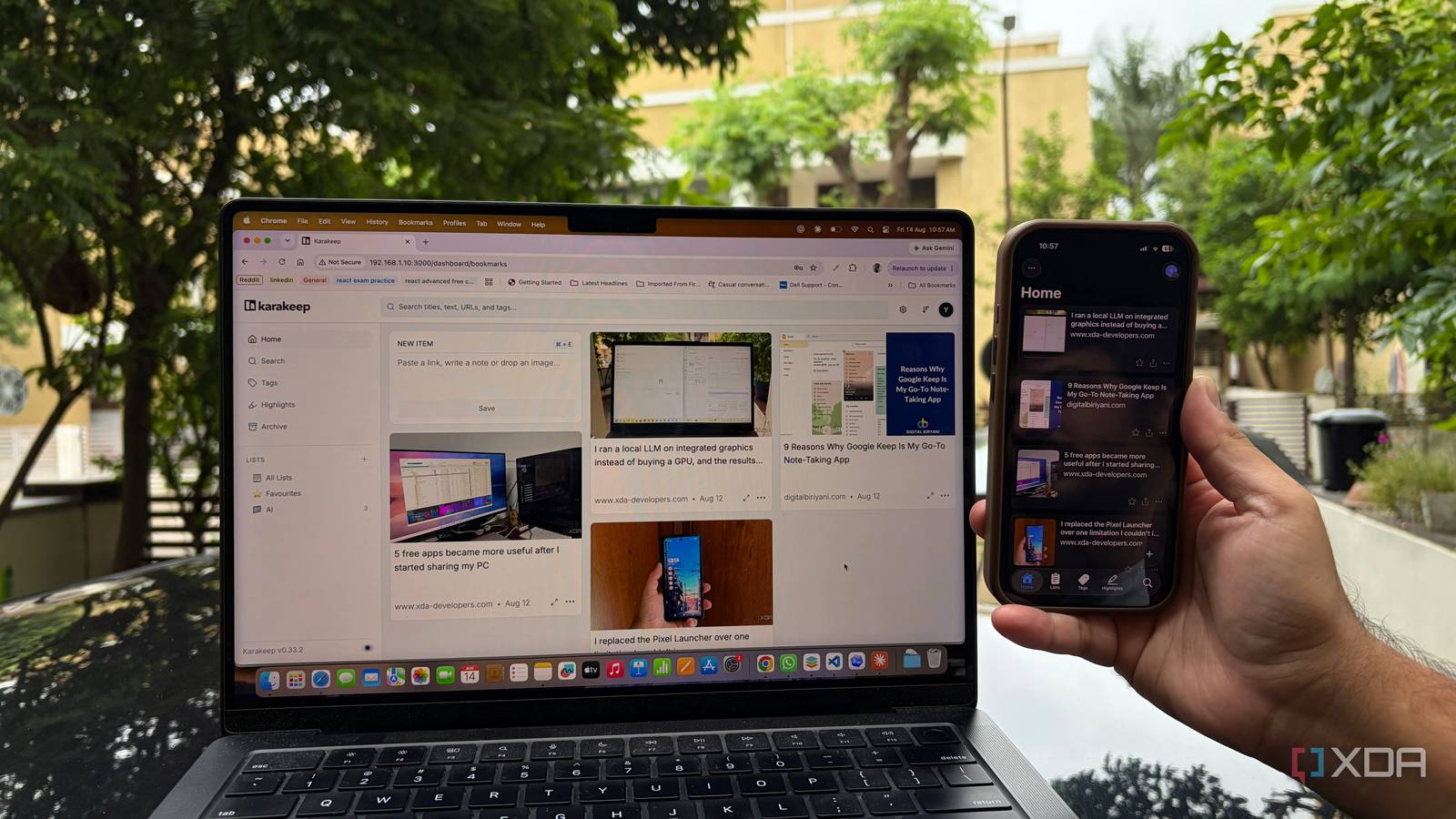
Published Aug 19, 2026, 6:00 AM EDT Beginning his professional journey in the tech industry in 2018, Yash spent over three years as a Software Engineer. After that, he shifted his focus to empowering readers through informative and engaging content on his tech blog – DiGiTAL BiRYANi. He has also published tech articles for MakeTechEasier. He loves to explore new tech gadgets and platforms. When he is not writing, you’ll find him exploring food. He is known as Digital Chef Yash among his readers because of his love for Technology and Food. I was genuinely annoyed when Pocket disappeared because it was one of those apps I never thought much about until I no longer had it. I tried different apps that promised to fill the gap, but most felt too complicated or lacked the simplicity I wanted. Eventually, I stopped looking at the usual cloud-based options and started exploring what was available in the self-hosted world. That's when I came across Karakeep. What is Karakeep? Docker is my preferred way of hosting this bookmark manager Karakeep is an open-source bookmark manager that I now use as my self-hosted replacement for Pocket. It gives me one place to save and manage things I want to come back to later, but the biggest reason I stuck with it is that I can host it myself. I installed Karakeep using Docker, which made the whole process much easier than I expected. Since most of my self-hosted apps already run in Docker containers, it fits naturally into my setup. I just had to create the Docker Compose configuration, set the required environment variables, and start the container. Once it was up, I could access Karakeep through my browser just like any other web app on my server. I didn't need to sign up for another hosted service or hand over my saved data to a third party. For me, that's what makes Karakeep interesting: it feels like a proper application, but I get to decide where it runs and where my data lives. More than just saving bookmarks My bookmarks finally feel organized What made Karakeep stick for me is that it goes well beyond simply saving a URL. I can save articles, videos, images, and other things I find online, which makes it useful for more than just a traditional read-later workflow. I can organize everything with tags and lists, so my saved content doesn't quickly turn into a huge pile of links. I use different lists depending on what I'm saving, while tags let me connect related items another way. This makes it much easier to keep my collection useful as it grows. Another feature I appreciate is the full-text search. Instead of scrolling through pages of saved links, I can search my collection and quickly find something I saved weeks or months ago. Karakeep also keeps useful details from the original page, so I don't rely only on the title or URL to remember why I saved something. It also supports archiving, allowing me to move things out of my active collection without deleting them. I can mark items as favorites, add notes, and manage my saved content without complicating the workflow. Browser extensions and bookmarklets also let me save content quickly while browsing. These small features matter because they make Karakeep feel like a complete bookmarking system, not just another place to store URLs. Mobile App hits different Pocket's replacement fits in my pocket I always love it when a self-hosted app comes with a polished mobile app. It is still surprisingly rare to find self-hosted tools that feel just as good on a phone as they do in a browser, and Karakeep is one of those exceptions. The mobile app makes saving things from my phone much easier. I often come across an interesting article, video, or link while I'm away from my PC, and I don't want to send it to myself or leave another tab open. I can simply use the Android sharing menu and send it to Karakeep. The app also makes my saved collection easy to access when I'm away from my desktop. If I have a few minutes to spare, I can open Karakeep, check what I saved earlier, and catch up on things without needing to be near my server. AI features make it more efficient Let AI handle the boring stuff The AI features are another small but useful part of Karakeep. I don't use them all the time, but they can save me a lot of manual work as my saved collection grows. Karakeep can automatically tag saved content, which means I don't have to manually label every article or link. I find this especially useful when I'm saving several things for research. It can also summarize saved content, so I can quickly understand what a page is about without reading it again from start to finish. This is handy when I return to something I saved weeks ago and can't remember why I saved it. I like that the AI features don't get in the way. They simply handle some of the boring work in the background and make my bookmark collection easier to manage. I finally stopped looking for a Pocket replacement After trying different options for a year, I didn't expect the answer to be sitting on my own server. Karakeep didn't win me over with one killer feature. It was the complete experience that made me stick with it. It feels polished enough that I don't constantly think about the fact that I'm self-hosting it. At the same time, I still get the control and flexibility I want from running my own services. Karakeep Karakeep is an open-source, self-hosted bookmarks manager that allows you to add bookmarks from any platform and categorizes them based on tags.
It took me a year to find a real Pocket replacement, and it was self-hosted the whole time
Full Article
Original Source
Read the full article at Xda-developers →KhanList aggregates and links to publicly available news content. We do not host full articles from third-party sources. Always verify important information with original sources.