
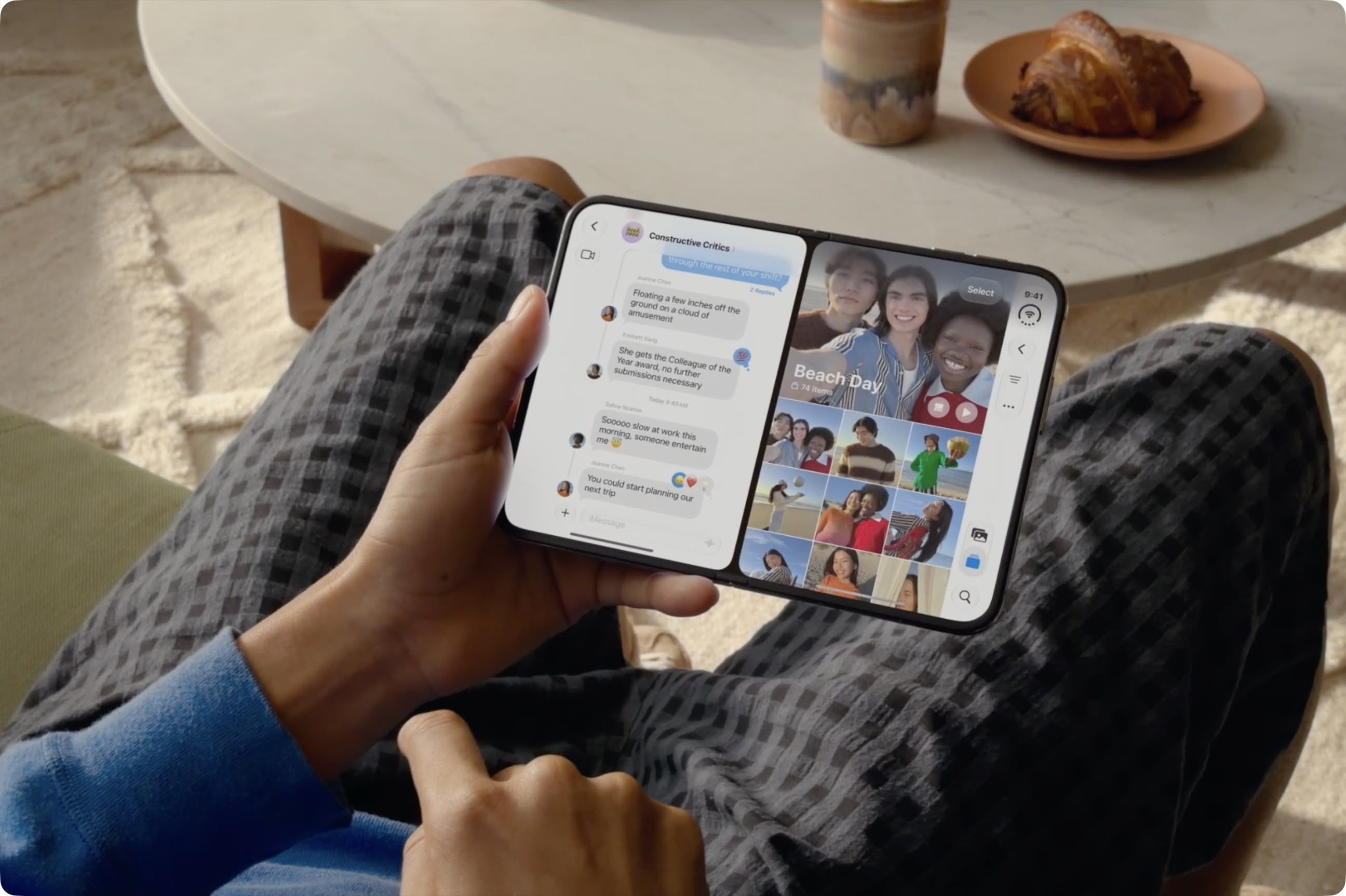
iPhone Duo is the first iPhone that can run two apps on the screen at the same time. Unfold the phone in landscape orientation, and Split View puts two apps side by side on the 7.6-inch inner display. It's especially handy for things like keeping Messages open next to Maps, or Safari next to Notes. Indeed, if there's an app combination that you use often, you can lock two together as an app pair, and they will always launch together. Here's how to do both. Open Two Apps in Split View The way it currently works, Split View can be invoked on the iPhone Duo's inner display in landscape orientation. Here are the two ways to start it. From an App You're Already Using: Swipe up from the bottom of the screen, pause in the center, then keep dragging the app toward the left or right edge. The app will settle into that half of the screen, and the Home Screen will appear on the other half. Now select the second app you want to open. You can tap its icon from the Home Screen, swipe down to search for it, or swipe leftwards to find it in the App Library. Tap the second app, and it will appear alongside the first. From the Home Screen or App Library: Touch and hold an app icon, then tap Open in Split View. Tap the second app you want to open alongside it from the Home Screen, or using swipe-down search or the App Library. We've found that in certain cases, two windows of the same app also work. Apps that support multiple windows include Safari, Mail, Notes and Files. Simply open the app in Split View, tap its icon again on the Home Screen or in App Library, and a second window opens beside the first. This way, you can have two webpages open at once, or your inbox next to a draft. It's pretty neat. To swap the two apps around, just swipe up from the bottom of either app, pause in the center, then drag it to the opposite side. Lock Two Apps as an App Pair With both apps open in Split View, tap the divider between them. There isn't really a second step – that's essentially it. The apps are now paired, and the next time you open either one, the other one will open with it automatically. To unpair them at any time, just drag the divider in the center, all the way to the left or right edge of the screen. The app you push off will close, while the other will return to full screen. Worth Knowing Unlike in iPadOS, the app split on iPhone Duo is fixed at 50/50. So if you're used to Split View on iPad, remember that you can't drag the divider to give one app more room. Also, only one app can play audio at a time, so it's not like you can scroll two video feeds side by side and expect to get sound from both. Popular StoriesApple Retail Staff Told to Warn Against iPhone Duo Walk-In PurchasesSome Apple retail employees have been told to warn customers against visiting to purchase an iPhone Duo without a pre-order on Friday, October 23. Apple Store employees told MacRumors that they have been advised that there will likely be no iPhone Duo stock available for walk-in purchases on launch day. Staff have been instructed to discourage customers without pre-orders from coming in...Here's What Apple's Apps Look Like on the iPhone DuoTuesday October 20, 2026 11:12 am PDT by Juli CloverWith just three days to go until the iPhone Duo is released, Apple is getting ready for the launch. Behind the scenes, the App Store now has screenshots of Apple's built-in apps running on the Duo. We've seen some apps in marketing materials, but images of the ones we haven't seen give us an idea of what it will be like using the iPhone Duo day to day. Many apps are shown in landscape...Mark Gurman: Apple Made 'Major Mistake' With iPhone Duo Pre-OrdersDespite knowing that the iPhone Duo would face "severe supply constraints" due to manufacturing challenges, Apple chose to begin iPhone Duo pre-orders on Friday instead of waiting until it had more inventory ready, according to Bloomberg's Mark Gurman. In his Power On newsletter today, he called this decision a "major mistake." "Let me cut to the chase: Apple made a major mistake here," he...
iPhone Duo: Open Two Apps Side by Side and Lock Them As an App Pair
Full Article
Original Source
Read the full article at Macrumors →KhanList aggregates and links to publicly available news content. We do not host full articles from third-party sources. Always verify important information with original sources.